


Adobe and OpenAI have released an in-chat version of Photoshop, which enables real pro-grade photo retouching directly in a conversational interface. Now, users can upload a photo in a chat and explain what they want to do to it for Photoshop to automatically make the edits without ever being touched by any toolbars.
What the Integration Delivers for Users and Teams
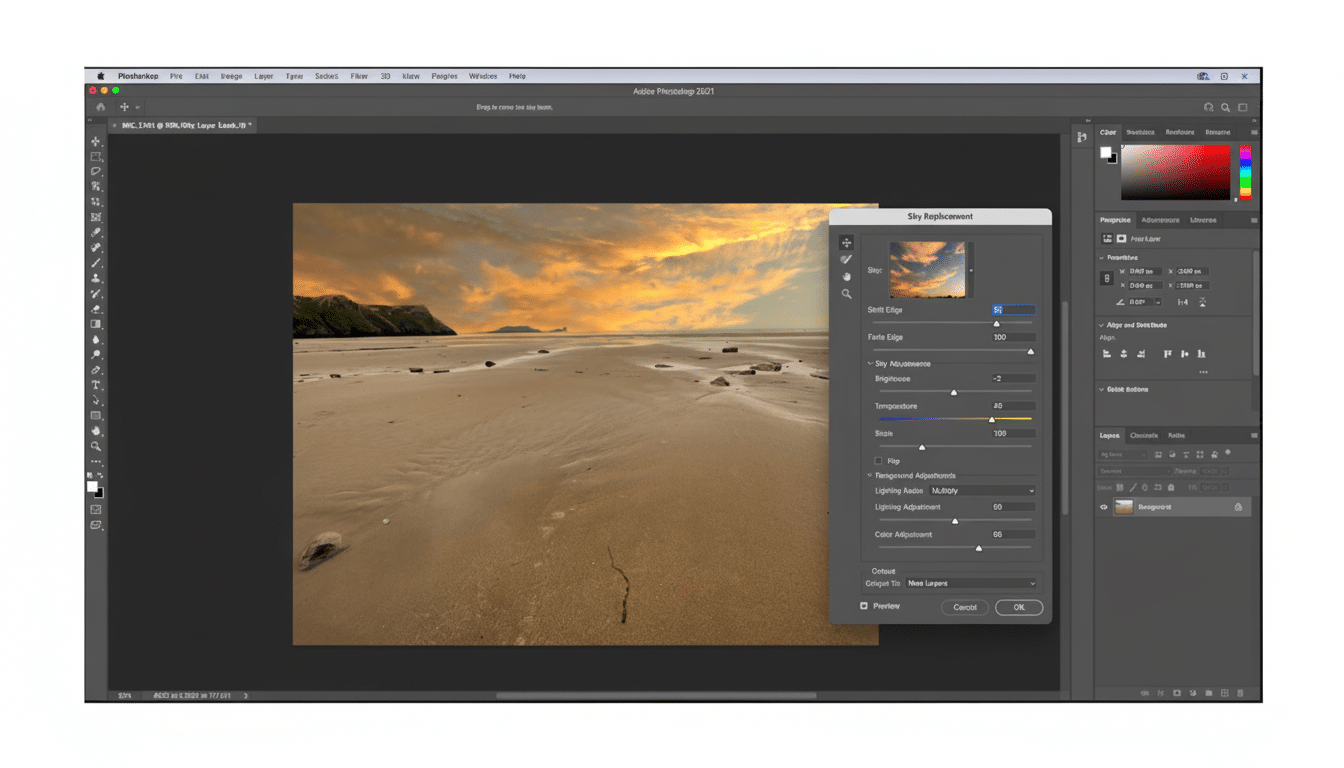
Within a ChatGPT conversation, you can request background blurs, skin retouching, object removal, sky swaps, color matching or stylized looks and get the results in-line. The integration leverages Adobe’s cloud-rendered Photoshop workflows and generative capabilities that are driven by the company’s Firefly models, which have generated billions of images since they were rolled out according to Adobe disclosures.
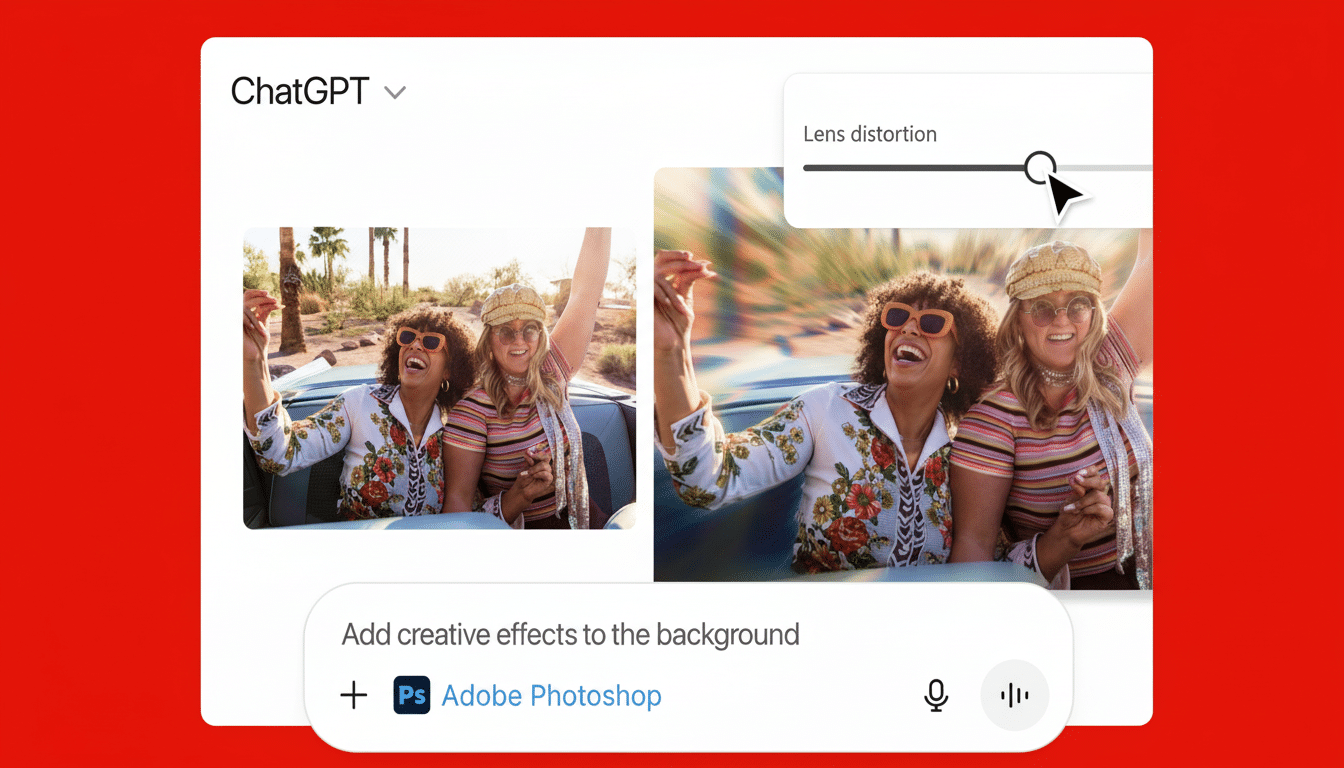
In addition to Photoshop, the company is also bringing Express and Acrobat tools into this shared chat space. Which is to say social graphics from templates, brand-safe speedy versions and PDF-dimensional actions such as condensing documents or adjusting fields can join the onscreen visuals without having to leave ChatGPT.
How It Works Inside ChatGPT for Seamless Editing
Consider ChatGPT as the director and Photoshop as the production crew. You tell it what you’re trying to accomplish, ChatGPT splits that goal into manageable steps and Photoshop does the operations on Adobe’s end. You’re served previews, you can iterate for further unlocking by finessing the prompt, and then export the end result.
A typical prompt might read:
- “Get rid of the power lines and warm up the tones.”
- “Blur out the background, getting it to f/1.8 depth of field for a portrait.”
- “Make this product shot match our brand blue and add a very subtle vignette.”
For marketing teams, that translates into faster turnarounds on e-commerce cutouts, ad variants and social posts; for individuals, it is a shortcut to polished headshots and event photos without the learning curve.
Why It Matters for Creators, Teams, and Workflows
According to OpenAI, ChatGPT reached more than 100 million weekly active users since the model was launched and Photoshop continues to dominate as the industry standard of image editing. Together, they collapse a familiar creative bottleneck: remembering what any one tool does and where it lives on a menu. By pushing natural language upfront, Adobe is gambling that more people will be willing to take a stab at intimidating edits they might have ordinarily overlooked while professionals can hand over the dirty work and concentrate on those high-value tweaks.
The move also catches users where they are already brainstorming and planning. Creative direction, copy, layout ideas and now image edits can all take place within a single thread. That continuity is a small but powerful change in workflow, particularly for small teams and single creators that alternate between idea generation and production.
Trust, Attribution, IP, and Content Credentials
Firefly has been trained on licensed content, such as Adobe Stock and public domain material with known provenance and offers IP indemnity to enterprise customers leveraging Firefly-generated outputs, says Adobe. Look for those guardrails to transfer in Photoshop running through ChatGPT, a crucial caveat as the market demands accountability for dataset provenance.
For transparency, Adobe’s Content Credentials — a project linked to the C2PA standard supported by orgs like BBC, Microsoft and Intel — work on attaching edit histories and AI indicators to assets. How it holds up under edits that originate in ChatGPT will be closely watched by newsrooms, brands, and agencies that depend on provenance signals as a form of verification.
Availability and Cost Considerations for Enterprises
Adobe is framing the integration as a native ChatGPT experience with in-chat tools for Photoshop, Express and Acrobat. Some features may be dependent on a matching Adobe account, or higher tiers of ChatGPT, and enterprise admins will care about data preservation — such as whether prompts, assets and outputs are stored (or possibly used to train models). The two companies have each highlighted customer controls and enterprise-safe modes in their offerings.
Real-world note for teams: check if outputs roll into your Creative Cloud libraries, and investigate tracking versions across chat and desktop. Smooth handoffs — from a chat-edited image to a multilayered file that a designer can polish in desktop Photoshop — will make all the difference in how soon this becomes standard in the professional workflow.
Competitive Context in the AI Editing Landscape
Competitors like Canva and Microsoft have already integrated AI image tools into their offerings, and Google has been marrying generative visuals with productivity apps. Adobe’s edge is in bringing the Photoshop brand, and its layer-aware, production-grade toolset to the conversational frontier. If the experience pans out and maintains edit provenance, it could change expectations for how creative tasks start — and finish — inside AI chat.
For creatives, the premise is straightforward: verbalize the shot you want to make, and then watch Photoshop roll up its sleeves in ChatGPT while iterating until it checks out. For Adobe and OpenAI, it’s an attempt to make high-quality edits as commonplace as sending a message.
