


Apple’s iPhone 17 family debuts alongside iOS 26, and the software commandeers more than its share of the limelight. The update relies heavily on Apple Intelligence — the company’s combination of on‑device machine learning and Private Cloud Compute — to subtly enhance things you do daily. Here are seven real AI upgrades that count today, not just in marketing demos, and where they’ll land beyond the newest phones.
At its developer conference Apple portrayed these tools to developers as “helpful first,” with privacy as the guardrail: “when possible sensitive data is kept on-device, and requests go through Apple’s systems without being linked back to the user,” according to Apple’s platform security brief. That balance comes through in all of the features below.
Visual Intelligence on any display
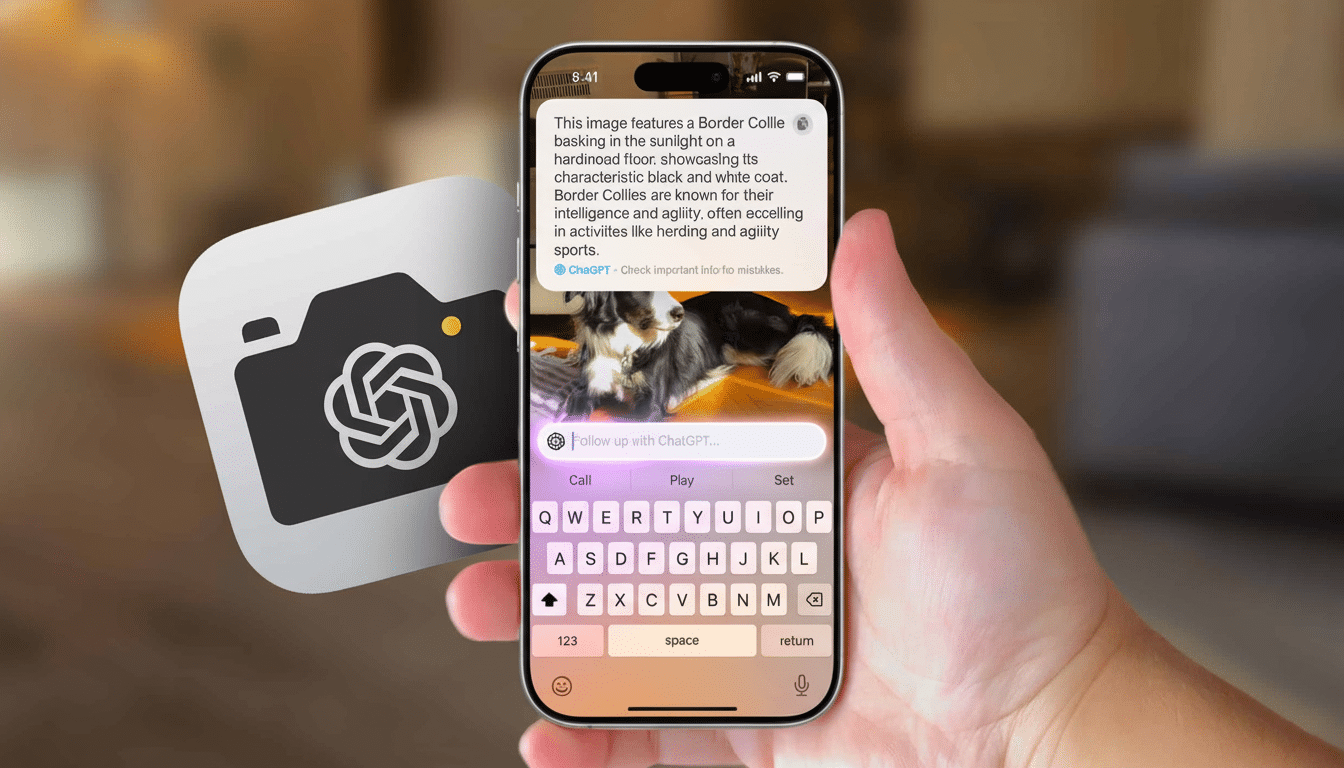
Last years camera-based object lookup now works anywhere on your display. Snap a screenshot or long‑press on something onscreen, and Visual Intelligence figures out what it is that’s being displayed — text, dates, products, hell, even puzzles — and then offers up actions like creating a calendar event, identifying gear, or pulling up relevant support docs. There’s also an “Ask” function that can send a question down to a partner model like ChatGPT when you need a more general point.
It’s as if Apple took its shot at “Circle to Search” with a few extra hooks into iOS. And in testing, it’s particularly good at pulling structured information like details about meetings, tracking numbers and addresses out of cluttered screenshots — sparing you long sessions of copy-pasting.
Instant translation in calls and chats
iOS 26 can translate live audio in Phone and FaceTime, and translate messages inline. Begin a translation and both parties instantly get a clear prompt; you’ll see an on‑screen transcript and hear a natural‑sounding voice in your language a beat later. It’s a substantial upgrade for travelers and distributed teams, who get to interact with their company from within the apps they already use — without as much friction or confusion.
Apple claims translations operate on device when possible, with Private Cloud Compute taking over for more complex language pairs, all while ensuring the experience is fast and private.
Apple Music AutoMix
AutoMix adjusts tempo and key for a seamless transition from song to song, whether as a professional DJ or at your next party. Paired with Autoplay, it can even pluck down and mix together the next track that fits the mood. It’s subtle when you want it to be and surprisingly slick on dance and electronic playlists — less dead air, more flow, and fewer sudden fade-outs.
Thanks to the local analysis, transitions are responsive and feel connected even when you’re jumping around mid‑song.
Smarter Shortcuts with Apple Intelligence
Shortcuts will receive AI‑powered actions that can categorize, summarize, and reason about your content. You might, for instance, create a Shortcut that files new PDFs from Mail away into the appropriate project folder before then capturing a one‑paragraph summary and dropping it into Notes. Natural‑language configuration calls for way less fiddling with variables.
Advanced operations are run on device where supported, more heavy lifting can safely tap Private Cloud Compute. The Apple gallery also now contains readymade instances so that you can learn by editing.
Press Hold Assist for phone queues
When iOS hears hold music, it asks if it should wait on the line and give you a buzz when a human being is back. The system says good-mannered things like you’re just taking the lead for a quick sec and then chastises you by way of a big alert. It’s a feature that mirrors a popular aspect on rival platforms, but Apple’s implementation is clean, reliable, and easy to trust: It’s built into the native Phone app.
If you spend a lot of time calling airlines, health providers or banks, this is the rare feature that gives you time back every week.
2D library to Spatial photos
Applying computer vision on the Neural Engine, iOS 26 is capable of guessing depth from any typical photo, and then separating the picture’s foreground and background so that it can be animated, creating a subtle 3D effect. Add one to your Lock Screen, and the image seems to follow your eyes as you tilt your phone — no fancy camera setup or capture mode needed.
This is more than a parallax trick: portraits, travel shots and pet photos all end up with a lifelike sense of space that feels novel without feeling gimmicky.
AI writing tools throughout the system
Systemwide writing tools can rewrite text for clarity or tone, proofread for grammar and create concise summaries in apps like Notes and Mail. In email triage, suggested replies dissolve long threads in moments; for students and professionals, the “make it clearer” pass is a silent superpower.
Apple notes that sensitive drafts are processed on the device whenever possible, and that Private Cloud Compute requests requests are anonymized, and are not kept—an important assurance for enterprise users.
Compatibility: What older iPhones are really getting
Availability varies by feature. Apple Intelligence features —Visual Intelligence, AI writing tools, and the most powerful Shortcuts actions designed for the new Apple silicon. You can expect full support on the iPhone 17 family too, with some features making their way onto recent high‑performance models where the Neural Engine can cope.
Other updates, including Hold Assist, AutoMix, and live translation in calls and Messages, are arriving more widely on recent iPhones, and they can offer noteworthy enhancements even if you’re not using a brand‑new device. As usual there are new app versions and region availability to consider.
The takeaway: You don’t have to chase the most eye-catching demos to see what iOS 26 can do. The seven utilities get out of your way to streamline the chores of daily life — finding information onscreen, navigating foreign languages, smoothing music, automating busywork, being on hold, reminiscing about photos, sharpening your writing — always placing privacy in the center.
