


Open-source software on Windows is no longer a marginalized option. From productivity to privacy, community-built tools now compete — and often outperform — commercial suites. It is an attractive value proposition: open code, under active development, and no license fee. For anyone who values control and freedom over convenience, these are the 10 open-source Windows applications I always recommend.
LibreOffice: a complete, open-source office suite
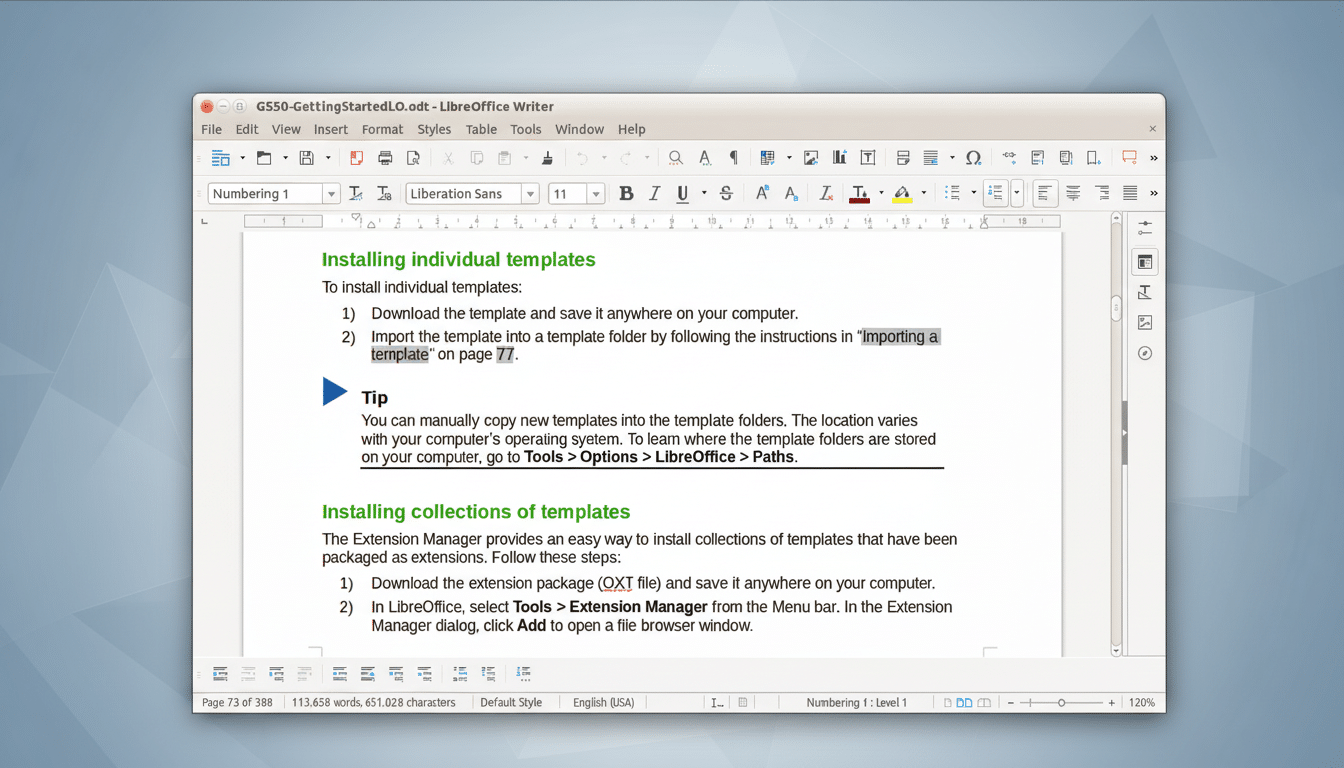
LibreOffice is a comprehensive office suite featuring word processing, spreadsheets, presentations, and more. It is based on the ISO-standard OpenDocument Format and supports Microsoft Office formats by default for smooth collaboration. Development is managed by The Document Foundation, and the suite favours an offline-first approach, which makes it a smart choice for private work.
- LibreOffice: a complete, open-source office suite
- Microsoft PowerToys: open-source Windows power tools
- 7-Zip: fast, flexible file archiving for Windows
- ShareX: powerful screenshots and screen recording tool
- Duplicati: encrypted, automated cloud backups for PCs
- Nextcloud: private file sync, share, and collaboration
- Bitwarden: open-source password manager with audits
- AutoHotkey: scriptable automation for Windows power users
- File Converter: quick right-click media conversion utility
- Ollama: run local AI language models on your PC
- Using these tools to get the most from Windows
Microsoft PowerToys: open-source Windows power tools
Microsoft’s own open-source toolkit for power users, PowerToys gets installed on every Windows PC I use. FancyZones gives you custom window layouts, PowerToys Run is a quick, Spotlight-style launcher, PowerRename batch-renames files, and the Color Picker has been popular with designers. As an open-source project with an active contributor base, it’s a rare first-party gem that truly makes workflows faster.
7-Zip: fast, flexible file archiving for Windows
7-Zip really is the little archiver that could. Its LZMA and LZMA2 support is particularly impressive, with very competitive compression ratios, although it does also handle a huge range of other formats. It’s fast, scriptable, and free to use commercially, so it is a favourite of sysadmins and forensic teams. If you send around huge datasets or trade projects often, 7-Zip is a must.
ShareX: powerful screenshots and screen recording tool
For screenshots, screen recordings, and simple annotations, it’s tough to beat ShareX. It has scrolling capture, GIF recording (because that’s a thing), Optical Character Recognition using open-source engines, and one-click upload to places such as S3 or Imgur. Developers and support staff rely on it because writing documentation is painless, and the project’s up-tempo release cadence ensures you have a current set of features.
Duplicati: encrypted, automated cloud backups for PCs
Duplicati is simple to use, while offering encrypted, incremental, compressed, distributed, and authenticated cloud backups. It’s compatible with services including OneDrive, Amazon S3, and Google Cloud, and it is possible to encrypt data client-side using strong ciphers before anything leaves your PC. Scheduling, deduplication, and a web dashboard make it simple to adhere to the 3-2-1 backup rule that security agencies often encourage you to follow.
Nextcloud: private file sync, share, and collaboration
If you need private file sync and share, or if your employees want to be able to access their files wherever they are, it’s all there in Nextcloud. If you care about privacy, security, and control of your own data, then you definitely need a Nextcloud instance.
It is self-hosted open-source and locally installed software in the form of a server based on ownCloud, allowing for cloud file hosting while handling private cloud deployments at the same time. Combine it with the Windows desktop app to have an end-to-end monitored system.
Bitwarden: open-source password manager with audits
Bitwarden is an open-source, cross-platform password manager that offers end-to-end encryption and has undergone regular third-party security audits from firms like Cure53. It natively supports passkeys, hardware-based security keys, and organization vaults, while its import tools help make moving in painless. Security teams always advise using a password manager, and Bitwarden is a strong open-source choice that’s both easy to use and rugged for an enterprise.
AutoHotkey: scriptable automation for Windows power users
AutoHotkey is a scripting language, primarily used to remap keyboard keys and automate the Windows desktop. Its features include sending input, macro-creation hotkeys, automating (and processing) Windows dialog boxes, and launching programs in response to keyboard hotkeys. Whether you are a fan of text expansion or complex multi-step workflows, it is a productivity multiplier. There’s definitely a learning curve, but the community’s incredible script libraries and forums shave that down to practically nil — and once you automate even a few daily chores, there’s really no going back.
File Converter: quick right-click media conversion utility
File Converter presents a right-click menu component that converts or compresses video files in a snap. Under the hood, it employs battle-tested engines like FFmpeg and ImageMagick, so it works with images, audio files, video files, and documents reliably. It’s ideal for converting a collection of images into web-ready formats, or quickly creating MP4s without having to load feature-heavy editing tools.
Ollama: run local AI language models on your PC
Ollama is a way for you to run AI language models on your own computer as you go about your work, on Windows — no data leaves your machine, no vendor lock-in. It is compatible with popular models such as Llama 3, Mistral, and Phi-3, and provides a simple command-line interface (CLI) and a graphical user interface. Use a dedicated GPU if available, and mind your memory: if you have 16 GB RAM and 6 GB VRAM, you can likely use it, too. Local inference is a game-changer for developers and researchers concerned with confidentiality.
Using these tools to get the most from Windows
Supplement PowerToys with AutoHotkey to wrangle windows and automate launches, employ 7-Zip and File Converter to standardize assets, and embed security anchors such as Bitwarden and Duplicati. If you’re collaborating, Nextcloud keeps files under your control; if you’re trying out AI prompts, use Ollama. The broader lesson aligns with advice from standards bodies and industry reports: transparency and control are not only good for security, they’re good for business.
