


Self-hosting isn’t a mere hobbyist flex anymore; it’s a practical way to save on your monthly subscriptions and keep your data within your control. What finally got me to stick to it was how many self-hosted tools now plug into Android really well. And between native apps, share-sheet actions and push alerts, my phone has become the command center for my own personal cloud.
Immich: The modern, private photo backup
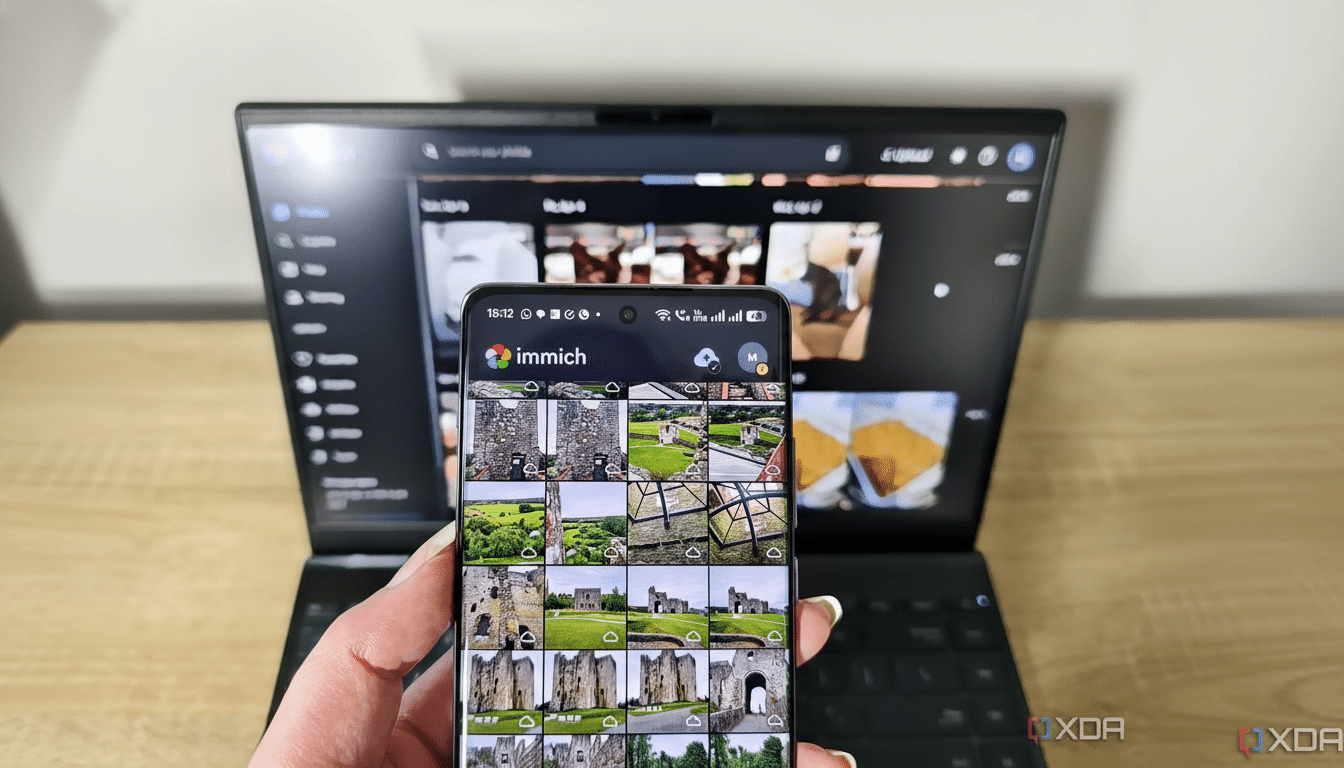
Immich is my Google Photos replacement, and it’s the Android app that’s the secret sauce. I pick and choose folders to back up, set uploads to Wi-Fi only, and let background sync take care of everything after trips. Face recognition and fast search make it useable, not just private, and the UI is finished feeling, rather than “project-grade.” The initial indexing is a bit heavy, and search isn’t necessarily instant, but I will take a few seconds’ delay over entrusting a third party with a lifetime of memories.
- Immich: The modern, private photo backup
- Paperless-ngx w/ Paperless Mobile: Never lose another receipt!
- Vikunja: To-do lists, but with real reminders
- Home Assistant: The Hub That Makes A Phone More Intelligent
- Karakeep: Bookmarks that don’t become tabs
- Donetick – Reoccuring tasks without overwhelming notifications
- Security and sanity: What makes this work
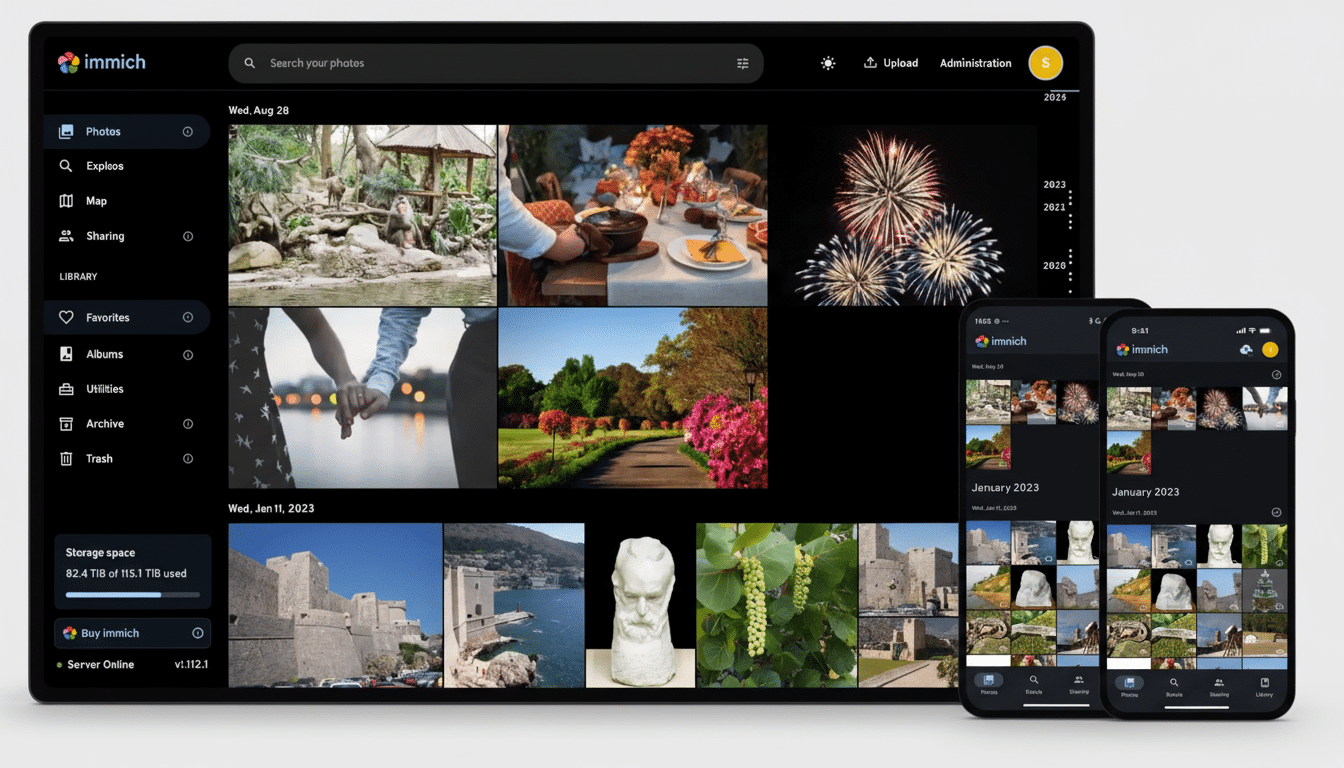
Context is also in play here: more than a trillion photos are taken every year, according to research firms, and the creep of cloud storage is real. Trading one of a paid photo tier for some storage I already had was an easy win for me. Just be sure to whitelist Immich from angry battery optimizers (esp from trigger-happy task killers) or a background backup might die a silent death.
Paperless-ngx w/ Paperless Mobile: Never lose another receipt!
Portland, Ore. My professional organizer always knew exactly how to wrangle the mountain of receipts and statements
Paperless-ngx finally tamed my receipts and statements. I can also use its camera scanner or share PDFs directly from email and messaging apps on Android’s Paperless Mobile. Server-side OCR (facilitated by tools such as Tesseract) auto-extracts text so I can search “dental invoice” or “laptop warranty” months later and actually find the not-glamorous but very important papers. Tagging rules and a folder for document consumption keep the inbox peaceful, even during tax season.
It’s easy to deploy in a container and it scales well. If you’re used to sifting through bulky or overstuffed folders, this combo can save you hours and cut down on audit jitters. It’s also a privacy safeguard: sensitive IDs and medical records never leave your drives.
Vikunja: To-do lists, but with real reminders
I’m picky about task managers. Vikunja delivers: projects, labels, kanban, due dates, and notifications without the clutter. The Android app delivers notifications on time and a neat interface for snappy captures from the share sheet. It’s still very much in early beta, and it’s not already available on the major app stores so you’re probably going to sideload the APK from the project’s releases. If you value a completely open pipeline, it may well be worth the trade-off.
Home Assistant: The Hub That Makes A Phone More Intelligent
Home Assistant hooks up my devices and data and forwards the correct alerts to my phone. I run it in a container on a NAS, so I do not have the OS-only add-ones but the flexibility is huge. The Android helper app pipes sensors (battery, Wi-Fi, location) into automations and takes advantage of actionable notifications that put to shame generic vendor apps.
The killer feature is interoperability: I have local devices and weather services that call their Androids when there will be severe weather and when the electricity usage entered either the “non-noticeable” or “expensive” zone. The public analytics for Home Assistant support a humongous active user base, and the community respond quickly when vendors change APIs. There is some tinkering involved, but what you get out of it is a smart home that responds to you.
Karakeep: Bookmarks that don’t become tabs
Karakeep is my cross-machine bookmarking brain. On Android, I use the share sheet to save links from my browser, or social apps I use, tag them and queue them to read. The desktop add-on deposits research into the same vault. A bonus: thanks to a community plugin, I sync highlights and links into my Obsidian notes — that way articles and ideas are always available offline and don’t get spread out across services.
Donetick – Reoccuring tasks without overwhelming notifications
Donetick creates chore schedules based on actual task completions, not random dates. That means things like changing water filters or deep-cleaning litter boxes appear at the appropriate times. It is sideload-only and the Android app insists on requiring HTTPS, so be prepared to set up a proper certificate. If you prefer not to install the app, the mobile web UI runs well integrated into Safari (when added to the homescreen) – use in a pair with Telegram or Pushover for server-driven reminders.
Security and sanity: What makes this work
There are two rules that keep me comfortable: encrypt everything in transit and manage exposure. An autoreversing proxy with LetsEncrypt integration makes HTTPS simple, and I like private networking using WireGuard or Tailscale over open ports on the internet. Standards compliant (like UnifiedPush) push notification services are also easier to self-host.
Backups matter. I adhere to a 3-2-1 strategy: multiples on multiple media, at least one copy offsite. Whether that’s another home server offsite, or an encrypted bucket on a commodity cloud, it stops one hardware failure from taking everything with it.
There’s also the human side. > Surveys about subscription fatigue are showing that households are handling an increasing pile up of monthly fees, replacing even two or three with self-hosted versions is meaningful over the course of a year. Privacy defenders emphasize that controlling your own data isn’t just a philosophical interest — it’s a practical measure to reduce risk.
Having your own place on the web does currently require some curiosity and patience. But with Android thrown into the mix — camera to cloudless photos, share sheet to secure docs, notifications that understand you — it stops being some weekend project you pray you’ll someday use and starts being a better way to live with tech.
