


Your Quest headset just got three of the most impactful features in recent months, and they won’t cost you a dime—all focused on what owners do the most: watch, build and explore.
A new content hub for streaming — Horizon TV — shakes up entertainment in VR, and a generative AI editor speeds up worldbuilding, while a room-scanning mode transforms your actual space into a walkable 3D scene. All told, they make the Quest feel new without requiring you to spend money on new hardware.
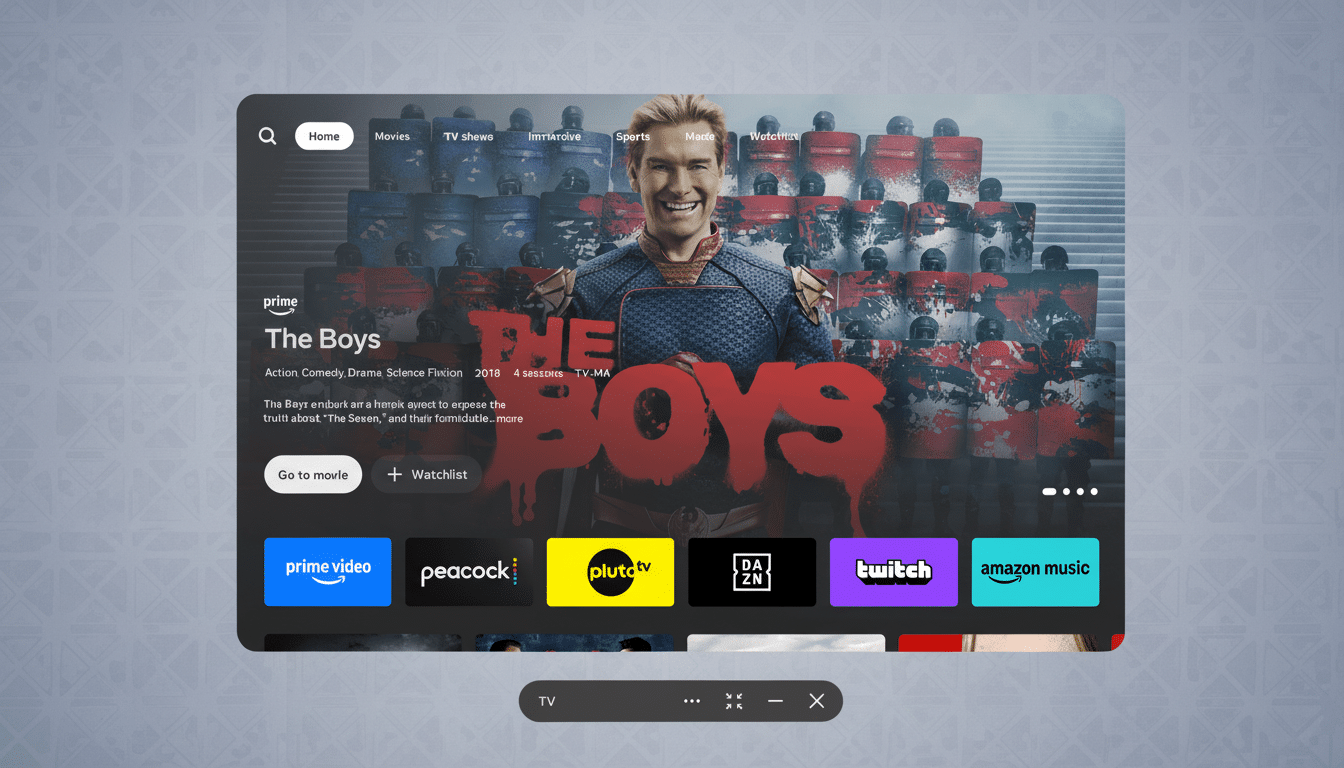
Quest becomes a real streaming hub with Horizon TV
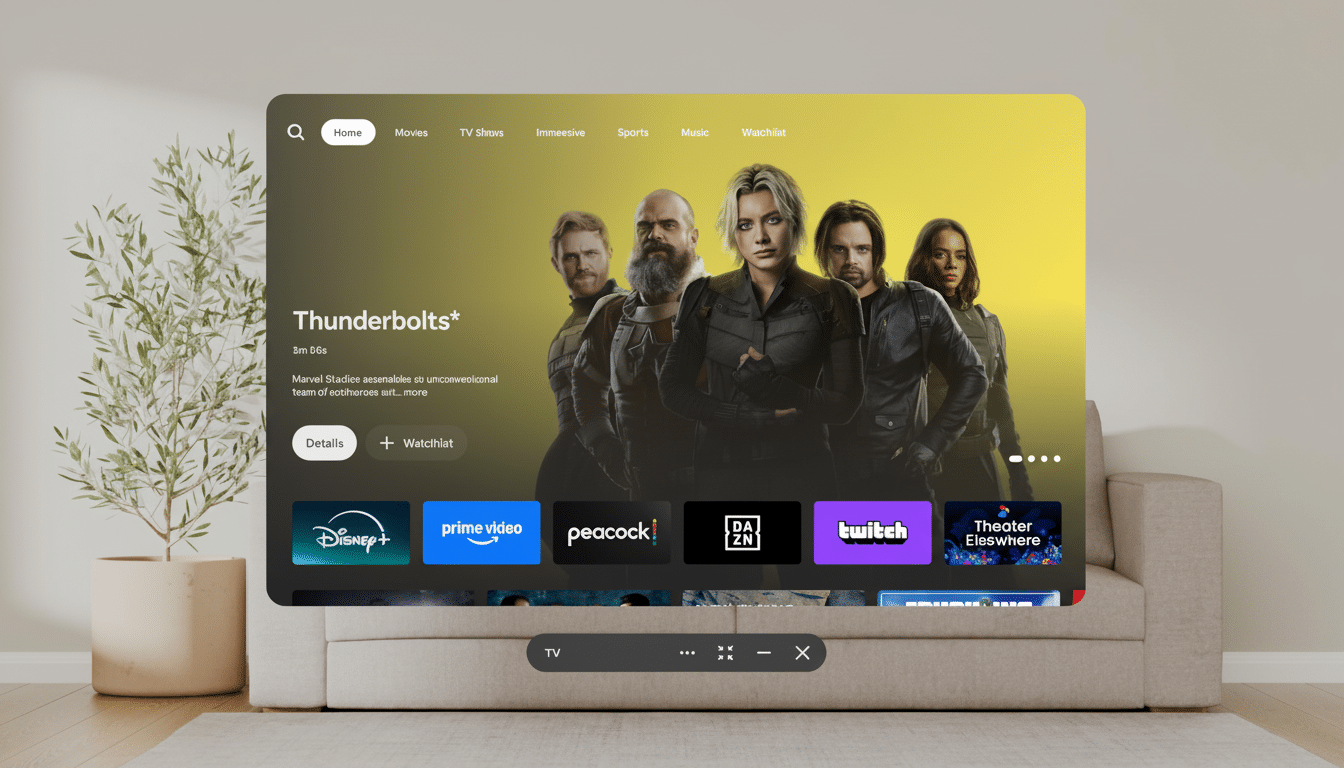
Horizon TV puts big-name services together in one place — Netflix, Prime Video, ESPN, Peacock, Hulu and Disney+ — so you can switch between shows without bouncing around to different apps. It’s designed for “lean-back” viewing — through virtual big-screen theaters and living-room settings that you don’t have to set up fiddly bits for.
Audio and video really get an upgrade: At launch, Horizon TV will support Dolby Atmos and, down the road, Dolby Vision. By way of comparison, Dolby Atmos can place 128 audio objects in three dimensions, bringing new depth and dimensionality to movie soundtracks that stereo can’t approach. When Dolby Vision does arrive, it should bring HDR punch and detail in dark scenes — noticeable gains even on Quest’s small optics.
There’s also a push into immersive extras. Some Universal content such as M3GAN and The Black Phone is loaded with 3D excitement specifically made for VR. And Meta’s content pact with James Cameron’s Lightstorm Entertainment is believed to help seed additional stereoscopic clips and event programming; there is already an exclusive 3D snippet from the upcoming Avatar universe previewed inside the ecosystem.
The upshot: if you already use your Quest as a personal cinema (on the plane, in bed, or just to flee from a small TV), Horizon TV lowers friction and heightens fidelity.
No, it won’t ever replace a flagship OLED TV, but it gets surprisingly close to the “big screen” experience for a fraction of the cost and space.
AI worldbuilding comes to the gaming industry with Horizon Studio
Meta Horizon Studio is a generative AI editor for creators inside Horizon Worlds. Instead of laboriously generating each asset, you describe what you want — “a UFC octagon,” “a coastal home at sunset,” “an underwater seascape” — and the system scaffolds a scene, which you can further refine using voice or text as an interface.
It goes beyond scenery. Whether it’s creating textures, ambient audio, or tweaking NPCs with simple behavior edits, you can accelerate what used to take hours of menu-diving. Following an industry parallel that sees engines like Unity and platforms like Roblox introducing AI-driven creation, the payoff is faster iteration and lower barriers for small teams.
The nitty-gritty win for Quest owners is more and better worlds to visit. Faster content pipelines and healthier development budgets often correlate with more lasting communities and fresher experiences — something that VR has been in desperate need of to keep people coming back between major game launches.
Hyperspace Capture: your room (remade in 3D)
On the hardware side, the most attention-getting new feature is something called Hyperspace Capture, which leverages your headset’s cameras to render a digital copy of your surroundings. It runs on technology called 3D Gaussian Splatting — which was described in academic work in 2023 — is used to reconstruct scenes as millions of tiny “splat” primitives for ultra-fast, photoreal rendering.
In action, you scan your room and a few minutes later step back into a static yet lifelike version of it. Nothing is actually moving, but surface detail and depth cues can seem almost shockingly credible. The feature is something that’s kept for new headsets, such as Quest 3 and Quest 3S — they have the camera fidelity and compute capabilities needed to make it work without a hitch.
Why care? Aside from the wow factor, scene capture has its practical applications, too: pre-visualizing furniture placement before a shoot, practicing virtual reality shoots, or designing location-based experiences that replicate a real-life space. Early testers have compared the results favorably to phone-based systems’ “spatial photos,” with richer parallax and fewer artifacts as you lean or peek around objects.
Why these freebies matter for current and future Quest owners
Quest is still the leading portal into VR, and industry estimates from companies like IDC and Counterpoint put the installed base significantly over 20 million. Free upgrades that significantly enhance video, creation and mixed-reality capture bolster that case against more-expensive headsets, while keeping existing users engaged.
It’s also a savvy ecosystem play. Streaming deals attract non-gamers, AI tools excite creators and room capture nudges more mixed-reality use cases. Even if you never construct a world, you’re better off with a more crowded marketplace of new content.
How to get the new Quest features on your headset
The features are delivered as an over-the-air software update. On your headset, go to Settings > See all > About and look for updates; availability may vary by region and device. Once loaded, Horizon TV will greet you as a new place to be entertained; Horizon Studio resides inside the creation tools in Horizon Worlds; and Hyperspace Capture, meanwhile, can be discovered on compatible devices within the mixed-reality menu.
A couple of caveats: Dolby Vision support is due a little later, content libraries will vary depending on country, and Hyperspace Capture scenes are still images. Yet for an upgrade that costs nothing, these are significant enhancements to what your Quest can do already.
