


Wear OS app Wear APK Install makes even that simple task refreshingly straightforward, helping smartwatch owners install files over Wi-Fi and sideload watch faces without needing to mess around with command lines or developer tools. Developed by Ajinkya Deshmukh, the paid title essentially makes your watch a small file server with an integrated file manager so you can upload, view, and install APKs straight from your wrist.
How Wear APK Install Works on Wear OS Watches
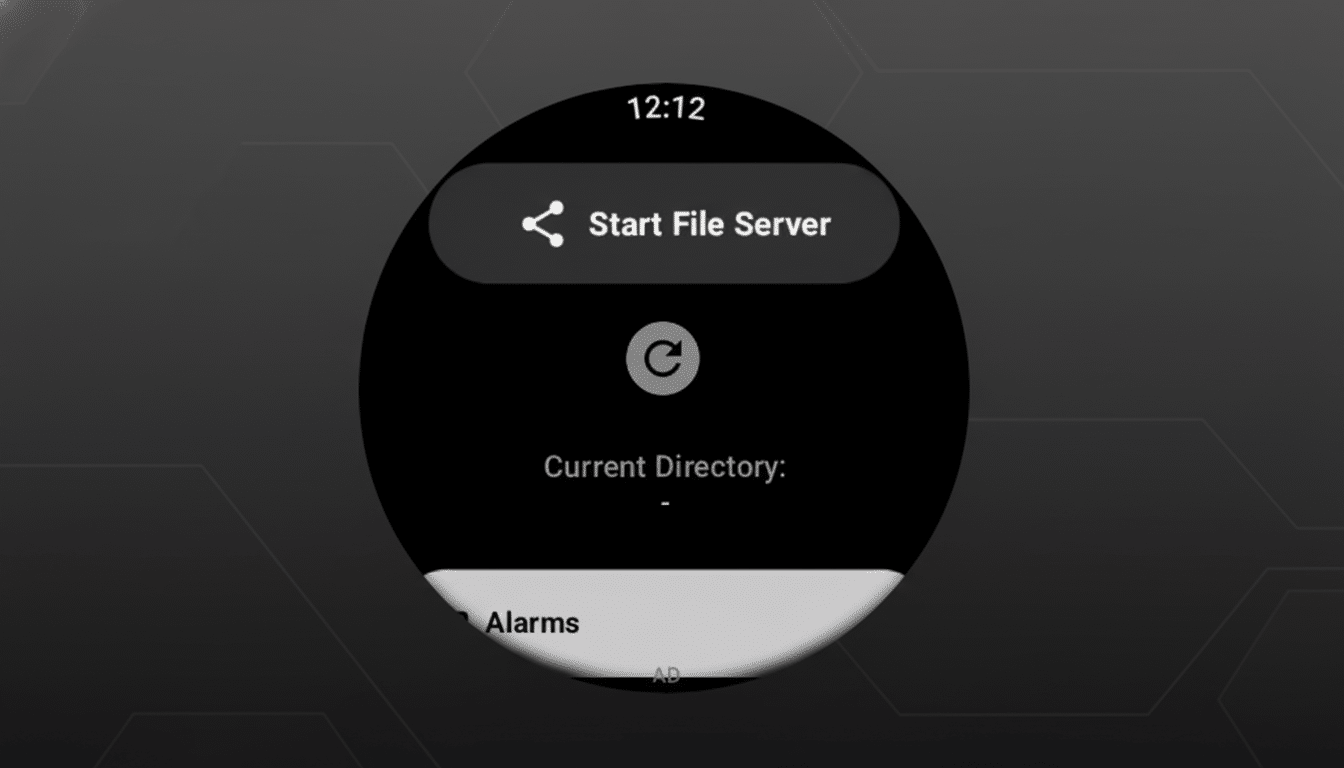
After you install the app on your Wear OS watch, it opens a local Wi-Fi file server. You instruct the watch to share its hotspot and, from a phone or PC on the same network, you open a browser, type in the watch’s address, and drag-and-drop files — APKs, images, songs, or documents — straight to it. No cables, no desktop software, no shell commands.
The app’s file manager lists your uploads on the watch. Tapping an APK hands it off to the native Wear OS package manager for installation, so you’re not cutting out the system installer. Transfers happen at the speed of your local Wi-Fi, and since you’re never taking your system outside the familiar confines of your network, setting it up feels far less flimsy than a traditional ADB connection.
Why This Matters for Custom Wear OS Watch Faces
Watch face fans tend to hit a few roadblocks: a face designed for one model, region-locked faces, or ones not yet on the Play Store for your watch. With Wear APK Install — bish, bash, bosh — that compatible APK, be it a face designed for the new Pixel Watch, plugs into another Wear OS device in minutes, not hours or all weekend.
It goes like this (as per developer documentation from Google):
- Enable Developer Options.
- Turn on ADB and Wireless Debugging in Developer Options.
- Pair with a code.
- Find the IP:port pair.
- Run adb install from a computer.
The new app does away with all that, instead offering a browser window and a tap-to-install flow that lowers the barrier for meme-ing tinkerers who have only wanted to try out a face they legally obtained.
There are still caveats. If a watch face is model-locked, or performs checks at install time, you may still need ADB commands, or may not be able to install it at all. The app unifies typical cases; it doesn’t break down platform limitations.
Security and Practical Limits of Local Transfers
Since the tool works across your local network, it does not have to open ports to the internet. That said, the usual sideloading caveats apply: only install APKs from sources you trust, read through each one’s permissions, and keep in mind that Wear OS devices have limited capacity. For those of you who like to transfer large media files, I strongly suggest monitoring free space and battery consumption while indexing or scanning new data.
Wear APK Install is a paid app.
For those who constantly change watch faces or occasionally shuttle files to the wrist, that time savings could more than make up for it. The developer says plans for extending viewer capabilities (images, audio, video, PDFs, and text) are in the works, but wise buyers will consider the app based on what it does today.
Step-by-Step Guide to Getting Started on Wear OS
Follow these steps to begin:
- Install Wear APK Install on the watch and connect it to Wi-Fi.
- Launch the application to show the local address.
- On your phone or PC (on your local network), type that address into any browser and upload your APKs or files.
- On the watch, open the file manager again, select the APK, and install it, reviewing the system request.
- The app remembers your uploads so you can delete or reinstall as needed.
How It Compares to Other Wear OS Sideloading Options
For power users, there’s always the ADB over Wi-Fi route, which is still the most powerful option and well documented by Google.
Third-party utilities such as Bugjaeger or companion installers can assist, but you still must be somewhat familiar with developer features. Wear APK Install squarely targets those who want a local web transfer as well as a native installer — everything done without needing to install any companion app on the phone.
Early Verdict on Wear APK Install for Wear OS
Wear APK Install doesn’t change what’s possible on Wear OS, but it radically changes the feel of sideloading and what is palatable in doing so. In case you’ve been salivating over the ability to experiment with new watch faces, transfer files without a cable, or keep a small library of on-device assets — gracing your wrist but avoiding the restrictions of apps installed from Apple’s App Store in the process — this app manages an impressive balance between power and simplicity. If you’ve ever bounced off ADB’s learning curve, this is the nicer door into the same room.