


The world of digital creation is accelerating, yet a major hurdle remains: turning an idea into a three-dimensional reality. For creators and beginners alike, traditional 3D modeling presents a daunting gauntlet—prohibitive learning curves, costly software suites, and workflows that can consume hours for even simple assets. This barrier is precisely why AI 3D model generator is revolutionizing the field. By shifting the focus from manual sculpting to intelligent direction, these tools empower users to produce professional models in minutes, not weeks. They are not just speeding up production; they are democratizing 3D creation itself.
Leading this shift is Tripo Studio, an AI 3D model generator designed to bridge the gap between vision and execution. Tripo Studio stands out by delivering high-quality, fully editable 3D assets directly from text or image prompts. It places creative control firmly in the user’s hands, offering an AI-assisted workflow that is both powerful and intuitive.
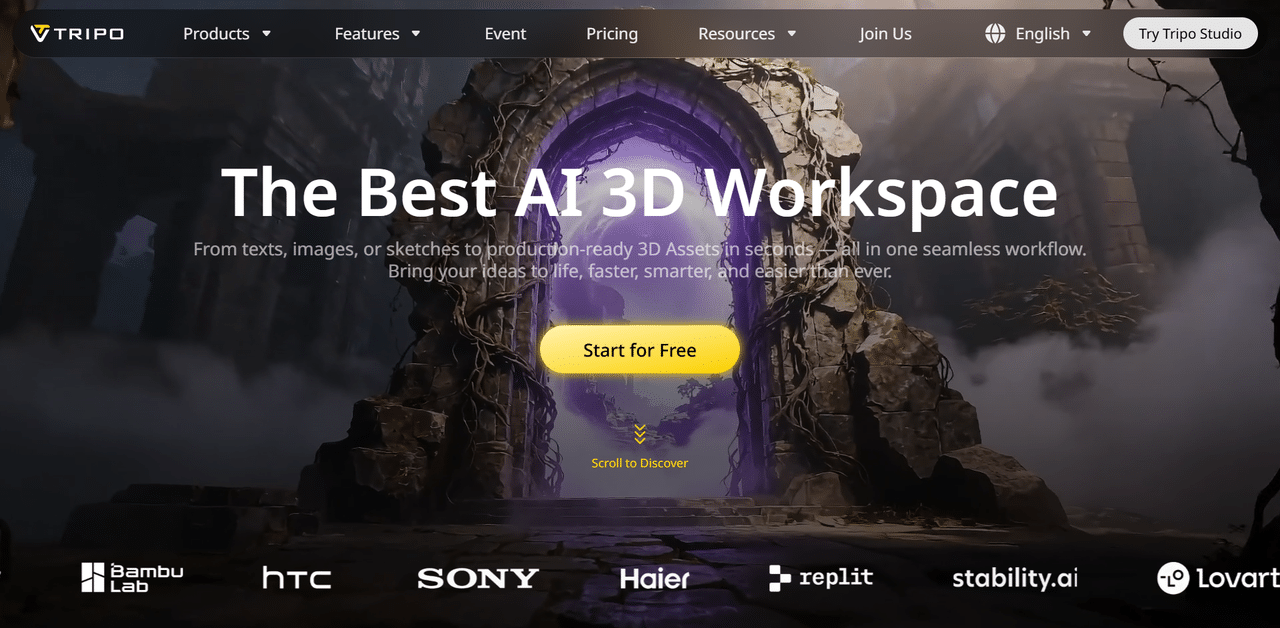
In this step-by-step tutorial, we will demystify Tripo. You’ll learn exactly how to harness its AI to transform your concepts into ready-to-use 3D models, efficiently integrating this cutting-edge tool into your creative process.
Understanding Tripo
Tripo Studio is an AI-powered 3D creation platform designed to streamline modern 3D workflows through intelligent automation. Instead of relying solely on traditional manual modeling, the platform allows creators to produce usable 3D assets directly from text descriptions or 2D visual references. This approach significantly shortens the early stages of asset creation, enabling faster ideation and iteration while preserving geometric clarity and surface detail.
What sets Tripo Studio apart is its end-to-end support for asset preparation. In addition to model generation, it incorporates AI-driven tools such as automatic part segmentation, topology optimization, PBR-compatible texture generation, and built-in rigging for animation or real-time applications. By bringing these capabilities into a single environment, Tripo Studio reduces dependency on multiple standalone tools and helps creators maintain efficiency and consistency across game development, animation, visualization, and rapid prototyping workflows.
Getting Started with Tripo Studio
To begin using Tripo Studio, creators first need to access the official Tripo AI website and complete a simple registration process. After signing up, users are directed to the main dashboard, which acts as a central hub for navigating the platform’s core tools and features.
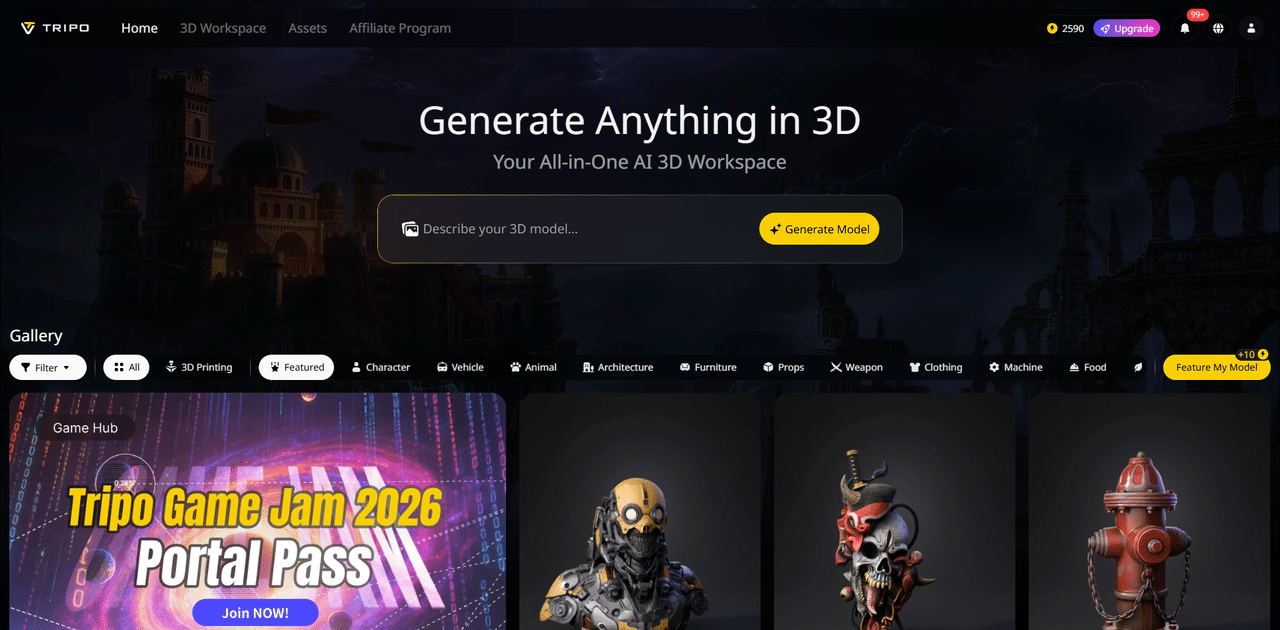
Tripo Studio offers several subscription options designed to suit different levels of usage. Users can explore the available plans by selecting the upgrade option, where each tier’s features and limits are clearly outlined. For those new to the platform, the entry-level plan provides a hands-on way to experiment with 3D model generation while still unlocking access to select advanced capabilities.
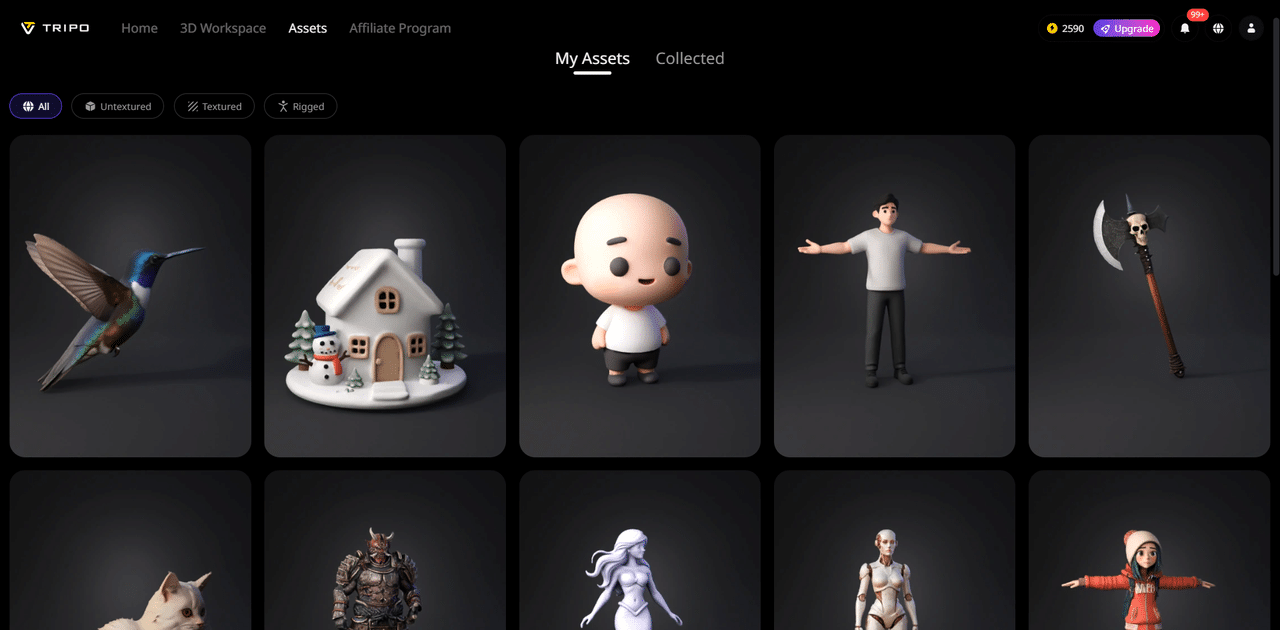
At the heart of the platform is the 3D creation workspace, where AI-driven generation and editing take place. Alongside this is the Assets area, which functions as a structured repository for all generated models. Assets are automatically organized based on their production state—such as untextured, textured, and rigged models—making it easier to track progress across different stages of a project.
Beyond individual projects, Tripo Studio includes a public gallery where users can publish their work, discover models created by others, and adapt existing assets to suit new creative directions. The platform also supports creators through its affiliate initiative, enabling users to earn rewards by sharing Tripo Studio with a wider audience.
Creating 3D Assets with Tripo Studio
Tripo Studio supports two AI-driven approaches for producing 3D models, allowing creators to move from ideas or visual references to usable assets with minimal manual input. Both options are designed to simplify the traditional 2D-to-3D workflow while maintaining visual quality and structural accuracy.
Image to 3D Model
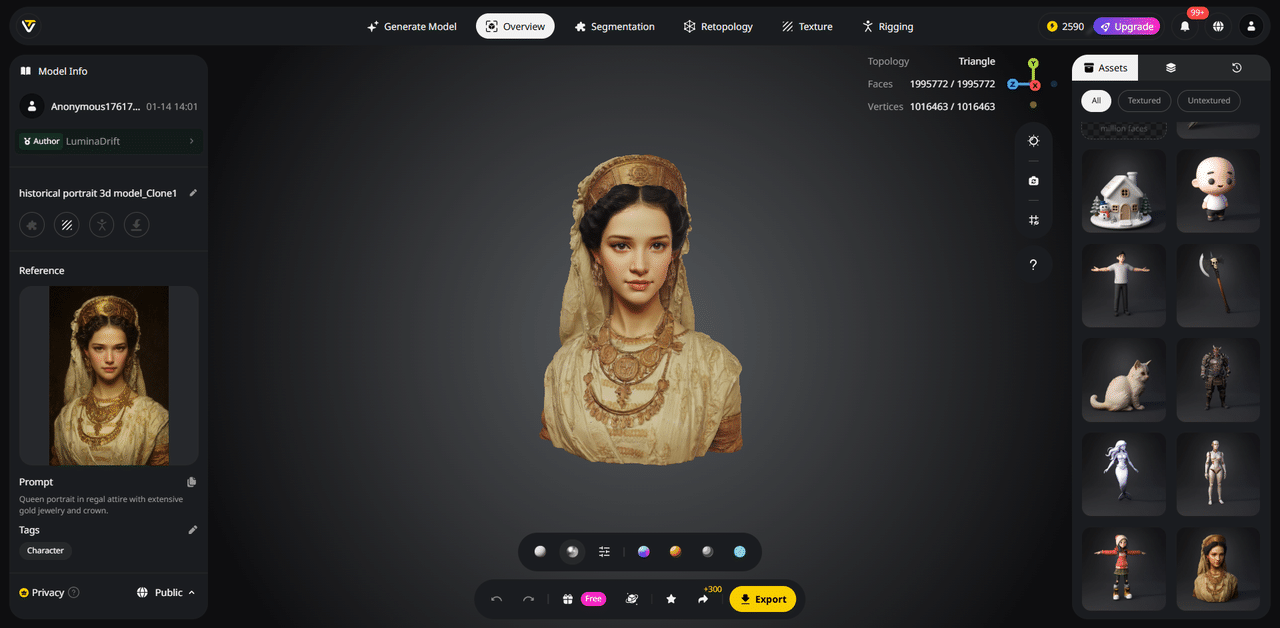
Using visual references, Tripo Studio can reconstruct a 3D model from one or multiple images. After uploading a reference image—or a set of views from different angles—the system analyzes form, surface detail, and proportions to generate a textured 3D asset suitable for immediate use. Multi-view input helps improve spatial accuracy, while batch processing makes it possible to generate multiple image to 3D model outputs efficiently in a single session.
Best practice: Choose images with clear subjects, solid depth cues, and clean backgrounds. References that are overly flat, cluttered, or partially obscured may reduce reconstruction quality.
Text to 3D Model
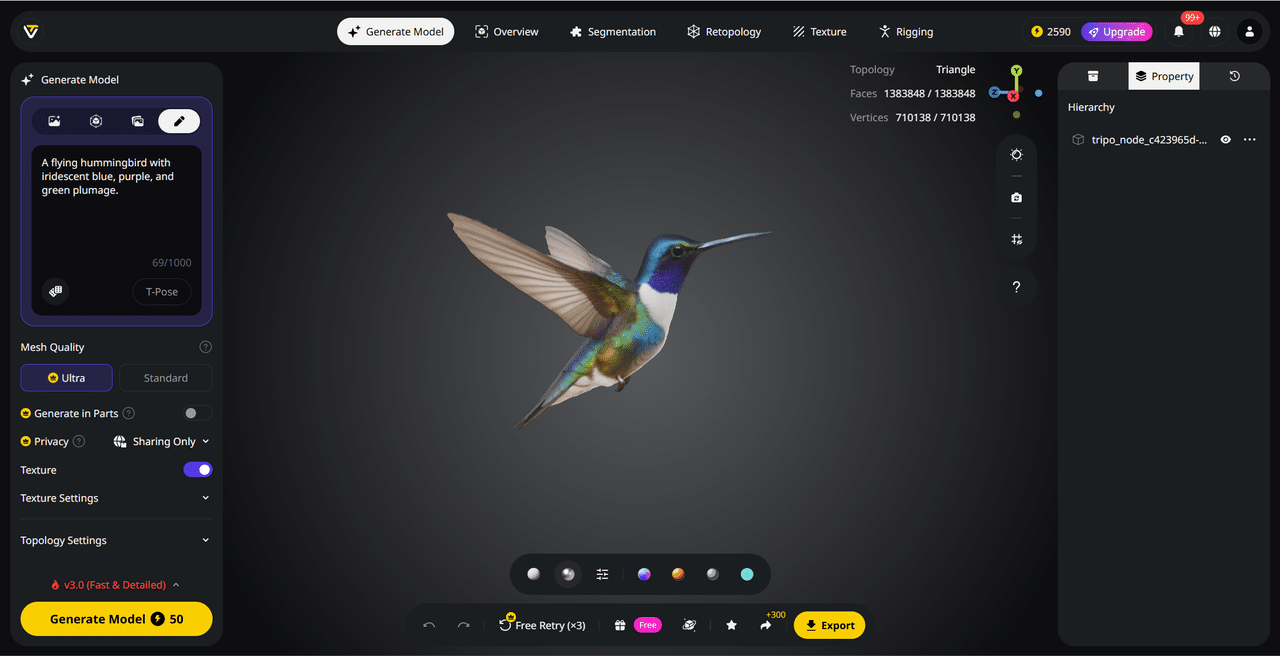
For concept development and rapid ideation, this 3D AI generator also allows users to generate 3D models directly from written descriptions. By outlining an object’s structure, materials, and visual style, creators can quickly transform abstract ideas into tangible 3D forms—without starting from a blank modeling scene. This text to 3D model approach is especially useful during early design phases, when speed and experimentation matter most.
Prompt guidance:
Clear, structured descriptions lead to better results. Consider including:
- Form and structure: overall shape, proportions, and defining features
- Material cues: what the object is made of
- Surface appearance: colors, textures, and finishes
- Stylistic direction: realism level or artistic theme
Enhancing and Preparing 3D Assets in Tripo Studio
Model generation is only the first phase of the workflow. Tripo Studio’s strength lies in its AI-assisted refinement tools, which help creators transform raw outputs into structured, production-ready 3D assets suitable for real-world pipelines.
AI Model Segmentation
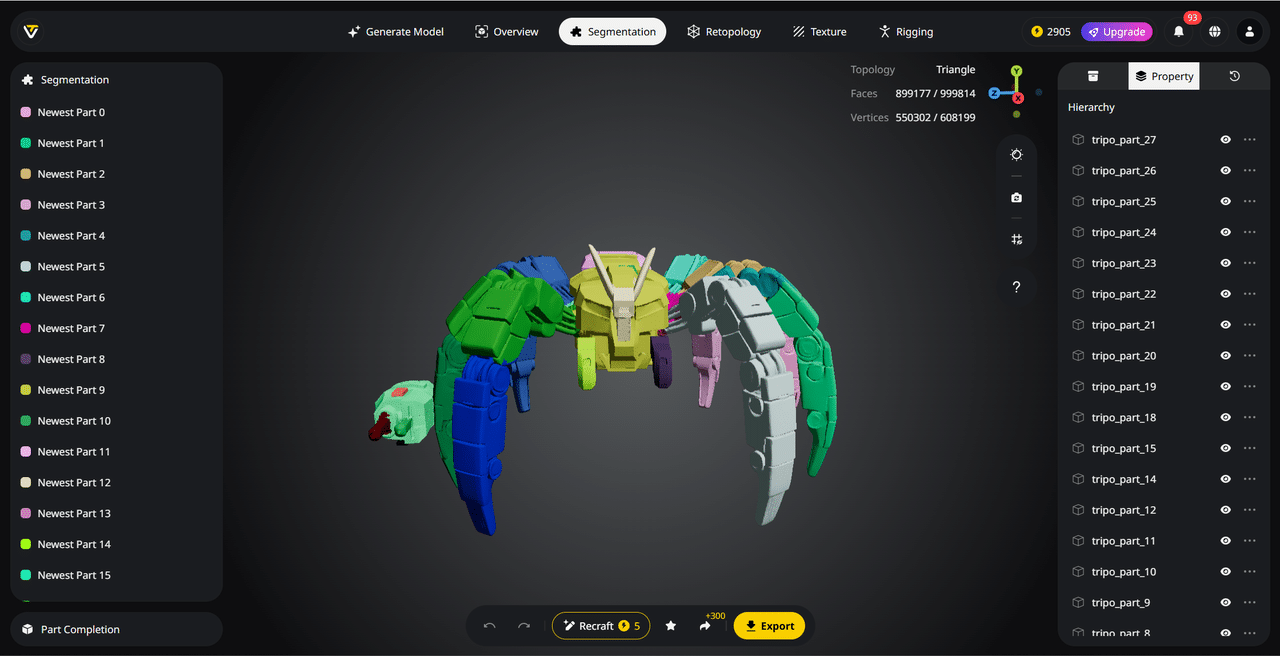
Tripo Studio enables creators to work with complex models in a modular way rather than treating them as a single, fixed mesh. Its AI model segmentation system automatically identifies logical components—such as body parts, attachments, or mechanical segments—and organizes them into distinct, editable sections.
This structure allows targeted adjustments without disrupting the entire model. Individual parts can be modified, reused, or recombined while preserving clean topology and clear hierarchy, making the assets easier to rig, export, or adapt for future projects.
Smart Retopology
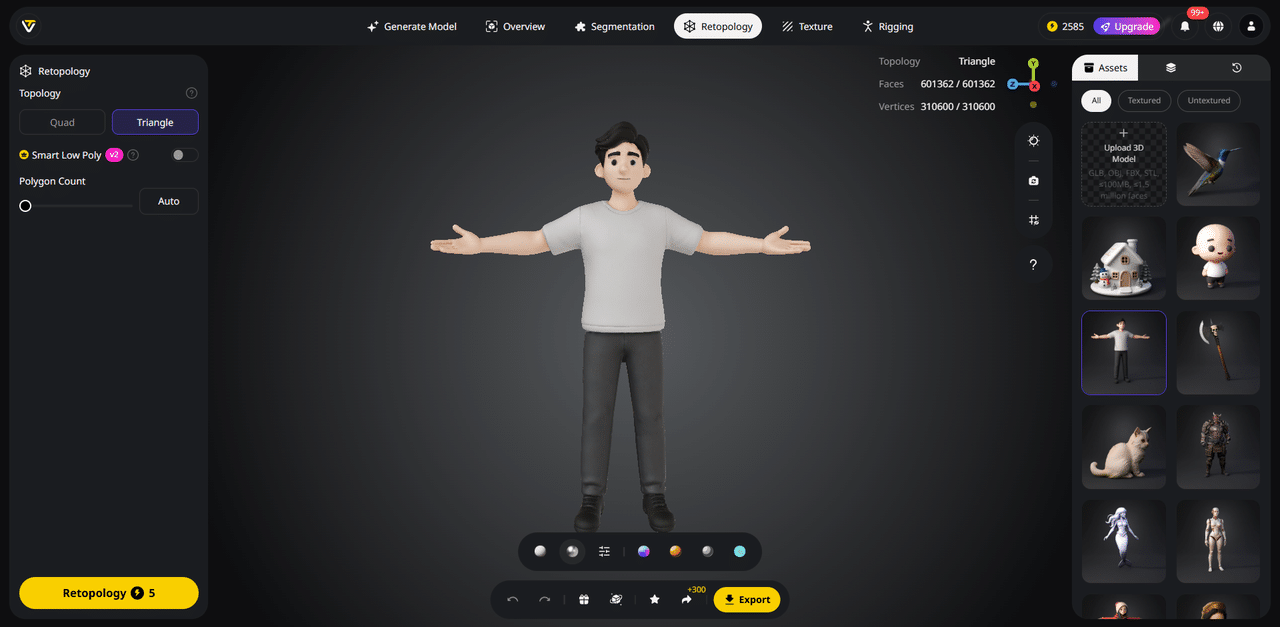
Creating clean topology is one of the most time-intensive steps in 3D production, especially for animation or real-time use. Tripo Studio addresses this with an intelligent topology optimization system that restructures geometry based on the model’s form and intended use.
Creators can generate lightweight meshes for real-time applications, quad-based layouts for animation workflows, or triangle-focused meshes for detailed visual output. This process can be applied during generation or as a post-processing step, producing meshes that are ready for games, VR/AR, or mobile environments without extensive manual cleanup.
AI Texturing
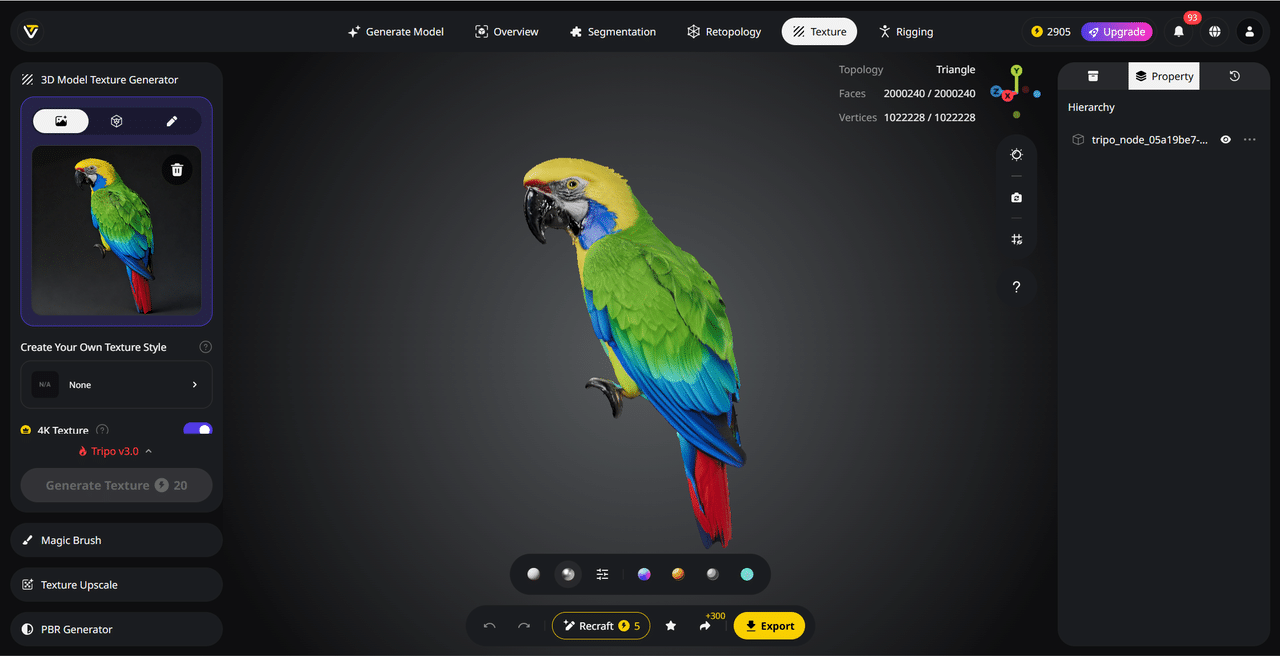
Tripo’s AI texturing system converts untextured geometry into visually complete assets by automatically applying coherent materials and surface details. Using AI-generated PBR-compatible textures, the platform ensures consistent color, material behavior, and surface quality across the entire model.
For greater artistic control, creators can select predefined styles or use image references to guide the texturing process. Localized adjustments are also possible through brush-based editing, allowing specific areas to be refined without altering the rest of the asset. High-resolution textures are generated and enhanced for clarity, making them suitable for rendering, visualization, and interactive applications.
AI Auto Rigging
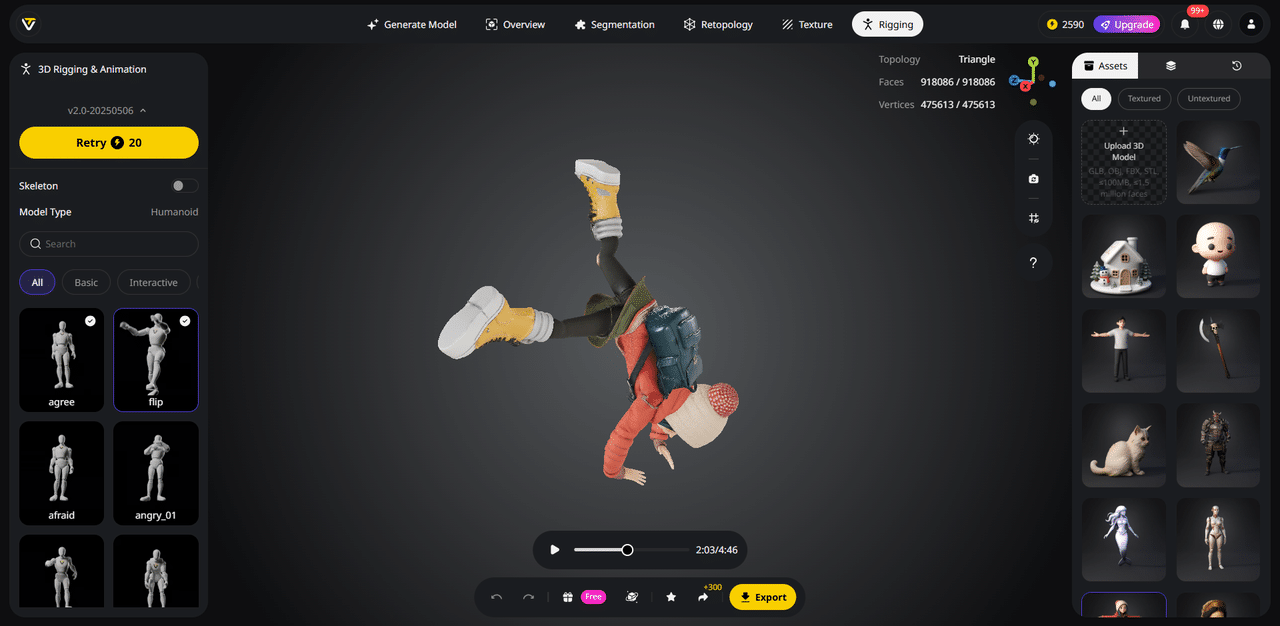
To remove one of the biggest technical barriers in 3D workflows, Tripo Studio automates the rigging process. Its AI evaluates a model’s structure and generates appropriate skeletons, skin weights, and deformation behavior for a wide range of asset types—from characters and creatures to stylized or mechanical forms.
Once rigged, models can be tested using a library of motion-capture-quality animations and exported to standard tools such as Blender, Maya, or Unreal Engine. This significantly shortens the path from static model to animation-ready asset.
Model Stylization
This AI 3D model generator also supports rapid visual experimentation through automated model stylization. Creators can reinterpret existing 3D assets into alternative visual forms such as voxel-based designs.
These stylized outputs remain fully editable and can be exported in common 3D formats, ensuring smooth integration with existing pipelines. By automating stylistic variation, Tripo lowers the technical threshold for experimentation while still delivering assets that professionals can further refine.
Exporting Models for Further Use
Once a 3D asset has been finalized, Tripo Studio allows creators to export their work in a range of widely supported file formats, including OBJ, GLB, STL, and FBX. This flexibility ensures compatibility with common 3D tools and sculpting software, and also supports workflows such as 3D printing, where formats like STL or OBJ are commonly used for physical production.
For models that include rigging, Tripo Studio provides additional control during export. Creators can choose whether to include the skeletal structure or export the mesh alone, depending on the requirements of the next stage in the pipeline.
Expanding Creative Possibilities with an AI 3D Model Generator
Tripo demonstrates how an AI 3D model generator can reshape the way creators engage with 3D production. Tasks that once required specialized skills and long learning curves can now be approached through simple text descriptions or visual references, allowing newcomers to achieve meaningful results in a short time.
More importantly, the impact goes beyond speed and convenience. By reducing technical friction, Tripo shifts the focus back to ideas themselves—enabling creators to explore concepts, iterate freely, and translate imagination into tangible 3D assets without being limited by traditional tooling constraints.