


Whether you’ve ever watched a TikTok edit so sharp it made you blink twice or some Reels transition so smooth it felt like a magic trick, you already know this truth: short-form platforms have completely rewritten the rules of modern video aesthetics. And creators across YouTube are rushing to pull that same energy into their content intros.
This whole movement is powered by one simple realization: Gen Z doesn’t want slow intros, polite fades, or traditional title screens. They want rhythm, speed, personality, chaos, meme vibes, and visual punchlines. With Pippit, supported by an AI video generator free, creators can create those trend-coded intros without needing to know how to edit or use studio software.
- Cross-platform remix culture has changed how our intros look today
- Personality-driven micro-scenes
- How TikTok-like pacing turns ordinary intros into attention-grabbing visuals
- The beat-synchronized hook
- The micro-transition effect
- The meme-format punchline
- Why Gen Z responds to trend-shaped intros with longer watch time
- Turning trends into identity: mixing aesthetics with your personal brand
- Color as emotion
- Motion as personality
- Font and text energy
- The flow that turns trending aesthetics into scroll-stopping YouTube intros
- Step 1: Upload media for intro to YouTube maker
- Step 2: Refine your intro on YouTube
- Step 3: Download the YouTube intro to your device
- This is the era of trend-coded visuals, and your intro is your first impression
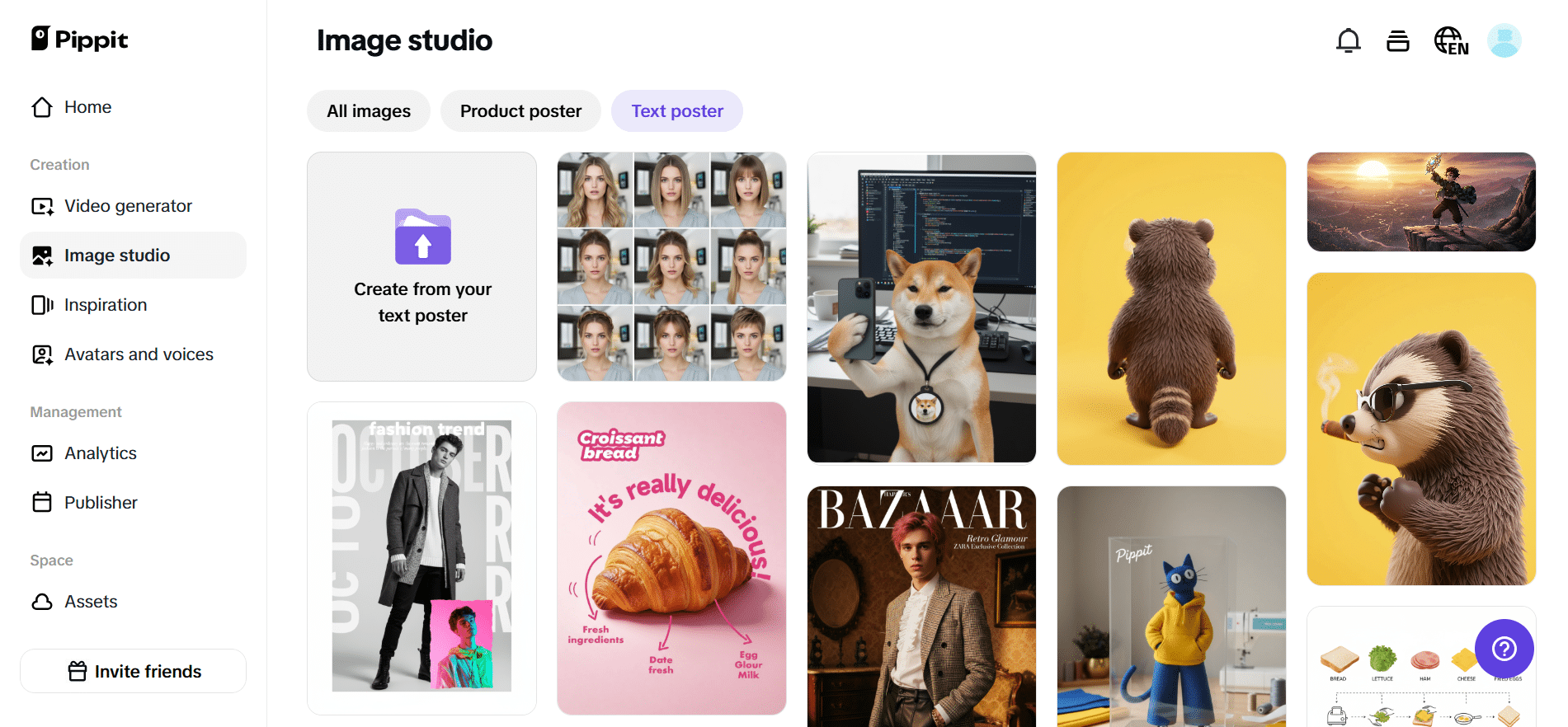
Today, you will learn how cross-platform aesthetics shape modern YouTube intros, how creators remix TikTok and Reels energy into their branding, and how to use Pippit to generate intros that feel modern, scroll-proof, and algorithm-friendly.
Cross-platform remix culture has changed how our intros look today
YouTube might be a long-form platform, but its intros are absolutely ruled by short-form logic. People do not want to wait; they want to be caught, impressed, surprised, teased – instantly.
Short-form platforms have trained viewers to expect:
- Fast edits
- Audio-synced cuts
- Trend-based transitions
- Overlays, glitches, wipes, and zooms
- Flash-text timing
- Meme-coded humor
Personality-driven micro-scenes
It only makes sense that creators pull these visual languages into their YouTube intros. The challenge? Not every creator has the editing skill to replicate these trends manually. That’s where AI workflows step in.
How TikTok-like pacing turns ordinary intros into attention-grabbing visuals
TikTok edits are built on rhythm, and the intros inspired by them follow the same pattern.
The beat-synchronized hook
Every trending TikTok has a sound that creators hit visually. Translate it to a YouTube intro: your cuts, zooms and text should land on audio beats. A fast hit grabs the brain faster than a static intro ever will.
The micro-transition effect
You know those effortless hand-cover transitions or quick camera whips on Reels? They tell the viewer, in effect: stay here, something’s happening. Add that into your intro, and suddenly your branding feels alive-not decorative.
The meme-format punchline
The intros these days are largely mimicking meme cuts. A flash-frame, a reaction clip, an irony-laden zoom; even a face overlay enhanced with AI lip sync for comedic timing creates familiarity. Familiarity increases retention.
Trend-coded intros don’t imitate TikTok aesthetics; they reinterpret them.
Why Gen Z responds to trend-shaped intros with longer watch time
Gen Z watches visually dense content the way previous generations watched movie trailers. They are craving:
- Constant micro-surprises
- Eye-candy movement
- Quick payoffs
- Compact storytelling
- Meme-coded language
This makes trend-coded intros extremely effective on YouTube. They:
- Decrease bounce rate
- Boost AVD
- Stabilize the first 10 seconds
- Create brand recall
- Make content feel relevant, not dated
Mix these two together, and what you have is trend energy with strategic intro structure-a hybrid that works for humans and algorithms.
Turning trends into identity: mixing aesthetics with your personal brand
The danger with trends is looking like everyone else. The secret is to merge your own color palette, tone, and storytelling with the visual codes of other platforms.
Color as emotion
Vibrant neons channel TikTok dances. Muted tones channel aesthetic Reels. High contrast channels meme formats. Your intro should pick one emotional lane and commit to it.
Motion as personality
Smooth transitions feel aesthetic. Hard cuts feel comedic. Shaky zooms feel chaotic. Looping transitions feel playful. Pick the motion language that matches your brand voice.
Font and text energy
Scrolling captions scream TikTok. Pop-up stickers feel Instagram. Retro pixel bursts feel meme culture. Small text is mysterious. Big text is bold. You can design your intro’s identity just through text rhythm.
When these elements collide, your intro stops feeling like a borrowed trend – and starts feeling like your signature.
The flow that turns trending aesthetics into scroll-stopping YouTube intros
You don’t need keyframes, Premiere Pro, or transition plugins to replicate trend-coded visuals. Pippit’s YouTube intro maker automates the heavy lifting while letting you control your brand flavor.
Now let’s walk through the full workflow.
Step 1: Upload media for intro to YouTube maker
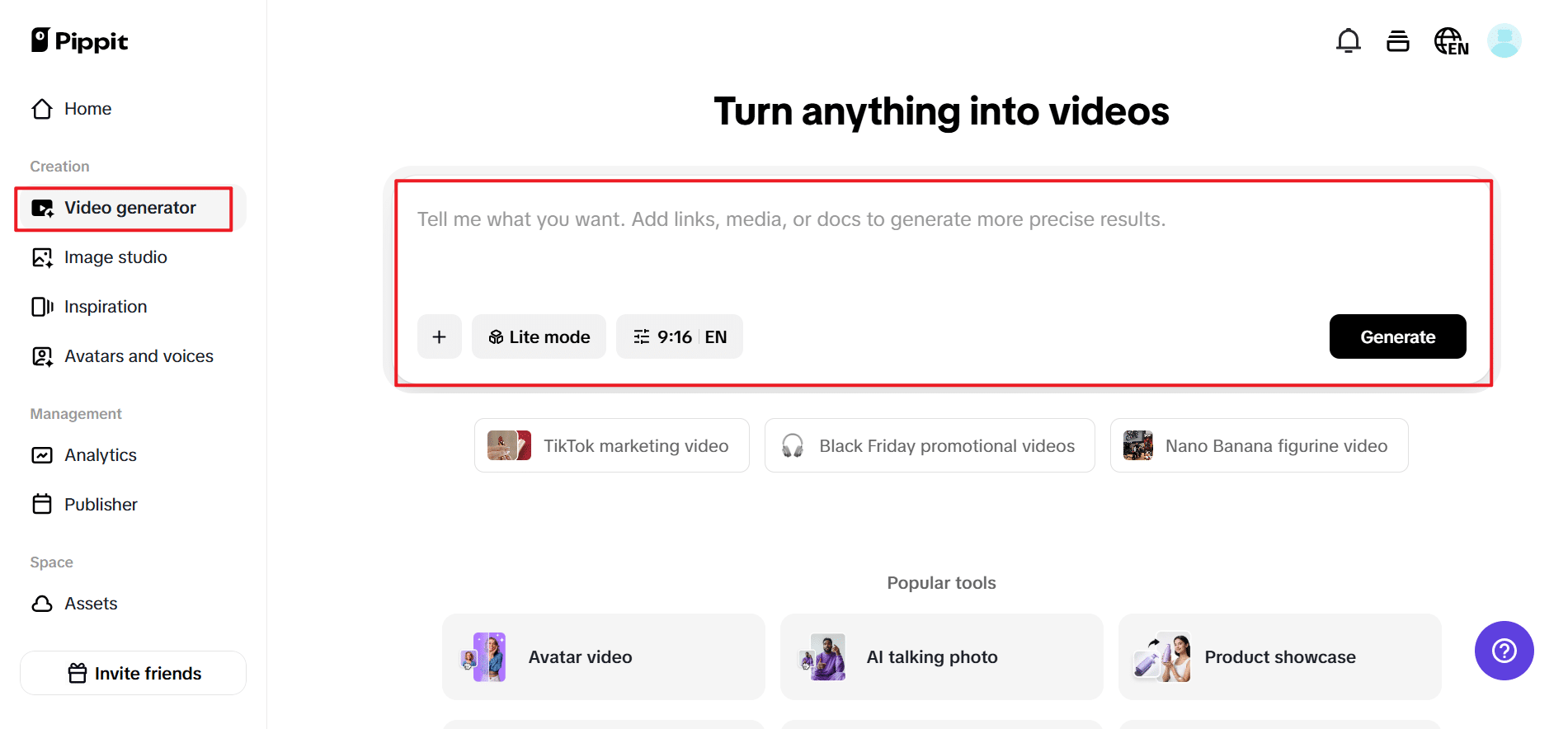
Head to Pippit to get started. Create a new account, then select Video generator. You can paste your product link for auto-fetching, or you can click on Add media manually to upload clips or images. Add your product highlights, then click More information to select your target audience, add your logo, and finally hit Generate to get your first trend-ready intro draft.
Step 2: Refine your intro on YouTube
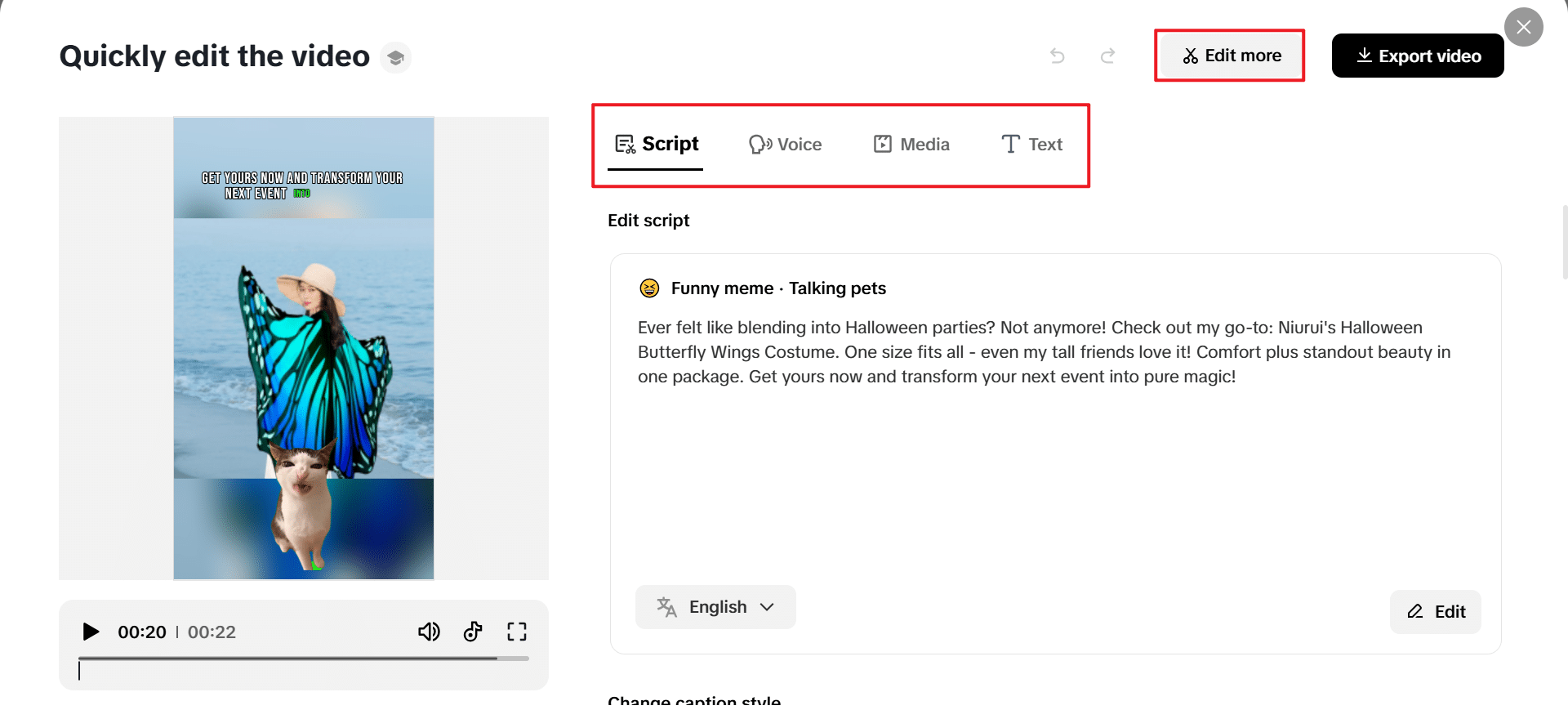
Now, select your created intro and click Quick edit. Refine the pacing: adjust caption styles, rewrite the script for a different tone, choose the character of your voiceover, or test avatars that match your vibe. For more detailed control, click Edit more to merge the intro with your complete video, add transitions in TikTok or Reels style, and lock in the YouTube-standard 16:9 aspect ratio.
Step 3: Download the YouTube intro to your device
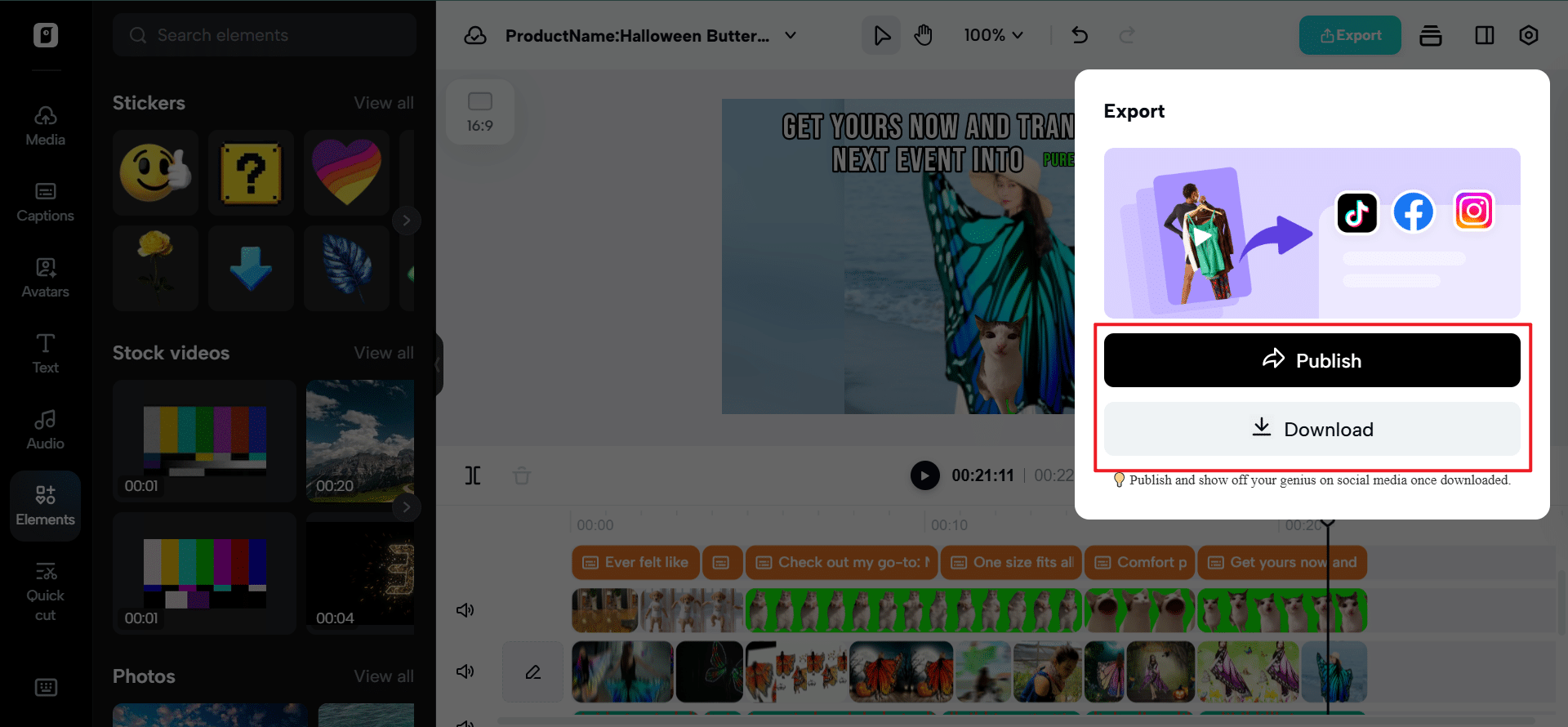
Once the intro fits your style and trend energy, tap on Export, then Download. Set the resolution, frame rate, quality, and video format. Hit Export again, and it’s already saved on your device, ready to upload to your YouTube channel and instantly boost your content’s visual punch.
This is the era of trend-coded visuals, and your intro is your first impression
Think of modern viewers as expecting momentum, personality, humor, rhythm, and even culture signals-all within a number of seconds. So if you’re calling on meme energy, Reels smoothness, or a TikTok-style beat edit, your intro should be crafted with intention.
Pippit equips you with the tools that build intros that are contemporary, platform-aware, and unmistakably yours with no need for any editing knowledge.
Ready to turn trends into scroll-proof intros that hook your audience instantly? Open Pippit today, and start creating intros your audience won’t skip.