


The “One-Angle Wonder” Problem
If you have spent any time in the world of digital character creation, you know the heartbreak of the “One-Angle Wonder.”
You generate a protagonist who looks absolutely stunning. The lighting captures their personality, the scar on their cheek is perfect, and their outfit is detailed. It is a masterpiece.
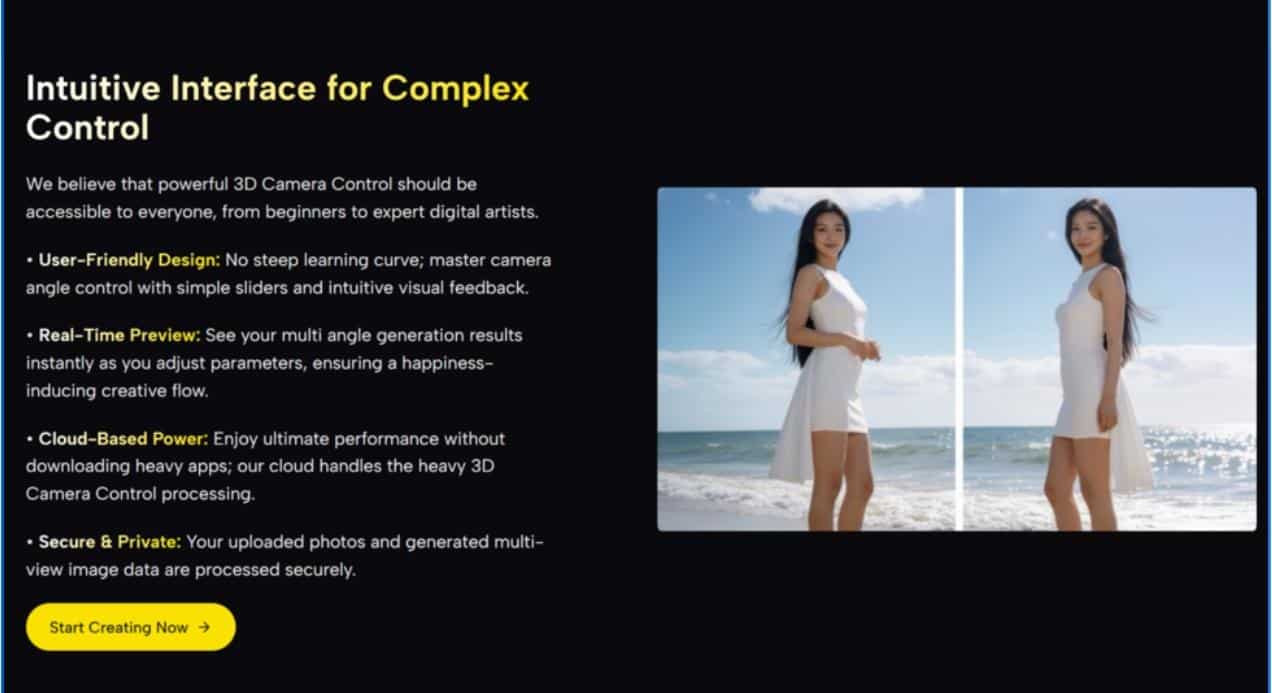
Then, you try to put them into a comic strip, a game sprite sheet, or a storyboard. You need to see them from the left. You need a profile view.
So, you type “side view” into your prompt box.
The result? A stranger. The hairstyle changes, the scar switches sides (or vanishes), and the costume details morph. You have lost your character. In 2026, consistency is still the biggest hurdle in AI-assisted design.
This was the exact bottleneck I was facing last week while mocking up a visual novel. I didn’t want to model the character in Blender from scratch, but I needed consistency. That is when I decided to test 3D Camera Control AI.
My goal was simple: Could I take one static “hero shot” and force it to turn around without losing its identity?
From Static Portrait to Dynamic Reference
The Virtual Photoshoot Experience
The interface I encountered was deceptive in its simplicity. It didn’t ask for complex nodes or rigging. It just asked for an image.
I uploaded my “One-Angle Wonder.”
Instead of asking the AI to imagine a new angle (which usually breaks consistency), this tool allows you to manipulate the existing data. I grabbed the Y-Axis slider and slowly rotated the character 45 degrees.
The experience was distinct from standard image generation.
- Identity Retention: The face didn’t morph into a different person. It was the same nose, just seen from the side.
- Volume Consistency: The jawline rotated naturally. The ear, previously hidden by perspective, appeared where it logically should be.
It felt less like “generating” and more like “posing.” For a character designer, this is the difference between having a pretty picture and having a usable asset.
How It Preserves Identity
In my technical observation, the stability comes from Depth-Map Projection.
Standard generators try to predict what a “side view” looks like based on millions of other images. This tool, however, seems to build a temporary 3D geometry based on your specific image.
It maps the pixels of your character onto a curved surface. When you rotate the camera, it isn’t inventing a new person; it is literally looking at your original pixels from a new vantage point, filling in the gaps (occlusion) with context-aware data.
Workflow Showdown: The Old Way vs. The New Way
To understand why this is the best free option for designers in 2026, let’s look at the alternative methods for getting a multi-angle view.
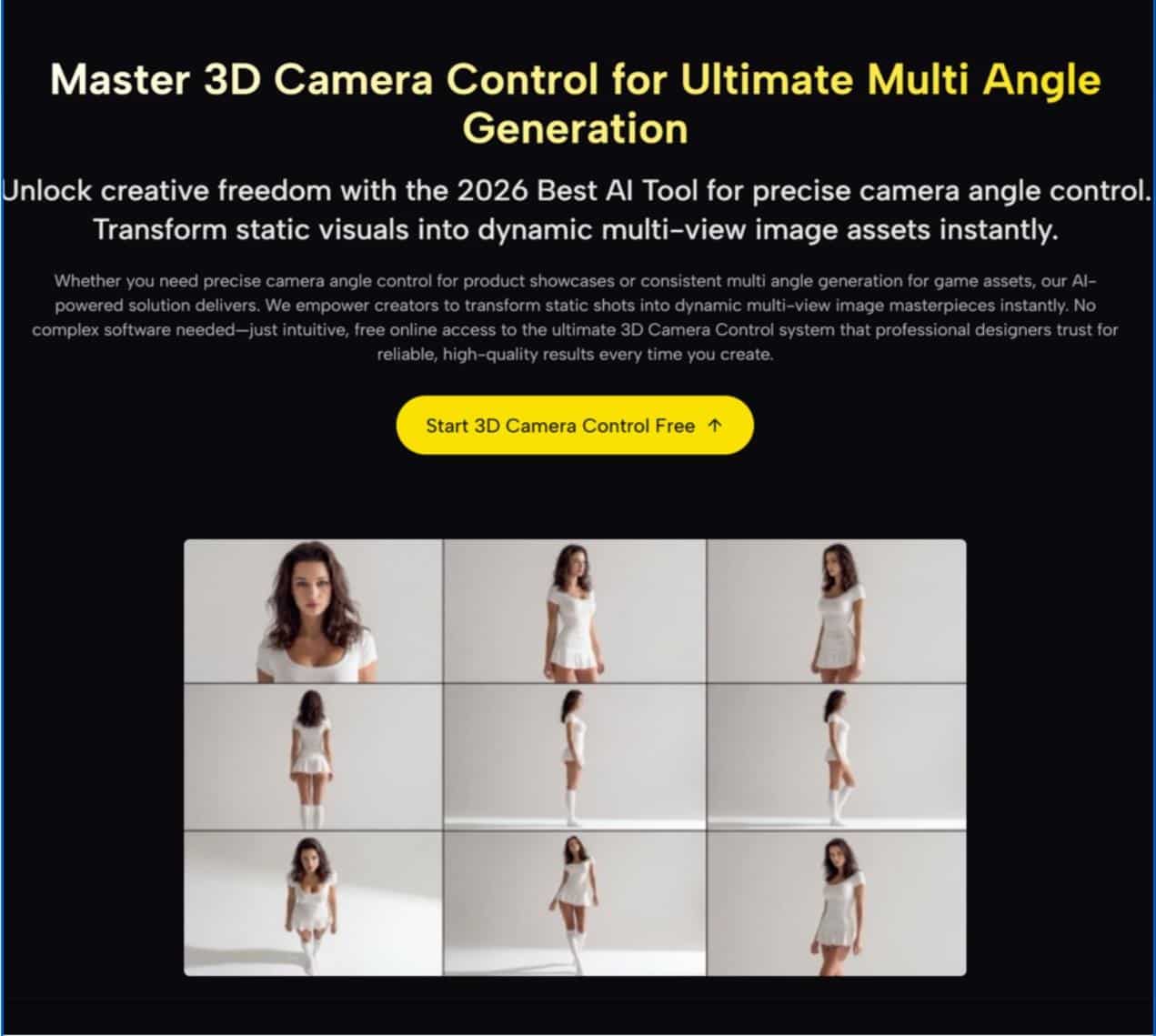
Creating a Character Turnaround Sheet
| Method | Traditional 2D/3D Workflow | Free 3D Camera Control |
|---|---|---|
| Time Required | Days. Sculpting a 3D model or hand-drawing every angle. | Minutes. Upload, rotate, and save. |
| Skill Barrier | High. Needs anatomy knowledge or 3D software mastery (Blender/Maya). | Low. Intuitive slider controls. |
| Consistency | Perfect. But requires immense manual labor to ensure. | High. Preserves the “soul” of the original image surprisingly well. |
| Flexibility | Rigid. Changing the design means re-doing the model. | Fluid. Don’t like the outfit? Change the base image and rotate again. |
Who Is This For?
While huge studios will still use complex 3D rigs, this tool is a game-changer for specific creative sectors.
1. Indie Game Developers
If you are making a 2.5D game or a visual novel, you need “sprites”—the same character looking left, right, and center. I found I could generate a base sprite, use the camera control to create the left/right variations, and then clean them up in Photoshop. It cut the asset production time by about 70%.
2. Comic & Manga Artists
Drawing a character from a difficult angle (like a high-angle “God’s eye” view) is hard. This tool acts as a perfect reference generator. You can tilt your character on the X-Axis to see how their collarbone looks from above, giving you an accurate perspective guide to draw over.
3. Concept Artists
When pitching a character to a client, they often ask, “What does the back look like?” With the rotation feature, you can quickly generate a “best guess” back view to flesh out your design document without stopping to draw it manually.
The Reality Check: Managing the “Dream”
Is it perfect? No. As with any AI tool in 2026, you need to know the limits to get the best results.
The “Inpainting” Limitation
When you rotate a character far enough to reveal something that was completely hidden (like the back of a jacket), the AI is making an educated guess.
- My Observation: Simple textures (leather, cotton) work great. Complex, specific details (like a specific text logo on the back of a shirt) will likely be blurred or replaced with generic texture.
- Best Practice: Use this tool to get the structure and perspective right, then refine specific details manually if needed. It is a “structural draft,” not always a “final polish.”
Conclusion: The End of the Flat Character
The days of being stuck with a single, static JPEG are over.
For character designers, AI Video Generator Agent offers a bridge between the ease of 2D generation and the utility of 3D modeling. It allows you to explore your character’s design in three-dimensional space without needing a degree in computer graphics.
If you are looking for the best free way to bring consistency to your character designs in 2026, stopping at the “front view” is no longer your only option. You can finally see the other side of your creation.