


Unlimited PDF Pro by SwifDoo is directly taking on subscription fatigue with a lifetime Windows license for around $25, presenting itself as a full-strength competitor to the recurring PDF software offerings. The single expense manages daily tasks—editing, converting, annotating and securing PDFs—with no monthly charge or renewal surprise.
For freelancers, students and small teams with tight software budgets, the value proposition is second to none: purchase once, keep working forever and run everything literally everywhere locally after activation. And if you just want a reliable editor without an entire cloud suite behind it, this offer is specifically sized to effectively compete with subscriptions.
- What’s included in the $25 SwifDoo lifetime license for PC
- How it compares with subscription-based PDF editors
- Who should consider switching to a lifetime PDF editor
- Security and offline control for sensitive PDF workflows
- Limitations and practical notes for this lifetime license
- Bottom line: a cost-cutting lifetime PDF editor for Windows
What’s included in the $25 SwifDoo lifetime license for PC
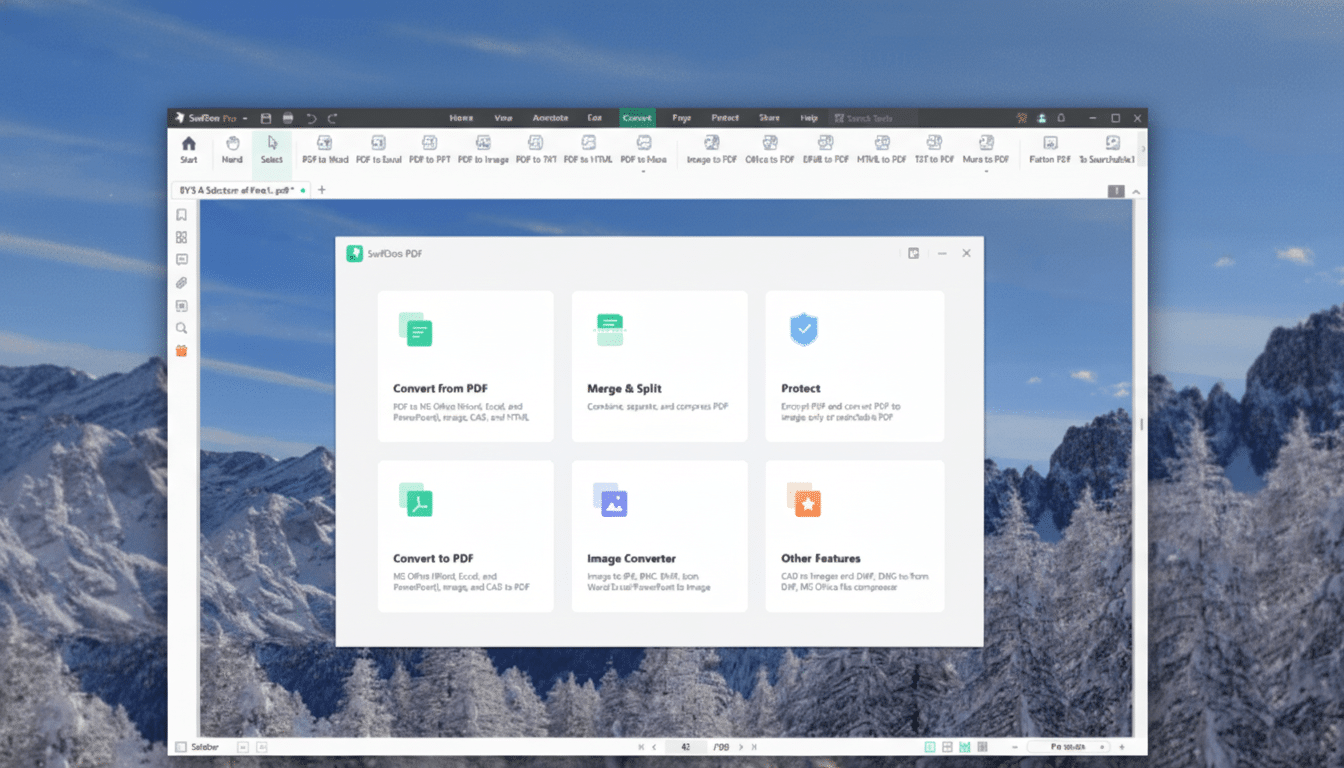
Unlock a desktop toolkit for creating, editing and formatting PDFs that includes precise text manipulation, image adjustments and form handling with a lifetime license. Learn more about this tool. It can convert to and from Word, Excel, PowerPoint and a selection of image files — handy when colleagues or clients don’t want a PDF in return.
With built-in OCR (optical character recognition), the scanner can convert scanned pages straight to searchable, editable text — a huge time-saver for anyone digitizing contracts, receipts or even piles of old family photographs. You’ll also find tools to merge and split files, batch-process repetitive tasks, as well as annotate reviews and class notes.
Security-wise, SwifDoo provides password protection and redaction to delete sensitive data permanently.
The app, once installed, operates offline on a single PC, providing users with more control over where files live and how they’re processed.
How it compares with subscription-based PDF editors
Price is the headline. Individual plans for Adobe Acrobat Pro typically cost approximately $19.99 per month, as do other well-known options (such as Foxit PDF Editor) which also have monthly charges of around $14.99. That adds up to approximately $360–$480 over two years — vs. putting down a rather modest $25 for SwifDoo’s core feature set, once and done.
Compared with its own list price of $129, today’s deal drops it by around 81%. Tally all your rolling subscriptions, multiply them by 24 instead of 12 and add up the costs and within a semester or after tax season or one client job it is possible that a single license’s cost can pay for itself even if only once over every x number of years rather than being smothered in small slices at intervals. Enterprise suites provide deep cloud-based collaboration and integrated e-sign ecosystems, but many users hardly visit those extras.
This is in line with a larger trend: as software costs have snowballed, more buyers have been reassessing “good enough” local tools that do 90% of what they need for a fraction of the long-term expenses. It’s a practical move that cuts ongoing overhead without sacrificing productivity.
Who should consider switching to a lifetime PDF editor
An element of fit is students wrangling syllabi and forms, young professionals scribbling on research papers and slideshows, microbusinesses managing invoices, quotes and contracts. It is a local flow that simplifies the multi-step, cloud-based process of scanning signed agreements, batch-OCRing them and redacting before delivery — a process implemented by multiple people.
Teams whose main activities involve editing text and pages, signing and securing documents or converting between PDFs and Office, meanwhile, will find the feature set perfectly adequate for most purposes. If you’re using your workaday word processor primarily to create form letters or purchase orders, a program that has only ever charged up front is frequently the better deal.
Security and offline control for sensitive PDF workflows
PDF work being local matters for when you are working with sensitive material. And with on-device password protection and redaction, documents need not be transmitted through third-party servers to be processed. That jibes with standard IT guidance, and echoes NIST’s advice to limit the amount of data unnecessarily exposed when managing sensitive files.
For contractors who are under non-disclosure agreements (NDAs) or professionals obligated to preserve client confidentiality, having the ability to edit, convert and scrub documents offline is not just a convenience – it’s a risk-mitigating tool.
Limitations and practical notes for this lifetime license
This is a Windows-exclusive, single-PC lifetime license, so it won’t fit Mac-first or multi-device houses unless you’re willing to deal with workarounds. It’s not an end-to-end replacement for enterprise stacks with sophisticated workflow automation, real-time co-editing or integrated e-sign platforms. And like so many evergreen tools, it’s local more than cloud.
If you live on the niche plug-ins, deep server-side processing and companywide document routing, you’ll still need a premium suite. For everybody else, it’s a competent editor that will slash costs dramatically and provide reasonable continuity of ownership.
Bottom line: a cost-cutting lifetime PDF editor for Windows
SwifDoo’s ~$25 lifetime license is a great way to swap those monthly PDF subscriptions for a rock-solid, offline editor that handles all the essentials. The savings are real (as in, thousands of dollars), the learning curve is mild and for many users, all the features they could want — and only those features — are at their fingertips.