


A new reader survey shows a surprising gap in Galaxy know-how, with roughly 75% of respondents saying they didn’t realize Samsung phones offer a powerful audio routing tool that can send sound from one app to a different output device. The feature, called Separate App Sound, has been hiding in plain sight—just not in the place most people expect.
What the survey reveals about Samsung’s audio feature awareness
The poll results are stark: about three-quarters of participants had no idea Separate App Sound exists, while ~25.4% said they were already using or aware of it. That’s an unusually lopsided split for a feature that solves everyday annoyances—like keeping phone notifications local while streaming music to a Bluetooth speaker, or sending game audio to earbuds while calls and alerts remain on the phone.
- What the survey reveals about Samsung’s audio feature awareness
- What Separate App Sound actually does on Galaxy phones
- Why so many people missed it and where Samsung hid it
- How to enable Separate App Sound on Galaxy in seconds
- How rival Android brands compare on per-app audio routing
- Why this feature matters now for modern Bluetooth audio

The imbalance underscores a common problem in smartphone UX: discoverability. Even compelling capabilities can languish if they’re buried, poorly surfaced, or gated behind optional downloads.
What Separate App Sound actually does on Galaxy phones
Separate App Sound lets you choose a specific app and route its audio to a different output than the rest of the system. Think Spotify to a living room speaker while YouTube and message pings stay on the phone, or turn-by-turn navigation to the car while podcasts play on earbuds.
For creators, it’s handy for monitoring an audio source on headphones while recording video through the phone’s mic. For parents, it can isolate a kids’ app to a Bluetooth speaker without silencing essential alerts. For commuters and rideshare drivers, it keeps navigation prompts on the car stereo while personal media remains private.
Why so many people missed it and where Samsung hid it
The short answer: it isn’t in the core Settings menu. Separate App Sound lives inside Samsung’s SoundAssistant utility, which is part of the Good Lock customization suite. That extra step—downloading a separate app from the Galaxy Store—dramatically reduces visibility. UX research from firms like Nielsen Norman Group has long shown that features hidden behind secondary installs see lower adoption, even when they deliver clear value.
Regional availability also plays a role. Good Lock isn’t offered in every market, and even where it is available, many users never explore it because it’s framed as an advanced toolkit rather than a standard feature set.
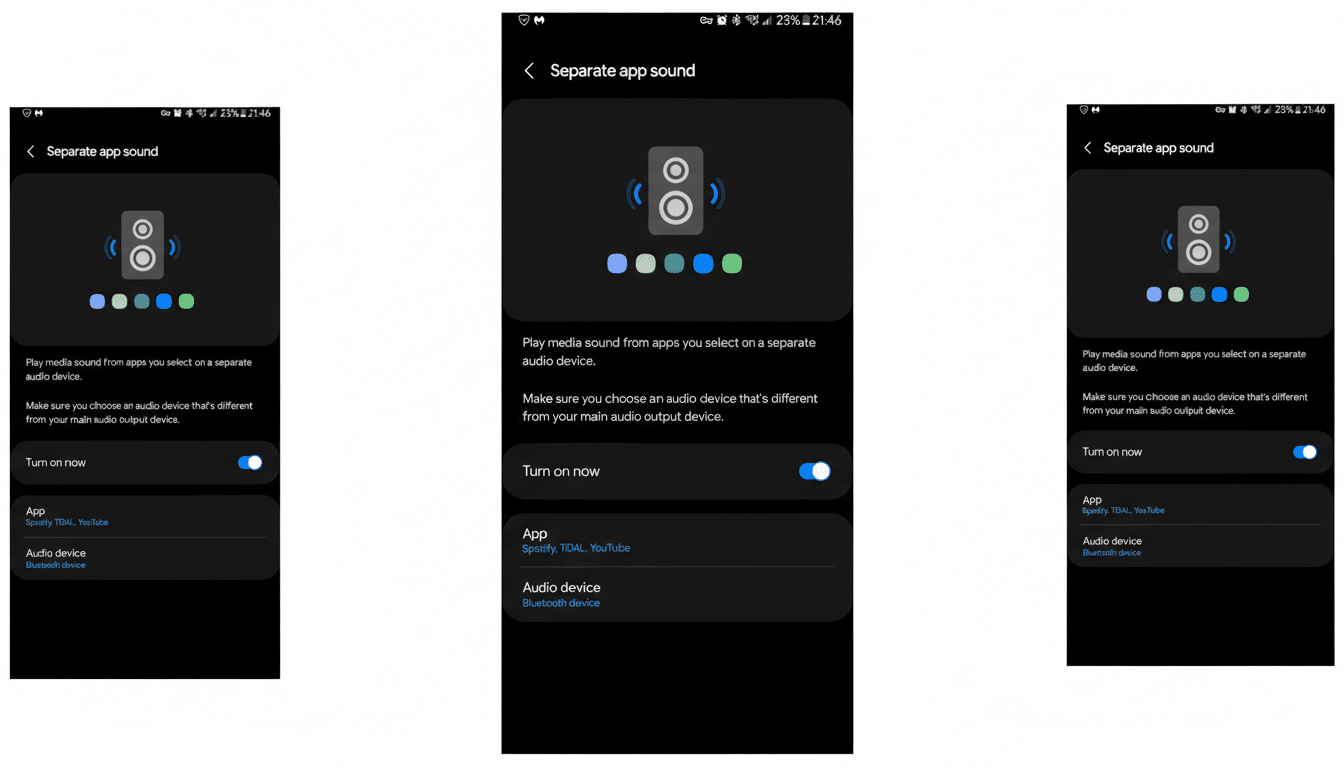
How to enable Separate App Sound on Galaxy in seconds
- Open the Galaxy Store and install SoundAssistant (part of Good Lock).
- Launch SoundAssistant and find Separate App Sound.
- Choose the app you want to route and select the output device (e.g., a specific Bluetooth speaker or headphones).
- Toggle it on. The setting persists, so your chosen app will continue using that output when available.
Pro tip: Pair the target Bluetooth device first and name it clearly. If you frequently switch devices, revisit SoundAssistant to adjust routing as needed.
How rival Android brands compare on per-app audio routing
Samsung isn’t alone here. Xiaomi integrated per-app audio routing years ago—rolling it out around 2020—followed by brands such as OnePlus, OPPO, vivo, and realme. In other words, if this capability matters to you, several Android ecosystems already deliver it in a more visible, settings-level way.
The bigger question is when a universal solution will land in Android itself. Enthusiasts have long requested system-level per-app volume and routing controls across all devices. Many power users are still hoping Google and Motorola will embrace this natively, and calls for a stock Android implementation continue to gather momentum among developers and beta testers.
Why this feature matters now for modern Bluetooth audio
Phones are the hub for everything from hybrid work calls to music, games, and smart home control. As Bluetooth LE Audio, Auracast broadcasts, and multi-point connections spread, fine-grained control over which sound goes where becomes essential—not a niche luxury.
The latest survey is a reminder that even useful tools can slip under the radar without clear onboarding. If Samsung wants broader adoption, baking Separate App Sound directly into One UI’s Sound settings, adding a first-run tip, and expanding global availability would go a long way. Until then, the users who know about SoundAssistant enjoy a small but meaningful advantage—one that most Galaxy owners didn’t realize was already in their pocket.