


New testing makes it abundantly clear where Valve’s Linux-based operating system falls short: SteamOS stutters and chugs when presented with a tight VRAM budget.
Performance testing conducted by Ars Technica captures Windows 11 holding up both its frame rate and texture memory in benchmarks that push both with a range of games—and the free-to-play title Gears Tactics does indeed run at higher speeds than SteamOS, pushing Windows 11’s machine to reach 100 percent usage across all four system components.
What the tests show about SteamOS with limited VRAM
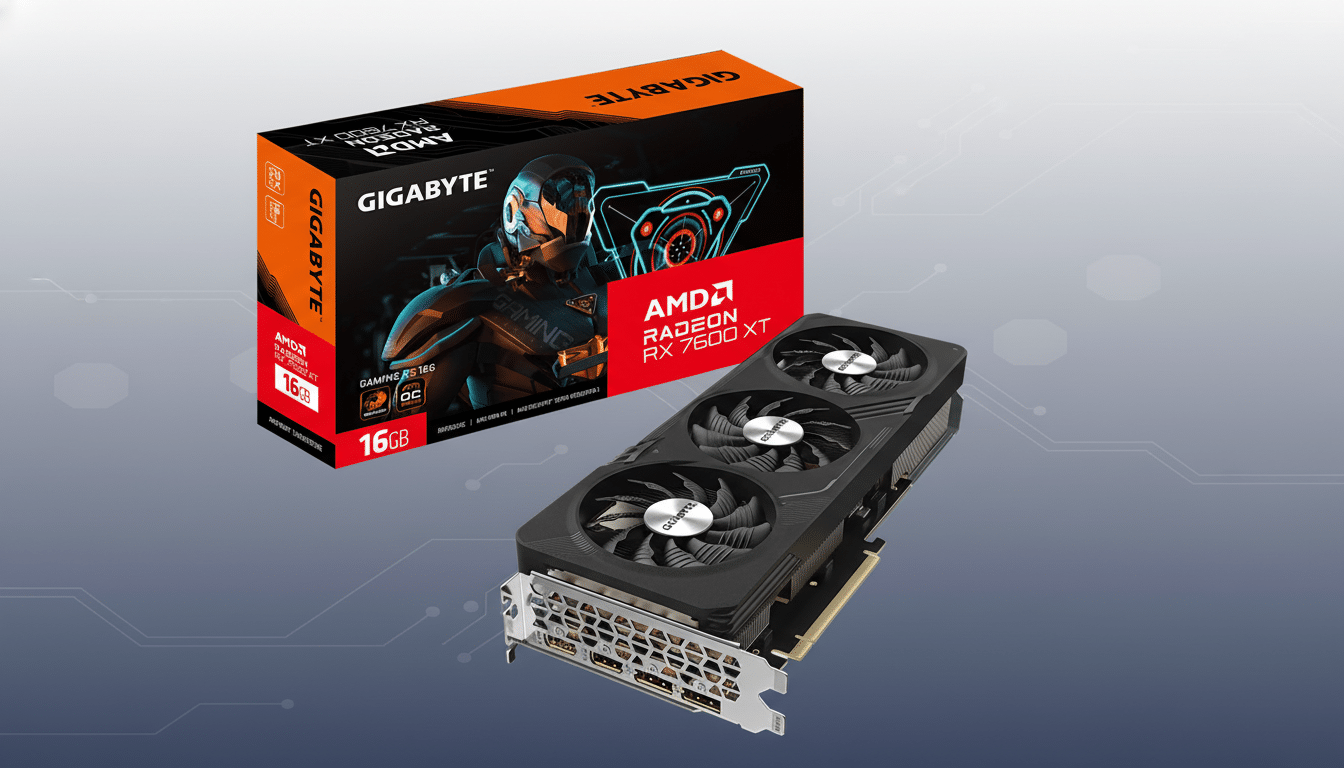
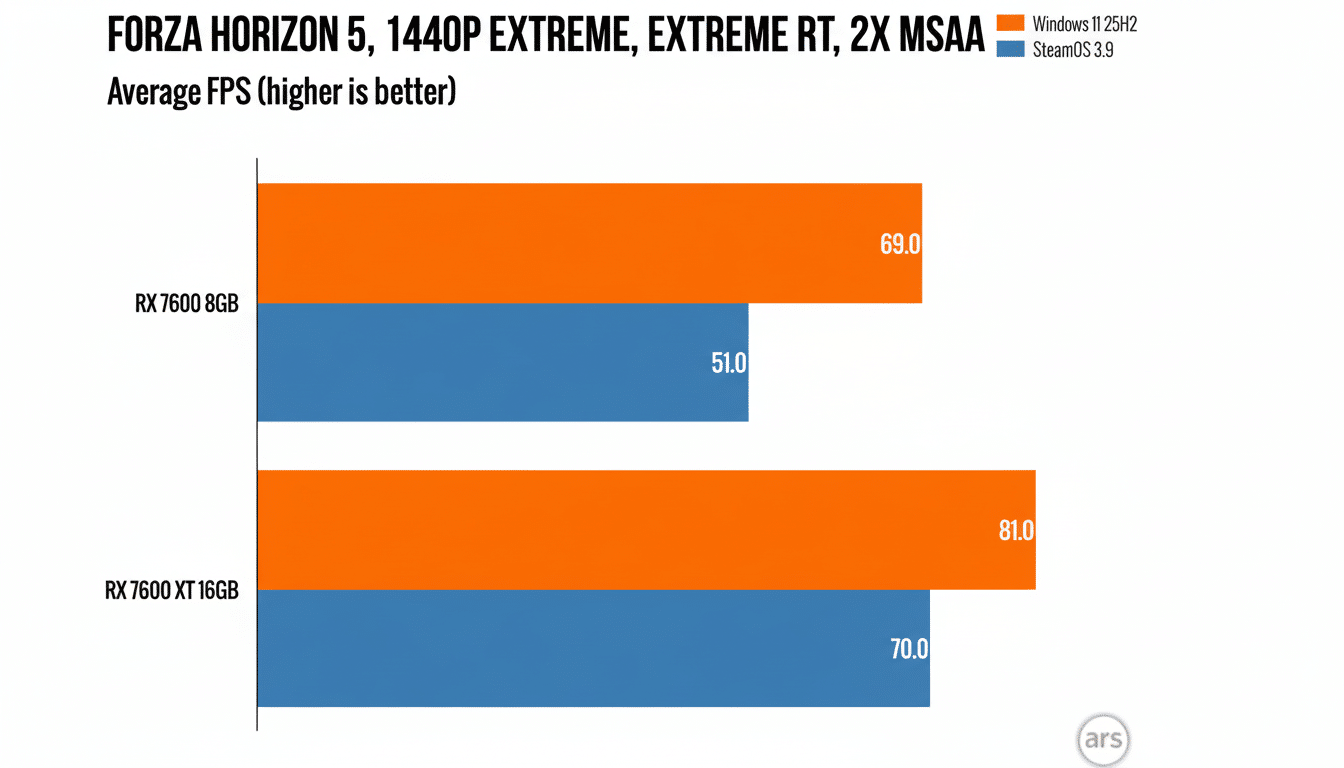
Ars Technica’s numbers suggest that a similar story plays out with multiple current games. The VRAM-hungry Returnal, meanwhile, was exacerbated at standard settings in Windows on an AMD Radeon RX 7600 (8GB) during a playable 1440p outing. On SteamOS, the same exact hardware produced less than a third of that frame rate under Windows—an eye-popping divide in a more apples-to-apples comparison. Changing to a 16GB Radeon RX 7600 XT largely eliminated the discrepancy.
Cyberpunk 2077 similarly ran worse on SteamOS when VRAM was limited to 8GB. It wasn’t taking much of a hit without ray tracing, but with RT effects enabled, the hit was quite large and clearly shows how memory-heavy effects would push the OS over the edge. Even older, well-tweaked games like Assassin’s Creed Valhalla fell by about 15 percent at 1080p max settings on SteamOS with 8GB, the testing found.
And most crucially, this is not a global failure. Some games handle SteamOS’ memory behavior better than others. But Windows averaged higher results across the test suite just about everywhere on 8GB boards, and all its subpar outliers—where SteamOS shat the bed—tended to be titles with voracious VRAM appetites pinned behind them.
Why 8GB of VRAM is more painful to manage on SteamOS
Three factors are likely intersecting here: translation overhead, driver memory strategy, and ray tracing’s craving for VRAM. Many new Windows games are developed especially for DirectX 12. Proton’s compatibility layers on SteamOS that translate DX12 and DX11 lean on vkd3d-proton and DXVK into Vulkan. This translation isn’t free; additional buffers, state caches, and shaders can push the effective VRAM footprint above what that same workload would be on Windows.
Plus, Windows’ WDDM driver model and vendor drivers (AMD and Nvidia) have had years to develop residency and eviction heuristics optimized for DirectX. On Linux, the AMDGPU driver and Mesa Vulkan stack are moving quickly, but could handle oversubscription differently. Once you run out of 8GB, even if it’s just for one moment, paging over PCIe to system RAM can send latency through the roof and crater 1% lows as well as bring in heavy texture streaming. Windows may be keeping more “hot” assets resident, or evicting smarter in these edge cases.
And then there’s ray tracing, which makes all of this worse. Acceleration structures, denoisers, and higher-quality reflections can also have significant memory footprints. When a game like, say, Cyberpunk 2077 leans on RT and a platform has some additional overhead or slightly less optimal residency, it can take the difference from “borderline” to complete “unplayable.”
The 8GB reality check for today’s demanding PC games
For a generation or two, 8GB was a sensible goal even for high settings. At least, that’s no longer true all across the board. Recent PC games — Returnal, The Last of Us Part I, Hogwarts Legacy — regularly surpass 8GB at 1440p with high textures, and some blow past that even at 1080p with ray tracing. A significant amount of active GPUs in the latest Steam Hardware Survey still cap out at 8GB, and that means many players are teetering on a knife’s edge whereby fiddling with settings like shadows can be the difference between playable performance or not.
The Ars Technica numbers indicate that SteamOS handles that edge case worse now than Windows does. Bump up to the 12GB or 16GB models, and the difference barely exists in tested conditions. That has implications for shoppers eyeing affordable 8GB cards such as the Radeon RX 7600 or GeForce RTX 4060 to power a SteamOS desktop, mini PC, or console-style rig.
Where Valve and its partners can improve SteamOS VRAM use
There’s a plausible route to closing the gap. Valve, together with the open-source graphics community, have shown a history of iterating quickly — Proton updates experiment to improve performance and compatibility, and Mesa driver optimizations arrive frequently alongside shader cache improvements. Focused work on VRAM budgeting, residency hints, and Vulkan memory priority may minimize oversubscription occurrences.
Per-game Proton tweaks, including better defaults for texture pool sizes plus tighter coordination with the AMD driver team, would do wonders. Even those changes — smaller changes, such as more conservative RT presets for 8GB configurations — can help prevent the runaway memory usage that tanks frame pacing.
Practical tweaks right now for SteamOS on 8GB VRAM GPUs
On 8GB and SteamOS, what matters most is a few levers:
- Turn textures down a notch to trim hundreds of megabytes from VRAM with minimal visual loss.
- Disable or lower ray tracing to reduce memory pressure.
- Use FSR or DLSS where available to run a lower internal resolution.
- Try different Proton versions per game and keep Mesa drivers updated, as builds manage memory differently.
It’s simple: SteamOS runs great on current GPUs, though it’s a little more memory-pressure-sensitive (but not significantly so) with 8GB cards compared to Windows 11 in today’s high-end games. Until Valve starts introducing more VRAM-friendly optimizations, 12GB to 16GB is definitely now the safe bet for high settings—and users with just 8GB should tread a bit carefully to remain on the right side of that performance cliff.