


Bad Bunny’s catalog has turned countless casual listeners into dedicated fans, but not everyone catching his next big performance will speak Spanish. Spotify’s new lyrics translation feature aims to fix that in the moment you press play, adding live translations beneath synced lyrics so you can follow every bar, idiom, and double entendre without leaving the app.
How to Translate Lyrics on Spotify in the App
- Open any track with non‑English vocals, hit play, and expand the Now Playing view by tapping the bar at the bottom of the screen. You’ll see the looping Canvas art and, below it, a lyrics preview that scrolls in time with the music.
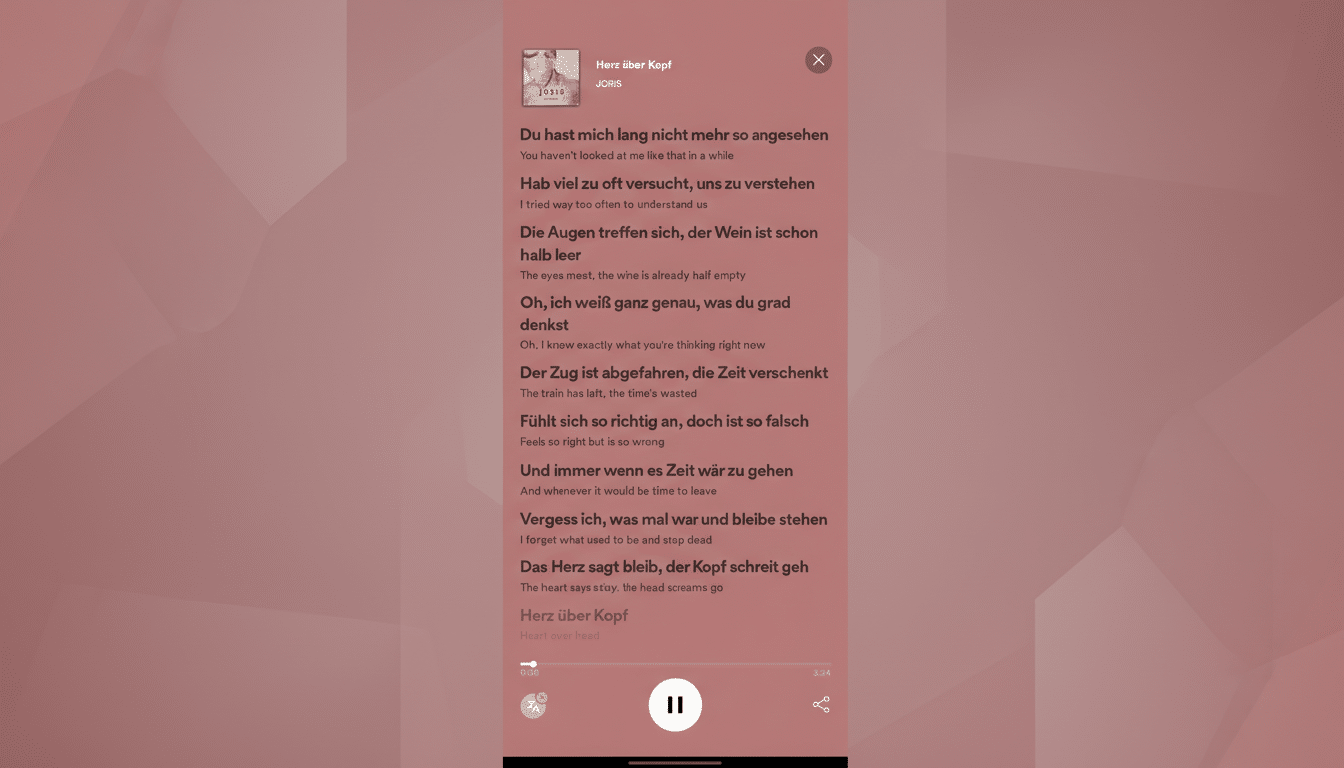
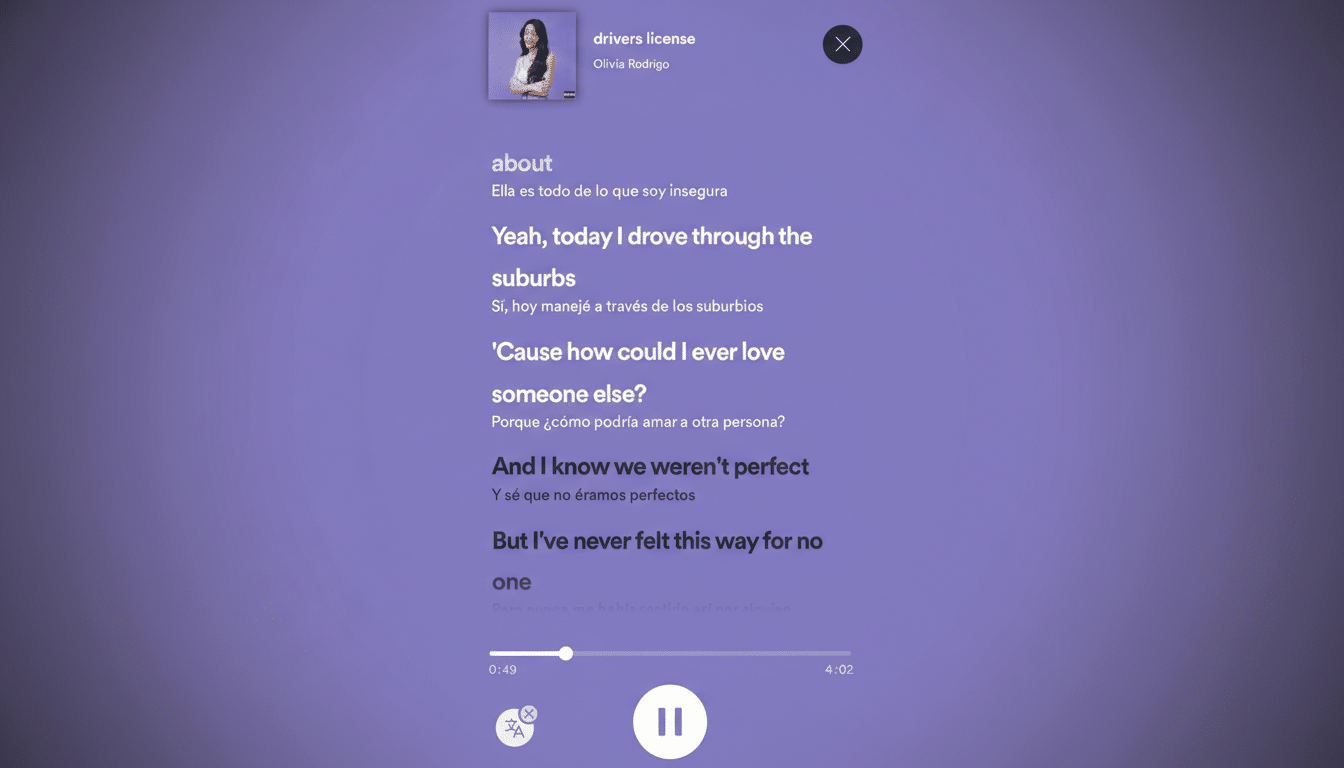
- Scroll to the Lyrics preview. Look for the Translate icon next to the Share button on the preview. Tap it to jump into full-screen Lyrics with translations enabled. If you skip the icon and tap the Lyrics preview instead, you can still enable translations from the Translate button that appears above the progress bar.
- When translations are on, each original line appears with a smaller, translated line directly underneath in your device’s default language. Tap the Translate icon again to toggle them off. It works in real time, so you can watch the meaning unfold as the song moves.
Example: queue up Bad Bunny’s Tití Me Preguntó, open Lyrics, and switch on Translate. You’ll see colloquial Puerto Rican Spanish rendered into your language, including slang and wordplay that are easy to miss if you’re not fluent.
What Works and What Doesn’t with Lyrics Translation
- Availability: Spotify is rolling this out on mobile to Free and Premium users. If you don’t see the Translate icon yet, update the app and check back—feature rollouts happen in waves.
- Coverage: Translations appear only on tracks that have both synced lyrics and translation data. Spotify’s lyrics are powered by Musixmatch, which maintains the lyric and translation catalog. If a song lacks either, the Translate option won’t show.
- Languages: Translations render in your device language when supported. You can change your phone’s language settings to switch the translation target. Not every language pair is available yet, and phrasing for niche dialects may still be maturing.
- Platforms: The feature is designed for the mobile app experience. Desktop and TV apps may show synced lyrics, but translation availability can differ by platform.
Why This Matters for Bad Bunny Fans Worldwide
Bad Bunny has been one of Spotify’s most-streamed global artists for years, at one point topping the worldwide charts three years running. With more listeners discovering his music at massive events and through curated playlists, translations help bridge the gap between vibe and meaning—especially when punchlines hinge on regional slang, sports references, or Caribbean cultural cues.
Industry groups like IFPI have highlighted the surging global reach of Latin music, and translations lower the friction for newcomers diving into Spanish-language hits. Instead of searching the web for interpretations, listeners can parse context line by line in sync with the beat.
Pro Tips to Get Better Results from Translations
- Keep the app updated. New language support and catalog additions land regularly, so fresh releases can gain translations after launch.
- Use lyrics to navigate. Tapping a lyric line jumps playback to that moment, which is handy if you want to recheck a metaphor or chorus translation.
- Mind the nuance. Machine-assisted translations can flatten wordplay; translations supplied via Musixmatch and editorial reviews help, but slang and double meanings don’t always convert perfectly. Treat translations as a guide, not gospel.
- Explore related tracks. If a song lacks translations, try another version or a popular single from the same album; high-traffic tracks tend to receive translated lyrics first.
Bottom Line: What Spotify’s Lyrics Translation Offers
Whether you’re brushing up on Spanish or simply want to catch every line from Benito’s latest hit, Spotify’s lyrics translation makes understanding the story as easy as tapping a button. Open the track, head to Lyrics, toggle Translate, and let the meaning ride with the music.