


Roku just rolled out a dedicated Search button inside The Roku Channel’s Live TV guide, a small interface tweak that has a big impact on how viewers find free, live programming. By letting you type a show title, genre, or keyword directly within the guide, Roku removes the endless scrolling that has long plagued free ad-supported streaming TV.
Why This Small Change Feels Big For FAST Viewers
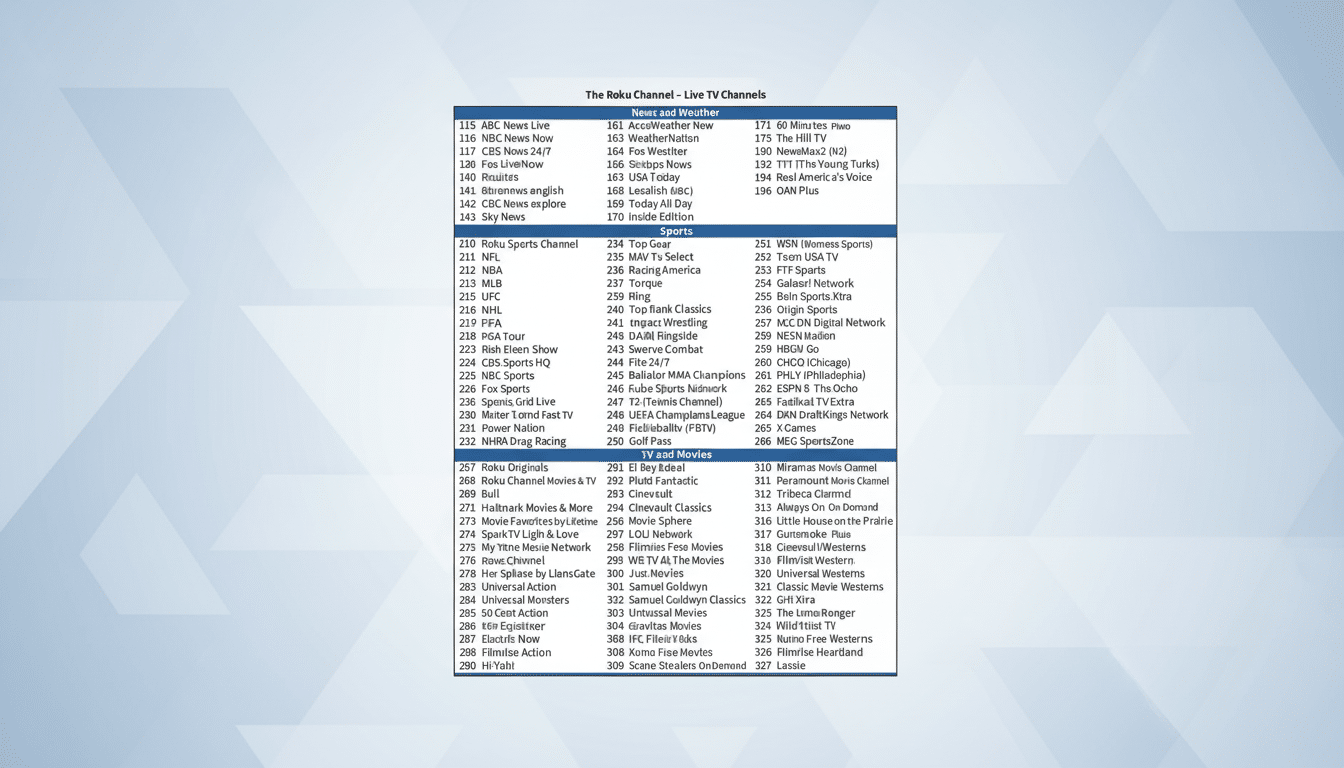
Free ad-supported streaming TV (FAST) has exploded, but discovery has lagged. The Roku Channel now hosts more than 500 live channels, and that scale can make it tough to land on the exact game, sitcom, or local newscast you want. A guide-level search trims time-to-content and keeps viewers from bouncing to a paid app or a competing FAST service. In a market where, according to Nielsen’s The Gauge, streaming routinely commands more than 35% of TV viewing time, shaving a minute from the hunt matters.

This move also meets people where they already are: the Live TV grid. Voice search and universal search have existed on Roku for years, but they often return a mix of on-demand and paid results. The new button focuses your query on free live feeds, solving the specific pain point of “What’s on right now that I can watch for free?”
How the New On-Guide Search Works on Roku Live TV
Open The Roku Channel’s Live TV guide and look to the left side of the screen, above the category rail. The Search button sits there, ready for direct input via the on-screen keyboard or a Roku voice remote. Type “local news,” “classic sitcom,” or a title like “Chicago Fire,” and the guide filters results to channels currently airing relevant programming, plus upcoming slots you can tune to or set as a reminder.
It also respects your Live TV favorites. If you’ve starred channels using the remote’s options menu, those appear first when relevant. The practical upside: you can jump straight to a comfort show, your regional news feed, or niche genres—true crime, retro cartoons, international news—without trudging through hundreds of rows.
A Fix for FAST’s Biggest Friction: Discovery
FAST discovery has been the industry’s Achilles’ heel. With so many near-duplicate channels and syndicated loops, viewers face choice overload. Analysts at firms like Ampere Analysis and Parks Associates have repeatedly flagged discovery as a driver of churn and session abandonment. Roku’s on-guide search is a direct answer: narrowing to live, free results reduces the paradox of choice while reinforcing the value of The Roku Channel’s lineup.
For advertisers, this also improves addressable reach. Faster discovery tends to increase session length and tune-in frequency, which in turn raises the available ad inventory and campaign completion rates. Roku, which reports more than 80 million active accounts in recent earnings updates, can convert those marginal gains into meaningful revenue at scale.
How It Stacks Up Against Rivals in Free Live TV
Competitors like Pluto TV, Tubi, Samsung TV Plus, and Amazon’s Freevee have invested heavily in guide organization, editorial carousels, and themed channels. Many offer universal search, but not all surface results cleanly inside the live grid. Roku’s approach keeps the user in the guide context, which is where most FAST viewers live; it’s the difference between a generic search box and a tuned instrument designed for live channel surfing.
Roku also benefits from platform-level cohesion. The Live TV Zone on the Roku home screen, channel favoriting, and the new guide search now work like a stack: open Live TV, search, star favorites, and return via the Zone. That loop shortens the path from intent to viewing in a way that feels native and repeatable.
Real-World Wins You’ll Notice Using Guide Search
If you’re chasing a specific rerun—say a late-night courtroom drama—you can now find a channel airing it within seconds, then stick with that network’s themed block. Sports fans can zero in on live shoulder programming, highlight channels, or regional news wrap-ups when games aren’t on. Cord cutters relying on free local news feeds can type their city name and jump straight to the correct stream.
CordCuttersNews first spotted the feature’s rollout, and early users report quick, relevant hits for both broad genres and exact show titles. In a category where convenience trumps everything, that kind of immediacy is the difference between “I’ll watch something” and “I’ll watch this, right now.”
Pro Tips to Get More From Roku Live TV Search
Use the Search button for specific titles, then star the channels you like to elevate them in the guide. Try broad queries—“80s action,” “cooking,” “game shows”—to discover themed channels you didn’t know existed. And if you have a voice remote, combine voice with guide search to jump even faster: say the genre, hit Search to refine, and tune in.
It’s only a button, but it addresses the core challenge of FAST: finding something you genuinely want to watch, for free, without friction. For Roku and its viewers, that’s the kind of small feature that quietly changes daily behavior.