


Raspberry Pi’s all-in-one keyboard computer gets a significant update.
The new Raspberry Pi 500+ maintains the compact “computer-in-a-keyboard” concept, and now packs 16GB of memory, onboard NVMe storage, and a full mechanical keyboard—turning this little desktop from neat to genuinely capable for everyday Linux work.
- What’s new in the Raspberry Pi 500 Plus keyboard PC
- Why NVMe storage on a Raspberry Pi 500 Plus matters
- From membrane to mechanical: the Raspberry Pi 500 Plus
- Performance context and real-world fit for Raspberry Pi 500 Plus
- Price, kit options, and where to buy the Raspberry Pi 500 Plus
- Bottom line: should you buy the Raspberry Pi 500 Plus now?
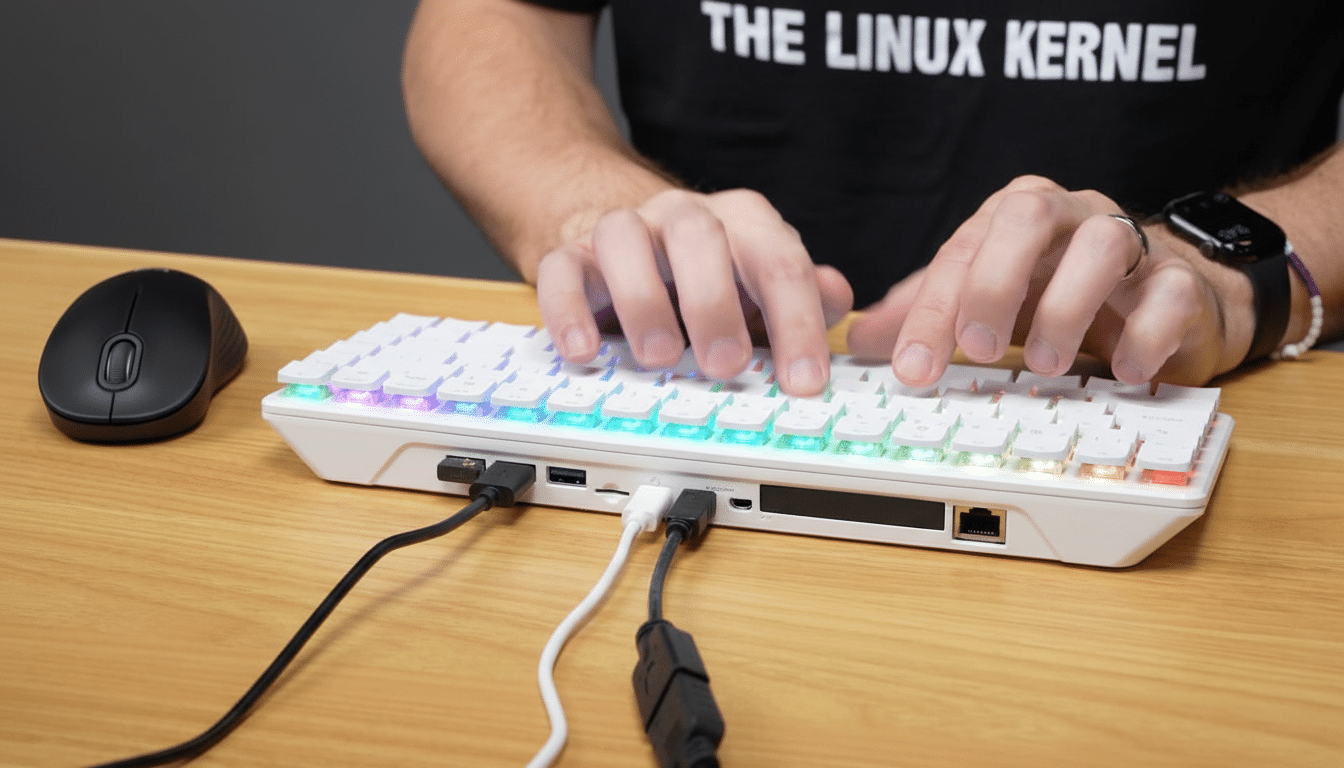
Revealed by Raspberry Pi Holdings, the 500+ boasts the Pi 5 platform built into the case. CEO Eben Upton said in a company blog post that the shift to a high-quality mechanical keyboard with removable keycaps and per-key RGB was a direct result of community demand, suggesting the line would veer toward something more premium and moddable as a result.
What’s new in the Raspberry Pi 500 Plus keyboard PC
The headline improvements are simple: you get double the memory at 16GB of LPDDR4X, and the board now exposes PCIe storage through an on-board NVMe bay. Raspberry Pi is including a 256GB NVMe SSD, but it’s easy to replace the storage with a higher-capacity drive if you like. MicroSD is still enabled to boot or for a quick OS swap, and USB-based external SSDs continue to function as they did.
The keyboard of the device goes from a crummy membrane to mechanical switches. Each keycap is mounted on a Gateron KS-33 Blue switch, providing a clicky, tactile feel favored by many typists. The keycaps pop on and off, and the layout is compatible with most aftermarket keycap sets, which will find favor among makers who like to tool around their boards—now in both senses.
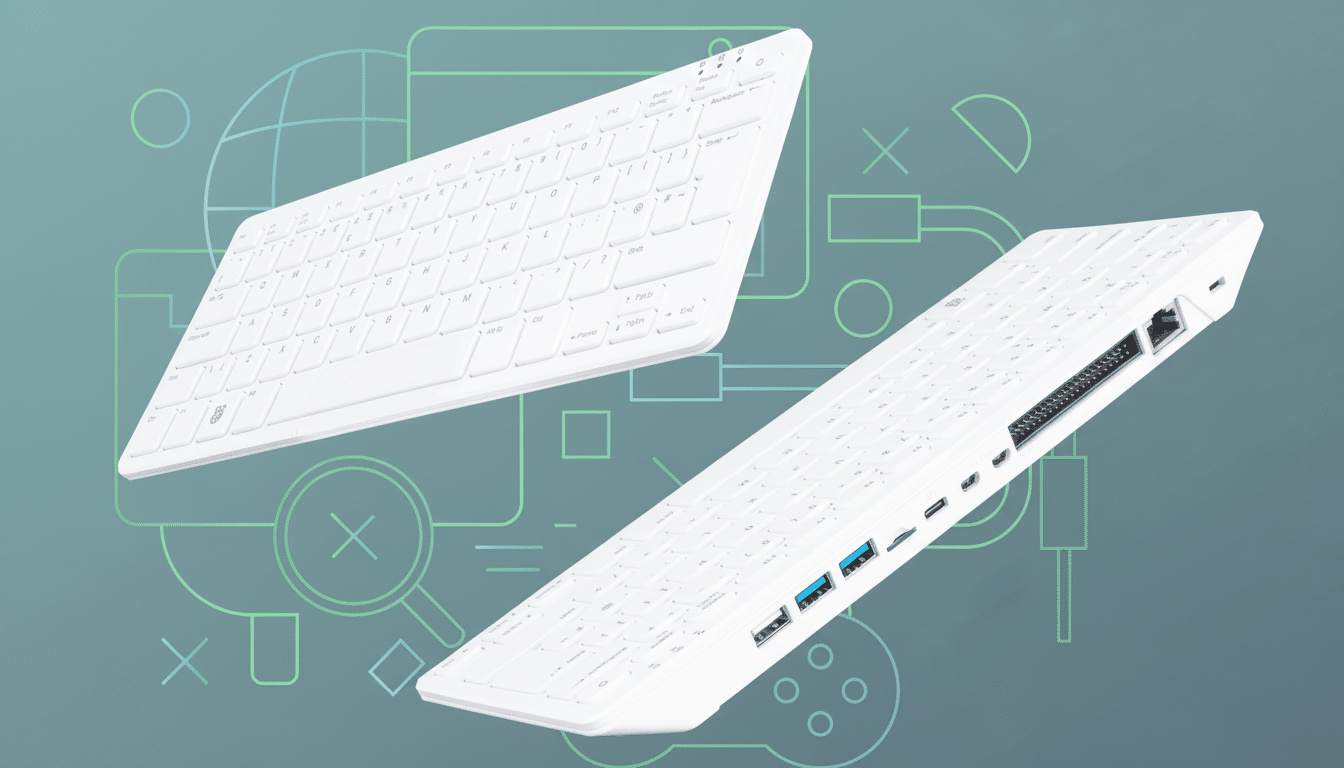
Under the keys it’s still a Raspberry Pi 5: quad-core Arm Cortex-A76 CPU and VideoCore VII GPU, dual micro HDMI (4K60), Gigabit Ethernet, dual-band Wi-Fi, Bluetooth wireless technology, and USB ports. That stability means the 500+ runs Raspberry Pi OS and popular distributions without having to jump through special hoops.
Why NVMe storage on a Raspberry Pi 500 Plus matters
The vast practical leap is in storage speed. On Raspberry Pi 5, community testing shows that the PCIe 2.0 x1 link generally achieves about 350–430MB/s sequential throughput—an order of magnitude or more higher than most microSD cards. Developer-published benchmarks (by folks like Jeff Geerling and Phoronix) have shown striking improvements in boot time, application load times, package installs, and browser snappiness when using NVMe on the Pi 5.
But it’s not just about speed; NVMe offers endurance and reliability that microSD often can’t in desktop-style use. In classrooms, kiosks, or just with a light office workload where logs, caches, and updates accumulate, there should be fewer storage-related failures and the 500+ will seem less like a hobby board and more like a small but grown-up PC.
From membrane to mechanical: the Raspberry Pi 500 Plus
The addition is more than just a change of pace. Mechanical switches provide a more responsive experience with a reliable lifespan of over 10 million clicks and an actuation force of 50 g ± 20 g. The clicky Blues are not going to be the pick for every shared space, though just how easily you can remove the caps and swap in standard ones invites tinkering: try out different profiles, experiment with O-rings, or have legends made up for classroom shortcuts.
RGB LEDs per key might sound like a touch of gamer garnish, but they do have practical applications: educators can use the lights to illustrate clusters of shortcuts, developers can script app-specific lighting cues, and custom accessibility setups can be reinforced visually.
Performance context and real-world fit for Raspberry Pi 500 Plus
Compared with the older Raspberry Pi 400, which was essentially a cased Pi 4, the Pi 5 silicon powering the 500+ delivers big CPU and GPU leaps.
Independent testing from Phoronix and others typically reveals 2x or more performance in CPU-heavy tasks, as well as smoother dual-4K output and faster I/O. In practice that moves the device from coding lessons and retro emulation to light content creation, office apps, and even low-complexity development on the device itself.
For IT organizations, the built-in NVMe simplifies imaging and fleet management. For makers, the combination of PCIe storage and common keycap standards is catnip. And for students, the single-cable desk setup and instant-on sensation both peel away friction that might serve as a stumbling block in those short class periods.
Price, kit options, and where to buy the Raspberry Pi 500 Plus
The Raspberry Pi 500+ is listed for $200. That’s a significant step up from the regular Raspberry Pi 500, which some have sold for less than $100 in certain markets, but it comes with both a 256GB NVMe SSD and a mechanical keyboard included—two upgrades that make a direct impact on daily use.
There is a $220 Desktop Kit containing a Raspberry Pi mouse, 27W USB-C power supply, and 2m micro HDMI to HDMI cable. In the United States, initial retail partners will be Micro Center and Central Computers, as well as specialist resellers such as PiShop, Raspberry Pi said.
Bottom line: should you buy the Raspberry Pi 500 Plus now?
The 500+ doesn’t exactly shake up the keyboard-PC concept—rather, it completes it. Doubling the RAM, adding NVMe, and going mechanical on the keys are three of the biggest complaints all addressed. It’s the Raspberry Pi keyboard machine to get if you’re a hobbyist, an educator, or just anyone who wants a tiny fan-favorite Linux desktop that seems even faster than it has any right to be for its dimensions.