


A top-rated PDF editor is on sale today, as the price drops to $79.99 for the PDF Expert Premium Plan for Mac. That’s a 42 percent discount off the usual price of $139.99, good for lifetime access to one of the most highly acclaimed PDF tools on macOS — without recurring subscription costs.
The deal is aimed at Mac users seeking a strong editor for everyday document tasks — to edit text and images, to annotate for reviews, and to convert files — but hoping not to incur monthly bills in the process. PDF Expert is popular for its clean interface, improved performance on Apple silicon, and tight integration with macOS — it has also received great reviews from users on the Mac App Store.
- What this lifetime Premium Plan for Mac includes
- Conversion and OCR features built for real-world work
- How this lifetime deal stacks up on overall value
- Performance and platform context for macOS and PDFs
- Who should grab this Mac PDF Expert lifetime deal
- Important notes before you buy this lifetime Mac offer
What this lifetime Premium Plan for Mac includes
The Premium Plan grants access to essential editing functions you’d otherwise have to pay a lot of money for. You can correct typos within PDFs, change or swap out images, and even add clickable links without the need to export to another format. It’s pro-ready whether you’re composing a sales document, finishing a project for school, or dealing with business contracts and HR workflows; it’s equipped to help.
Use page-level controls — like the ability to merge multiple PDFs into a single file, split a document into distinct sections, rearrange pages via drag-and-drop, or rotate scans. For review cycles, the annotation toolkit has highlights, comments, and pop-up notes, as well as stamps (useful for approval sign-off or compliance checks).
Conversion and OCR features built for real-world work
“PDF Expert supports bidirectional conversions that are what count in mixed-document environments. Take the Word, PowerPoint, Excel, JPG, or PNG file that you would like to convert and drag it onto our website; by doing so, you will upload the file.” The companion OCR (optical character recognition) tool converts scanned PDFs into searchable, selectable text — a must for digitizing distant receipts, contracts, or handwritten lecture notes.
Being able to convert both ways and do OCR in one app means less tool-juggling and fewer associated version-control migraines. That’s a relatively small but meaningful productivity enhancement when documents get passed through multiple departments or client stakeholders.
How this lifetime deal stacks up on overall value
Today’s $79.99 lifetime access is less than the cost of many subscription-based competitors over the long run.
For some context, Adobe Acrobat Pro’s standard monthly plan tends to hover roughly around the cost of a streaming subscription or two and can exceed PDF Expert’s one-time deal in just a few months of use. Of course, another option is Nitro PDF Pro for Mac, which has a comparable feature set but usually demands a higher one-off purchase for perpetual licensing.
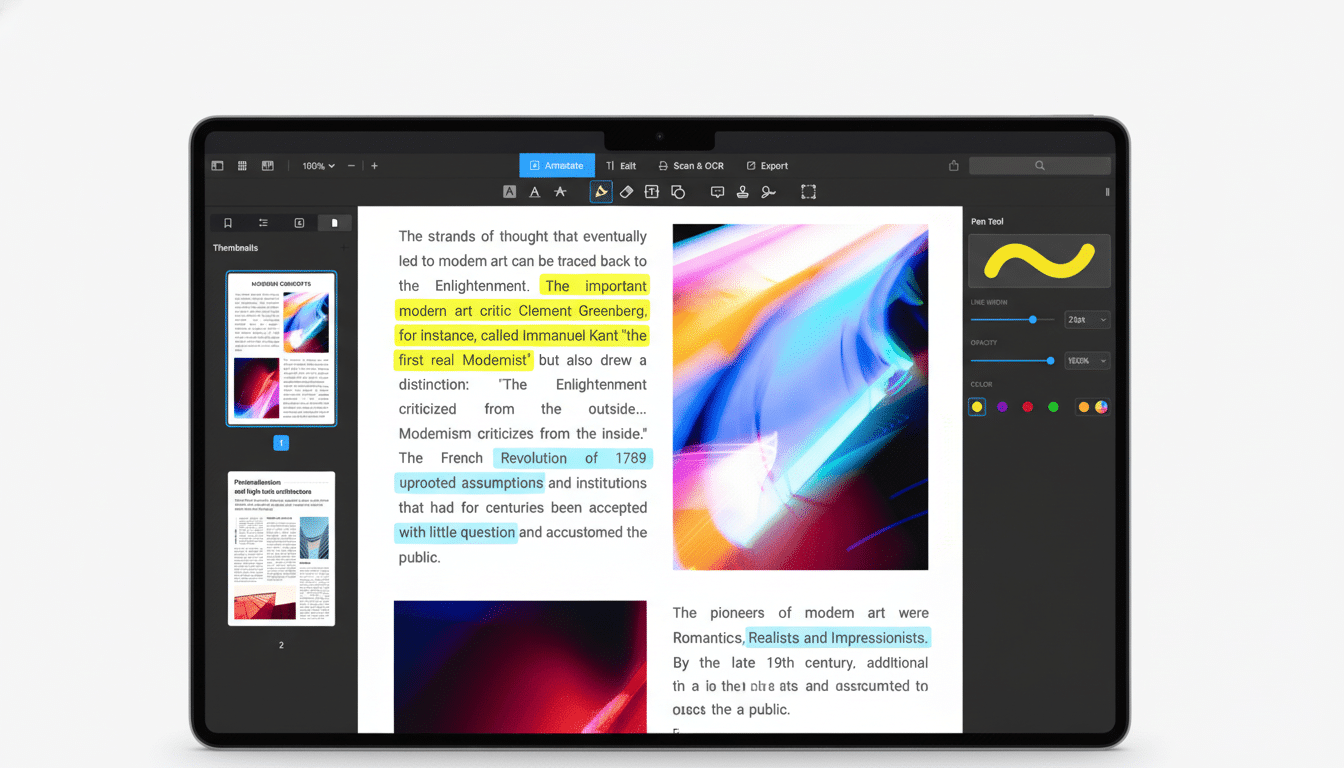
macOS comes with Preview for simple markup and form-filling, but it falls short of professional editing, comprehensive page options, and reliable conversion back to Word or Excel. For freelancers, educators, and small teams who live in PDF-land but don’t require enterprise backends, this offer has to be a mark squarely hit: pro features without an ongoing bill.
Performance and platform context for macOS and PDFs
PDF Expert is optimized for current Mac hardware, including Apple silicon, which lends itself to fast rendering and silky-smooth scrolling in long documents. This responsiveness is most apparent with long reports, academic journals, or legal bundles where slower tools can stutter.
It’s also worth considering the format’s durability. PDF formats are standardized under ISO 32000, allowing for system and archival compatibility. For practical purposes, that means a well-edited PDF today should still open without incident years into the future — important for contracts, research, and regulatory records.
Who should grab this Mac PDF Expert lifetime deal
If your week includes redlining proposals, collecting sign-offs, and converting files for clients, most of the feature set here ticks boxes. For students and educators, there’s the ability to annotate with the annotation suite and OCR for scanned course material. Operations and finance teams can organize forms, receipts, and vendor paperwork; creatives will appreciate the ability to make precise edits directly to images and links for proofs.
Important notes before you buy this lifetime Mac offer
Today’s deal is aimed at the Mac user, and it is being touted as lifetime access to the Premium Plan. And, as with many lifetime deals, just be sure to read the fine print: you may not get cross-platform access and future major-version upgrades. If you’re in a heavily regulated environment with sophisticated redaction workflows or that uses certificate-based signatures, compare feature checklists against enterprise-focused tools very carefully.
For most individual professionals and small teams, however, this $79.99 deal is an effective means to secure a fast, highly rated PDF editor with robust editing, annotation tools, conversion features, and OCR — without needing to pay again in 12 months’ time.