


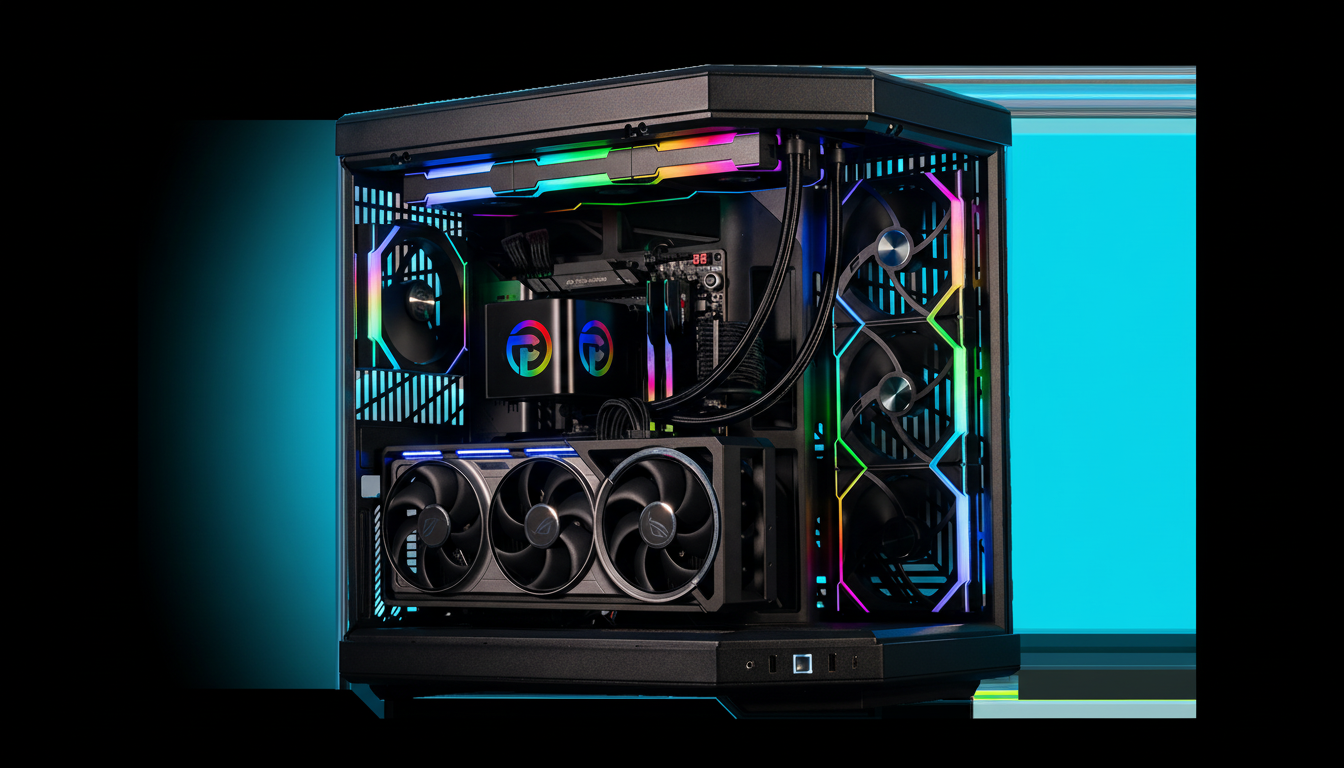
In a stark departure from years of prebuilt PC tradition, boutique system integrator Paradox Customs is now shipping desktops with zero memory installed. The option seems to be aimed at buyers who are tired of DRAM prices yo-yoing unpredictably and would like to buy their own; and then, I guess, anyone who has a particular kit on hand will always have two — but it also raises plenty of messy questions around testing, compatibility, and warranty coverage.
Why a RAM-Free PC Option Makes Sense for Buyers Today
Prices for DRAM are starting to move higher after a brutal supply glut in 2023. Market tracker TrendForce has gone so far as to say there have been several quarters of double-digit increases, with DRAM contract prices climbing an average 10–20 percent quarter-on-quarter through the end of 2024 as suppliers allocated capacity toward more profitable high-bandwidth memory for AI accelerators. PC-grade DDR5 has been put in a squeeze in return, and the need to move to DDR5 on new platforms just adds stress.
- Why a RAM-Free PC Option Makes Sense for Buyers Today
- What Buyers Actually Save by Bringing Their Own RAM
- The Fine Print on Warranty and Support for RAM-Free PCs
- Compatibility Checklist to Hit Before You Click Buy
- How This Compares With Barebones and Full DIY Builds
- Bottom Line: Should You Buy a Prebuilt Without RAM?
All AMD AM5-based desktop CPUs use DDR5, while even many of Intel’s newest platforms favor the new type of RAM for maximum speed. That shift has driven central-market buyers into a faster, more expensive and, with the promise of “one-size-fits-all” kits becoming harder to standardize at scale, more fragmented memory market. Letting customers bring their own RAM gives the buyer more freedom to find better deals, and lets enthusiasts grab proven speeds, timings, and ICs they can rely on.
What Buyers Actually Save by Bringing Their Own RAM
At the top of the offerings, you’re saving versus a retail DDR5 kit cost plus any integrator markup. Street pricing on popular 32 GB DDR5-6000 kits has fluctuated between $110 and $160 over the past year depending on brand, IC, and timing. If a boutique builder does all the validation and support, that premium can go up another 10–15% over DIY-sourced hardware. For budget shoppers — read: anyone shuffling RAM over from an older build — the numbers add up.
There’s also choice value. Competitive players may try to get after DDR5-7200 on Intel to pursue higher frame rates, though there are also a lot of Ryzen owners who would prefer DDR5-6000 with tight timings along the lines of what AMD recommended for max Infinity Fabric ratios. Developers with virtual machines or creative workloads could value capacity more than frequency, choosing 64 GB or 96 GB kits in place of top-bin speeds.
The Fine Print on Warranty and Support for RAM-Free PCs
Sending a PC without memory sticks is pushing that support boundary. System integrators tend to perform testing and burn-in on the memory that comes in the box. In the event of a machine deployed with in-house RAM being stress-tested, then passing to the customer with empty slots, it’s all down to how clear that builder was about what happens if there is some instability later on out of warranty and which, correctly stated or otherwise, appears memory related. Will diagnostics and RMAs be included if the buyer’s DIMMs are at fault?

Look for rules about limited third-party memory liability arrangements and policies that require customers to replicate issues at JEDEC speeds, with known-good RAM, or with the motherboard’s qualified vendor list (QVL). Some may even want a screenshot of the settings in the BIOS or testing without XMP/EXPO. Those are pretty reasonable guardrails, but buyers should scrutinize warranty terms to prevent any surprises.
Compatibility Checklist to Hit Before You Click Buy
- Confirm platform and speed targets. If you are running AMD Ryzen 7000/9000 on AM5, then DDR5-6000 is widely quoted as the sweet spot. For Intel 13th/14th Gen, faster frequency may still help, but memory controller quality varies by CPU sample and board. If you’re aiming for headline speeds, be prepared to adjust voltages and memory controller ratios.
- Opt for dual-DIMM kits matched at the factory instead of mixing modules later. Read your motherboard’s QVL, look up validated kits (particularly at 6000 MT/s and higher), boot with JEDEC defaults first, then enable XMP (Intel) or EXPO (AMD), and run MemTest86 or Karhu RAM Test before migrating your data so these can be at thermal limits and optimal OC/perf.
- Update your BIOS first. Memory compatibility is often better in the latest BIOS, and board vendors keep updating training routines and EXPO/XMP profiles. If you plan on four DIMMs or newer high-density modules (48 GB or 64 GB sticks), allow extra time for stability testing.
How This Compares With Barebones and Full DIY Builds
PCs that ship without any RAM already exist, in a way — barebones kits from small-form-factor vendors often arrive with no memory installed, or storage in some cases.
What is new is to see a gaming-class prebuilt take this tack. It’s a similar flexible setup to ones we’ve seen during hardware shortages like “no GPU” offerings during the height of the graphics card crisis, or systems sold without an OS to shave off some costs.
For the veteran hobbyist, it’s a welcome variation: You get a professionally cabled, warranty-backed rig but still have control over an important performance variable. For users building a PC for the first time, who’ve chosen a prebuilt model to avoid fussing with details, a RAM-less tower represents one small but significant setup step — and potential misinstallation or misconfiguration.
Bottom Line: Should You Buy a Prebuilt Without RAM?
Paradox Customs’ RAM-optional builds are a reflection of the current state of an embattled DRAM market and (hopefully) a more sophisticated enthusiast community. There’s a chance to trim some real dollars and get exactly the memory profile you desire, but it also unloads some of the stability risk onto your shoulders as the buyer. If you’re comfortable picking and installing DDR5, it’s a smart way to keep costs under control without sacrificing the convenience of a professionally built PC. If not, just go with a fully populated configuration and make the builder deal with every variable.