


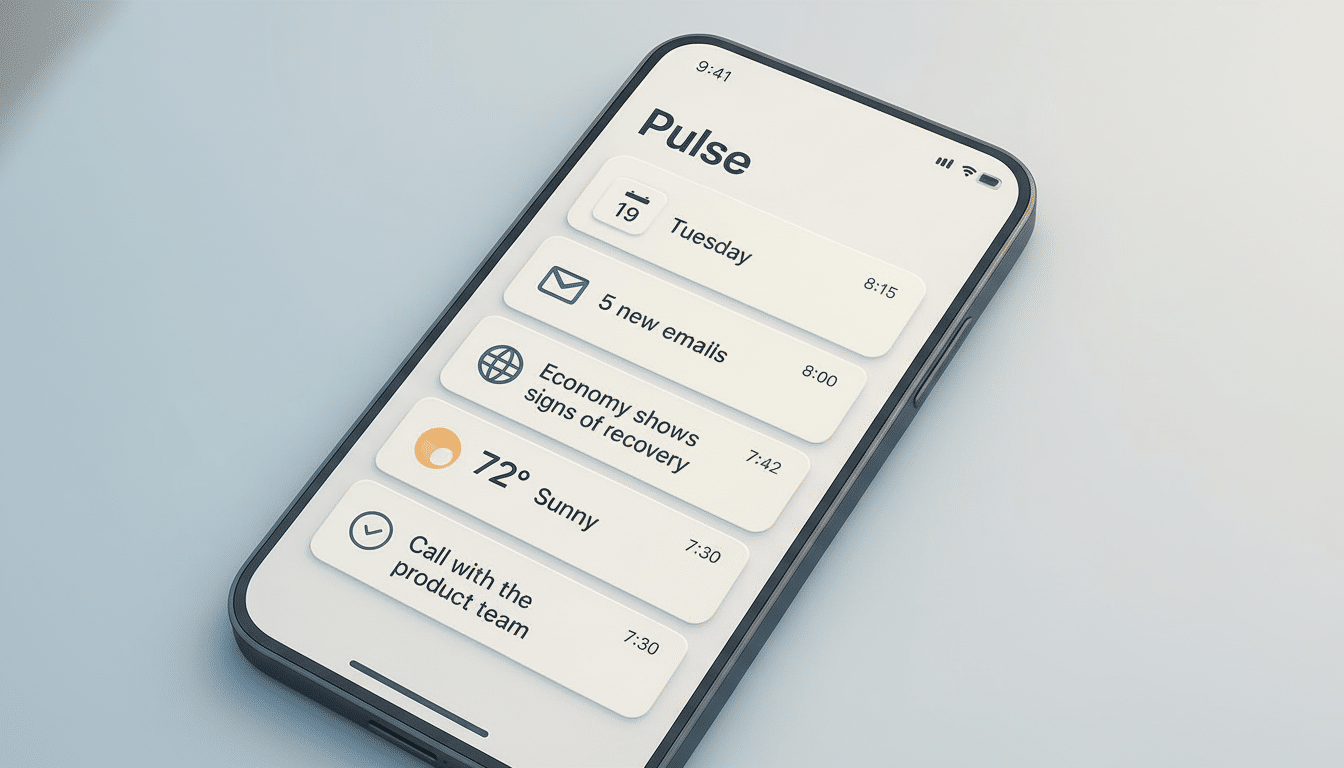
To help make sense of these extraordinary times, OpenAI is launching ChatGPT Pulse, a forward-looking brief that lands on your phone every morning with personalized updates. Instead of waiting for a prompt, Pulse creates a quick-hit digest of what’s relevant to you, based on your conversations, preferences and connected apps, then serves it up in visual cards that you can skim or expand for depth.
What ChatGPT Pulse Does for Users Each Morning
Pulse packs information into dust and grime-free tappable cards. Look for timely follow-ups on topics that come up over and over, nudges relating to the long-term goals you set in chat and practical suggestions that help minimize the friction of daily planning. If you integrate services like Gmail or Google Calendar, Pulse will write a draft of your next meeting agenda, suggest travel plans and remind you to pick up someone’s birthday gift — context-driven advice that feels more like an executive assistant than some dumb script kiddie chatbot.
- What ChatGPT Pulse Does for Users Each Morning
- How ChatGPT Pulse Works While You Sleep Overnight
- Personalization You Can Curate for Tomorrow’s Briefing
- Privacy and Control Considerations for Using Pulse
- Why Proactive AI Assistants Like Pulse Matter Today
- Availability and Rollout for ChatGPT Pulse on Mobile
- Early Use Cases to Follow Across Work and School
- The Bottom Line on ChatGPT Pulse’s Morning Briefings
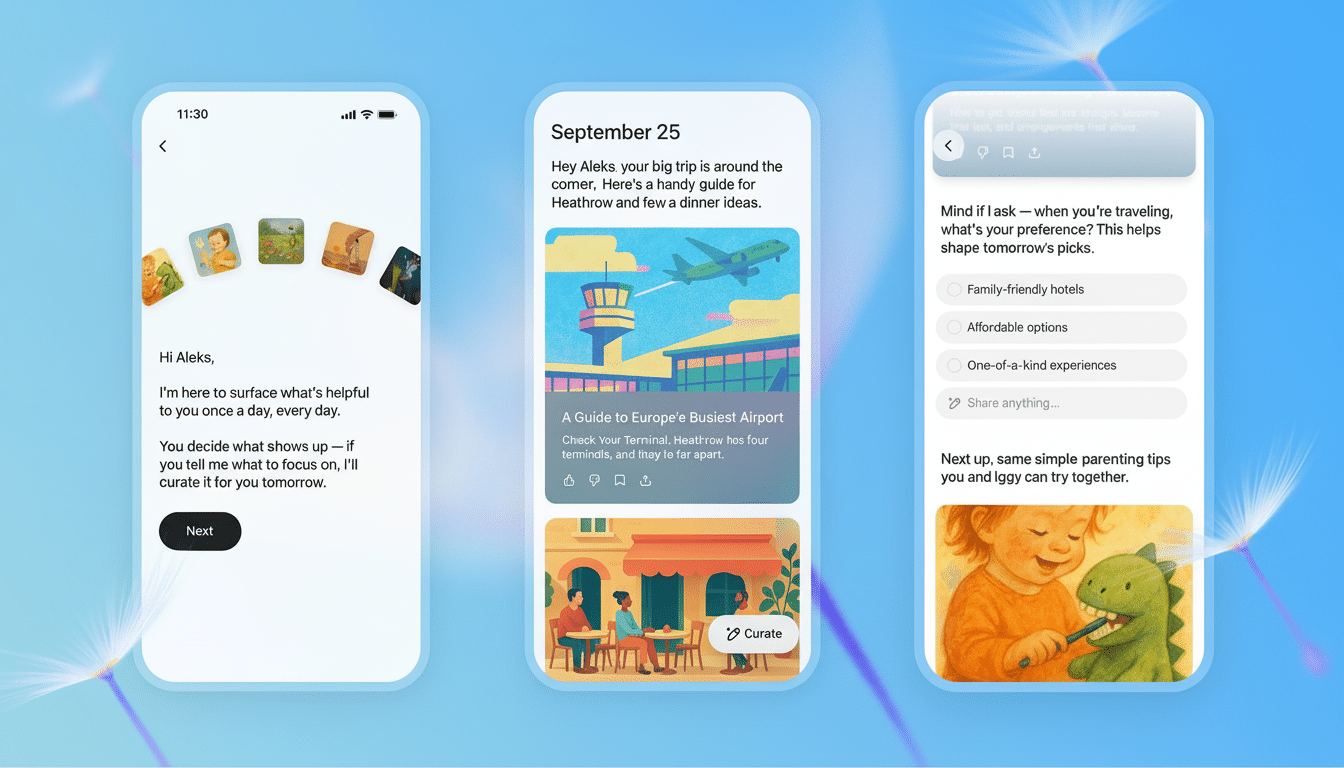
The design choice is intentional. It’s triage made easy: scan headlines, expand what matters, ignore the rest. For busy professionals, that one constraint — minimal input for maximum output — often makes or breaks whether a tool becomes a habit.
How ChatGPT Pulse Works While You Sleep Overnight
According to OpenAI, Pulse does its asynchronous work while you sleep. It uses signals from your ChatGPT Memory, recent chat history and explicit feedback to determine what to prioritize. It is not just retrieval but relevance: connecting yesterday’s questions to today’s action items.
In practice, that might translate to Pulse scanning a conversation about a product launch, perusing your linked calendar for the kickoff meeting and queuing up a draft of an agenda along with checklists you can sign off on in one tap. The overnight cycle also establishes a predictable rhythm, so the briefing feels like an installment each day rather than just another series of ad hoc pings.
Personalization You Can Curate for Tomorrow’s Briefing
At the end of every briefing, Pulse gives a little taste of what you will watch tomorrow and presents a Curate for tomorrow button. You can acknowledge suggestions or add your own requests from a Share anything prompt — good for one-off reminders, multi-day goals and picking up a comment again later in the week. This explicit feedback loop should lead to more accuracy in the feed over time.
Privacy and Control Considerations for Using Pulse
Since Pulse is relying on chat history, memory and integrations, data stewardship will no doubt also be top of mind for many users. OpenAI stresses that the system is learning by what’s most relevant to you according to your inputs and settings. As people do with any assistant that collects personal context, they should review memory and integration permissions periodically and only grant access to what is necessary for the feature to provide value.
Enterprises might compare Pulse to whatever existing governance they need, such as auditability and data retention rules. Here’s where trust is won or lost — finding this balance between proactive help and minimal data exposure.
Why Proactive AI Assistants Like Pulse Matter Today
Pulse comes as part of a wider move toward agentic AI — systems that can anticipate needs, and take initiative. Early evidence indicates that this approach can work. The majority of Copilot users (per the Microsoft Work Trend Index) say they are more productive — and cite time savings of about half an hour a day. The amount is modest, but the incremental improvement adds up when multiplied across teams and weeks.
The cards metaphor also gestures toward a tried and tested pattern. Google Now brought glanceable briefings to the masses more than a decade ago, but generative models now allow for providing richer context, personalized recommendations, and even performing relatively lightweight creation work. Pulse is OpenAI’s attempt to make such abilities a reliably useful part of the morning routine.
Availability and Rollout for ChatGPT Pulse on Mobile
At launch, ChatGPT Pulse is being introduced to Pro subscribers on iOS and Android before expanding to Plus subscribers and later a wider rollout. You can make the briefing arrive on its own, like a newspaper, by enabling notifications for it; you can also pull up the app and call down the content whenever you want. The mobile-first delivery is a savvy move that’s in line with how most people start their day, and it makes sure the assistant meets users where they are.
Early Use Cases to Follow Across Work and School
A sales lead might be handed a card that summarizes hot opportunities, recommends next steps and provides a draft follow-up email. A product manager might get a weekly roadmap rollup with risk flags and links to specs discussed in chat. Students might encounter study reminders aligned to exam dates, and a brief practice quiz cobbled together from yesterday’s notes. These are not the flashy demos that one associates with AI, but rather the everyday jobs that make or break whether it succeeds.
The Bottom Line on ChatGPT Pulse’s Morning Briefings
ChatGPT Pulse transforms the assistant experience from reactive to proactive. It intends to save time where it actually disappears: the beginning of the day — by turning overnight context into actionable morning cards — and letting users curate tomorrow. If OpenAI can maintain accuracy, respect privacy lines and keep the briefing tight, Pulse could be on its way to becoming one of ChatGPT’s most habit-forming features.