


An eye-catching deal has surfaced for budget-minded buyers: open-box ASUS touchscreen Chromebooks are now selling for $150—down from a $329.99 list price, a 54% cut. The units are advertised as being in brand-new condition despite the open-box designation, which typically means they were returned shortly after purchase and inspected for resale.
Why This Chromebook Deal Matters Right Now for Buyers
Chromebook prices have been under pressure as component costs rebound. TrendForce has reported DRAM contract price increases across 2024, a shift that frequently trickles into entry-level laptops. Against that backdrop, a $150 detachable Chromebook with a touchscreen and pen support stands out—especially for students, hybrid workers, or anyone who needs a reliable travel machine without the anxiety of a premium price tag.
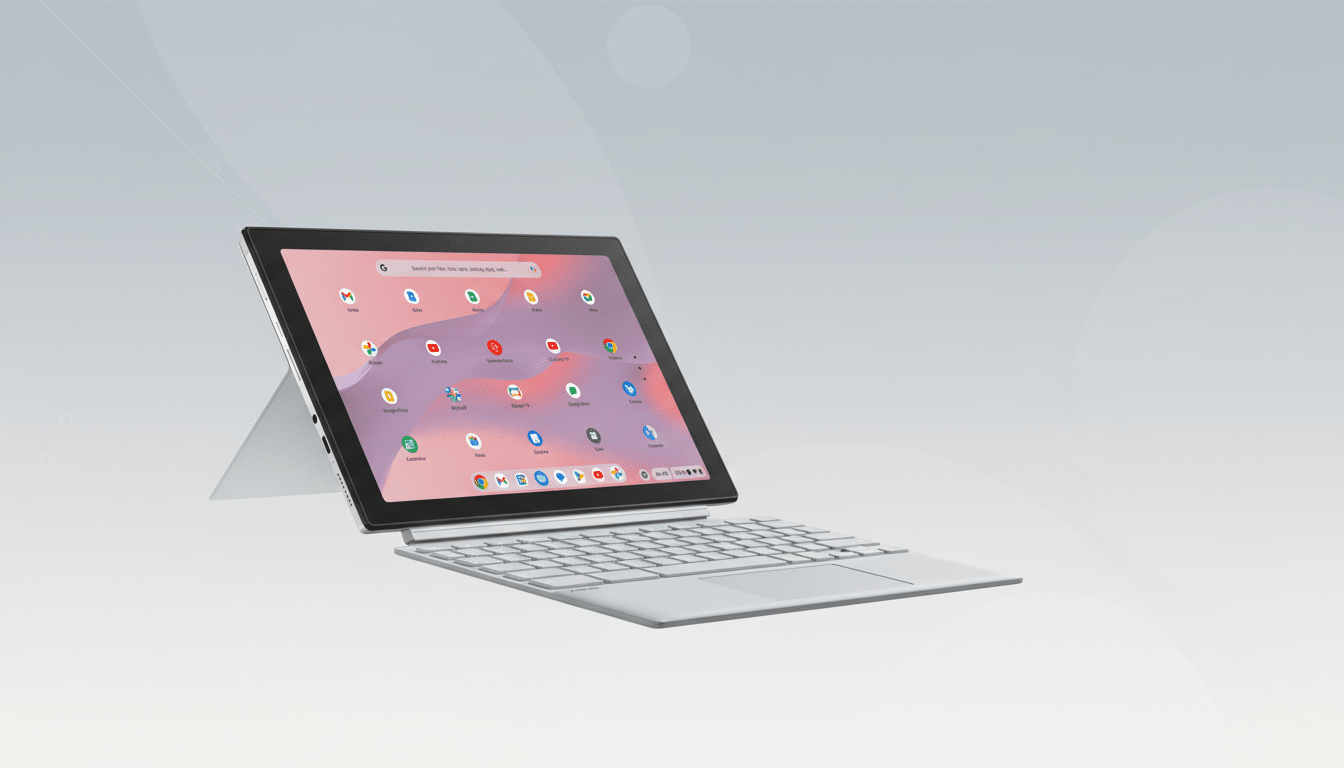
Key Hardware Specs for the ASUS Chromebook CM30 Explained
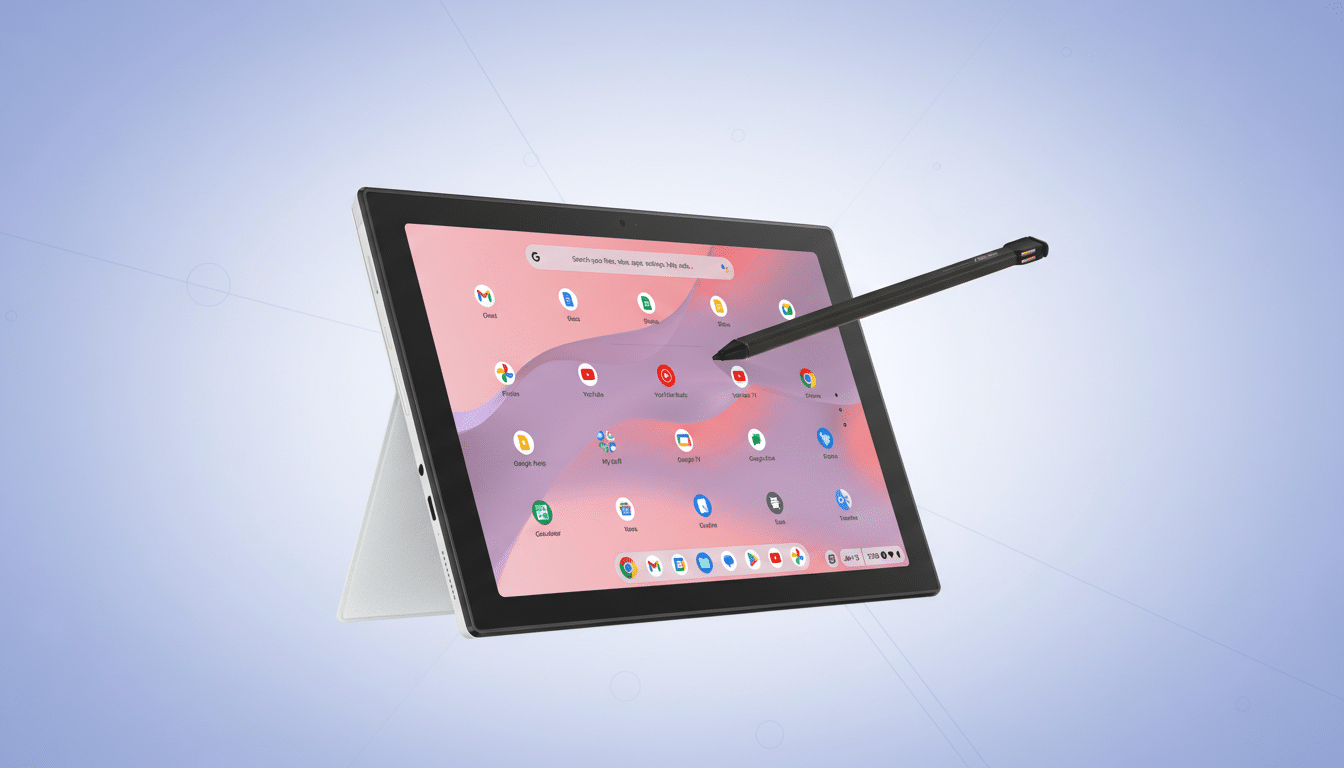
The model on offer is the ASUS Chromebook CM30, a compact 10.5-inch detachable with a WUXGA display (1920 x 1200) and a taller 16:10 aspect ratio. That extra vertical space makes web pages and Docs feel less cramped than on typical 16:9 panels. Touch and pen input are both supported, and a garaged, rechargeable stylus lives inside the tablet for quick notes and markups.
Inside, the MediaTek Kompanio 520 teams with 8GB of RAM and 128GB of eMMC storage. That combination is well-suited to ChromeOS: dozens of browser tabs, Docs and Sheets, Android apps, and 1080p streaming remain smooth in everyday use. Wi-Fi 6 and Bluetooth 5.3 help maintain steady connections for video calls and wireless peripherals, while front and rear 5MP cameras cover meetings and quick scans. Battery life is rated up to 12 hours, enough for a full day of classes or commuting.
The detachable, full-size keyboard and magnetic stand cover turn the tablet into a compact clamshell when you need to type, then stow away for reading or sketching. For people who bounce between note-taking, streaming, and email, this 2-in-1 approach is a genuine productivity win in the sub-$200 range.
How the ASUS Chromebook CM30 Stacks Up at the $150 Price
At this price, the CM30 competes with budget Android tablets, aging, used Windows notebooks, and older Chromebooks with less memory. The difference here is balance: 8GB of RAM is generous for a Chromebook, 128GB of storage gives breathing room for offline files and Android apps, and the bundled keyboard and stylus eliminate accessory add-ons that often erase savings. For context, IDC has consistently noted that ChromeOS thrives in education because of low total cost of ownership; getting a fresh-feeling, detachable setup at $150 amplifies that value story.
Performance expectations should be realistic. The Kompanio 520 handles productivity and streaming with ease, but it is not a heavy developer or gaming chip. If you intend to run Linux-based workflows, large local datasets, or intensive creative apps, you’ll want a more powerful CPU and faster storage. For everyday computing, though, this is exactly the spec mix that keeps ChromeOS snappy.
Open-Box Versus Refurbished Chromebooks: What to Know
Open-box units are typically returns with intact packaging and minimal or no signs of use. They differ from refurbished models, which may have had parts replaced. Retailers often re-verify functionality and include original accessories. Still, policies vary, so check for return windows and warranty coverage. A quick at-home checklist:
- Inspect the screen and corners for scuffs.
- Confirm the stylus charges and ejects smoothly.
- Attach and detach the keyboard to ensure a solid connection.
- Run a Wi-Fi speed test.
- Place a short video call to vet the cameras and mic.
It’s also smart to check ChromeOS support timing—Google now offers up to 10 years of automatic updates for eligible models, according to the company’s policy update. You can view the Auto Update information by opening Settings, selecting About ChromeOS, and reviewing Additional details.
Who Should Buy This ASUS CM30 Deal and Who Should Skip It
This $150 CM30 is a sweet spot for students, frequent travelers, and anyone who wants a light, secure machine for Gmail, Docs, Meet, and web apps. The touch display and included stylus are particularly helpful for annotating PDFs, highlighting research, or signing forms—small workflow upgrades that add up.
If your workflow demands desktop-class video editing, local virtualization, or AAA gaming, a midrange Windows laptop or a higher-tier Chromebook with NVMe storage is the better fit. But for mainstream tasks, a detachable Chromebook at this price—complete with keyboard, pen, and all-day battery—feels like one of the most practical grab-and-go buys available. Stock is typically limited on open-box listings, so availability may fluctuate.