


If you assume the iPad is the default answer for a great tablet, a $400 Android slate is here to complicate that thinking. After weeks of real-world use, the OnePlus Pad Go 2 has proven it can outpace my iPad for everyday work, study, and note-taking. The surprise isn’t raw horsepower; it’s a smarter blend of screen geometry, multitasking, on-the-go tools, and value that hits where it matters. Here are the five reasons this modestly priced Android tablet genuinely feels like the better pick for my workflow.
A Work-First Display That Fits How You Read
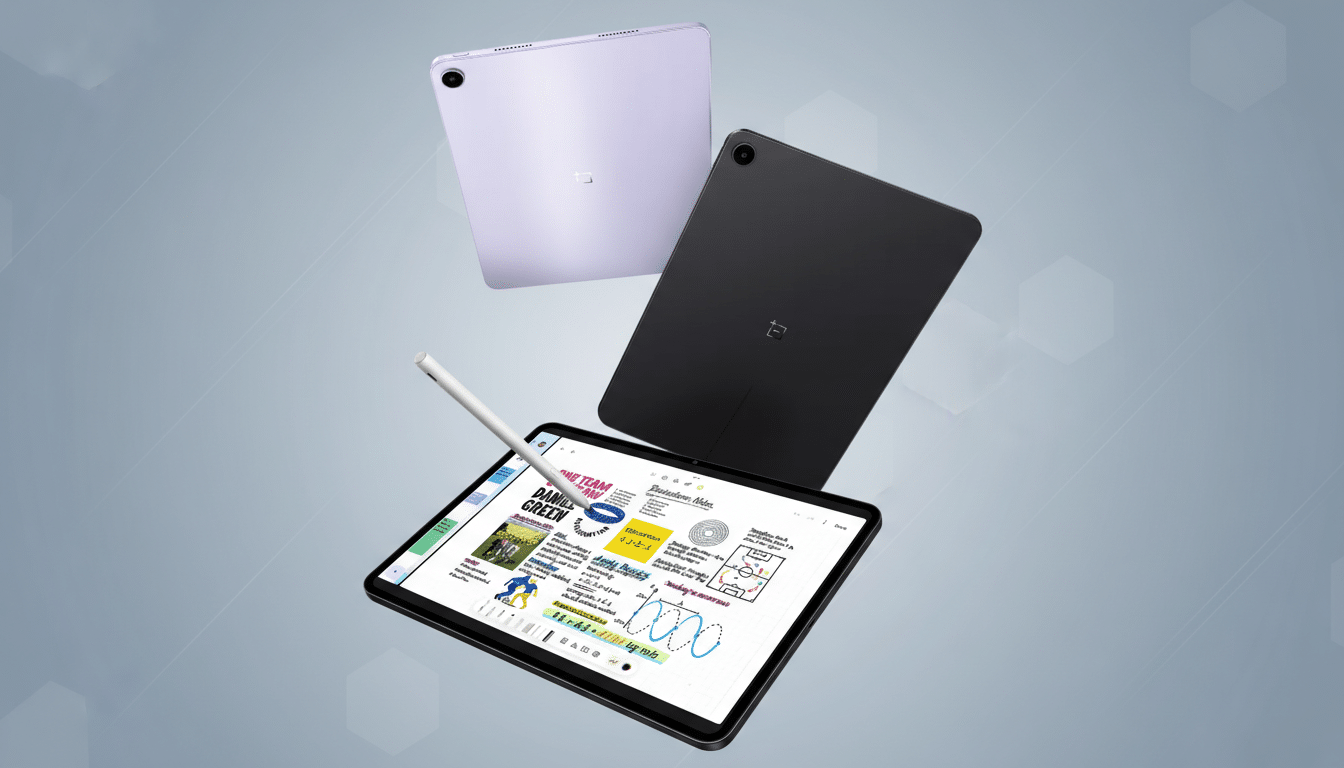
The Pad Go 2’s 7:5 display is a quiet game-changer. Most budget tablets stick to 16:10, which is fantastic for movies but cramped for documents and the web. The near-A4 proportions on the OnePlus give you more vertical space, so PDFs, research papers, and long articles feel right at home. It’s closer to how you’d read on paper, and in Split View it lets two apps breathe rather than competing for headroom. The 12.1-inch panel also runs at 120Hz, so scrolling dense pages is silky and less fatiguing. In daily use, that geometry matters far more than another 10% of processing grunt.
Multitasking That Helps You Stay In Flow
OnePlus’s Open Canvas treats a tablet like a desk, not a phone with extra pixels. You can run up to three apps, slide one off-screen, and pull it back when needed—like staging a reference window just out of view. It sounds small, but it mimics a dual-monitor habit that knowledge workers rely on. By contrast, iPadOS still oscillates between Split View and Stage Manager, and many reviewers, including longtime iPad power users at MacStories, have criticized Stage Manager’s clunky windowing. With Open Canvas, I can keep a draft front and center, notes alongside, and a comms app waiting in the wings—no wrestling, no wasted space, no context lost.
A Stylus That Nails Everyday Notes and Markups
The companion stylus won’t dethrone Apple Pencil for pro artists, but it nails the jobs most people actually do. You get 4,096 levels of pressure, low latency, solid palm rejection, and a grippy matte finish that makes fast scribbles feel natural. The software gets the little things right, too: swipe with the pen to grab a screenshot and annotate instantly, or mark up a PDF without detours. Apple touts Pencil latency as low as 9ms on supported iPads, and yes, that’s spectacular for illustration. But for highlighting study material, sketching diagrams, or capturing ideas in the margins, the OnePlus setup delivers 90% of the experience at a fraction of the cost.
Built To Work Anywhere Without Friction Or Fuss
Always-on connectivity is where the calculus shifts hard. Opting for 5G on an iPad quickly inflates the bill, and that’s before you price a keyboard and Pencil. The Pad Go 2 offers a 5G variant at a much gentler outlay, turning the tablet into a true field companion for trains, classrooms, and client visits. The Android file system also removes the friction that too often creeps into iPad workflows: drag-and-drop from the file manager, save to precise folders, and share across apps without guesswork. Pair that with AI utilities like VoiceScribe for transcription and a lightweight AI Writer for cleaning up rough notes, and you’ve got a practical research rig. I’ve even run document-grounded tools such as NotebookLM side-by-side with handwritten notes—the 7:5 canvas makes it feel like two focused workspaces, not a compromise.
Battery And Support That Stretch Your Budget
Under the hood, the Dimensity 7300 favors efficiency over theatrics, and it pays off. The 10,050mAh battery reliably cruises through heavy days and has enough standby stamina to survive a weekend in a backpack with juice to spare. That consistency matters more than peak benchmarks when your real job is reading, writing, and reviewing. Add five years of software support promised by the manufacturer—unusually generous for this price tier—and the value story strengthens. For perspective, IDC data shows Apple still dominates tablet share globally, but the middle of the market is increasingly won on longevity and practicality, not just silicon.
Price is the final reality check. Even the entry iPad becomes a near four-figure proposition once you add cellular, keyboard, and Pencil. The Pad Go 2, at roughly $400 before optional extras, covers the core experience—great screen, competent pen, multitasking that respects your time, and connectivity that keeps up—without demanding a premium tax. If your main use is learning, research, and daily productivity, that mix isn’t just “good for the money.” It’s the smarter buy.