


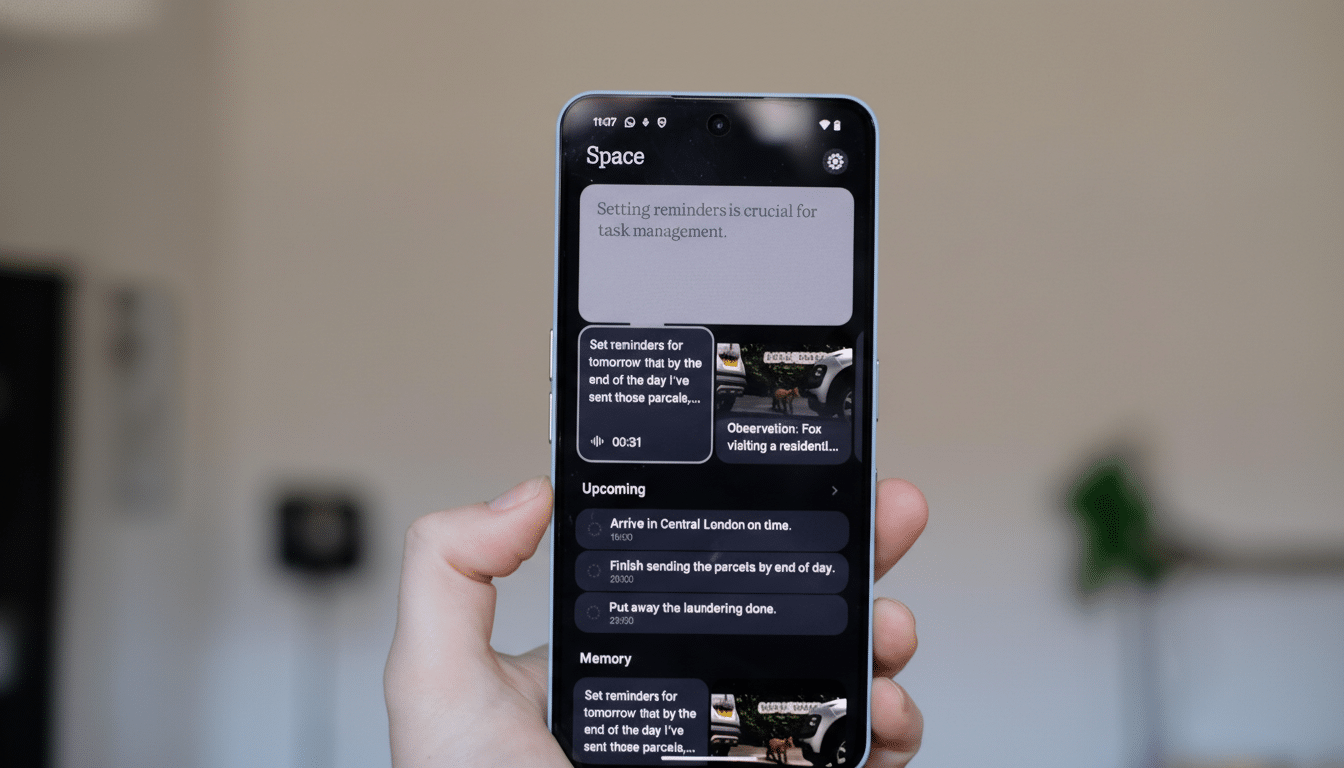
Nothing is sharpening its AI-powered productivity hub with a feature that does the organizing for you. Essential Space now recognizes connections between your screenshots, videos, recordings, and reminders, surfacing “Related Captures” so the right items appear together when you need them.
The update is rolling out to the Nothing Phone 3, Phone 3a series, and CMF Phone 2 Pro via the Play Store. If auto-update is enabled on Wi-Fi, it should arrive without any action required.

What Related Captures Does Inside Nothing’s Essential Space
Open a capture in Essential Space and you’ll now see a Related Captures section below the item you’re viewing. The app identifies other content linked by time, app context, content, or activity, then lines them up in a scrollable list.
Think of booking a flight: a screen recording of the checkout page, a screenshot of the confirmation, and a saved reminder to check in can all be grouped automatically. The same goes for project work, where a series of annotated screenshots, a quick voice note, and a short camera clip often belong together but are easy to misplace.
The goal is simple: keep your capture library clean, connected, and faster to navigate, without forcing you to change how you work.
Why Related Captures in Essential Space Matter
People create staggering amounts of visual content, and it’s growing. Research from Rise Above Research estimates consumers capture well over a trillion photos annually, with smartphones accounting for the vast majority. Add screen recordings, screenshots, and ephemeral reminders, and even organized users struggle to retrieve what they saved last week, let alone last month.
Most galleries already group similar photos, but productivity often lives in the crossovers: screenshots tied to a task, a video walkthrough attached to an idea, or a reminder connected to a document. Essential Space leans into that reality by treating captures as part of a workflow rather than isolated files.
How Related Captures Likely Work Behind the Scenes
While Nothing hasn’t published a technical deep dive, the behavior suggests a blend of on-device signals. Temporal proximity is a strong anchor: items created within a session often relate. App metadata helps too—captures made from the same app or activity are strong candidates for linking.
On the content side, lightweight computer vision and OCR can detect common elements like order numbers, dates, logos, or screen UI patterns, while semantic embeddings let the system judge when two items “mean” the same thing even if they don’t look identical. Perceptual hashing can quickly cluster near-duplicate screenshots or incremental changes during a workflow.
If most of this runs on-device, users get faster results and better privacy. That aligns with an industry trend toward local AI for sensitive organization tasks, reducing cloud dependency and lag.
Early Use Cases and Limits for Related Captures
Beyond travel planning, Related Captures should shine in everyday tasks:
- Compiling warranty claims (receipt photo, serial-number screenshot, support chat recording)
- Tracking home projects (before-and-after videos, material lists, invoices)
- Managing studies (lecture recording, slide screenshots, to-do reminders)
As with any clustering feature, false positives or misses can happen. A good implementation will allow quick manual corrections—removing an item from a group or confirming a suggested link—to improve future suggestions. It’s also worth watching how the feature respects deletions: removing an original should cleanly sever links to avoid orphaned references.
Privacy controls matter too. If Essential Space reads on-screen content to build links, users should have clear settings to limit analysis for specific apps or disable related suggestions entirely.
Competitive Context in Mobile AI Capture Organization
Google Photos and Apple Photos can surface similar shots and moments, and Samsung’s Gallery applies AI to tidy screenshots and receipts. What Nothing is pushing here is more workflow-oriented, crossing file types and contexts inside a unified capture hub. That’s a meaningful distinction for users who rely on screenshots and recordings as working memory, not just memorabilia.
By shipping Related Captures across the flagship Nothing Phone 3, the midrange Phone 3a line, and the CMF Phone 2 Pro, the company is also signaling a broader platform play: a consistent, AI-assisted layer that ties its ecosystem together. If the feature proves sticky, expect deeper integrations with third-party apps and more granular controls.
For now, the pitch is straightforward. Essential Space becomes more than a dumping ground. It becomes a place where your captures acknowledge each other—and that simple shift can save real time when it counts.