


MCON comes with a promise: a genuinely mobile gaming controller that can keep up with all your gaming expectations, without the bulk of telescopic grips or the clunk of clip-on cradles.
Its sliding, magnet-ready conceit clicks to modern phones but vanishes into a pocket as effortlessly as a power bank. After extensive testing, it doesn’t feel like a concept as much as a category reset.
- Design and build: materials, durability, and size
- Controls and ergonomics: buttons, sticks, and feel
- Compatibility, latency, and setup across platforms
- Real-world performance in mobile, cloud, and emulation
- Price and rivals compared with telescopic and magnetic
- Verdict: who MCON is for and what compromises remain
At $149.99, this is a premium accessory. But for players shuffled between native mobile titles, emulators, and cloud services, MCON is versatile enough to plausibly replace a drawer full of controllers while still packing lighter.
Design and build: materials, durability, and size
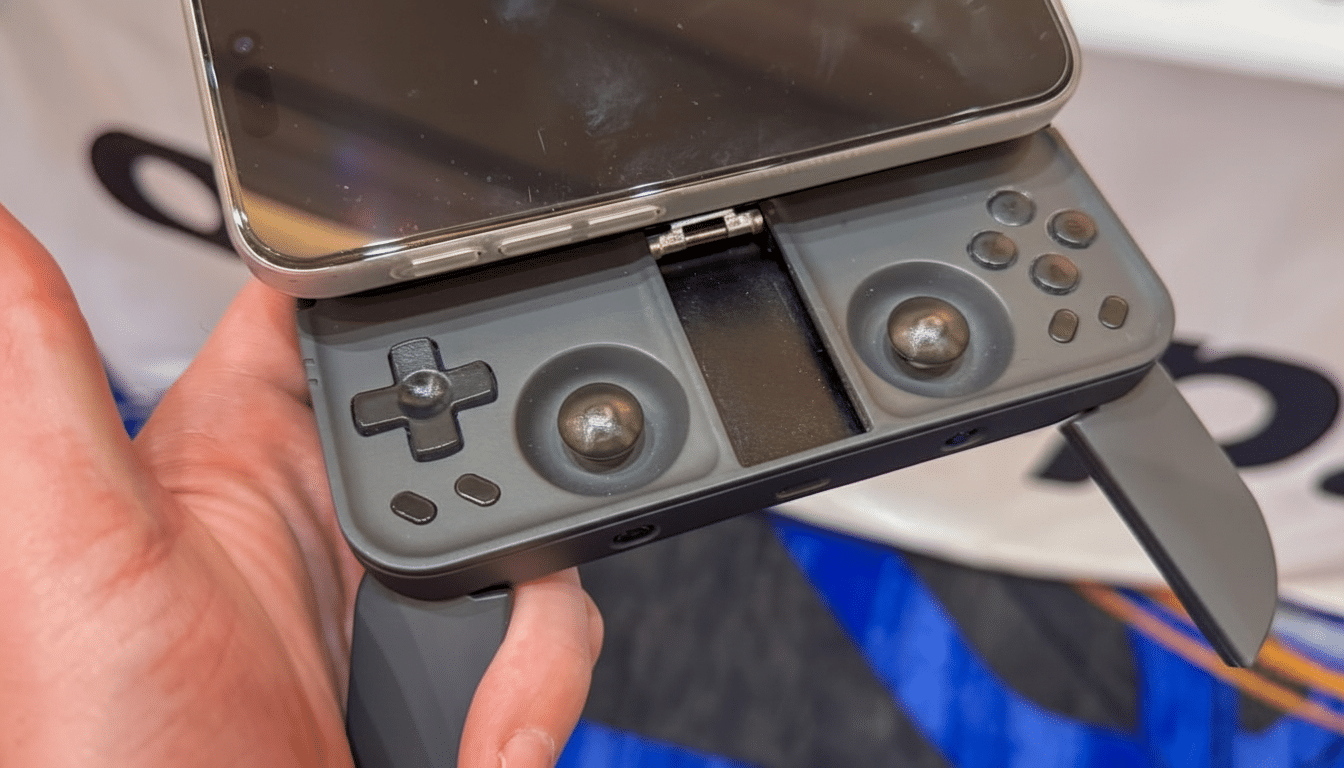
On first glance the MCON appears to be a thin slab, until you press the release button—whereupon it slides open with an audibly emphatic snap. Using a variant of Apple’s MagSafe magnetic puck system, it adheres to phones via MagSafe or the nascent Qi2 standard, whose alignment magnets have begun spreading on Android flagships. The Wireless Power Consortium’s characterization of Qi2 as a company- and ecosystem-wide unifier explains why magnets make sense in 2025: they are no longer an Apple quirk.
It’s vastly overbuilt in the most excellent fashion. The chassis is durable enough that you could throw the thing in a bag without so much as a sock to protect it, and the puck’s thickness also accounts for bulky camera bumps. A removable back plate doubles as a kickstand for propping up the unit on a tabletop—simple, sturdy, and far more usable on a tray table than an expandable grip. The trade-off is weight; it’s thicker than you’d think—thick is good here—and that makes a difference when using it as long as I do.
Controls and ergonomics: buttons, sticks, and feel
These aren’t bullet-point inputs designed for marketing; they are tuned and ready for real gaming. The face buttons are clicky and quiet, the D-pad relies on stiff dome switches, and the analog sticks—sunken to maintain that slim profile—have far more travel than their stubby bodies suggest. Flip-out rear grips give leverage when you want stick-driving control, although they can be stiff to deploy, and there’s a discrete hollow in the back when they’re stowed.
The weak spot is up top. The shoulders are small, as are the analog triggers. The weight bias shifts upward with a phone attached, so it’s your index fingers that are tasked with both supporting the brick and hunting down minuscule buttons. It’s serviceable for the likes of action games and racers, but FPS purists might still prefer chunkier, home-console-style triggers.
Compatibility, latency, and setup across platforms
Setup is refreshingly easy—this is just a regular Bluetooth controller, so it pairs without issue across Android and iOS. When trying out Xbox Cloud Gaming, Steam Link, and Moonlight, inputs were clean and predictable. Independent testing (guys like RTINGS) tends to place modern controller-off-a-BT-stack latencies in the 10–20 ms range or so vs. wired—so enough for most genres, and typically outsized by cloud streaming latency anyway.
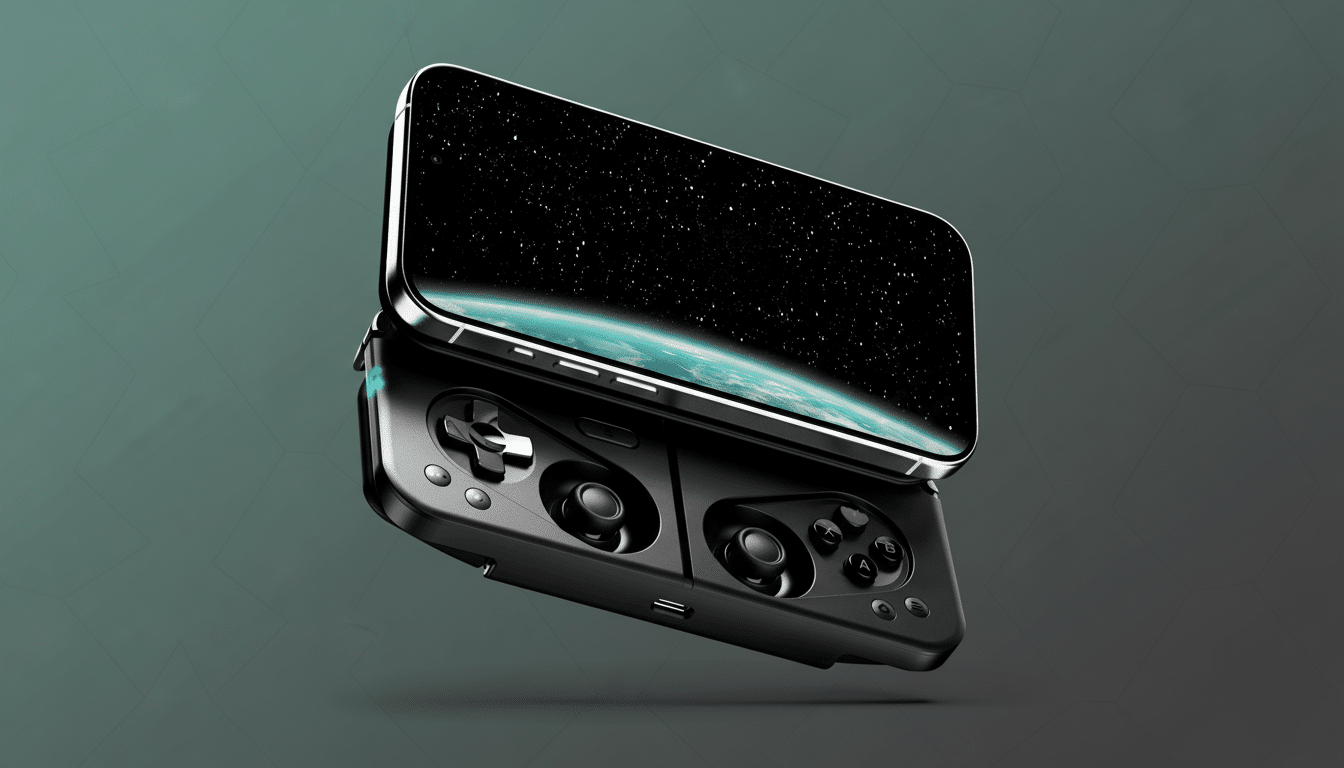
Portrait orientation is possible, which can be used for dual-screen emulation or vertical (TATE) shmups. In reality, the balance in portrait isn’t great for long sessions—particularly with DS titles that require touch, too—but it’s a neat option and continues to increase compatibility.
Real-world performance in mobile, cloud, and emulation
On-device hits such as Genshin Impact and Call of Duty: Mobile instantly benefit from full analog control, not to mention its quiet buttons make the controller commuter-friendly. The tablet mode pairs beautifully with cloud libraries—on a good connection it feels far more like a squeezed games console than hacking the phone.
That’s important because the center of gravity for games is now mobile. Newzoo projects mobile will represent 49 percent of global games revenue, and as publishers continue to expand controller support, the friction of touch-only play becomes the impediment. MCON’s pitch is straightforward: cut that friction, wherever it finds you—on a plane, on the couch, or at a desk—without packing along an entirely separate handheld.
Price and rivals compared with telescopic and magnetic
MCON’s $149.99 price tag is its biggest obstacle to entry, as telescopic standouts like the Backbone One hover closer to $99.99 and the GameSir G8 Plus often undercuts both. Those solutions yield great ergonomics, but need more space in your bag and don’t double as a sophisticated tabletop controller.
On the magnetic side of things, Abxylute’s M4 comes in cheaper and smaller and feels more like it was meant for D-pad-centric retro play; its sticks and overall comfort come up short, however. It will come in well under MCON’s MSRP, but it could be the cost of a phone if you want to size it out with Apple tunes and a high-speed processor; or alternatively bypass pairing altogether, whilst still maintaining that “sliding” feel by opting for something like the ANBERNIC RG Slide as an independent handheld experience too—which can regularly drop lower than MCON’s list price.
Verdict: who MCON is for and what compromises remain
MCON is not simply another phone controller—it’s a piece of rare design which embraces wholeheartedly the age of magnets and transforms your phone into a legitimate gaming machine you can take anywhere. Between the portable slider, reliable controls, and kickstand mode, it feels like more compromises have been solved than ever before in a mobile controller.
It’s not perfect: small shoulders and compact triggers, a heavier feel than any of the other options, and it clocks in just short of true couch–ten-foot levels of comfort. But for all the players who want a single controller that seamlessly travels and can handle native, cloud, and emulation gaming—and actually looks like it belongs in a modern EDC kit—this may or may not be your last-step (pun intended) solution; MCON is the first one to fit the bill.