


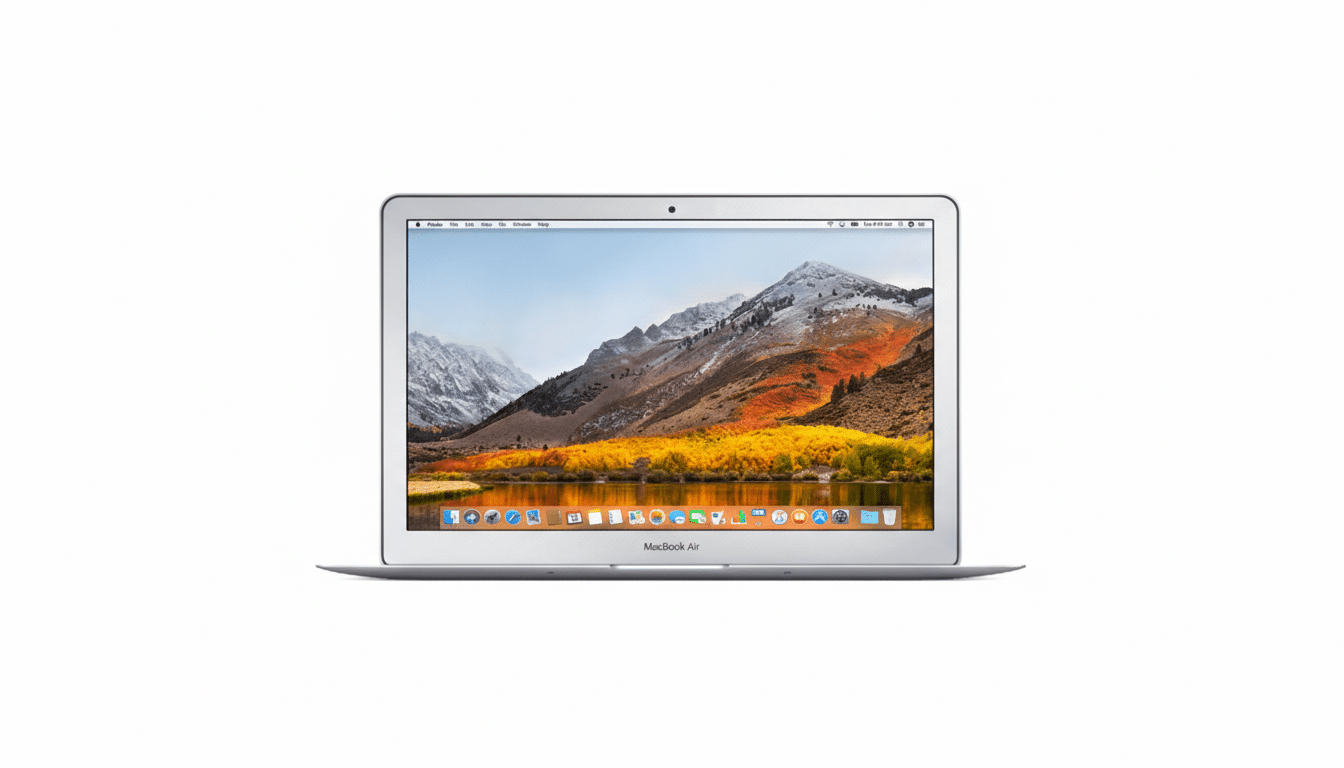
A rare sub-$200 price on a refurbished 13.3-inch MacBook Air is turning heads, bringing Apple’s most approachable laptop down to impulse-buy territory. The configuration making the rounds features an Intel Core i5 processor, 8GB of RAM, and a 128GB SSD—good enough for everyday work, study, and streaming—at roughly 80% off its original $999 list price.
Deals at this level are typically brief and inventory-driven. If you’ve been waiting for a lightweight macOS machine for basic tasks without committing to a four-figure budget, this is one of the most aggressive markdowns we’ve seen on a still-practical Air.
What This Sub-$200 MacBook Air Delivers Today
The 13.3-inch MacBook Air from the 2017 generation remains a sweet spot for portability and simplicity. The dual-core 1.8GHz Intel Core i5 balances snappy load times for browsers, productivity apps, and video calls, while 8GB of RAM helps keep multiple tabs and documents responsive. The 128GB SSD is modest, but solid-state storage dramatically reduces boot and app launch times compared to older spinning drives.
Intel HD Graphics 6000 handles full HD streaming and light creative tasks without fuss. Apple rated this model for up to 12 hours of battery life under mixed use, which aligns with the Air’s reputation as a carry-all-day notebook. Wireless is covered by 802.11ac Wi‑Fi and Bluetooth, and the I/O—two USB-A ports, a Thunderbolt 2/Mini DisplayPort, an SDXC card slot, and MagSafe 2 charging—caters to legacy accessories without needing a bag of dongles.
Performance and macOS Support for Everyday Use
For context, Apple’s move to its M-series chips dramatically raised performance and efficiency, but not everyone needs that headroom. If your day is dominated by Google Workspace or Microsoft 365, Slack, Zoom, Spotify, and a few dozen browser tabs, this Intel Air still earns its keep. It’s not a fit for heavy video editing, Xcode builds, or large Lightroom catalogs, but it capably covers resumes, research papers, and daily communications.
Officially, the 2017 MacBook Air supports up to macOS Monterey, which maintains compatibility with the mainstream app ecosystem. That means common productivity suites, popular browsers, and most classroom or telework portals remain accessible. For specialty software, it’s wise to confirm current version requirements before you buy.
Build Quality Still Holds Up on This 2017 MacBook Air
The unibody aluminum chassis is one reason these machines age gracefully. Unlike the butterfly keyboard era that followed, this Air retains Apple’s proven scissor-switch keyboard with reliable travel. The 13.3-inch display offers crisp text for writing and reading, and the 720p FaceTime camera is sufficient for standard video calls. At about three pounds, it remains an easy commuter choice.
Refurbished Grading and What to Check Before Buying
This deal is marketed as a quality-refurbished unit, often sold in Grade A or B condition. In practical terms, that means fully tested hardware with cosmetic wear ranging from faint scuffs to more visible marks, but no functional defects. Reputable refurbishers typically guarantee at least 80% of the original battery capacity and run diagnostics on storage and ports.
Before you click buy, confirm the warranty length, return window, and what’s included in the box. Look for details on the charger (MagSafe 2), any noted screen blemishes, and the battery health target. Consumer advocates and repair experts like iFixit have long advised checking for cycle counts and battery condition on delivery; it’s a quick sanity check that takes minutes and ensures you received what was promised.
The Value Case in 2026’s Market for Budget Macs
Even with periodic discounts on newer Apple Silicon models, sub-$200 is exceptional for a working Mac laptop. Recent retail promotions often put the M1 MacBook Air in the $700–$800 range, and the M2 variant sits higher. For students, casual users, and frequent travelers who prioritize price over cutting-edge speed, this refurbished Air undercuts the cost of many entry-level Chromebooks while offering native macOS apps and a far richer software library.
Storage is the chief constraint. At 128GB, you’ll want to offload large photo libraries and video files. The good news: external USB 3.0 SSDs are affordable and fast, and cloud storage from providers like iCloud, Google Drive, or Dropbox can offload documents and media seamlessly. Keep around 20% of the SSD free to maintain smooth performance.
Who Should Jump on This Deal and Who Should Skip It
This configuration shines for students tackling research and writing, remote workers with light workflows, parents seeking a reliable home laptop, or anyone needing a secondary travel machine. If you plan to edit 4K video, build complex codebases, or run AI workloads, you’ll outgrow it quickly; consider a newer Apple Silicon model instead.
For everyone else, the math is compelling: a familiar Mac experience, proven hardware, and mature software support at a fraction of the original price. As always with limited-time refurb deals, availability can shift rapidly. If it fits your needs and you’ve verified the condition, warranty, and return terms, this is one of the most wallet-friendly ways to get back into the Mac ecosystem.