


The new Zorin OS 18 beta is not about reinventing the Linux desktop, but refining it. After years of hopping around the distro landscape — every major flavor (and more than a few niche spins) — this release feels to me like a rare treat; this is something that makes sense in modern times, and also happens to be user-friendly from the moment a user fresh from Windows or macOS stumbles upon it. It’s clean in the places it counts and opinionated without being overbearing — precisely what a “best” general-purpose Linux should strive for.
Why Zorin OS 18 matters for desktop users right now
Zorin OS has always aimed to offer a Windows-like experience for Linux newcomers, but version 18 really polishes the fit and finish.
- Why Zorin OS 18 matters for desktop users right now
- Multitasking features that reward momentum and focus
- Web apps and cloud services feel as native as local tools
- Performance, drivers and apps that just work
- Signals worth paying attention to beyond the hype
- Design choices that respect your taste and your time
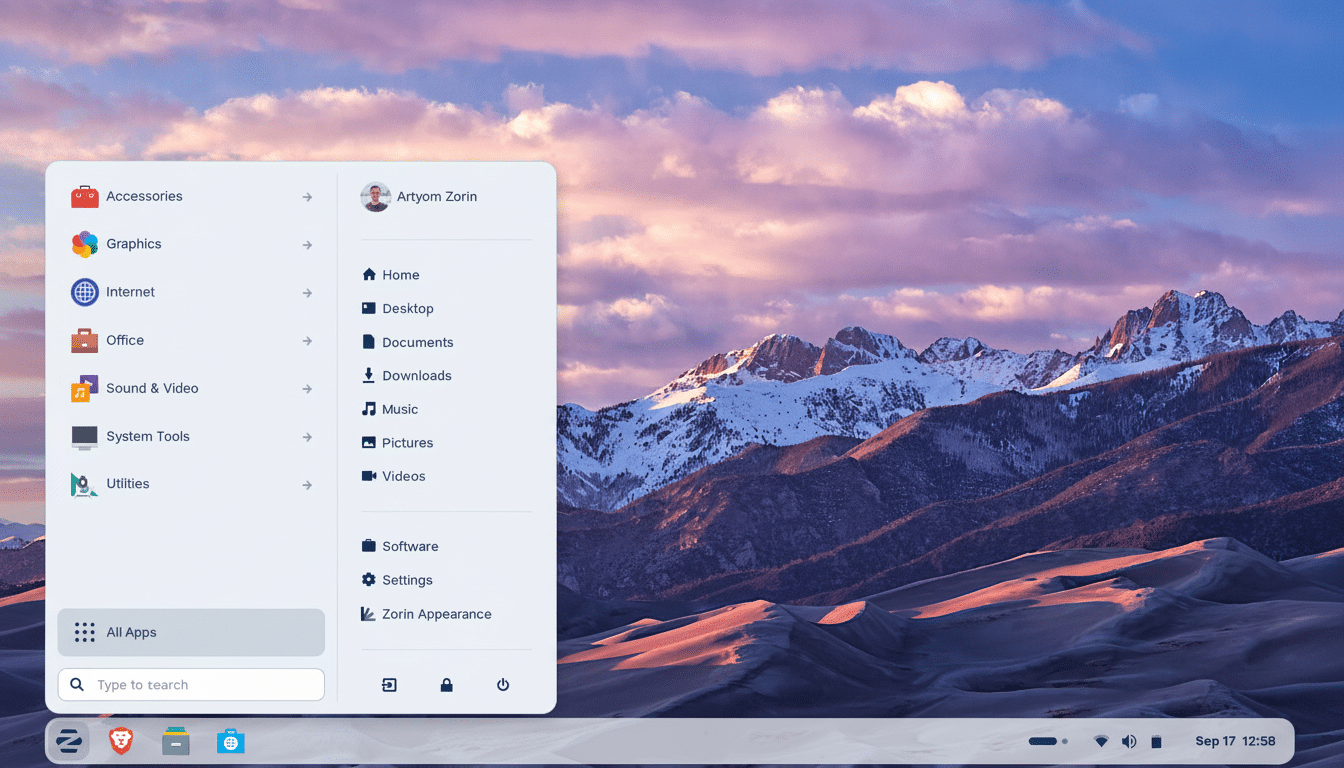
Good times: first-boot flow is clean and sensible defaults abound — the desktop looks purposeful rather than cobbled together. The Zorin Appearance utility is still a highlight: choose from familiar layouts that ape the workflow of Windows or macOS with a couple of clicks; the Pro edition offers additional curation options such as compact versions and even something more akin to Mint or elementary styles. This isn’t theming for the sake of theming; it’s an on-ramp that reduces the learning curve for those new to Linux without reducing options for power users.
Multitasking features that reward momentum and focus
Zorin OS 18 includes these features without making you use a hardcore tiling window manager. Windows arrive predictably in halves, thirds, or quarters with visual help to make multi-monitor setups less complicated. You can set up custom tiling layouts, enable auto-tiling, and map keyboard shortcuts to ensure working with popular applications becomes second nature. The end result is a desktop that feels faster because you spend less time pushing pixels and more time getting work done. It’s a good middle ground: managed multitasking for most people, without the overhead of learning i3 or Sway.
Web apps and cloud services feel as native as local tools
The built-in Web Apps utility remains one of Zorin’s secret weapons. Turn services like Notion, Slack, or your preferred news site into standalone apps with their own icons, notifications, and windowing behavior. With these services, your file, calendar, and email systems can be directly plugged into the desktop with integration through Online Accounts for Microsoft 365/OneDrive, Google Workspace/Nextcloud, Exchange/IMAP+SMTP/WebDAV/Kerberos. Like every beta, not all connectors are completely polished in terms of authentication yet, but the plumbing is solid and should utilize common ground shared across a broad spectrum of Linux.
Performance, drivers and apps that just work
Under the hood, Zorin OS is built on an Ubuntu LTS base, so long-term security updates and a mature set of drivers and packages are at your disposal. The on-ramp for hardware support is predictable every six months (recent CPUs and GPUs debut, Secure Boot just works without magic, laptop power profiles do what you expect). Software is similarly sans frills: top-notch Flatpak support with Flathub access that rounds out the apps offering, while Snap is on hand if you fancy it, and Zorin-curated repos keep important desktop apps up to date. For ancient hardware or ultra-lightweight systems, there’s the Lite edition with the Xfce desktop, which is still a very fast and stable option.
Signals worth paying attention to beyond the hype
There is a tailwind behind interest in desktop Linux. A global view from StatCounter shows Linux desktop market share over 4%, and gaming statistics from Valve’s own platform confirm it is a widely used daily driver for many gamers. That momentum has come with a growing audience for Zorin: the project recently reported that the previous major release had attracted millions of downloads, including many from former Windows and macOS users. DistroWatch statistics aren’t scientific, but Zorin has a habit of appearing high on the most-watched list, which is an interesting heart-rate monitor of curiosity from potential switchers.
Design choices that respect your taste and your time
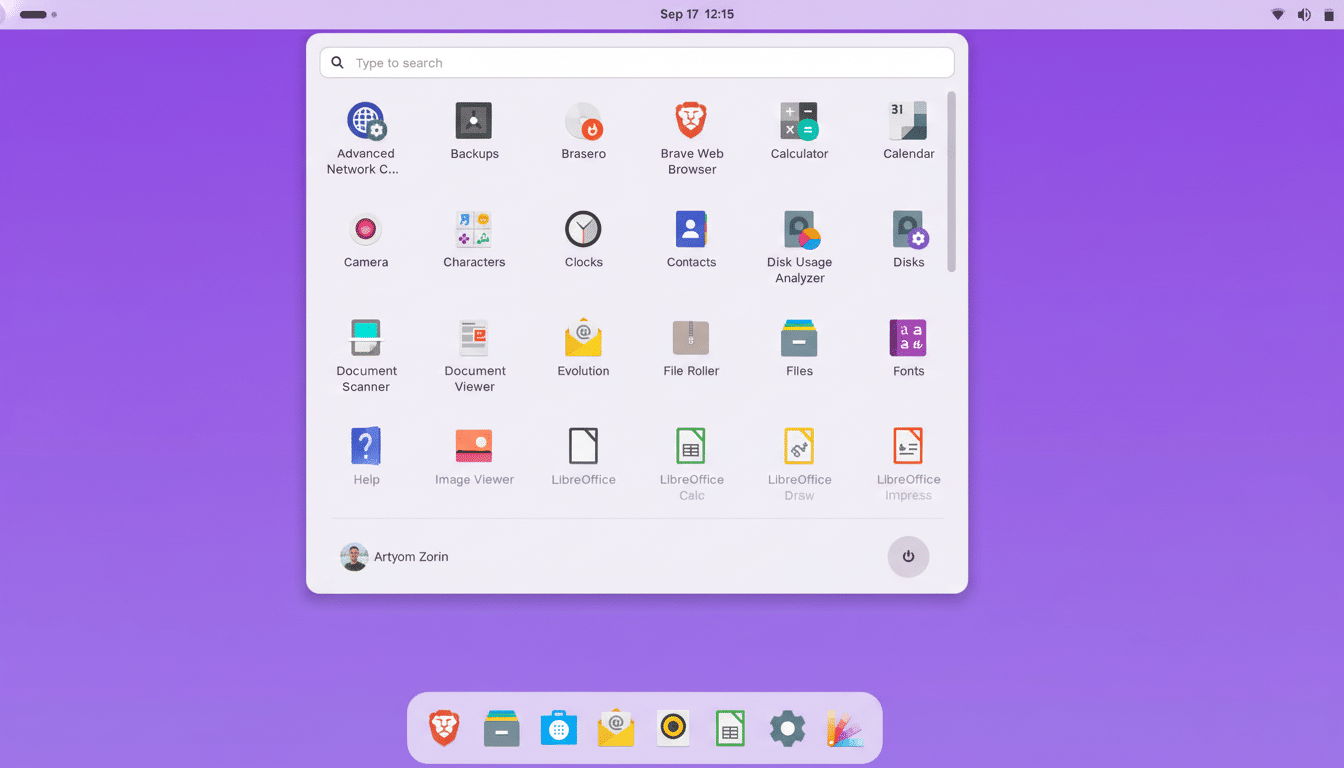
Great desktops respect your attention. Zorin OS 18’s rounded, lightly translucent panel, clear system tray, and polite animations create a peaceful environment that isn’t sterile. Fonts, spacing, and iconography make sense. It has a day-one list of sensible defaults for night light, touchpad gestures, and other things that help you avoid poking around settings too soon. You get the feeling that the team removed more friction than it added features — that mindset is very clear in daily use.
Who should install Zorin OS 18 first
If you maintain mixed environments at home or in a small business, Zorin OS 18 should be your new standard OS image. New entrants are greeted by an immediately recognizable setup where they can start with minimal training. Experienced users enjoy a well-purified GNOME that’s laden with considered defaults, and everyone benefits from the long-term support of the LTS base.
The Pro edition offers more refinement and contributes to development, but most use cases can be satisfactorily supported by the Core and Lite. Bottom line: a credible “best” for most people. There’s no such thing as the “best Linux distro” for every job, but Zorin OS 18 makes the strongest mainstream argument. It beautifully blends aesthetics, performance, and pragmatism in a way that feels careful and ready for users, not just those who already love Linux desktops. If you’ve been waiting for a Linux desktop that respects your time, is nice to look at, and puts the fundamentals first, keep an eye on this and make room for it on your primary machine once it is released.