


Lenovo’s Yoga Book Pro 3D Concept is the rare prototype that feels like a glimpse of how we’ll actually work. It fuses a glasses-free 3D display, air-gesture controls, and a second OLED panel that doubles as a dynamic tool deck, all aimed squarely at creators who handle 3D assets. After a hands-on demo, the impression is clear: this isn’t a gimmick-chasing stunt, but a bold attempt to compress a studio’s worth of interaction models into a portable machine.
Glasses-Free 3D Built for Work, Not Just Viewing
The top display renders stereoscopic 3D without glasses, tuned for creation rather than passive viewing. Like other modern glasses-free 3D systems, it relies on precise head positioning, with an optimal “sweet spot” for depth. Lenovo eases that requirement by building a sturdy kickstand into the chassis, raising the display several inches so you face it head-on—critical for a stable 3D effect.
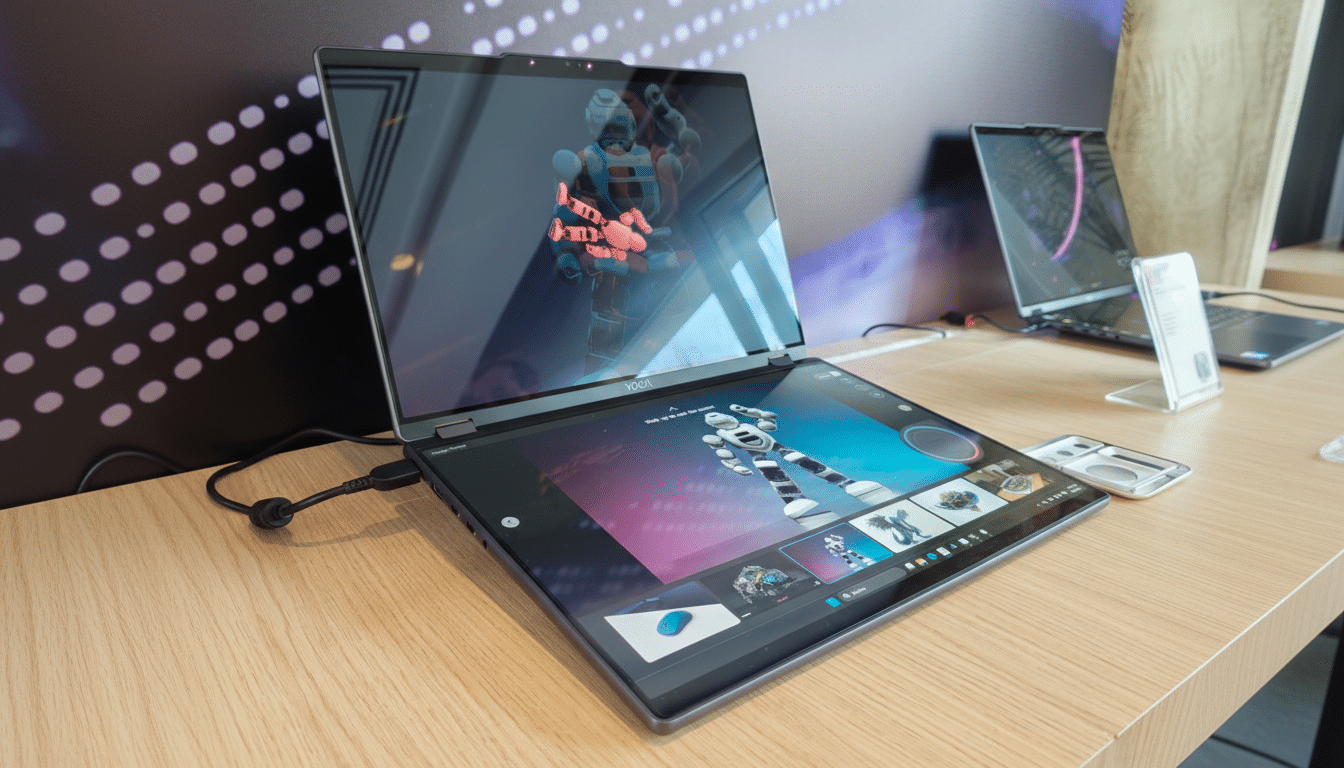
Unlike the short-lived wave of entertainment-first 3D laptops, this concept targets modelers, CAD users, and visualization pros who need to interrogate geometry. Competitors such as Acer’s SpatialLabs and Asus’ Spatial Vision have already shown there’s a professional niche for glasses-free 3D, especially in film previz, product design, and architecture. Lenovo’s twist is making 3D interaction feel less like a novelty and more like a habitual tool.
Dual OLED Workflow Enhanced With Intuitive Air Gestures
Two 3.2K tandem OLED panels anchor the experience. The upper screen handles 3D; the lower acts as a full-fledged touch canvas. An RGB camera above the 3D display tracks your hands for quick manipulations: make a fist and rotate it to spin an object; form an “OK” with both hands and push or pull to zoom. The motions are intuitive enough to learn in minutes.
In practice, gesture tracking worked well for big movements, occasionally stumbling on subtle adjustments—typical prototype behavior. Precision tasks still favor a mouse, pen, or trackpad, but for rapid viewpoint changes during reviews, the hands-in-air approach is fast and keeps your eyes up on the model instead of bouncing between peripherals.
A Second Screen That Morphs Into Contextual Tools
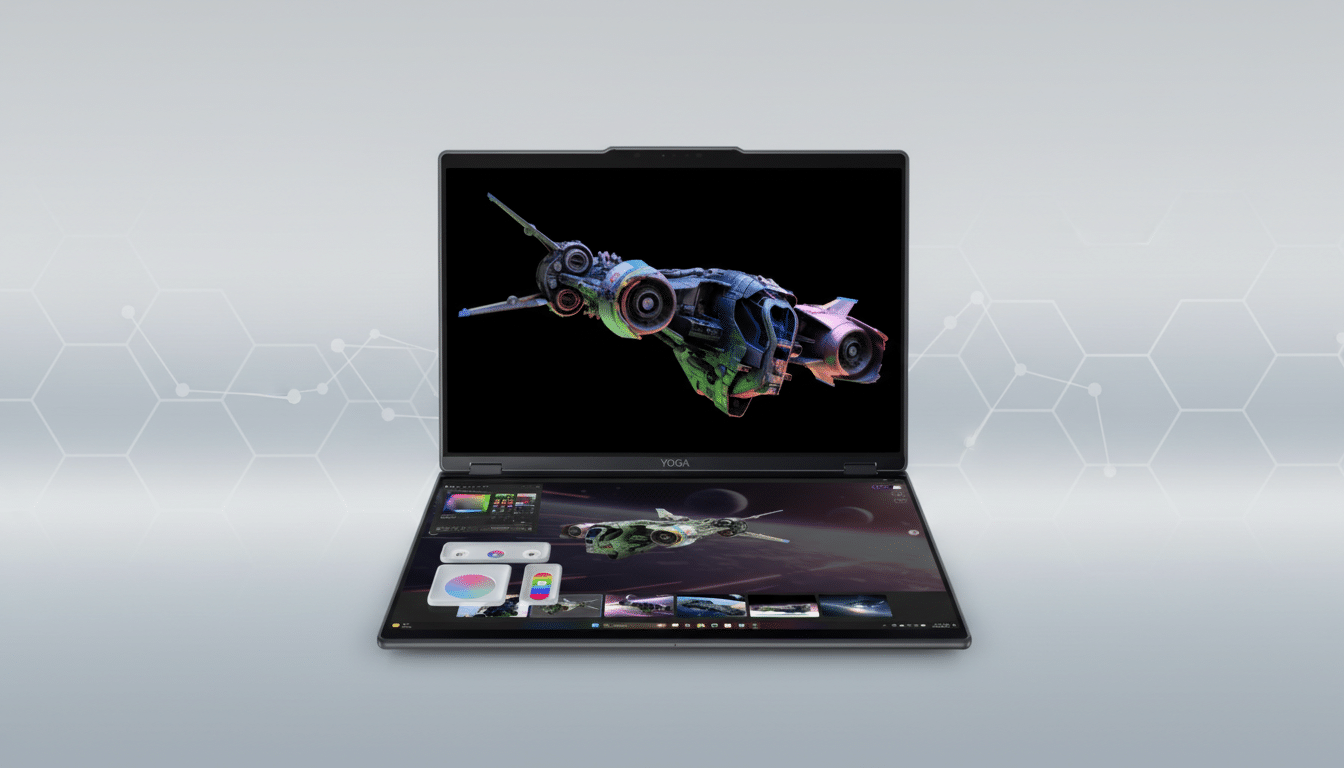
The lower OLED isn’t just a second monitor; it’s a mutable control surface. Lenovo demoed simple plastic frames—one with a circular cutout, another with an elongated oval—that, when set on the bottom screen, “spawn” contextual controls in software. Drop the circle and a lighting-direction wheel appears; place the oval and a color gradient slider materializes. Remove the frame, and the digital tool persists where you left it. It’s a clever, tactile shortcut that gives you physical anchors for frequently used controls without cluttering the canvas.
Another flourish lets you drag an asset from the lower screen to the upper, where it’s converted from 2D to 3D inside Lenovo’s demo application—an AI-assisted extrusion meant to illustrate a fluid pipeline rather than prescribe a single workflow. Whether you live in Blender, Autodesk Maya, Siemens NX, or PTC Creo, the idea is to reduce UI fishing and keep creative intent in front of you.
Specs Signal Workstation Intent for 3D Creation
The prototype’s current components include an Intel Core Ultra 7 processor—with an integrated NPU for on-device AI features—and an Nvidia GeForce RTX 5070 laptop GPU. Lenovo stresses that hardware could change, but the direction is unmistakable: real-time 3D viewports, ray-traced previews, and GPU-accelerated denoising are on the menu. The dual 3.2K PureSight Pro tandem OLEDs should offer higher brightness and longer lifespan than single-stack OLED, a benefit panel makers like LG Display and BOE have highlighted for tandem designs.
Thermals, battery life, and weight weren’t the focus of the demo, but the hinge felt rigid and the kickstand stable—important for maintaining the 3D viewing sweet spot. As with any dual-screen device, software support will make or break the promise; native integrations from major DCC suites would accelerate adoption.
Why This Could Change Daily Creative Routines
Imagine a product designer pulling a model into view, fist-rotating it to catch a problematic fillet, then tapping a lighting wheel on the lower display to check surface read—no modal menus, no palette spelunking. For storyboard artists or industrial designers accustomed to pen displays and macro keypads from brands like Wacom, the Yoga Book Pro 3D Concept compresses those affordances into a single, portable surface that adapts to the task.
Analyst firms have noted that demand for creator-class laptops with discrete GPUs has outpaced the broader consumer PC segment in recent years, and both Acer and Asus have shipped glasses-free 3D machines for professional visualization. Teams that avoid long sessions in VR headsets but still need depth cues for review could find the Yoga Book’s approach a pragmatic middle ground.
Early Verdict on Lenovo’s Yoga Book Pro 3D Concept
The concept isn’t without caveats: there’s a strict viewing sweet spot, gestures are better for gross changes than finesse, and software partners will determine how seamlessly the tool frames and 2D-to-3D handoff work in real pipelines. Pricing would almost certainly land in premium territory.
But the vision holds together. By unifying glasses-free 3D, an adaptive second screen, and approachable gestures, Lenovo’s Yoga Book Pro 3D Concept feels less like a party trick and more like a portable creative desk. Even if the exact device never ships, expect these ideas—particularly the contextual tool surfaces and head-tracked 3D—to start showing up in the next wave of creator laptops.