


KDE Plasma 6.6 is almost ready, and the easiest way to see what’s coming is to install KDE Neon Unstable. I spun up the latest image to get a feel for the update, and the takeaway is clear: this is a refinement-heavy release that puts polish, performance, and a few smart usability touches front and center.
How To Preview Plasma 6.6 Safely On Test Systems
KDE Neon Unstable is the project’s fast-moving distribution that tracks the newest Plasma, Frameworks, and KDE Gear packages. It’s not meant for production machines, but it’s tailor-made for previews. I tested it in a virtual machine with KVM and Virt-Manager; the only gotcha was switching the VM firmware from BIOS to UEFI before first boot. After installation, a full upgrade and a single reboot pulled down the freshest Plasma bits.
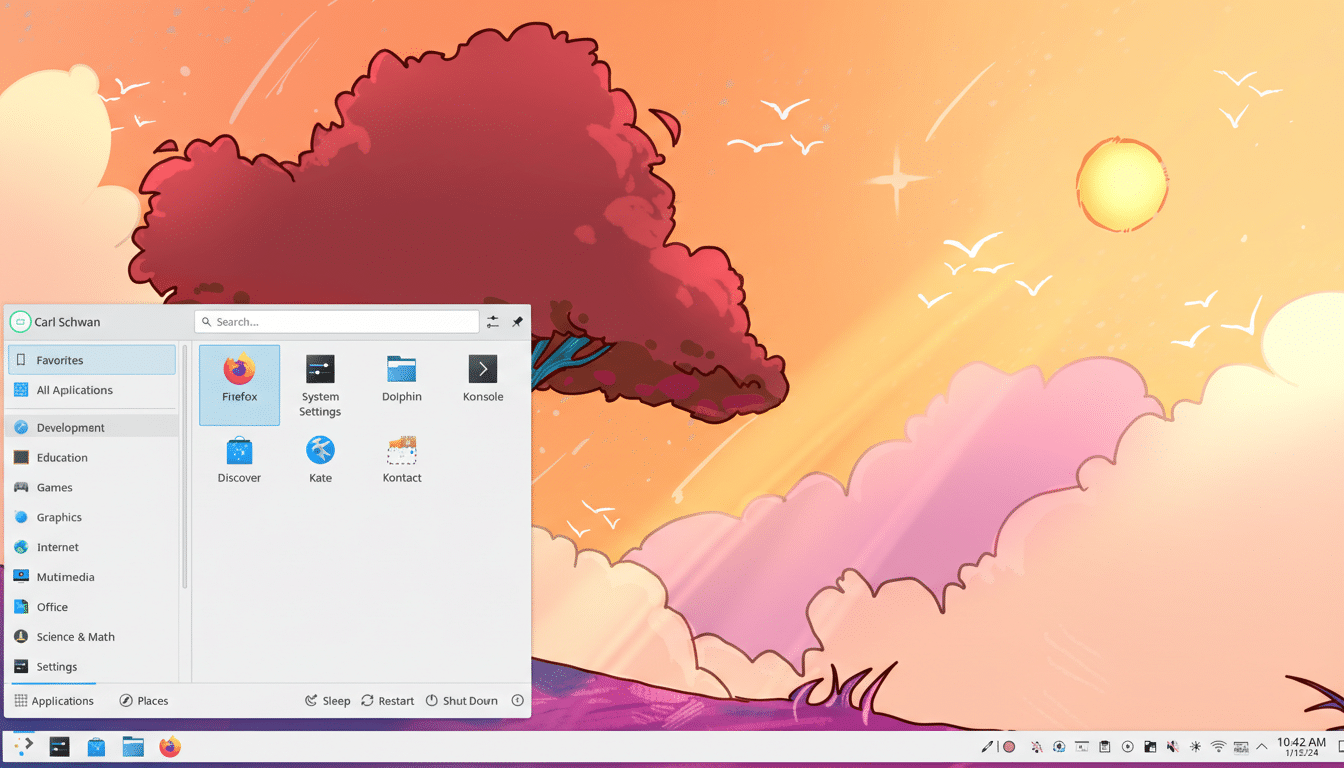
If you prefer hardware testing, create a separate partition or use a spare drive. Snapshot-friendly filesystems and VM checkpoints are your friends here; Unstable gets frequent updates, and rolling back is invaluable when something breaks. KDE’s own release cadence and nightly CI mean you’ll see changes days or even hours after they land.
What Stands Out In Plasma 6.6 From Early Testing
The first impression is the overall smoothness. Animations feel “buttery” in a way that’s noticeable even on a clean install. Window effects like Dim Inactive and Slide Back glide without hitching, and dialing animation speed down in System Settings preserves fluidity rather than exposing stutter. That comes down to steady compositor pacing and continuous KWin tuning.
Login and lock screen behavior is more cohesive, too. SDDM remains the default display manager in Neon Unstable, and Plasma now lets you apply your desktop theme to the login screen directly from System Settings under Colors & Themes > Login Screen (SDDM). It’s a small bridge between the greeter and the desktop, and it makes the system feel more unified.
The Application Dashboard gains a welcome touch: you can disable its forced dark style, so lighter global themes carry through consistently. It sounds minor, but for users who value visual continuity, it reduces friction across daily workflows.
App launch responsiveness is snappy across the board. Even after installing heavier suites like office software, start times stayed impressively low in my testing. KDE’s ongoing work on startup sequencing, I/O prioritization, and caching is paying dividends in perceived speed.
Under The Hood Polish And Performance Improvements
Plasma 6.x established a modern foundation by moving to Qt 6 and maturing Wayland. With 6.6, the emphasis is on sanding down rough edges. Expect subtle but meaningful improvements to multi-monitor behavior, fractional scaling reliability, and touchpad gestures. Nvidia users should also see steadier frame delivery thanks to the ongoing adoption of explicit sync and compositor-side refinements introduced across recent 6.x releases.
On the application side, Neon Unstable reflects current KDE Gear choices, and you may notice a few default app swaps that better align with the project’s vision of a cohesive experience. The result is a desktop that feels better integrated, with fewer visual or functional seams between components.
It’s worth noting KDE’s engineering pace. KDE e.V.’s community, visible through weekly developer updates and issue trackers, routinely lands hundreds of commits across Plasma, Frameworks, and apps each cycle. That steady churn explains why 6.6 reads like an accumulation of “small” wins that add up to a big improvement in day-to-day use.
Practical Advice Before You Jump Into Plasma 6.6
Neon Unstable is the right way to explore, not to run mission-critical workloads. Use a VM or a nonessential device, update frequently, and expect occasional regressions. If you like what you see but need stability, KDE Neon Stable, Fedora KDE Spin, or openSUSE’s KDE editions offer more predictable baselines and will pick up Plasma 6.6 after it’s officially out.
Back up before testing on bare metal, and keep restore points handy. A little caution buys you the freedom to experiment with everything Plasma 6.6 is about to deliver.
Why This Release Matters For KDE Plasma Users
Polish isn’t just aesthetics; it’s what makes features discoverable and performance feel instant. As Linux desktop usage inches upward—StatCounter has tracked it around the 4% range recently—these refinements help convert curious users into committed ones. Plasma’s combination of deep customization and increasingly smooth defaults positions it as a standout choice for both newcomers and power users.
If you want a credible preview, KDE Neon Unstable delivers it today. And if the preview is anything to go by, Plasma 6.6 is shaping up to be the most confident, cohesive iteration of KDE’s flagship desktop yet.