


Two heavyweight security distributions dominate conversations in ethical hacking circles: Kali Linux and Parrot OS. Both are Debian-based, both ship with formidable toolkits, and both are widely used by penetration testers and security researchers. Yet the right choice isn’t about brand recognition; it’s about your workflow, threat model, and how you plan to use the system day to day.
Core purpose and philosophy of each security distro
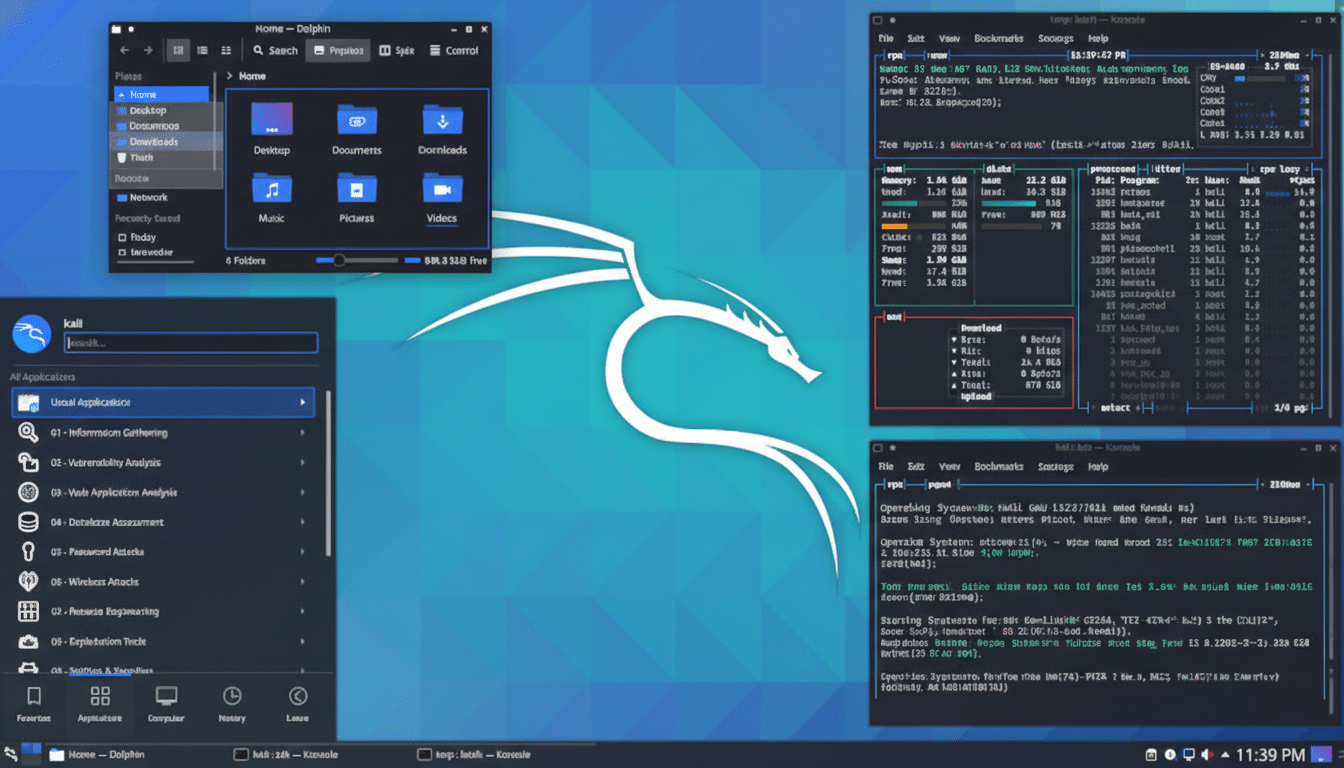
Kali, maintained by Offensive Security, is purpose-built for offensive security work. It’s opinionated in a good way: a standardized arsenal, tuned kernels, and workflows that align with professional training and certifications. Its focus is to get you from recon to reporting without friction.
- Core purpose and philosophy of each security distro
- Toolsets and built-in capabilities of both distros
- Performance Desktop Choices And Footprint
- Updates, stability, and documentation across both distros
- Real-world use cases for Kali Linux and Parrot OS
- Learning curve and ethics in practical security work
- Which distro should you choose for your security needs
Parrot OS, maintained by the ParrotSec team, wears two hats. The Security edition is a full pentesting platform, while the Home edition targets privacy-conscious daily computing. If you want a machine that doubles as your everyday desktop with hardened defaults and privacy tooling, Parrot is engineered with that use case in mind.
Toolsets and built-in capabilities of both distros
Kali ships with hundreds of tools grouped into metapackages, covering recon, exploitation, post-exploitation, wireless, web app testing, reverse engineering, and forensics. Its Forensics Mode boots without touching disks, and Kali Undercover can temporarily dress the desktop to resemble Windows in shared spaces. The ecosystem extends to Kali NetHunter for mobile engagements.
Parrot Security includes a comparable offensive toolkit but layers in privacy-first utilities by default. The Home edition emphasizes everyday safety: sandboxing with Firejail, hardened profiles, and quick toggles like AnonSurf to route traffic through Tor. For teams that blend threat research with regular computing, Parrot reduces the need to maintain separate systems.
Performance Desktop Choices And Footprint
Kali offers multiple desktop environments, with Xfce popular for speed on older hardware and GNOME or KDE for modern rigs. Parrot typically uses MATE for a balance of performance and usability. Both run well in VMs and on live USBs, though Kali’s wireless injection features often benefit from supported chipsets and external adapters during fieldwork.
If you plan to run resource-heavy tasks like password cracking or large-scale scans, prioritize CPU/GPU and storage throughput. For travel-friendly assessments or capture-the-flag events, the lighter desktops in both distros keep the idle footprint modest, leaving more headroom for tools.
Updates, stability, and documentation across both distros
Kali follows a rolling model with curated releases, aiming to keep toolchains fresh without sacrificing reliability. Documentation is a standout: clear guides, playbooks, and a huge user base aligned with well-known training courses help flatten the learning curve.
Parrot also tracks frequent updates, with Security and Home tuned for different risk profiles. Its community emphasizes privacy defaults and sandboxing strategies, useful for developers and researchers who switch between trusted and untrusted workloads on the same machine.
Real-world use cases for Kali Linux and Parrot OS
Network audit at a small business: Kali’s Nmap, Masscan, and vulnerability analyzers can map assets fast, while tools like Responder and Hashcat validate credential hygiene. This aligns with findings from the Verizon Data Breach Investigations Report, which has repeatedly shown the human element drives most breaches, with stolen credentials a leading vector.
Privacy-focused daily driver: Parrot Home lets you browse with hardened defaults, sandbox risky apps, and toggle Tor-based routing when needed. For researchers reading malware write-ups, this workflow reduces accidental data leakage and keeps test environments compartmentalized.
Mobile and wireless engagements: Kali’s NetHunter and wireless injection support make it a go-to for red teamers testing Wi-Fi security, rogue AP detection, and Bluetooth assessments, provided compatible radios are on hand.
Learning curve and ethics in practical security work
Both distros can be overwhelming at first glance. A practical path is to pick a scenario and learn the toolchain around it: reconnaissance and mapping, web app testing against OWASP Top 10 categories, or wireless hardening. Small, repeatable labs beat broad tool-chasing.
Legal and ethical guardrails matter. Only test assets you own or have explicit permission to assess. Many organizations reference frameworks like MITRE ATT&CK to plan engagements and communicate findings responsibly.
Which distro should you choose for your security needs
Choose Kali if you want the de facto standard for penetration testing, a tightly integrated toolkit, and workflows that mirror professional certifications and red team operations. Its specialized modes and hardware support make it ideal for focused assessments.
Choose Parrot OS if you need a dual role machine. The Security edition covers offensive tasks, while the Home edition offers a privacy-first daily desktop with sandboxing and Tor-ready tooling. For developers and researchers who live between testing and regular work, Parrot reduces context switching.
Bottom line: if your priority is pure pentesting efficiency and widely adopted playbooks, go with Kali. If you want a security-forward everyday system that can still run serious engagements, Parrot Home plus selective Security tools is a smart, sustainable choice.