


The search for a decent physical keyboard on modern phones just got interesting. Clicks Technology revealed an iPhone snap-on accessory that attaches magnetically to the back of your phone and slides out when you want it so you can have a full QWERTY keyboard at any time — but not feel like you’re carrying around a brick when you’re done. It’s a rare throwback with practical, 2026-ready twists, like MagSafe and Qi2 support, as well as a built-in 2,150 mAh battery.
Called the Power Keyboard, the add-on promises to impart the speed and confidence of striking real keys while leaving apps running edge to edge.
- A Slider Keyboard That Exists Off-Screen When You Don’t Need It
- Battery Assist Built In for Charging and Longer Runtime
- Why Tactile Keys Are Still a Thing for Accuracy and Expression
- Origins of the Design and Memorable Throwbacks
- Price and Availability for the Clicks Power Keyboard
- What to Watch in Real Use and Long-Term Durability
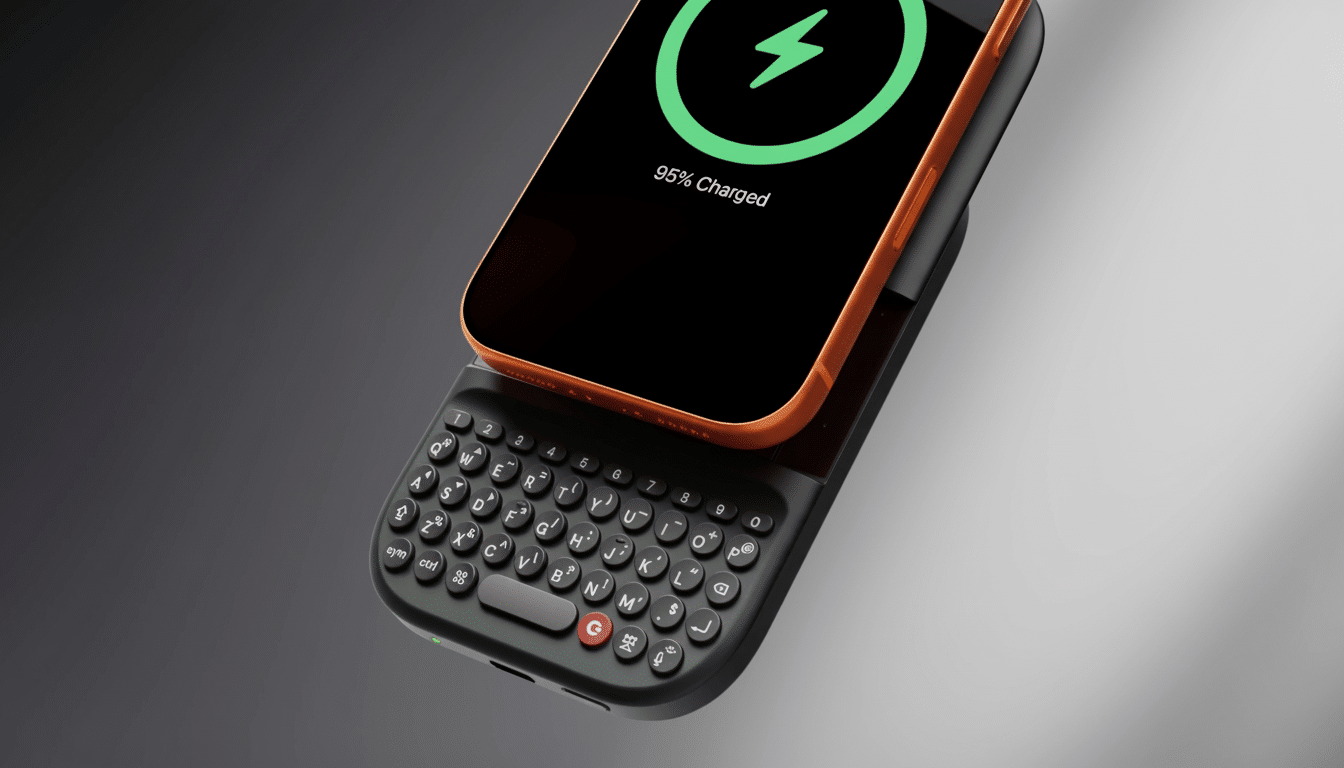
When you’re finished, the keyboard folds away so all that’s left is a clean back that still functions with MagSafe mounts and chargers.
A Slider Keyboard That Exists Off-Screen When You Don’t Need It
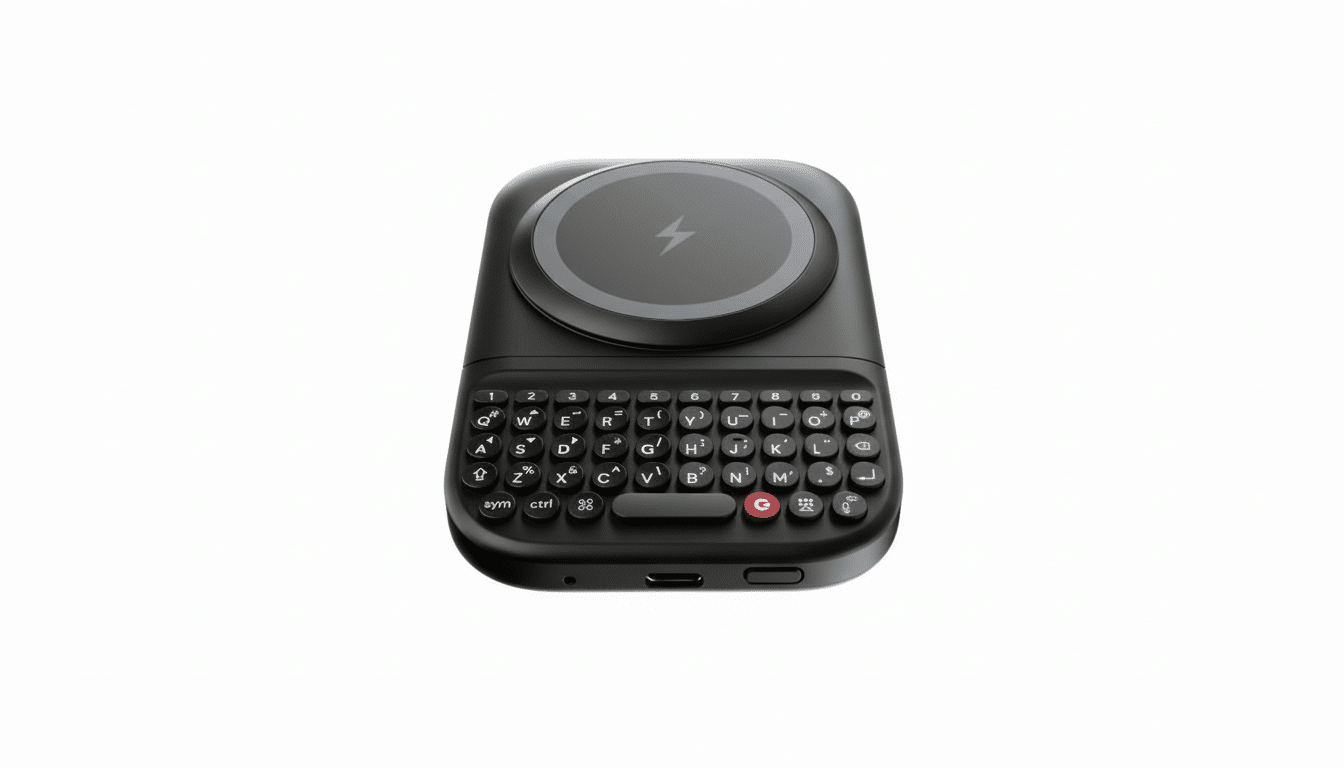
The Power Keyboard magnetically attaches with MagSafe, and its weight also helps it adhere firmly in alignment to your recent iPhone, which snaps magnetically into a raised end cap and begins charging with Qi2 support. So you slide the module down, and boom! there’s a hardware keyboard now below your phone — BlackBerry-era tactile feedback with a modular punch. Because text entry occurs off the display, apps can extend all the way across the screen — a big win for messaging, email, and document edits.
Clicks features a separate number row above the QWERTY keys and some utility functions. Backlighting and key actuation are customizable in the Clicks companion app for iOS and Android, allowing power users room to make shortcuts and click away at night. It also doubles as a mini stand for the phone when resting on it in portrait or in landscape, which can make a difference during flights or using your phone at your desk or for video calls.
Battery Assist Built In for Charging and Longer Runtime
A built-in 2,150 mAh pack powers the keyboard and can also recharge your phone. That form factor maintains key travel consistency and adds to your overall runtime — handy if you’re bashing out those Slack threads or email chains without having to hunt for a hot wall socket. Since it supports MagSafe and Qi2, you’re also free to use compatible chargers and accessories without removing the keyboard.
Clicks claims the Power Keyboard can also pair with tablets, smart TVs, and AR/VR headsets, making it a pocketable typing deck that’s good for more than just your phone. For travelers and field operatives, toting around just one, tucked-away keyboard that connects to two or more screens addresses a perennial pain point.
Why Tactile Keys Are Still a Thing for Accuracy and Expression
On-screen keyboards have become much more refined, though tactile feedback is still important for accuracy and expression. And average smartphone users in the study who have access to autocorrect and prediction only manage about mid-30s words per minute on glass. This can make hardware keys feel slower to some, but they also usually result in less backspacing and fatigue when writing long-form — particularly for those used to the muscle memory and key travel.
Messaging app pros are oh so familiar with the compromises: Soft keyboards obscure content, and they make for stop‑start typing. By using an off-screen input, the Power Keyboard significantly maintains context and involves much less UI juggling. Ergonomically, a slider also transfers some weight to the back of the phone, which can steady two-handed typing more than a bottom-mounted case keyboard that feels like it’s leading your fingers by the nose.
Origins of the Design and Memorable Throwbacks
Clicks made case-style keyboards in the past that extended a phone’s chin and were effective but bulbous. The slider method is reminiscent of classics, such as the BlackBerry Torch and Motorola Droid, without being permanently bulky. Contemporary magnet arrays and Qi2 alignment help ensure the snap-on experience is much cleaner than previous clip-on efforts. It’s also a safer bet than the fleeting Typo keyboard era, which got into trouble over patents 10 years ago.
Price and Availability for the Clicks Power Keyboard
Preorders for the Power Keyboard are open now, ahead of a planned spring launch. The full cost is $109, while you can cash in on an early-bird bargain of $79 at launch. Clicks explains that its accessory is compatible with iPhone models from the iPhone 12 and iPhones released after that, courtesy of magnetic alignment and Qi2 support.
What to Watch in Real Use and Long-Term Durability
Long-term, the sliding rails, magnet pull strength, and longer typing sessions will decide whether this becomes a daily carry. It’ll be cool to see how well the keyboard works across devices, and whether power users who use it for macros and consistent shortcuts across platforms will find the app’s customization options acceptable.
Still, for anyone starved of the option of clicky keys without frittering away screen space or afflicting their iPhone with a permanent chin, Clicks’ modular slider appears to be the most considered take on phone typing we’ve seen in years.