


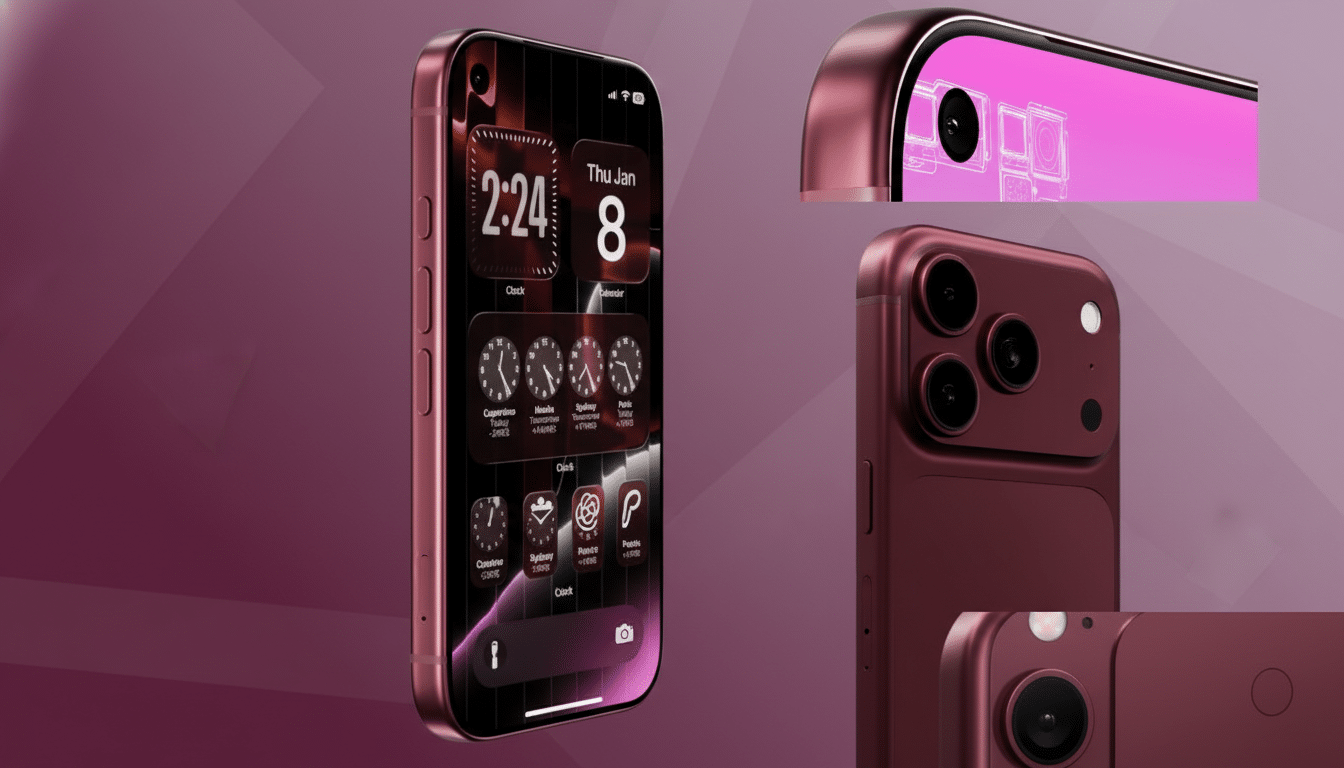
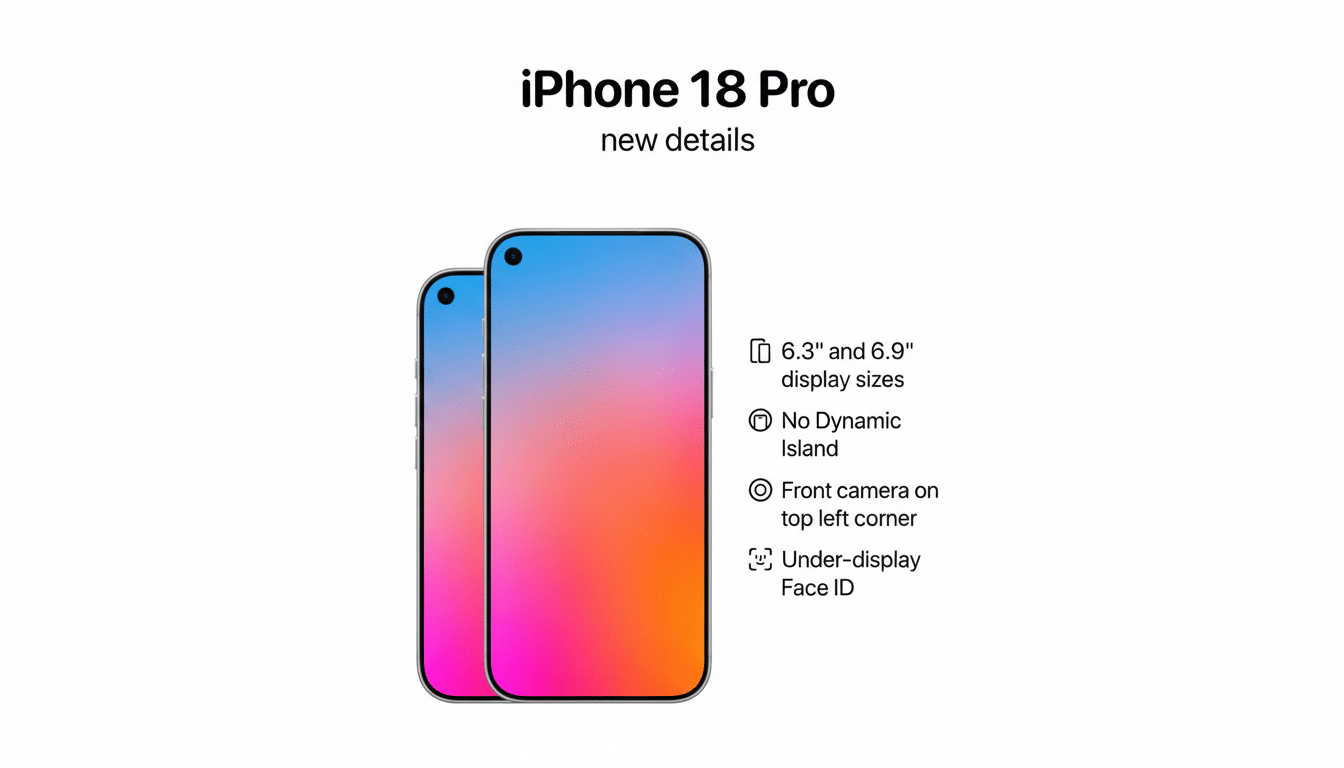
The most attention-grabbing shift in Apple’s next Pro iPhone may not be a new chip or camera array on the back, but a subtle change up front. Multiple reports indicate the iPhone 18 Pro will relocate its front-facing camera to a small punch-hole in the top-left corner, enabled by under-display Face ID that hides the TrueDepth sensors beneath the screen.
Under-display Face ID enables a small corner selfie hole
The Information reports that Apple’s Pro models are expected to adopt under-display Face ID, allowing the infrared flood illuminator, dot projector, and other Face ID hardware to live invisibly under the OLED panel. That leaves only the selfie camera needing a physical opening, shrinking the visual footprint compared to today’s Dynamic Island.
- Under-display Face ID enables a small corner selfie hole
- Why Apple favors a top-left placement for the selfie camera
- What this shift could mean for Apple’s Dynamic Island UI
- Image quality and the hardware trade-offs of a punch-hole
- Developer impacts and UX ripples from a new cutout position
- Competitive context and Apple’s strategy for this redesign
- What to watch next as signs point to a left-corner camera
Display Supply Chain Consultants has long outlined a roadmap in which Apple transitions to “under panel” sensor areas on high-end models before moving the camera itself beneath the screen later. Analysts like Ross Young have described specialized OLED regions that can pass more infrared light with modified pixel structures and transparent cathodes, balancing brightness uniformity with sensor performance. In other words, the tech to hide Face ID is arriving before the tech to hide a high-quality selfie camera without tradeoffs.
Why Apple favors a top-left placement for the selfie camera
Leakers including Digital Chat Station suggest Apple will park the punch-hole in the top-left corner. That may sound cosmetic, but placement matters. A left-aligned cutout minimizes interference with centered content, status icons, and many full-screen apps. It also avoids the visual “bull’s-eye” effect created by a centered hole when watching video or gaming.
There’s a practical angle, too. iOS currently anchors the clock on the left; shifting the camera there implies a light status bar reshuffle and potentially more consistent safe areas across portrait and landscape. Apple tends to prefer predictable UI geometry, and a left corner cutout is easier for developers to accommodate than something drifting near the middle.
What this shift could mean for Apple’s Dynamic Island UI
MacRumors has noted prototypes and concept videos showing the Dynamic Island migrating toward the left to align with a corner camera. Jon Prosser’s visuals depict the Island expanding from that side for Live Activities, calls, and navigation. If Face ID hardware is hidden, the Island becomes a purely software layer—no longer tethered to a fixed pill shape.
That opens the door to a cleaner status bar and more flexible UI animations. Crucially, reports point to this change arriving only on Pro models first, while non-Pro models could retain the existing Dynamic Island until the under-display tech scales. Apple has a history of debuting display innovations on Pro devices before cascading them down the lineup.
Image quality and the hardware trade-offs of a punch-hole
There’s a reason Apple isn’t rushing to bury the selfie camera under the screen: image quality. Early under-panel cameras on foldable phones have shown lower resolution, hazier detail, and inconsistent color due to light passing through the display matrix. By keeping the camera as a discrete punch-hole, Apple can maintain clarity for selfies, FaceTime, and creator workflows without the compromises seen in first-gen solutions.
Expect Apple to pair the relocation with optics tuning rather than a radical spec leap. Recent models added autofocus on the front camera and leaned on computational pipelines like the Photonic Engine to boost low light and skin tones. A left-corner lens may require new stray light management, updated lens shading calibration, and refined portrait algorithms to avoid asymmetry in edge detection and bokeh.
Developer impacts and UX ripples from a new cutout position
A new cutout position means new safe areas. Apple’s Human Interface Guidelines will likely be updated so apps can avoid UI collisions in the top-left, particularly for camera-centric apps, video players, and games with custom HUDs. For users, the payoff is simple: more uninterrupted content across the top of the display and fewer black bars around immersive experiences.
For Dynamic Island-enabled live updates, a left origin could make interactions feel more natural for right-handed users who tap the upper-left region less frequently by accident than the center. Small detail, but Apple’s interface decisions often hinge on ergonomics at scale.
Competitive context and Apple’s strategy for this redesign
Android flagships embraced punch-holes years ago, typically centered or top-left. Apple’s twist isn’t the hole—it’s the combination of a minimal front cutout with fully hidden 3D face authentication. If executed well, the iPhone 18 Pro could offer the cleanest all-screen look yet without sacrificing secure biometrics, a balance rivals have struggled to strike.
Supply chain chatter often morphs before launch, but the convergence of reports from The Information, DSCC, MacRumors, and well-known leakers suggests a consistent direction: hide the heavy lifting under the panel, leave a single precise aperture for the selfie camera, and reimagine the Dynamic Island as software-first.
What to watch next as signs point to a left-corner camera
Key tells to look for include:
- Updated display stacks from Apple’s panel partners
- HIG changes for developers
- Camera feature teases prioritizing front-facing performance
If these signals land as expected, the iPhone 18 Pro’s most obvious new look will be the one you see every time you open the camera—just shifted a few millimeters to the left.