


iOS 26 is in the wild and early adopters are divided. The most prominent complaints revolve around two themes: performance hiccups that make everyday tasks feel slow, and stock app redesigns adding friction instead of clarity. Not every device falls under the spell, but the trend is so pervasive that it’s taken over user forums and tech chatter.
Users in Apple Support Communities and on Reddit’s r/ios and r/iphone have described, in posts that date back at least to December, stutters while scrolling, long waits for the keyboard to appear or locked-up text messages as well as app-switching delays of up to 15 seconds.
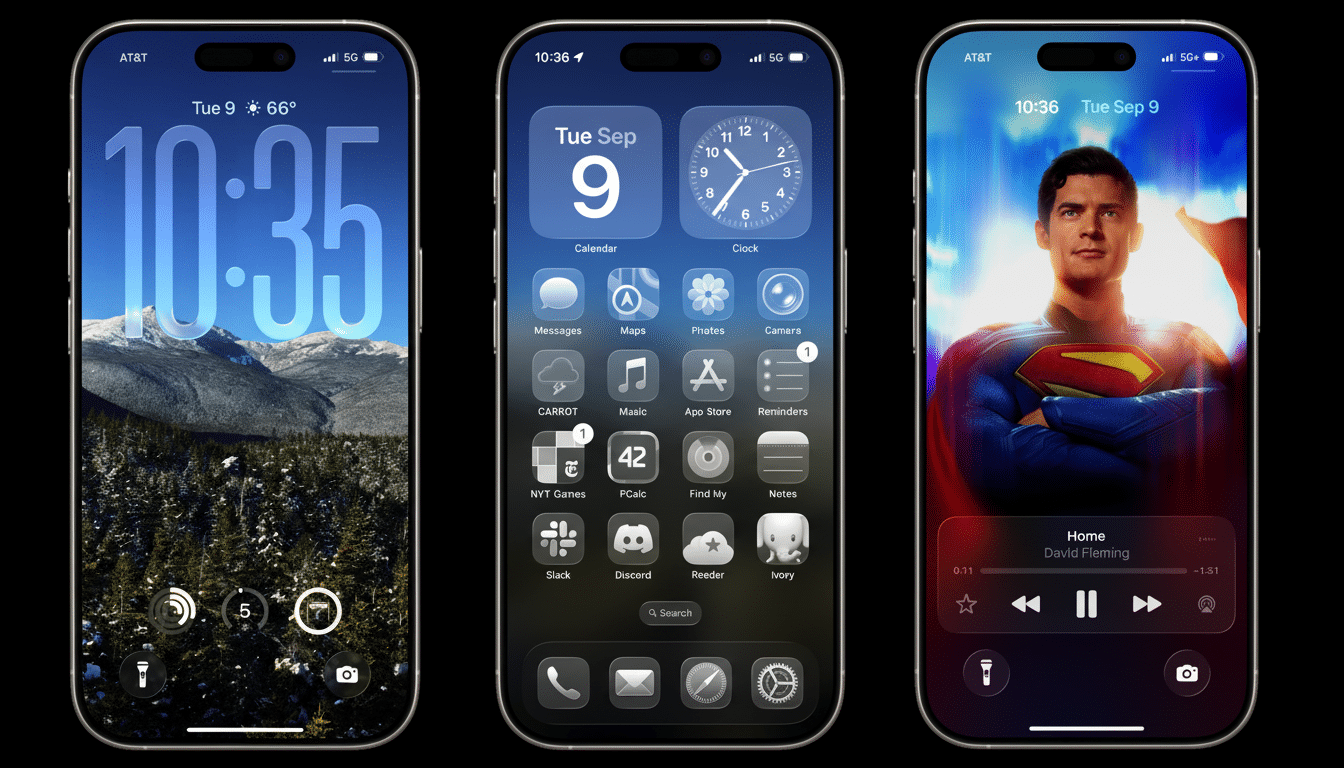
Some are fans of some subtle quality-of-life tweaks, but the dominant sentiment is that the update trades quieter speed and predictability for flash.
Where users feel the slowdown most across iOS 26
Complaints huddle around the same hotspots: typing in the system keyboard lags for a split-second, Spotlight stutters as it fetches search results, and animations in Messages and Photos somehow feel less buttery smooth than they used to.
Users with ProMotion displays report that the dips are particularly noticeable when frame rates drop from a buttery 120Hz to a jittery feel while quickly swiping away windows or multitasking.
Another point of pain is camera launch speed and shutter response. A few threads discuss a beat-long pause before the viewfinder is stable, which could mean capturing the moment or missing it. Others observe that interactive widgets sometimes freeze up, then update in a burst — making it appear as if the entire system is slow.
Performance degradation is often the harbinger of battery anxiety. As with major iOS releases in the past, tasks such as re-indexing Photos, on-device search, and other machine learning models have been known to consume power and background resources for a day or two. That’s to be expected, but it exacerbates any stutter that users may perceive in the first 48 hours after updating.
Clunkier, not cleaner, redesigns leave users frustrated
The second flashpoint is app redesigns. And Safari tops the list of complaints: users say that common tasks, such as refreshing pages, switching tabs, or entering Reader mode now require more taps or involve scavenging around in overflow menus. The layout decisions — big touch targets and increased spacing — are there to make it more accessible, but some (I’m one of them) think they’re straight-up reducing the information density, slowing down power users in the name of simplicity that doesn’t even benefit newcomers.
The same complaints surface around Music and Settings: taller headers, fresh sheet-style popovers, renamed toggles add cognitive load. Dark mode legibility was a recurring issue, with critics claiming that contrast looks washed out in some screens. The result, say many, is a “prettier” interface that’s less candid.
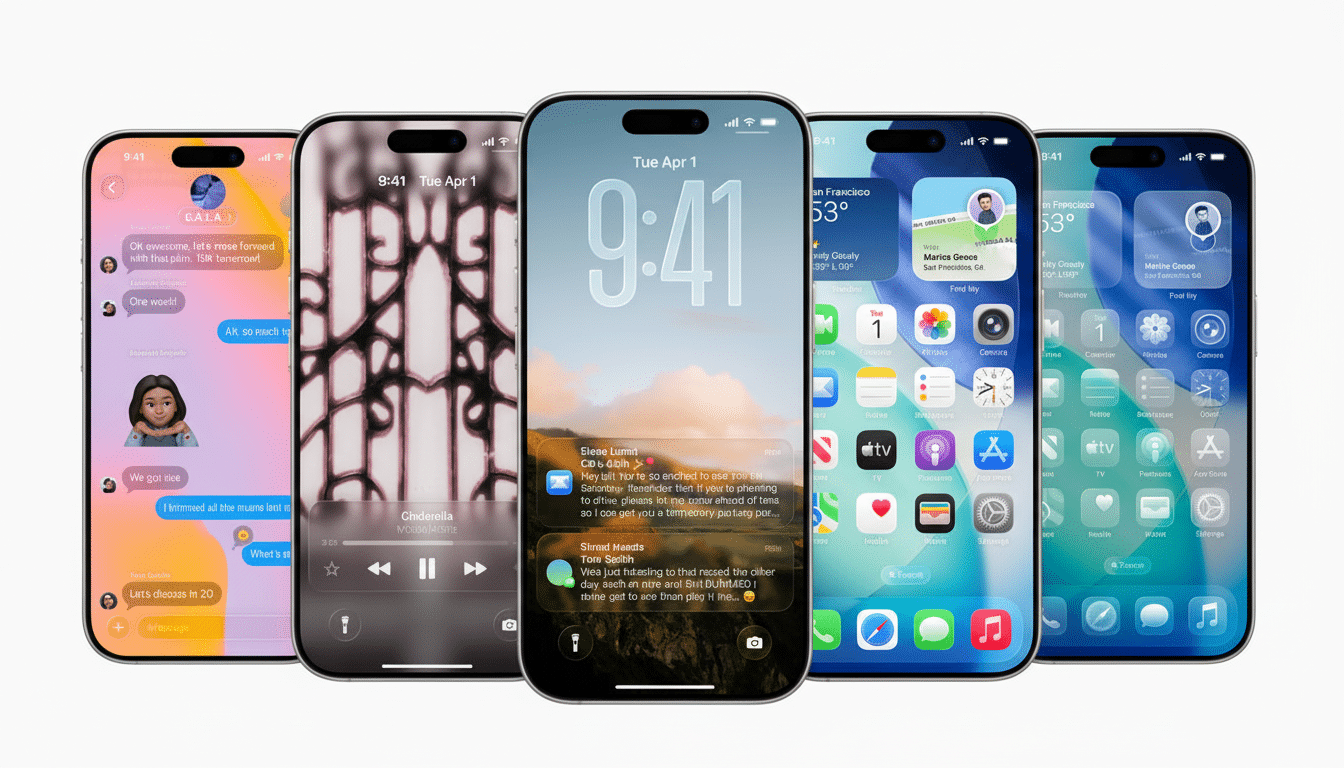
Not all feedback is negative, to be clear. The design of the revamped battery widget includes clearer labels, consistent iconography, and helpful charging insight that predicts time to 80% charge as well as to full charge. That’s par for the course for a platform refresh — what makes things more discoverable for some can throw gravy in the face of those who depend on established muscle memory.
How common are the problems across devices and apps?
Anecdotally, the volume is significant. Threads with thousands of comments on Apple Support Communities and Reddit track everything from subtle animation jank to outright lag. What independent analysts pumping along in the social-listening slipstream find is that the sentiment skew looks more negative than during last year’s cycle — but nothing catastrophic. In the past, Mixpanel’s public iOS adoption trackers indicate that “controversial” releases hit a mainstream number pretty quickly and if there are early hiccups they often get sorted out if not in the first update, then shortly after.
The variance by device matters. Phones with older batteries or less free storage are more susceptible to background thrash, which can lead to hiccups and app reopens. Consumer Reports’ own long-running battery testing (handling thermal management processes) helps make clear the risk that a degraded battery will cause thermal throttling — a protection technique to limit performance of the processor under load.
Why that works under the hood during major updates
Major updates trigger a cascade of background jobs: Spotlight re-crawls your files, Photos re-analyzes your library for people and scenes, and the system works up fresh app optimizations. All of that’s fighting for CPU, GPU, and storage I/O. When you see scroll jank or delayed taps immediately after updating, you’re usually seeing the results of those one-time tasks.
And on the UI front, Apple’s continued push towards richer animations and heavier blur effects can be a double-edged sword. Every time new components are adopted by developers, some transitions may cause additional layout passes or offscreen rendering, especially in complex lists. That’s fixable — Apple usually tunes those paths in updates to follow — but it means version 0 builds are a little shaggier than the finished builds to come.
What you can do now and what’s next for iOS 26
Assuming you’re just out of update hell, charge the phone all the way and then bury it in a drawer unused for 24 to 48 hours while it finishes deleting everything from everywhere. Meanwhile, you can cut down motion and transparency in Accessibility, keep Background App Refresh off for infrequently used apps, and clear up about 10–15% of storage, which could make a difference. Monitor battery health; if it is significantly degraded, performance management might be triggered on peak loads.
For app-level annoyances, well, the secret to those is checking for updates — developers of annoying apps often ship out quick fixes when something changes in a big way. You can regain some of the speed by going to Settings in Safari and turning off unnecessary experiments, like customizing the toolbar. If you are stuck with lag after the first week’s settling period, reset system cache settings like Safari website data and Spotlight indexing for apps that aren’t used often.
Historically, Apple tends to follow big releases with point updates that jump on crashes and animation timing and power drain. Expect similar here. Until that point, the lesson here is simple: iOS 26 does sand off some rough edges, but enough users are encountering lag and clunky app positioning that it’s a justifiable call to wait for the first maintenance release — especially if your phone is already running stretched thin on storage or battery health.