


Online communication has become a big part of daily life, especially for gamers and people who spend time on voice chat platforms like Discord. Whether you are playing multiplayer games, talking with friends, or streaming live, your voice plays an important role. Many users look for tools that allow them to change their voice for fun, privacy, or creativity. One such tool is iTop Voicy, which works as a free voice changer for Discord and online games.
What Is iTop Voicy?
iTop Voicy is a voice changing software from iTop that allows users to modify their voice in real time. It works with many popular platforms such as Discord, online multiplayer games, and other voice chat applications. The program provides different voice effects and sound styles that can be applied instantly while speaking.
The software is designed for beginners, so you do not need any technical skills to use it. The interface is simple, and most features can be used with just a few clicks. Users can choose from ready-made voice effects or adjust settings to create a custom voice.
Why People Use a Voice Changer
There are many reasons why users choose to use a voice changer during online conversations or games.
One common reason is privacy. Some people do not feel comfortable using their real voice when talking to strangers online. A voice changer helps them stay anonymous.
Another reason is entertainment. Voice changers add fun to conversations. Many gamers enjoy surprising their friends with funny or unexpected voice effects during matches.
Content creators also use voice changers to make their videos or streams more engaging. Different voices can help create characters or add variety to content.
Some users also feel more confident when using a modified voice, especially if they are shy or unsure about their natural voice.
How to Install iTop Voicy
Getting started with iTop Voicy is simple and does not take much time.
First, download the software from the official iTop Voicy site. After the download is complete, open the setup file. Follow the installation steps shown on the screen. The process is quick and does not require advanced settings.
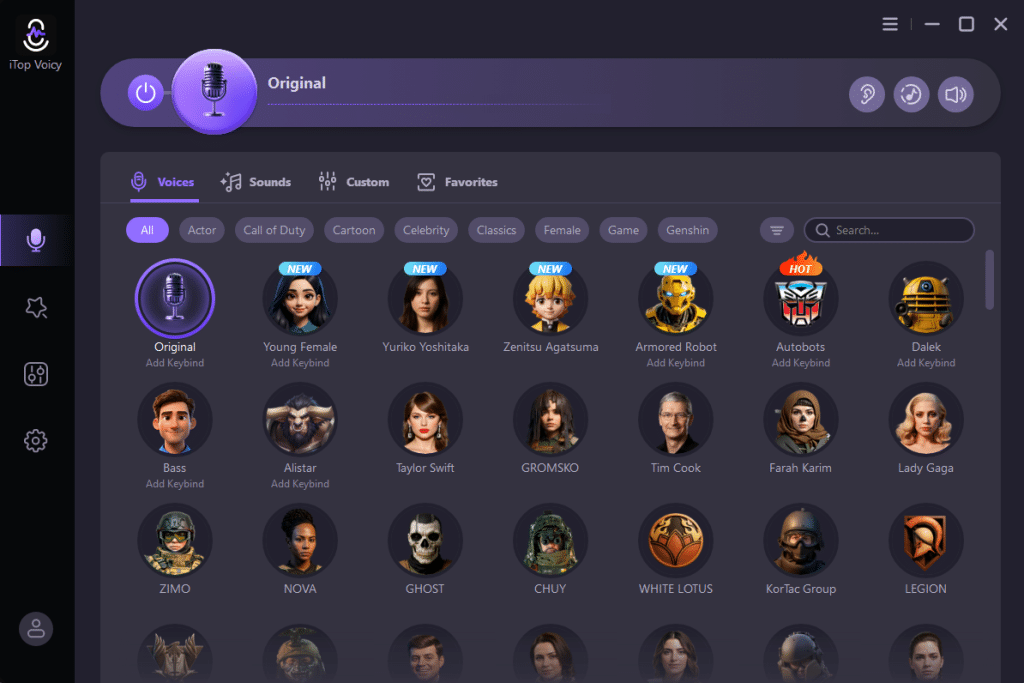
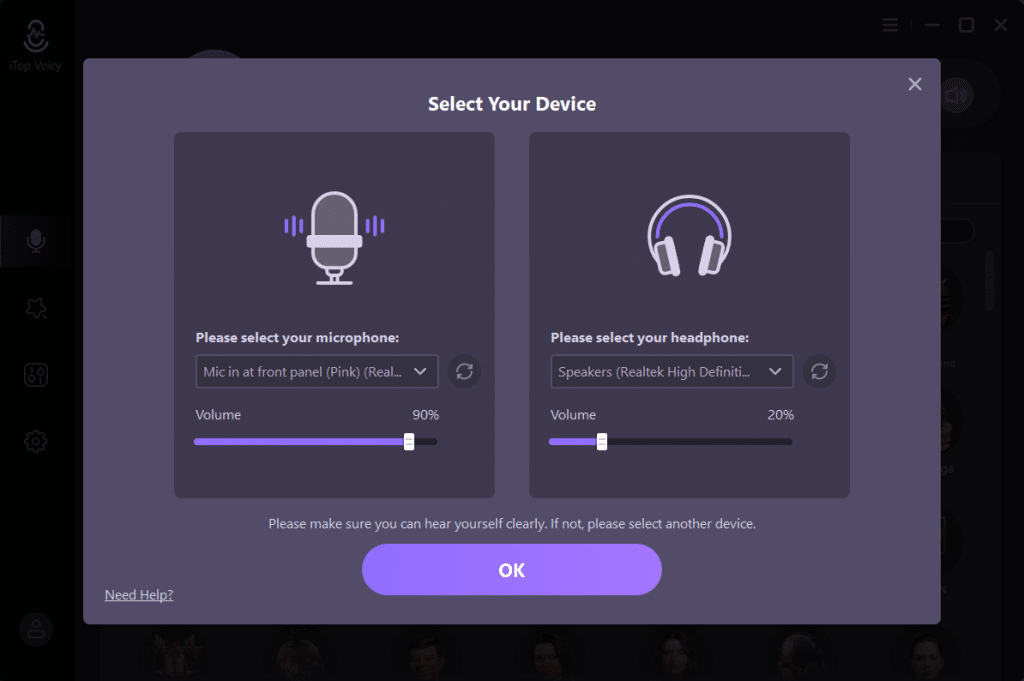
Once installed, launch the program. You will see the main dashboard where voice effects and controls are displayed. Before using it with other apps, it is a good idea to test your microphone inside the software.
Understanding the Main Features
iTop Voicy offers a variety of features that make voice changing easy and flexible.
The most important feature is real-time voice changing. This means your voice is changed instantly while you speak, without recording first. The software includes many voice effects such as deep voice, high voice, robotic tone, and more. These effects are ready to use and can be selected with one click.
There are also sound effects that can be played during conversations, which adds more fun to gaming or group chats. Users can control volume, pitch, and tone to fine-tune how the voice sounds. This allows you to create a natural or dramatic effect depending on your preference.
How to Use iTop Voicy with Discord
Using iTop Voicy with Discord is very easy.
First, open iTop Voicy and select a voice effect you like. Make sure your microphone is working properly inside the software.
Next, open Discord and go to the user settings. From there, open the Voice and Video settings.
In the input device option, select the virtual microphone created by iTop Voicy. This tells Discord to use the modified voice instead of your real microphone.
After selecting the device, use Discord’s mic test feature to confirm that your voice is being changed. Once everything is set, join a voice channel and start talking. Your voice will now sound different to other users.
Using iTop Voicy in Online Games
Most online games that support voice chat allow you to choose your microphone input.
Open the audio or voice settings in the game. Look for the microphone or input device option. Select iTop Voicy as the input source. Once selected, your in-game voice chat will use the modified voice from the software. You can change voice effects during gameplay without closing the game.
This is useful for role-playing games, team-based shooters, or casual multiplayer games where voice communication is important.
Tips for Better Voice Quality
To get the best experience, there are a few simple tips you should follow.
- Use a decent microphone. Even basic headphones with a mic work well, but clearer input gives better results.
- Speak clearly and at a normal volume. Shouting or whispering may affect how the voice changer works.
- Do not use too many effects at once. Simple voice changes usually sound better than extreme settings.
- Test your voice before joining a game or call. This helps you avoid issues during live conversations.
Is iTop Voicy Safe and Free?
iTop Voicy is safe to use when downloaded from the official source. It does not interfere with games or chat programs and runs smoothly in the background. This voice changer offers free voice changing features that are enough for most users. While there may be premium options available, the free version works well for basic voice changing on Discord and in games. It does not require high system resources, so it works fine on most computers.
Conclusion
iTop Voicy is a simple and effective solution for anyone who wants to change their voice while using Discord or playing online games. It is easy to install, easy to use, and suitable for beginners. Whether your goal is privacy, fun, or creative expression, this tool offers a practical way to modify your voice in real time. With its user-friendly design and free features, iTop Voicy is a good choice for gamers, streamers, and regular users who want something different in their voice chats