


Weekly promos sound easy until it’s time to make one. The sale is set, your Etsy candle listing is live, and the product photos are already there. Yet turning that listing into a solid Instagram Story ad usually means doing three separate jobs by hand: rewriting the listing into a hook, cutting the message down for vertical viewing, and piecing together visuals, captions, and a CTA that still looks clean on a phone.
That handoff is where small sellers often lose time. It’s not a lack of ideas. It’s that listing copy and Story ads do different work. A product page explains the item. A Story ad has to make its point quickly. If you want a draft that feels usable for recurring promos, not something that still needs a full rewrite, a workflow hub like Media.io can make the first pass a lot easier.
- Where Listing Copy Falls Apart On The Way To An Instagram Story Ad
- A Better Sequence Starts With Product Data And Ends With A Story-Sized Sales Draft
- Three Moves That Turn One Candle Listing Into A Sharper Story Ad
- Pull The Product Signals From The Listing Before You Write Anything
- Set A Story-Specific Angle Instead Of Asking For A Generic Promo Video
- Tighten The Hook, Captions, And CTA Before You Generate Variations
- How This Workflow Saves Time Across Refill Launches, Gift Drops, And Flash Promos
- Start With Your Most Proven Listing, Not Your Hardest Product To Explain
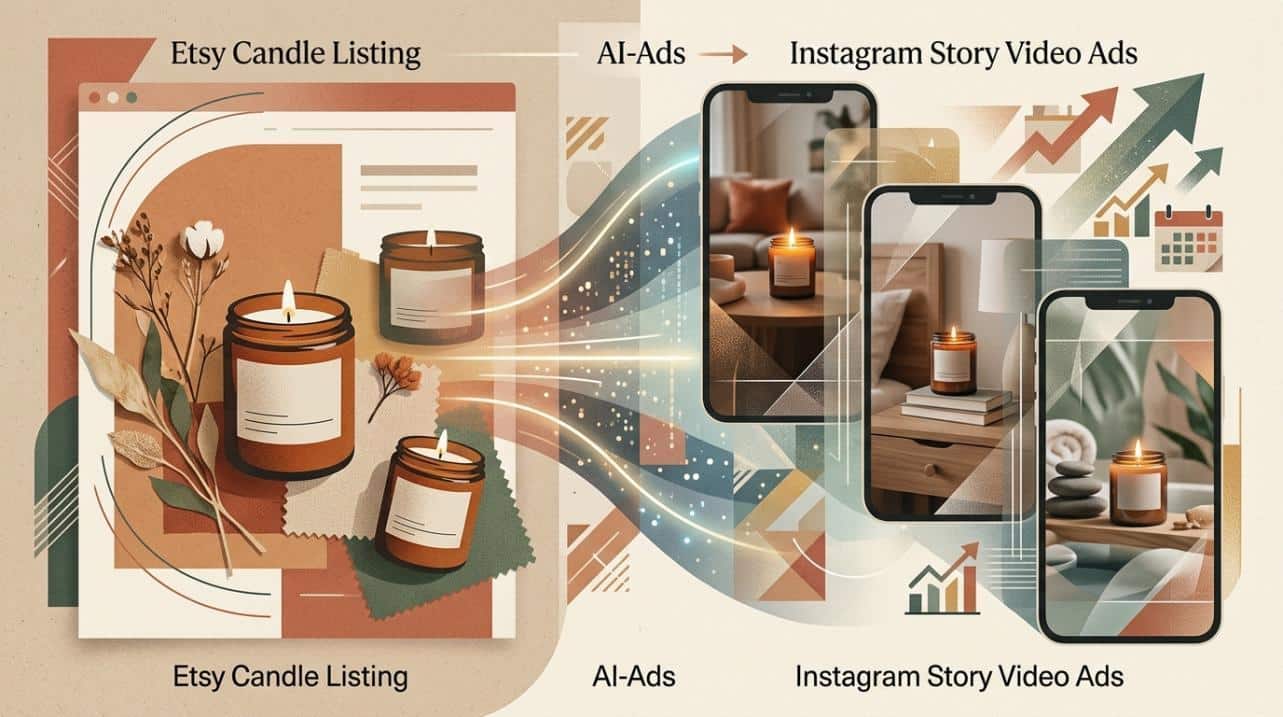
Where Listing Copy Falls Apart On The Way To An Instagram Story Ad
An Etsy listing is written for shoppers who are already browsing. It has space for scent notes, jar size, ingredients, gift details, shipping information, and the extra context people want before they buy. Instagram Story ads work differently. They need a fast hook, one clear selling angle, short captions, and pacing that still makes sense when someone taps through quickly.
That’s the main break in the process. Your source material is detailed, but the ad format needs focus. Instead of rebuilding the message from scratch, Media.io’s AI ads generator starts with the product data itself. You can paste a product URL, upload product images, or reuse saved assets, then let the workflow pull title cues, page copy, gallery visuals, pricing signals, and key selling points into an ad draft.
In practical terms, that means less cleanup before you even reach the creative decisions. It also gives you a stronger first draft for Story format, which is usually where quality slips first.
A Better Sequence Starts With Product Data And Ends With A Story-Sized Sales Draft
The cleaner way to handle this is simple: listing in, Story draft out.
That matters more than it sounds. Many Etsy sellers still jump between the product page, a notes app, a script doc, a video editor, and then back again because the first version is too long or too flat. That switching slows everything down. It gets even worse during holiday promos, scent launches, or low-stock pushes when you need multiple versions quickly.
A tighter sequence removes a lot of that drag. First, pull the product information. Next, shape it around one Story-specific angle. Then review the script before generating versions. That’s the workflow. Fewer blank-page choices. Fewer manual rewrites. Faster testing when you need ad drafts that actually look ready for mobile.
Three Moves That Turn One Candle Listing Into A Sharper Story Ad
This is the part that matters most: the decisions that actually change the quality of the draft.
Pull The Product Signals From The Listing Before You Write Anything
Open Media.io and go to AI Ads, then paste your Etsy product URL or upload product images. The workflow is built around product inputs first, so it can pull from the listing instead of making you start with an empty prompt. That usually includes title language, copy cues, gallery images, and the main selling points visible on the page.
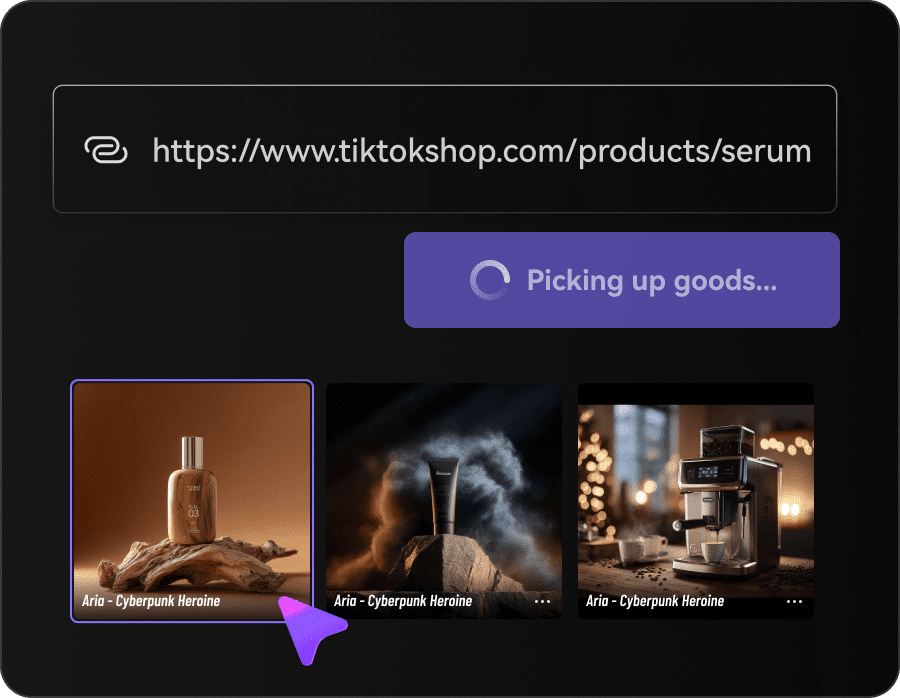
Before you move on, do a quick check of the source material. Does the listing clearly show what the ad should highlight? For candles, that might be the scent profile, gift-ready packaging, seasonal feel, bundle offer, or a limited-time promotion. If those signals are weak on the product page, the ad draft will usually need more editing later. Clear inputs tend to produce cleaner outputs.
Set A Story-Specific Angle Instead Of Asking For A Generic Promo Video
Next, choose the direction for the ad. This is where weak drafts usually start.
Pick a style that fits the promo, such as UGC, review, lifestyle, tutorial, or unboxing. Then set the Story details: vertical size, duration, language, resolution, and whether you want an AI Avatar or an uploaded real-person Avatar. You can also guide the script with persona and style preferences, which helps the result feel closer to social ad creative and less like a product slideshow.
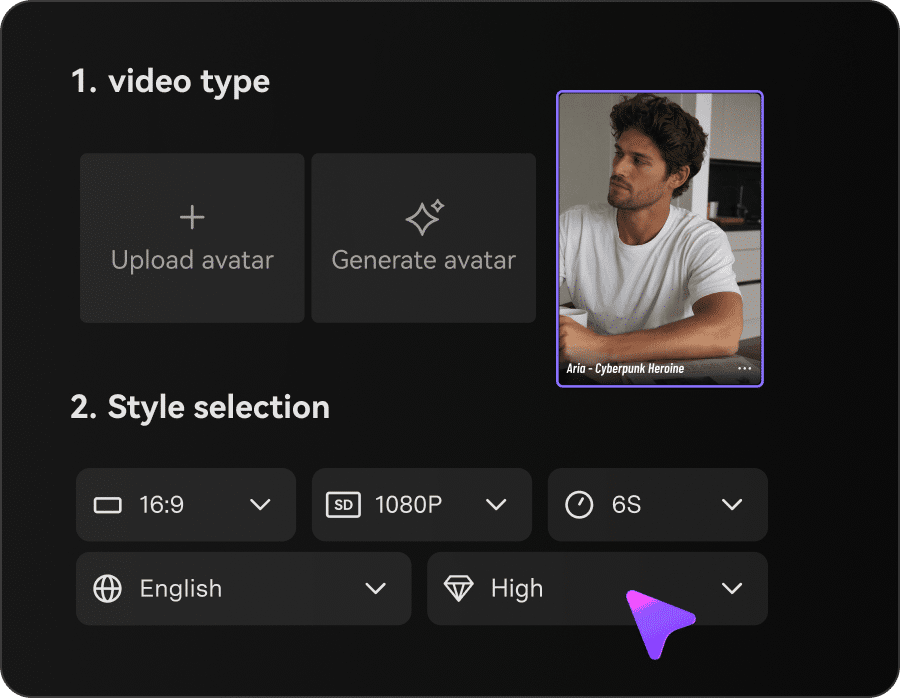
Keep the angle narrow. One ad, one message. Maybe it’s a cozy home mood, a giftable candle for birthdays, or a new seasonal scent. Don’t try to fit every selling point into one Story. A short ad built around one clear idea usually works better than a crowded version trying to mention wax type, burn time, vessel style, scent family, and a discount all at once.
Tighten The Hook, Captions, And CTA Before You Generate Variations
This is often the step that makes the draft feel usable.
Review the AI-generated script before you generate the video. Tighten the hook. Cut captions that read like product copy. Replace vague CTA lines with something more direct, such as “Shop the scent” or “Grab your gift set today.” You can also adjust the voiceover tone, pacing, avatar choice, voice, and caption wording so the Story feels more native to Instagram.

One helpful detail here is script filtering that can reduce exaggerated claims and overblown wording that may feel off-brand or awkward in ad placements. Once the script feels right, generate the ad, compare versions, and keep the one that reads best on a phone screen. If it’s ready, export it. If not, use that version as the base for a second pass with a different hook or visual mix.
How This Workflow Saves Time Across Refill Launches, Gift Drops, And Flash Promos
The biggest benefit is not making one ad faster. It’s being able to repeat the process without rebuilding everything each time.
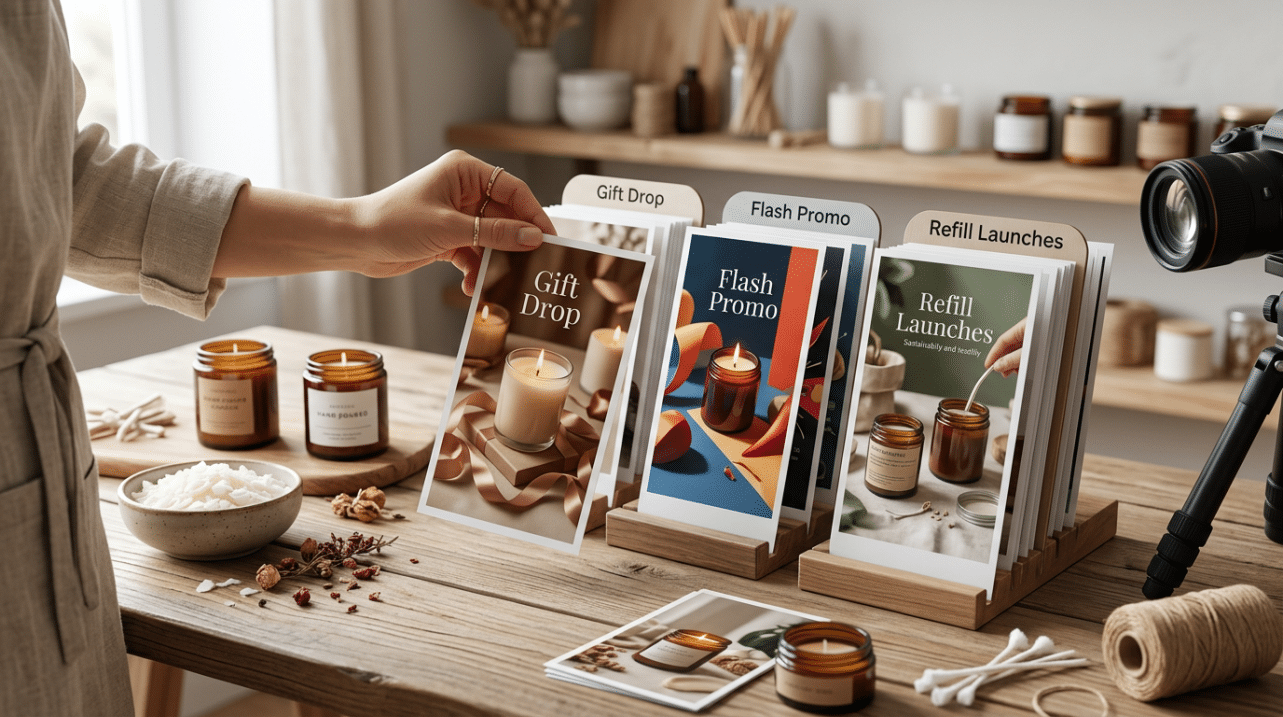
If you sell candles in rotating scents, bundles, or seasonal collections, saved product assets and avatar setups through Product Library and Avatar Library make recurring promos easier to batch. That cuts down the slowest part of the work: gathering the same materials again every time a promo window opens.
A few common use cases look like this:
- Holiday gift push: Reuse your strongest gift-ready candle listing and change the hook and CTA for the season.
- New scent release: Keep the same Story structure and update the product signals and mood angle for the new launch.
- Low-stock reminder: Generate a shorter urgency-focused version without rebuilding the ad from the beginning.
That’s where the workflow becomes genuinely useful. Less tool switching. Less repetitive setup. More consistency from one weekly promo to the next.
Start With Your Most Proven Listing, Not Your Hardest Product To Explain
If you want better results, don’t start with the candle that always takes a long explanation. Start with the listing that already sells, already has strong visuals, and already communicates the offer clearly. That gives the ad workflow a better foundation.
There is one practical limitation: a stable internet connection helps, and results usually improve when the listing has clean copy and usable product images. AI can speed up the draft stage, but it still depends on the quality of the source material.
Keep the first test simple. Make one Instagram Story ad for your best-selling candle. Check it on your phone. Adjust the hook if needed. Then reuse that structure for your next gift drop, refill promo, or scent launch. That’s usually when the time savings start to show.