


Amazon’s fall hardware extravaganza dumped more than 20 devices across Echo, Fire TV, Kindle Scribe, Ring, and Blink. Alexa+ now supports just about everything, thanks to new AZ3 and AZ3 Pro chips for faster on‑device AI and Amazon’s Omnisense sensors for ambient awareness. For the full breakdown, here’s a complete expert rundown of how to secure all new models before stock and bundle promotions change.
How to Order the New Echo Devices, Bundles, and Colors
Preorders are up on Amazon’s Devices Store, the Alexa app, and voice shopping — just say “Alexa, preorder the new Echo.” Voice orders go to your 1‑Click settings, so double‑check the address and payment information in the Alexa app to prevent accidental shipments.
- How to Order the New Echo Devices, Bundles, and Colors
- How to Order Fire TV sets, the New Stick, and Accessories
- How to Order the New Kindle Scribe Line and Bundles
- How to Order Ring’s New Cameras, Power Options, and Plans
- How to Order Blink Outdoor and Mini 2K+ Indoor Cameras
- Pro Tips on How to Secure Early Units and Deals
- What Alexa+ and Omnisense Mean for Your Device Orders
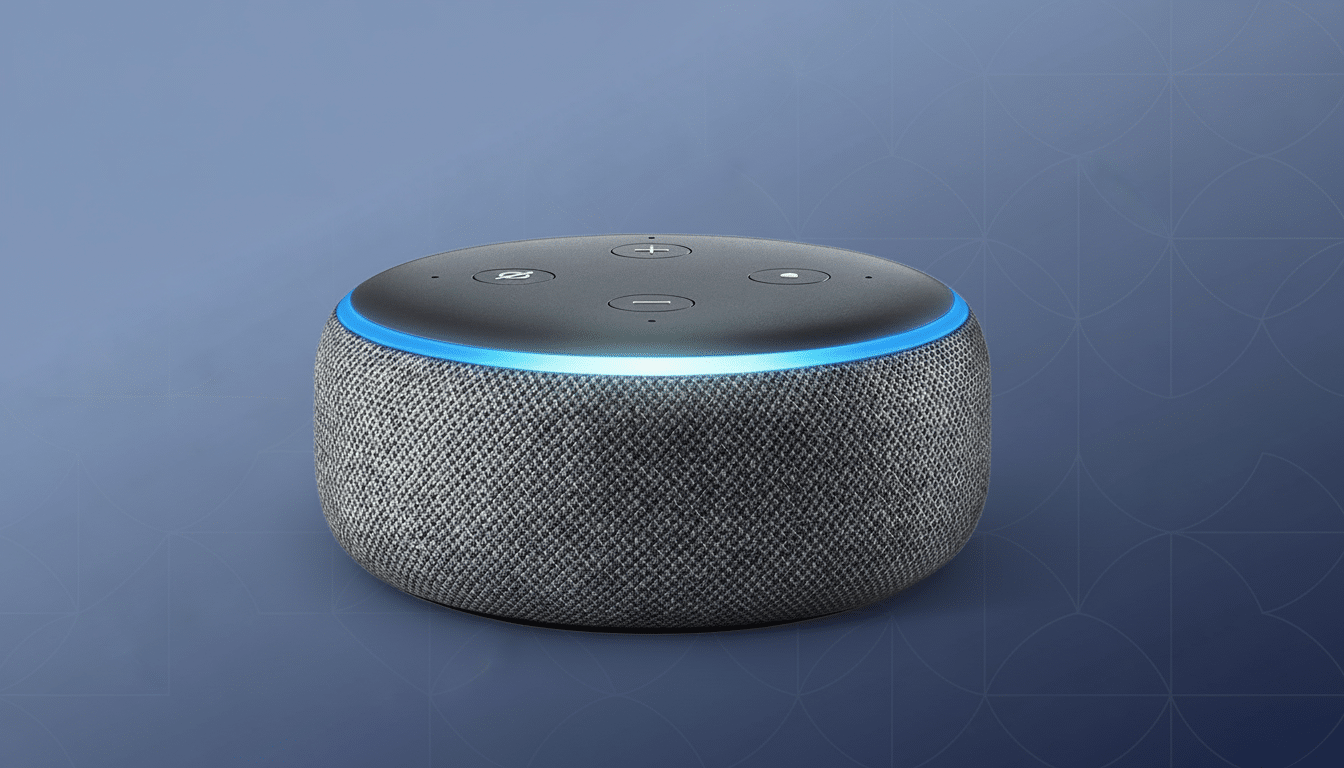
Pick your form factor first (speaker or display), then color and bundle. Each new Echo is powered by Alexa+ with AZ3 or AZ3 Pro silicon, upgraded microphones, and Omnisense for context‑aware routines. If you use multi‑room music, buy matching models for consistent latency, and include them in a speaker group when setting them up for a more polished first‑day experience.
Ordering tips:
- Check Echo trade‑in credits — Amazon frequently offers bonuses for older speakers.
- Choose bundles with smart bulbs or smart plugs to save on accessories.
- Compare ship windows across color options; popular colors can slip to later dates.
Analysts at CIRP note that Echo devices sell disproportionately, so early inventory waves may be snapped up during promotions.
How to Order Fire TV sets, the New Stick, and Accessories
Fire TV Omni QLED is the marquee model, now up to 60% brighter with more local dimming zones. The sizes go up to 75 inches. Select your size first on the product page, then add professional installation if you require wall mounting. Before you order, review these mounting checks:
- Confirm VESA compatibility for your mount (VESA pattern 75×75 to 200×200).
- Ensure the TV’s weight does not exceed your mount’s maximum rating, and that your stand or connector supports the load properly.
- Measure your space (width, height, and viewing distance) before you pay.
As a less‑expensive option, the Fire TV 2 Series includes HD screens in compact sizes while the 4 Series steps up to 4K; they both use a newer processor and include Alexa+ for speedy voice navigation. If you’re upgrading from an older model, consider adding a high‑speed HDMI 2.1 cable — there’s been a surge in support calls over this issue when it’s often one of the few things that can go wrong with today’s feature‑packed models, according to retail service data shared at CES.
The Fire TV Stick 4K Max will also have HDR10+ support and will run on the new Vega operating system. If you order, double‑check that you’re picking the correct model (not prior‑gen sticks) and the version of remote you prefer. Delivery estimates may vary by region, so compare shipping options on the final page before you check out.
How to Order the New Kindle Scribe Line and Bundles
The newest Kindle Scribes feature a larger 11‑inch display, two grayscale models, and the new Amazon Kindle Scribe Colorsoft with color E Ink on a big screen.
- Color: Ideal for textbooks, comics, and multi‑color markups.
- Grayscale: Best for longer battery life with a crisp reading experience.
On the product page, select storage according to your library and PDF workflow — margins in PDFs, handwritten notes, and imported documents can start to eat up space. Try a bundle with folio cover and pen; they tend to be priced lower than purchasing separately. Trade‑in credits for older Kindles are frequently available, and publishers told the Book Industry Study Group that annotated reading is on the rise, so the Scribe is a good student and knowledge‑worker pick.
How to Order Ring’s New Cameras, Power Options, and Plans
Ring’s new models bring 4K recording and AI‑assisted functions, including Retinal Vision image optimization, advanced pet‑finding tools, and Alexa+ improvements for familiar‑face recognition and doorbell greetings. Some features will be available after launch, so visit each listing’s “What’s new” section to see when they’ll have what you want before buying.
Start by selecting your power option:
- Battery: Flexible placement in any room of the home.
- Plug‑in: Easy install with continuous power.
- Wired: Most reliable connection and top performance.
If you want cloud video history, you will need to add a Ring Protect plan at checkout (and some features are limited without it). Consider spotlight vs. floodlight models for doors and backyards, depending on how much coverage you need and your brightness preference.
Privacy and compliance are important: set motion zones and recording preferences from day one. Consumer advocacy organizations and city privacy boards tell buyers to check local rules about audio and video recording, particularly in shared spaces.
How to Order Blink Outdoor and Mini 2K+ Indoor Cameras
Blink Outdoor 2K+ builds on earlier benefits, offering a step up in resolution and low‑light performance and the best audio for any Blink camera so far, while maintaining the impressive battery life and weather resistance customers expect from Blink Outdoor. Pair with additional systems and integrate with the Blink XT2 one‑cam system for other areas inside your home.
The Blink Mini 2K+ is intended for indoor viewing; combine a pair of Minis with the new Blink Arc mount to create a 180‑degree panoramic view in a single feed. Just make sure to add the Arc mount to your cart because you’ll need it for the camera’s panorama feature. You don’t have to subscribe, but cloud clips and advanced alerts might require a Blink plan.
Pro Tips on How to Secure Early Units and Deals
For the most promo eligibility and speedier shipping, log in with a Prime account. Be sure to look at the product pages for limited coupons, launch bundles, and trade‑in offers because Amazon tends to cycle these through in waves. IDC’s trackers of smart home products show that launch‑week surges can empty initial allocations, so set stock alerts in the Amazon app and be ready to pounce when the specs you want resurface.
If you’d rather pay in installments, opt for Monthly Payments or Affirm at checkout. Compare total cost, including any interest. Big‑box partners occasionally match Amazon’s pricing; just compare return windows and delivery slots if you need in‑home installation on a Fire TV.
What Alexa+ and Omnisense Mean for Your Device Orders
Alexa+ with AZ3/AZ3 Pro offloads even more processing on‑device, decreasing latency and increasing responsiveness for smart home routines. Omnisense utilizes environmental sensors to control your home automation in a more intelligent way. Before you order, map where each device will live and what you want to do — motion at the front door for lights, Echo microphones for voice‑first kitchens, or Omni QLEDs to control your TV hands‑free — so you have the right mix the first time.
Bottom line: Preorder the one you want, trade in and bundle to lower the price, and check how feature timelines relate to each listing. For the 2025 lineup, Amazon has brought Echo, Fire TV, Ring, Blink, and Scribe into lockstep around the same AI heartbeat — ordering smart means calibrating that capability to your home from day one.