


Our new flagship hasn’t even quite made its way into pockets, and we’re already talking about scratches, scuffs, and that telltale MagSafe ring. Many of the marks that people are seeing aren’t even scratches, according to Apple, but a “material transfer” that can be rubbed away. For some smears/blotches that may be true, but I’m not leaving the state of my phone’s finish up to wishful thinking. Here’s the specific way I’m defending my iPhone 17 Pro Max against “scratchgate,” and why this is relevant even if the official advice tends to sound comforting.
I want nothing more than to cut back on friction, regulate debris, and rein in high-pressure contact points. That philosophy has grown out of years of testing accessories, reading teardown reports, and paying attention to how magnets, coatings, and pocket grit behave in their natural habitat.
Why marks show up so fast on new MagSafe iPhones
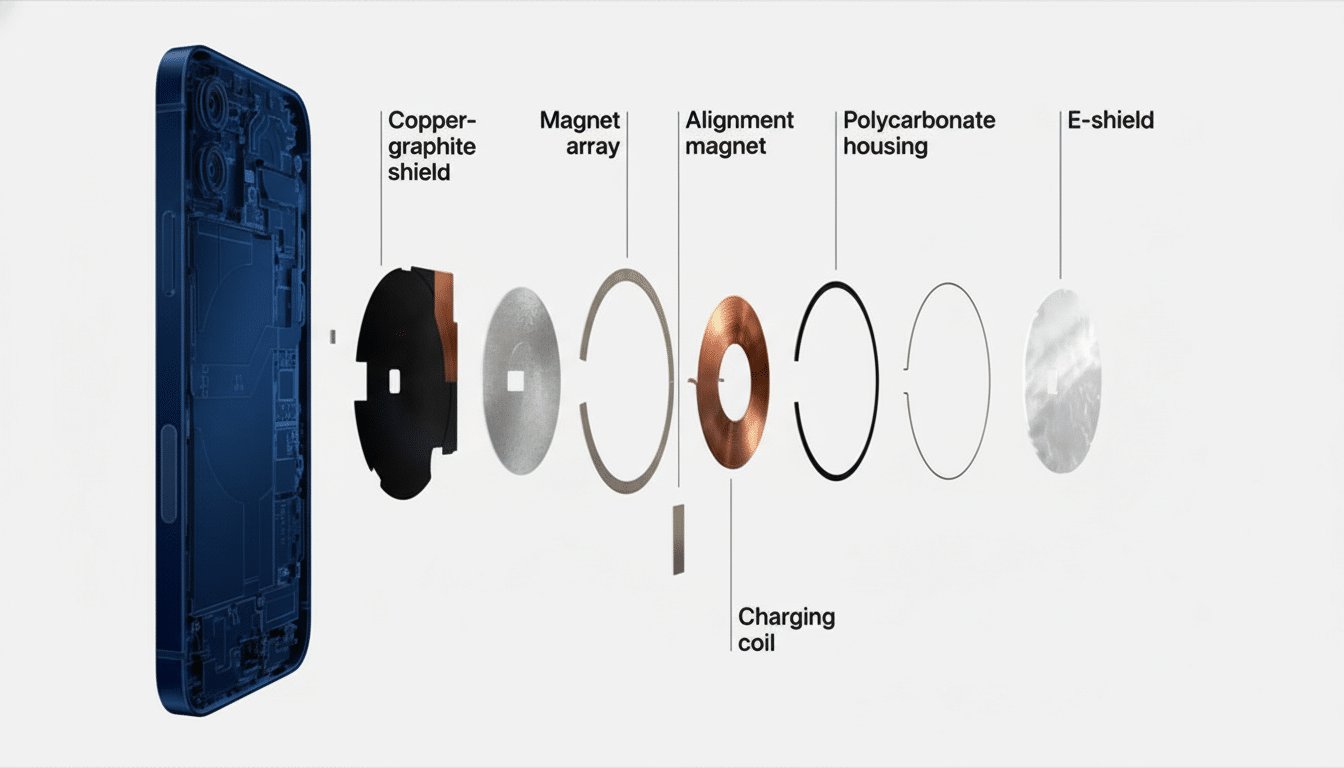
Magnets are debris magnets. The MagSafe array focuses force through a narrow ring, and any fine particles that get caught between charger and glass can serve as abrasive. iFixit’s repair experts have long said that today’s phone finishes are multilayer coatings and color treatments; they can be durable, but no coating is immune to hard particles grinding against it. Store demo units make the out-of-whack issue seem overblown, as they are docked and undocked hundreds of times a day.
9to5Mac reported that Apple said many “scratches” around MagSafe are actually transfer from stands and can be cleaned. That transfer of polymers and/or dyes is indeed quite common, and Danyluk, a speaker for the inks section of FlexoTech magazine, said it was removable. The downside is that the ferrous dust found on desks, in bags, or caked onto chargers can score the finish before you even realize it. In independent drop and durability tests, for example those done by Allstate Protection Plans, glass and coated surfaces have proven tough but not invincible; actual abrasion is cumulative and irreversible.
My Day One Protection Plan to Guard the Finish
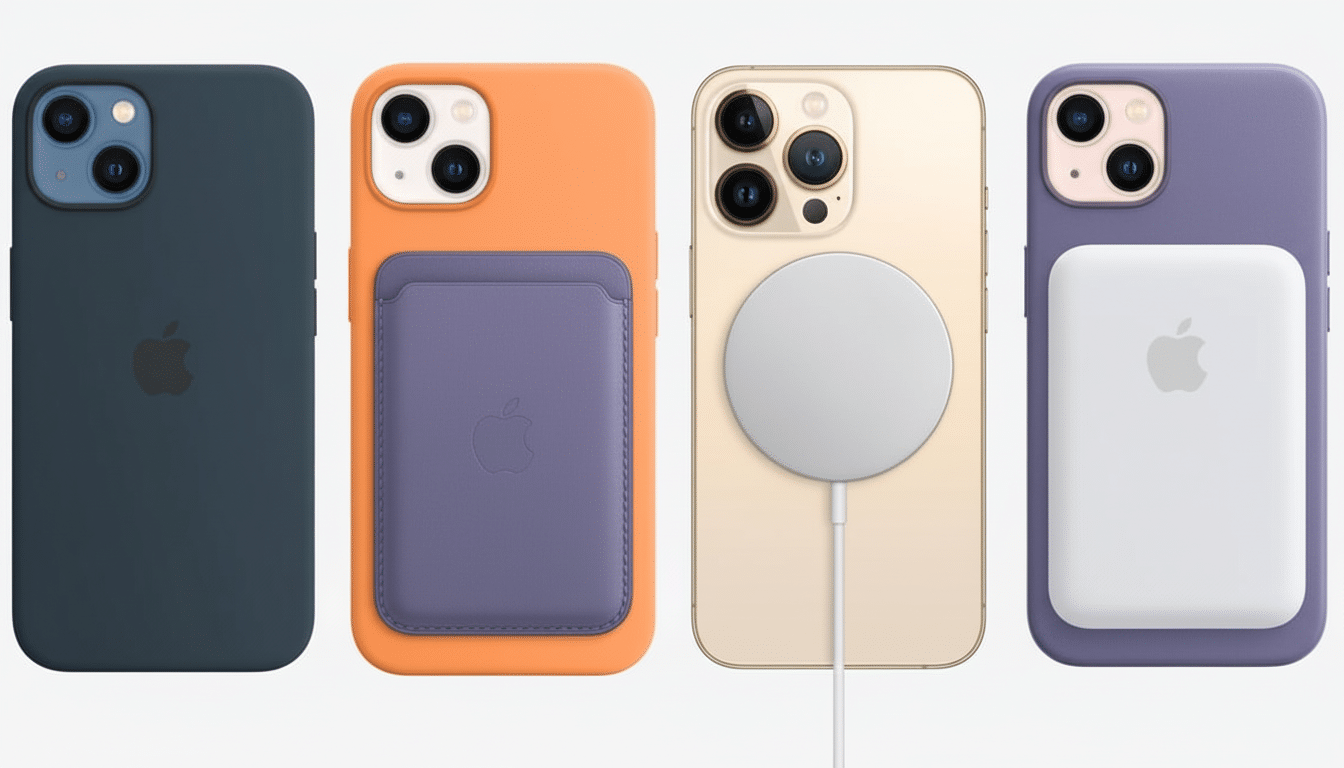
Select a case made of the correct materials, not just with the proper look. I want microfiber inside, a stiff polycarbonate back to help spread pressure, and a slightly soft TPU bumper that helps absorb torsion. A raised lip around the camera plateau stops the lens surround from rubbing on tables and stands, which is where micro-scratches begin.
Put a thin back film in the case. This isn’t about drop protection — it’s a sacrificial layer to intercept pigment transfer and micro-abrasion from dust that somehow manages to slip past the case. It’s not visible once applied and costs a fraction of what a refinish or replacement of the rear glass would be.
Apply tempered glass to the screen. “9H” on packaging is pencil hardness, not Mohs, but good protectors should increase scratch resistance to everyday pocket stuff and allow for easier cleaning. A decent protector also means you can wipe it with an alcohol-based household solution without worrying about the oleophobic layer on the display itself.
MagSafe hygiene and charging habits to reduce wear
Scrub the charger, not just the phone. Once a month, I clean off my MagSafe puck with a 70% isopropyl alcohol pad followed by a dry microfiber. If it’s been on a workbench or in a cafe with metal shavings, grit—I take care to give it the equivalent of a rinse posthaste. Magnets love to grab hold of microscopic iron filings that you can’t see till they’ve burned a ring into it.
Avoid sliding contact. Instead of “snapping” the phone onto a charger and letting it find the center while sliding around on top, I hover, align, and set it down straight. That half-second habit shift decreases lateral abrasion enormously.
Diffuse pressure when possible. Fabric-fronted stands or cases with an integrated MagSafe ring will spread the load, so there’s not one ridge doing all of the rubbing. When I’m at my desk, on the other hand, I switch between wired charging and MagSafe in order to limit daily repetition of compressive contact on the back glass.
Daily carry and cleaning to prevent micro-scratches
Assign the phone its own pocket. Keys and coins are generally hard steel and nickel-plated brass, both harder than any coating and quite capable of scuffing some glass. I also try never to set the phone on a stone or wood table, face down or back down, where dust can be hiding.
Use microfiber, never paper. Paper towels can have wood fibers that will scratch coatings. I carry a small microfiber cloth in my bag for fingerprints; for something more, a lightly damp cloth followed by a dry buff keeps the oleophobic layer (and the case finish) clean.
Do a five-minute weekly teardown. I pop the case off, rinse it under warm water, and wipe down the edges of the phone and camera surround. That’s a short regimen that’ll kick out grit before it takes up permanent residence in the wear lines along the rails and camera plateau.
What Apple Says And Why I Still Tread Carefully
Apple is right that with material transfer, some “damage” is residue. But once sand particles create microscopic scratches, you can’t clean your way out of physics. Consumer advocacy firms and recommerce markets frequently emphasize that cosmetic status influences resale value; double-digit percentage reductions in offers are common for devices graded as worse than “good.” (Prevention is cheaper than replacement — or lost value.)
Quick checklist for keeping your iPhone looking new
- Choose a microfiber-lined, MagSafe-compatible case with raised lips for the screen and camera, along with snug button coverage.
- Put a back film to the edge and one hard glass protector on the screen.
- Wipe down MagSafe pucks and stands frequently; don’t slide your phone during alignment.
- Keep the phone by itself in one pocket; wipe clean with a microfiber cloth once a day.
- Do a weekly case-off clean to get rid of trapped dust before it abrades the finish.
I can’t promise a forever showroom finish, but with some clever accessories and habits, I’ve got my iPhone looking like new and I’m dodging scratchgate entirely — no drama necessary.