


I combined two powerful AI tools to track down and resolve a devastating performance bug in a WordPress plugin. Neither could crack it alone. The key was when I broke down the job into two parts — one AI that diagnosed problems across the entire system, and another that implemented a specific fix — while I provided the context, constraints, and judgment that machines are still without.
What Went Wrong And Why It Was So Hidden
The bug was hiding in the open. On my dev box, WP admin, after sitting idle for a bit too long, would once or twice hang for 15–20 seconds. Annoying but ephemeral, and difficult to replicate. But on a still-live server serving real traffic and now running the new build, it went as slow as molasses; clicks would stall for seconds or even over a minute. I couldn’t even get to the plugin screen to disable it, had to delete the files at the server level to bring back the site.
That contrast was the clue. Traffic was low enough to suppress the issue; actual traffic exacerbated it. The production environment invariably throws up everything that your test environments smoothed over, which is why shipping discipline—staging, canaries, and rollbacks—is still non-negotiable in the world of modern software operations.
Splitting the Work Between Two Complementary AI Systems
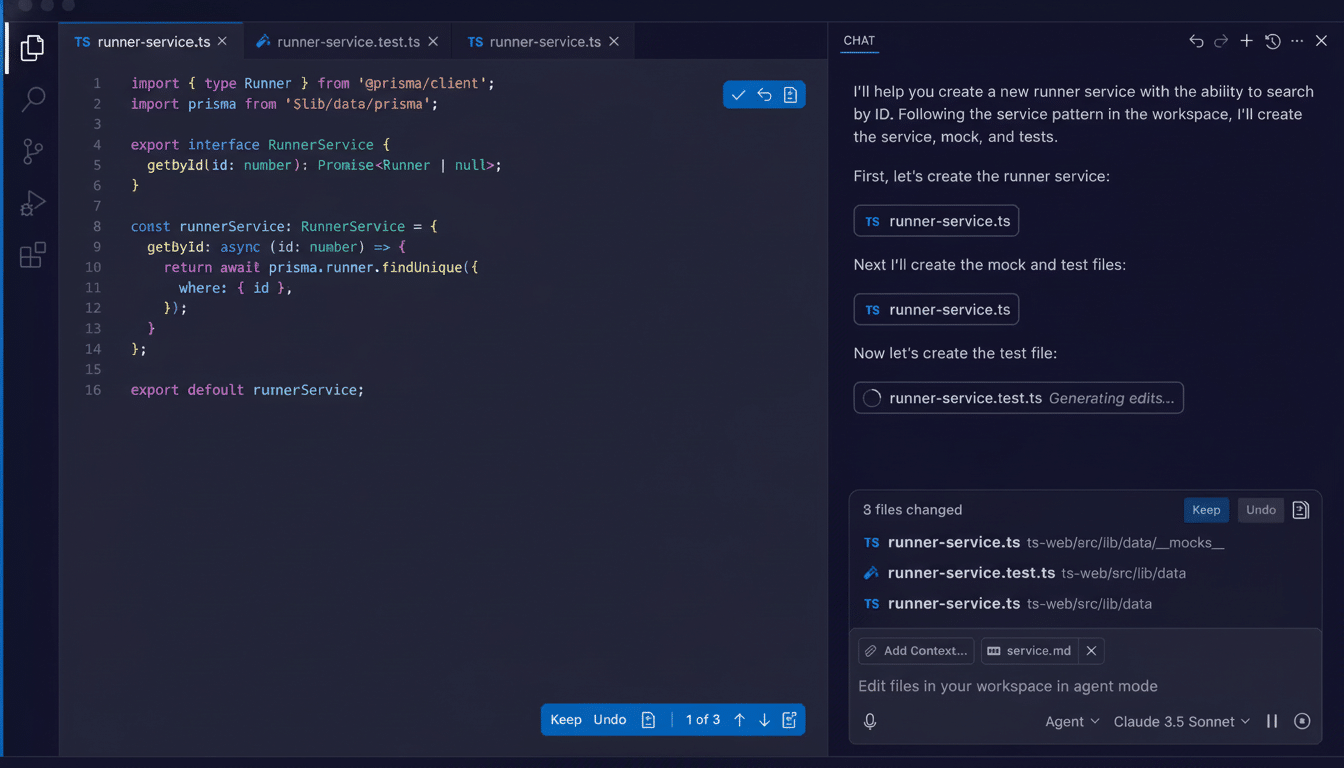
My code assistant, while tuned for writing and refactoring (think tools in the GitHub Copilot or OpenAI family), was great at producing on-demand diagnostics. I told it to instrument WordPress startup, log hooks, time every call. The traces looked clean. No smoking gun.
So I leveled up to an AI that thinks in terms of research—able to read large repositories, reason about diffs, and even posit system-level hypotheses. I paired it up with the current repo and a stable, but widely deployed previous version. Then I asked this question: “Just tell me only the difference between two such maps of the known-good release that resulted in a new build which locks the server. Give preference to anything that runs per request.”
That framing paid off. The search agent turned up a check of what looked a bit like pathological behavior: the plugin was poking at the robots.txt file on every web request to determine if it should load certain features. On high-traffic sites, that extraneous I/O left the PHP interpreter starving for I/O and choked up the server. It was barely a blip on my quiet dev box.
This “always-on check” pattern is an old trap that can cause a ton of performance problems. It seems benign running it in isolation; however, it explodes magnificently under concurrency. GitHub’s own research instruments have shown that AI code assistants can help developers accomplish tasks 55% more quickly on work honed for it; and speed is just the sort of thing that needs to be coupled with systemic scrutiny.
The Loop Was Closed by the Human Judgment
With the diagnosis in hand, I went back to the coding assistant and identified the fix narrowly: calculate robots.txt status once with caching, provide an admin screen for changes to server settings. No per-request calls. No hidden loops. I wanted explicit caching, I wanted invalidation rules, and I still wanted telemetry to validate under load.
The initial patch worked, but still hit too many code paths. After a few iterations, the aide returned with a slim, stand-alone fix. In production, the site was responsive for days. Issue closed.
Lesson: the tools moved fast when I defined scope, acceptance criteria, and operational guardrails.
Machines iterate; people arbitrate. McKinsey has calculated that generative AI could add trillions of dollars in annual productivity, but those gains depend on humans to frame the problem and choose the boundaries, and to validate the result.
What This Approach Really Means for Software Teams
As codebases expand, along with their numbers of dependencies, no single person can be an expert in everything. One is great at synthesis and search over large contexts; another is flashy in its precise code generation. Think of them as specialty teammates—a systems analyst and implementation engineer, respectively. Google researchers have found that AI tends to magnify existing workflows, whether good or bad, so structure the work to channel that amplification productively.
It’s also a problem of memory. Many can’t remember sessions; none have anything like a lasting ownership of architectural history. Likely they will hallucinate root causes or miss regressions unless you give them tight prompts, concrete artifacts, and bounding comparisons. The results of the Stack Overflow Developer Survey suggest AI offerings are being widely taken up, but also that resistance remains when it comes to correctness and verification (the very opening the human-in-the-loop fills).
Steps To Reproduce The Workflow On Your End
- Begin with a coherent symptom profile and known-good baseline. Package both the new build and the stable build so the research agent can diff behavior, not just code.
- Question the research agent with hypothesis-first prompts. For performance bugs: “Find the code that was introduced since the last stable release which runs per request, per hook, or in global scope that’s causing it to slow down.”
- Translate the insights into focused, testable concepts for the coding assistant. Define caching behavior, invalidation rules, and observability. Require minimal surface-area changes.
- Validate under production-like load. Verify that the fix has the expected behavior per logs and application telemetry to confirm that it is doing what the code says it should do.
The Bottom Line on Pairing AI Tools with Judgment
Two AIs solved a gnarly bug, but only after I framed the question, curated the evidence, and constrained the fix. That’s the human loop — problem shaping, risk awareness, and verification — that turns a couple of clever models into a robust engineering workflow. The future isn’t AI replacing developers; it’s developers orchestrating the proper AIs at the right time to ship faster without breaking what matters.