


Google is introducing an AI-powered ransomware defense to commercial Google Workspace customers, enabling real-time detection and quick recovery of files synced via Drive for desktop on Windows and macOS. The feature detects key signs of an attack and pauses syncing before corrupt files get shared with everyone who has a copy of the file via the cloud, and it enables users and administrators to roll directly to clean versions in minutes as they would any others — you may have its cache on your local machine that could be triggering such a ransomware-triggered corruption.
Here’s What Google Is Rolling Out for Workspace
The new feature brings an always-on ransomware detector to the enterprise version of the Drive for desktop utility. When the client sees suspicious behavior on a device — for instance, a rapid series of file changes that fits mass encryption — it puts sync on pause and warns the user. The objective is straightforward: halt the spread, retain clean versions in the cloud and reduce the path to recovery.
- Here’s What Google Is Rolling Out for Workspace
- How the Detection Works to Halt Ransomware Spread
- Recovery and Admin Controls for Quick Restoration
- How It Compares to the Competition in Cloud Sync
- Why This Is Important for Enterprises and Security Teams
- Practical Takeaways and Caveats for Rolling Out the Beta
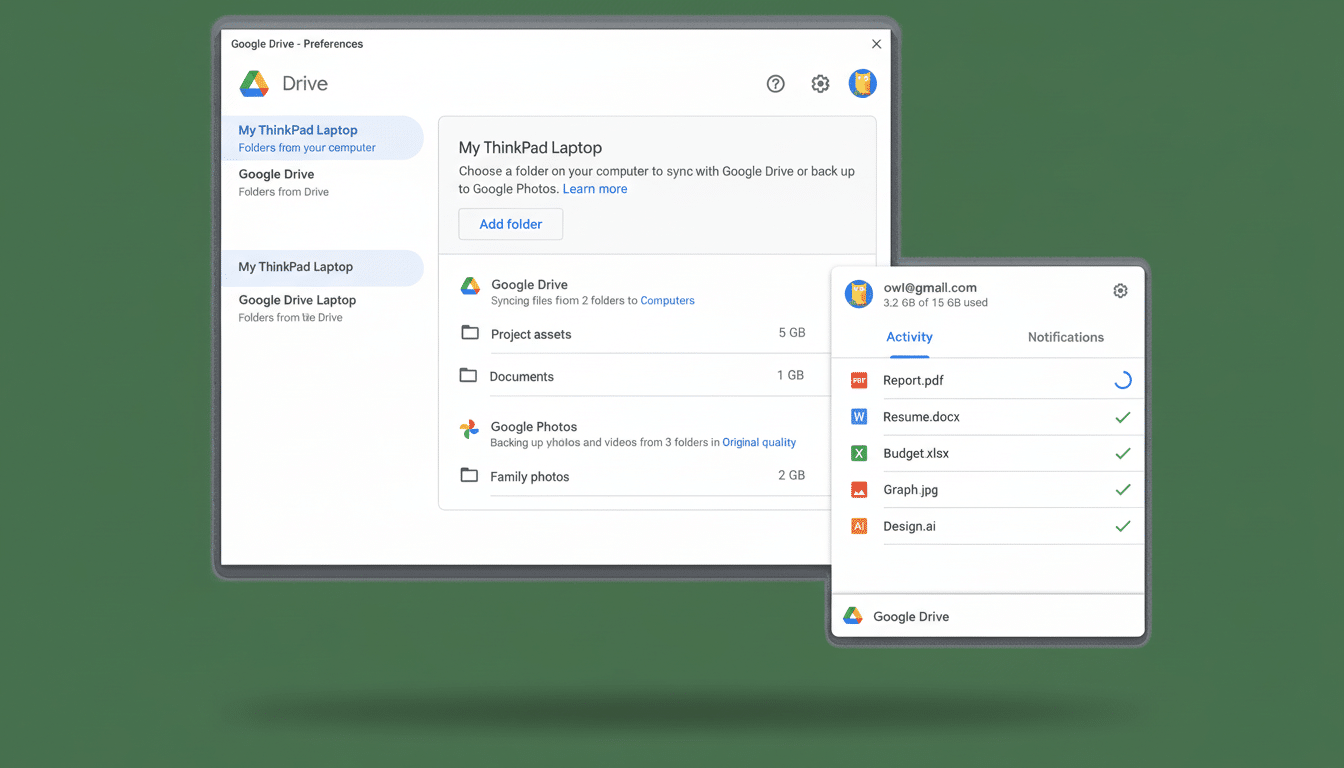
Behind the scenes, Google says its model has been trained on millions of real-world samples of ransomware shared through its VirusTotal ecosystem to ensure it can pick up patterns and signals that are typically associated with modern strains. The feature is free for commercial Workspace plans, but comes as a beta. It is turned on by default, but administrators have the option to disable the feature or restrict who can use restoration tools.
How the Detection Works to Halt Ransomware Spread
Legacy defenses hunt for known malware signatures. This is a behavior-driven approach: The AI keeps an eye out for high-entropy file rewrites, rapid-fire renaming, extension mismatches and the like that tend to come along with ransomware’s routine. When the client crosses the risk threshold for that, it stops syncing the files so that you don’t seed their cloud with encrypted versions and brings forward a big warning.
That pause is critical. In a lot of cases, ransomware damage is compounded when endpoints sync corrupted files to shared drives, resulting in a secondary blast radius that eradicates good versions too. By breaking the pipeline at the desktop, Drive preserves decorated copies sitting neatly on it, avoiding the immense risk of enterprise-wide data loss and extended downtime.
Recovery and Admin Controls for Quick Restoration
Once an incident is flagged, users can shift back and revert to any clean versions from Drive using a guided flow that streamlines how multiple files can be rolled back to their last known limber state. And, because Google keeps version history in the cloud, teams frequently restore without needing to rely on offsite backups or forklift restores.
Security teams aren’t in the dark. Admins also are sent alerts and can access audit logs that show the extent and timing of suspicious behavior. They can apply policies to the restore, limit rights of restoration, or disable end-user actions via the Workspace console if centralized response is desired. The all-in addition at no additional cost also makes it possible to standardize coverage across departments without the friction over budget.
How It Compares to the Competition in Cloud Sync
Ransomware resilience is becoming accepted as table stakes for cloud file platforms. Microsoft OneDrive for Business includes ransomware detection and recovery assistance, as well as the ability to return to known good states across files. Dropbox offers ransomware detection as a security add-on available on some tiers and bundles it in the higher-priced enterprise plans. Google’s approach is to embed an AI model based on VirusTotal intelligence directly into the desktop sync client, and turn it on by default for commercial customers.
Comparisons, feature-for-feature, will come down to how fast a system can respond and at what false-positive rate — not of tools alone but also regarding depth of rollback or how well they are able to fit into an enterprise’s existing security operations.
For many groups, the question comes down to how early in this process they want the platform to intervene and whether it can prevent clean versions from being adulterated — a gap that Google is trying to fill at the desktop edge.
Why This Is Important for Enterprises and Security Teams
Ransomware continues to top the business risk charts, with investigations from incident response firms and law enforcement agencies pointing out that attacks can lead to multi-million-dollar impacts, long periods of downtime and severe operational consequences. Hospitals, manufacturing plants, local administrations in town and city halls, schools and professional service businesses have all suffered from disruptions to patient care processes and production lines along with some very public data breaches.
The FBI’s Internet Crime Complaint Center reports consistently feature ransomware as a perennial problem, and industry analyses from organizations like Coveware and Sophos show how quickly attackers change strategies. With the commoditization and automation of attacks, early detection and fast rollback become more important than ever. Google’s behavior is indicative of an industry-wide trend toward proactive containment within the sync boundary, as opposed to reactive cleanup.
Practical Takeaways and Caveats for Rolling Out the Beta
Organizations should stage-roll the beta, calibrate alerting thresholds and verify restore workflows work with real business data. Plan for exceptions: Valid bulk encryption jobs, batch file operations may look like malicious traffic and should need proactive allow lists/policies. Make sure retained versions match recovery requirements and allow administrators to easily change direction from detection to response.
No single control stops ransomware. Endpoint protection, phishing resistance training, least-privilege access, immutable backups and tested playbooks still count. But an AI-powered brake at the sync layer diminishes (though doesn’t eliminate) the risk that one infected laptop can poison all those shared files across an entire organization — and that, sometimes, makes for the difference between a near-miss and days of outage.