


Point your phone at the world and say a question out loud, then see search results start to roll in as you talk.
Google’s latest Search experiment takes your camera and microphone and turns them into a live query, submitting thumbnails of voice commands alongside search results in one seamless interaction — no app required!
- How Search Live works in Google’s mobile app experience
- What’s changed from Gemini Live and why it matters
- Real-world scenarios you’re actually going to try
- Under the hood, a fresh search feel and multimodal tech
- Privacy, safety, and reliability considerations explained
- Availability by platform, regions, and how to try it
How Search Live works in Google’s mobile app experience
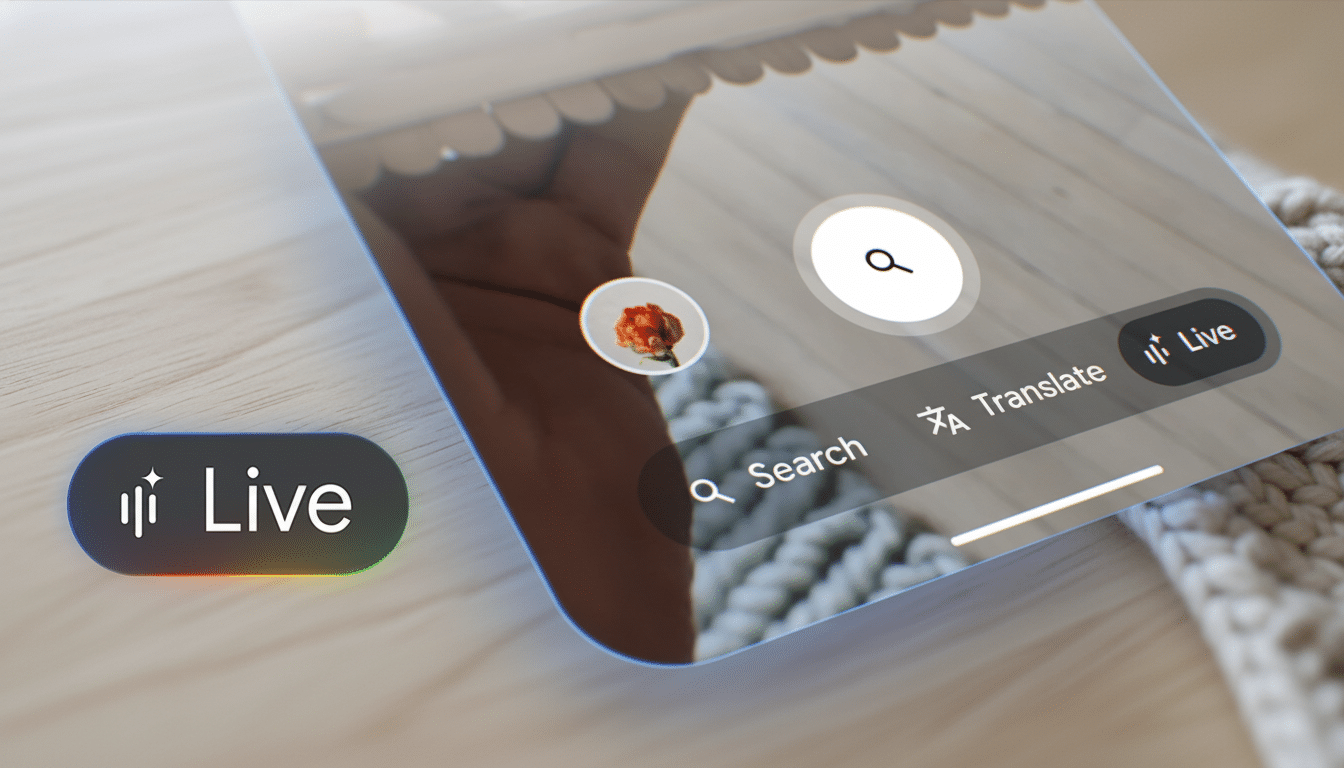
Search Live lives in the Google app, along with Lens. Rather than snapping a photograph, you tap the Search Live option and launch into a live video feed. While you’re chatting — “Which of these snacks is best for a long hike?” or “How do I fix this fan?” — Google processes what is in the frame, interprets your question and responds with an answer spoken aloud, while also presenting on-screen tappable links.
And critically, those are real Google Search results. In the familiar card format, you also get source links, shopping pages, help articles and forums so you can dig deeper or verify the guidance. Call it the assistant’s speed with search’s responsibility.
What’s changed from Gemini Live and why it matters
Gemini Live is designed as an open-ended conversation with the AI model. Search Live is optimized for web search. Which is a distinction that matters: Search Live prioritizes retrieval and ranking, shoving authoritative links forward — live — as it talks back. If you would like sources, prices, reviews and how-to pages next to a quick verbal summary, Search Live is the lane.
There is also a practical edge: no need for a paid tier or separate destination. It’s the Google app you know and love, now with a live multimodal search mode.
Real-world scenarios you’re actually going to try
- Product triage: Point to three energy bars and ask, “Which is high protein and low sugar for post-run recovery?” Search Live can scan labels in view, discuss trade-offs and show nutrition guides and shop links.
- Quick fixes: Zero in on a wobbly pedestal fan and inquire, “How do I tighten this?” As tips, step by step, come your way, repair threads and manuals materialize on the screen.
- On-the-spot comparisons: In a store aisle, pan across two routers and ask which one supports Wi‑Fi 6E and then dive into reviews and retailer listings.
- Context-savvy identification: Like Lens, it can recognize the name of a plant or sneaker; but here you can ask follow-up questions straight away — “Is this OK for pets?” “Are there cheaper alternatives?” — and find source links to gardening sites or marketplaces.
- Accessibility support: For those who prefer to use voice rather than typing or to receive info with audio and visual reinforcement, a live conversational video search lowers the friction. Multimodal tools, advocates have long noted, could reduce barriers for people with dyslexia or motor impairments.
Under the hood, a fresh search feel and multimodal tech
It is an exercise in multimodal understanding: the system maps what the camera sees to a set of entities and attributes, and then executes a query that fuses your voice prompt with visual cues. Unlike a static photo, the stream allows Search to iterate as you move, updating results if you zoom in on a label or angle toward a model number.
Google has noted that visual search already powers billions of monthly queries through Lens, and Search Live is a natural evolution — moving from “point-and-snap” to “point-and-ask.” It also underscores Google’s retrieval-first approach: AI for understanding, search for sourcing.
Privacy, safety, and reliability considerations explained
Live video presents new privacy questions. Google gives you some basic controls: You can mute the mic, pause the camera or exit the meeting at any point in time, and control who’s active on your account via account settings. The Azure Kinect SDKs can record to local storage in the camera and upload data at a later time, which is helpful when you want to try recording in sensitive or personal environments — things that have been prohibited with cloud-based features in general.
Like any AI-inflected experience, answers can lack nuance. The good news here is that this feature is verifiable — because Search Live serves up ranked links as you talk, guidance can be cross-checked with manuals, expert forums and publisher sites. That mix of AI context plus citations is an essential guardrail.
Availability by platform, regions, and how to try it
Search Live is launching in the Google app on Android and iOS. Find the camera icon (Lens) and select Search Live to begin a session. It’s free to use, and availability will depend on where you’re at when using it (and in what language) as Google rolls out support.
If you’ve ever wanted to “show” your search instead of describing it, now’s the time. It won’t be a replacement for typing, Lens as it exists today or Gemini’s more elaborate chat — but it makes the physical world searchable at conversation speed with sources you can tap and trust.