


Google’s Recorder app can do something surprising now that it lives on the Pixel 9 processors: generation of music, courtesy of AI. A feature that arrived with the Pixel 10 is starting to reach last year’s Pixel models in an in-app prompt for the creation of music. The expansion appears to be all but confirmed by Google’s recent changelog and updated support documentation.
It’s a nice cap to an impressive run for Recorder, which has developed from a straightforward voice memo utility to a sort of Swiss Army knife for audio. It already gives you live transcriptions and AI summarization; now, it’s widening the list of languages for which Pixel 8 and newer models will generate a summary. Meanwhile, the company is re-labeling its “Clear Voice” setting as “Auto Clear Voice,” a suggestion that it might be adopting a more automated approach to speech enhancement.
What Music Generation Brings to Recorder
Recorder’s music creation is geared toward spurts of creativity, rather than full-on track production. In the app, users make short musical snippets to go with voice notes, interview bites, or personal memos, based on their text and instrumental selections, converting plain recordings into shareable drafts. It’s not so much that it wants to be a DAW killer as it wants to provide you with a musical bed without leaving your notes workflow.
Think of it like a sketch pad: you tell the page an idea, sing out a very basic sort of backing track, and dispatch to collaborators in minutes. For podcasters, students, and reporters, it translates to quicker turnarounds of demos and drafts. With highlights and transcripts, Recorder is turning into a lightweight pipeline from capture to concept.
Rollout details and availability across Pixel devices
Early signs indicate that this is a server-side update. A number of Pixel 9 owners are reporting seeing the feature even on older app builds, so you may not actually need a separate version bump to have it show up.
The best way to do so is by updating Recorder in the Play Store, opening the app, and keeping an eye out for the banner about music creation. Like a lot of Google feature rollouts, it’s coming in waves and will depend on your location.
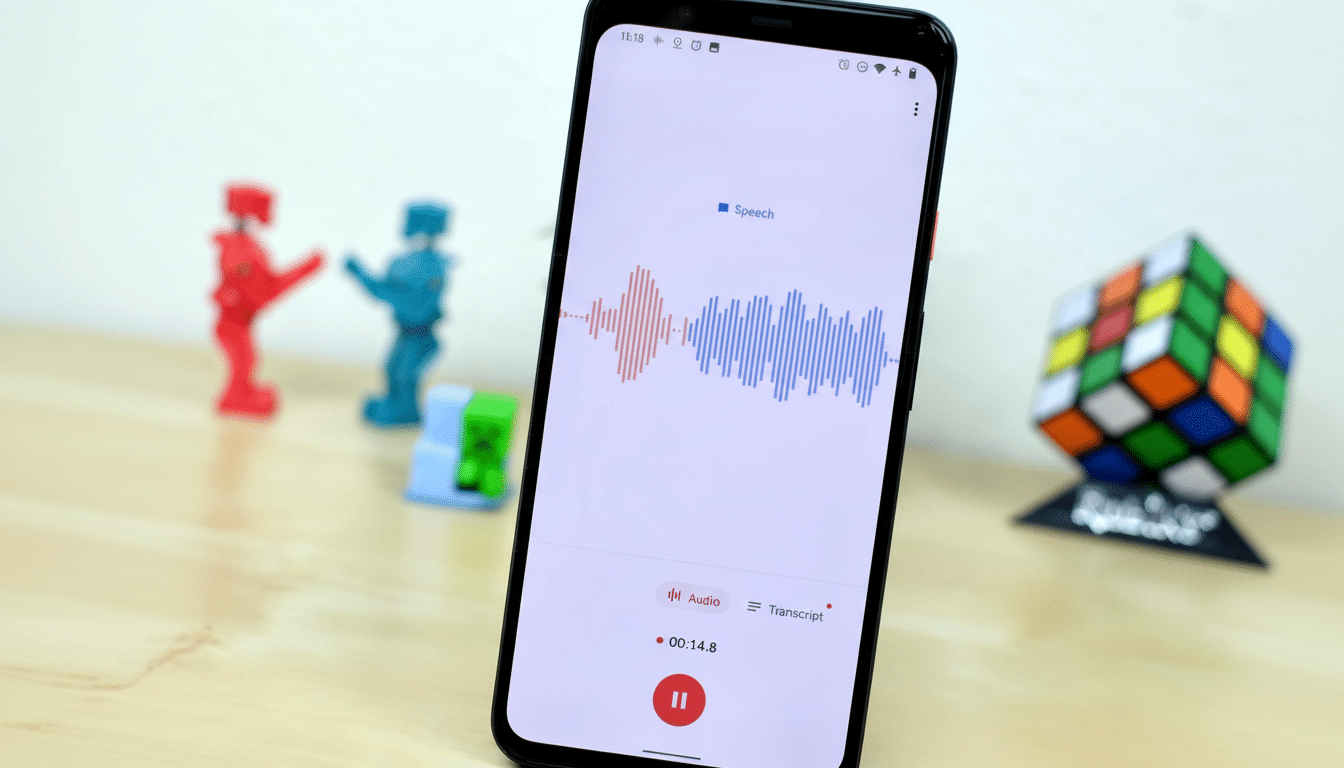
Google’s support pages now list music generation as a feature on Pixel 9 and Pixel 10 devices. Summary language expansion is listed for Pixel 8 and above. If it isn’t there already, it generally complies with the same staged rollout framework as Pixel Feature Drops and server-side flags.
Context in Google’s broader Pixel AI strategy today
This move is right out of an old playbook: introduce a marquee feature to the newest phone and backport it to recent models once initial buzz has dissipated. It allows Google to feature some of its flagship innovations on the new device, while giving a prize back to owners of last year’s phone. Recorder in particular has been a stage for the best kind of AI-now, with real-time transcription that helped set Pixel apart and summaries that make it easier to review.
Google has put responsible AI and helpful on-device features at the forefront of all Pixel devices. While the company doesn’t break down every architectural detail for each one of these tools, Recorder’s North Star is clear: reduce the friction from capture to clarity — whether that’s cleaning up voice, transcribing speech (like Recorder’s first release), or creating an auditory layer to add deeper engagement through music.
What to watch next for Recorder’s evolving features
With Auto Clear Voice rolling out and music creation reaching broader owners, Recorder seems to be transitioning into a more automated, assistive editor. Look out for deeper integrations like smarter pairings of the generated music and the spoken cadence, richer options to export, and more language support for summaries.
The takeaway, for Pixel 9 customers, is that Recorder is no longer just about remembering what went on — it’s becoming a way of shaping how it sounds. If you use voice notes for brainstorming or preproduction, this upgrade might wind up cutting a surprising amount of time off your workflow.