


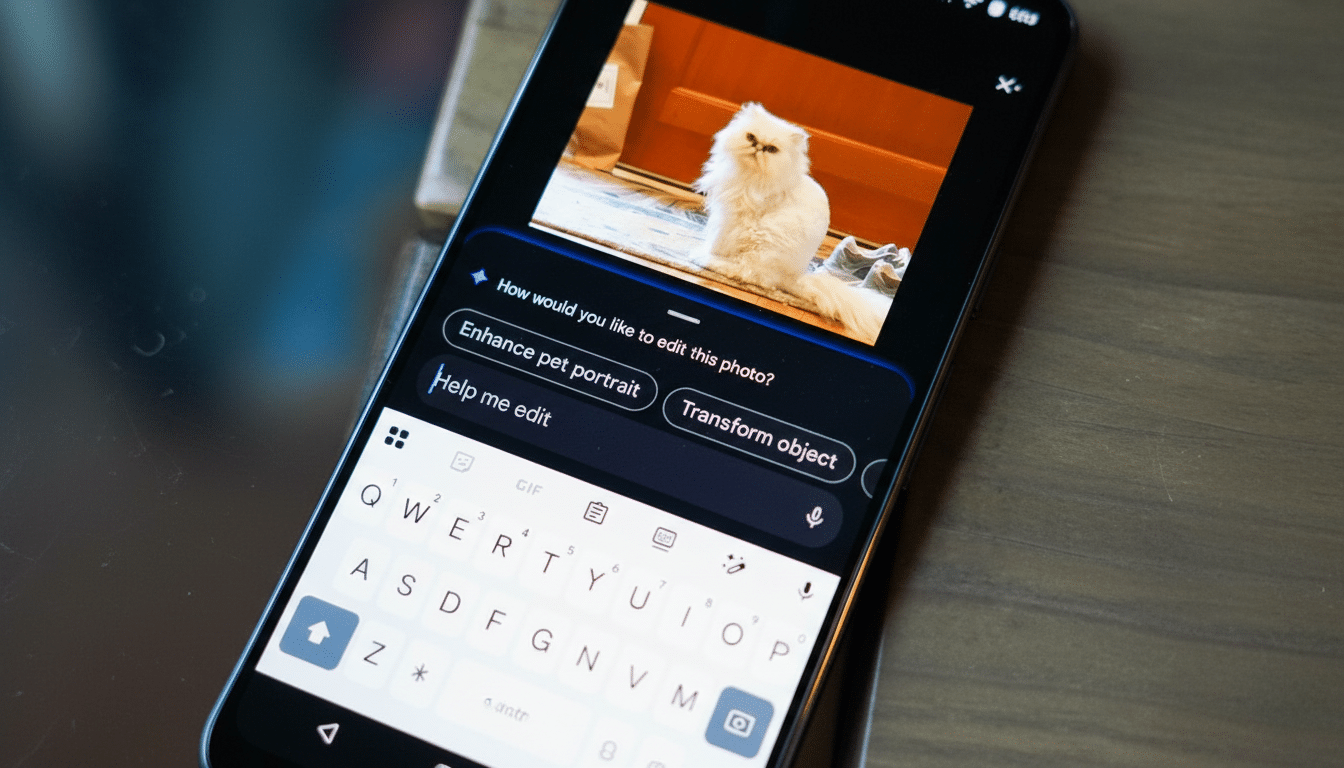
Google is widening access to its AI-powered, prompt-based photo editing in Google Photos, rolling the feature out to users in India, Australia, and Japan. The tool lets people type natural language requests—like “remove the scooter in the background” or “make the sky brighter”—instead of wrestling with sliders and layers. A “Help Me Edit” box now appears when users tap the edit button, offering suggested prompts and a field for free-form instructions.
What The New Editing Experience Delivers
Prompt-based editing is designed for everyday photos: cleaning up distracting objects, reducing blur, fixing exposure, or restoring old prints. It also handles more specific edits such as opening closed eyes, tweaking a subject’s pose, or removing reflections on glasses—useful for group shots and casual portraits that otherwise need multiple takes or advanced tools.
- What The New Editing Experience Delivers
- Where It Works And Available Language Support
- Why The Expansion Matters Now for These Markets
- Built-In Attribution With C2PA Content Credentials
- How It Compares In a Crowded Field of Photo Editors
- Early Limits And Practical Tips for Better Results
- What To Watch Next as Google Expands AI Editing
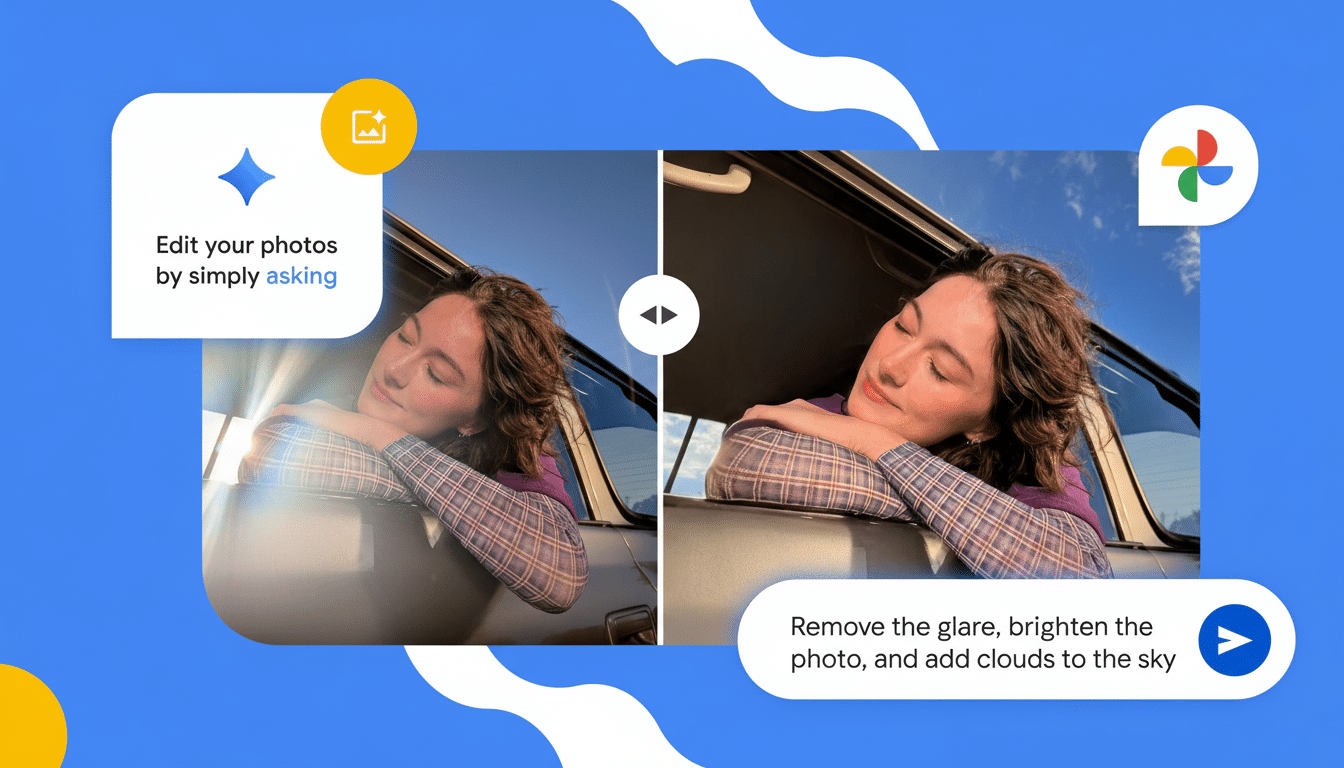
Google says edits run on-device, so images aren’t sent to the cloud for processing. That makes the feature feel faster and more private, and it means the experience is available even when connectivity is spotty, such as while traveling or backing up photos later.
Where It Works And Available Language Support
The feature is not limited to Google’s own phones. It will work on Android devices running Android 8.0 or higher with at least 4GB of RAM, broadening access across midrange and older handsets. The expansion includes support beyond English, with prompts available in Hindi, Tamil, Marathi, Telugu, Bengali, and Gujarati, significantly reducing friction for first-time AI editors in India’s multilingual market.
In practice, a user might type “soften harsh shadows,” “enhance colors without oversaturation,” or “restore this faded photo from 1995.” The system then generates a preview with one-tap acceptance or further refinements, turning iterative edits into a conversational workflow.
Why The Expansion Matters Now for These Markets
Google Photos has previously reported serving over a billion users globally, and adding prompt-based editing in markets with high mobile adoption meaningfully expands its reach. StatCounter data indicates Android holds well over 90% share in India, about half in Australia, and roughly one-third in Japan—three very different dynamics that will test the feature across budget devices, premium flagships, and iOS-heavy ecosystems.
For India in particular, where smartphone usage continues to climb and photo sharing is deeply social, native-language prompts could be the tipping point for mainstream AI editing. In Australia and Japan, the value may skew toward speed and convenience on premium devices and in contexts where users already capture high-quality images but want quick, precise touch-ups without learning pro-grade software.
Built-In Attribution With C2PA Content Credentials
Alongside the rollout, Google is enabling C2PA Content Credentials in Google Photos for these regions. The C2PA standard—backed by organizations including the Content Authenticity Initiative—attaches tamper-evident metadata indicating when and how an image has been edited with AI. As platforms weigh how to label synthetic media, standardized provenance helps viewers interpret what they’re seeing and gives publishers a consistent way to signal responsible editing.
For users, this means edits can be creative without sacrificing transparency. For creators and newsrooms, it simplifies compliance with emerging platform and industry rules around AI content disclosure.
How It Compares In a Crowded Field of Photo Editors
AI editing has quickly become table stakes: Adobe’s Generative Fill in Photoshop popularized object removal and scene extension; Samsung’s Galaxy AI brought generative editing to phone galleries; Apple added Clean Up and more powerful retouching in its Photos app. Google’s differentiator is the conversational prompt layer in a product millions already use daily and the emphasis on on-device processing for many tasks, which limits wait times and reduces data exposure.
Where competitors often rely on cloud rendering for heavier lifts, Google’s approach tries to keep core edits inside the app, with the option to iterate via natural language. That hybrid model could become a template for mobile creativity tools aiming for speed, privacy, and flexibility.
Early Limits And Practical Tips for Better Results
As with any generative tool, results can vary with complex backgrounds, overlapping subjects, or extreme perspective changes. Users should expect occasional artifacts around hair, glasses, or intricate patterns. Keeping originals, reviewing C2PA credentials, and using smaller, step-by-step prompts—“remove the sign,” then “brighten the sky”—often produces cleaner outcomes than one sweeping request.
Google Photos also retains familiar manual controls for those who prefer traditional editing, so users can blend prompt-based edits with fine-grained adjustments to maintain a natural look.
What To Watch Next as Google Expands AI Editing
Google has been steadily layering AI into Photos, from semantic search across large libraries to creative templates and meme tooling. The expansion to India, Australia, and Japan hints at a broader, multilingual roadmap and potentially wider on-device capabilities over time. For now, Android users meeting the device requirements can start editing by typing what they want to see—no pro skills required.