


Disco GenTabs looks to tame the tabs and make them into mini apps. Google is testing an experimental browser experience called Disco, and its flagship feature — GenTabs — is the promise of transforming haphazard tab juggling into purpose-built mini apps.
On the back end, powered by Gemini 3, GenTabs is watching what you’re doing across open tabs at that moment and considering your task in context as it spins up a tailored, interactive interface — no coding necessary.
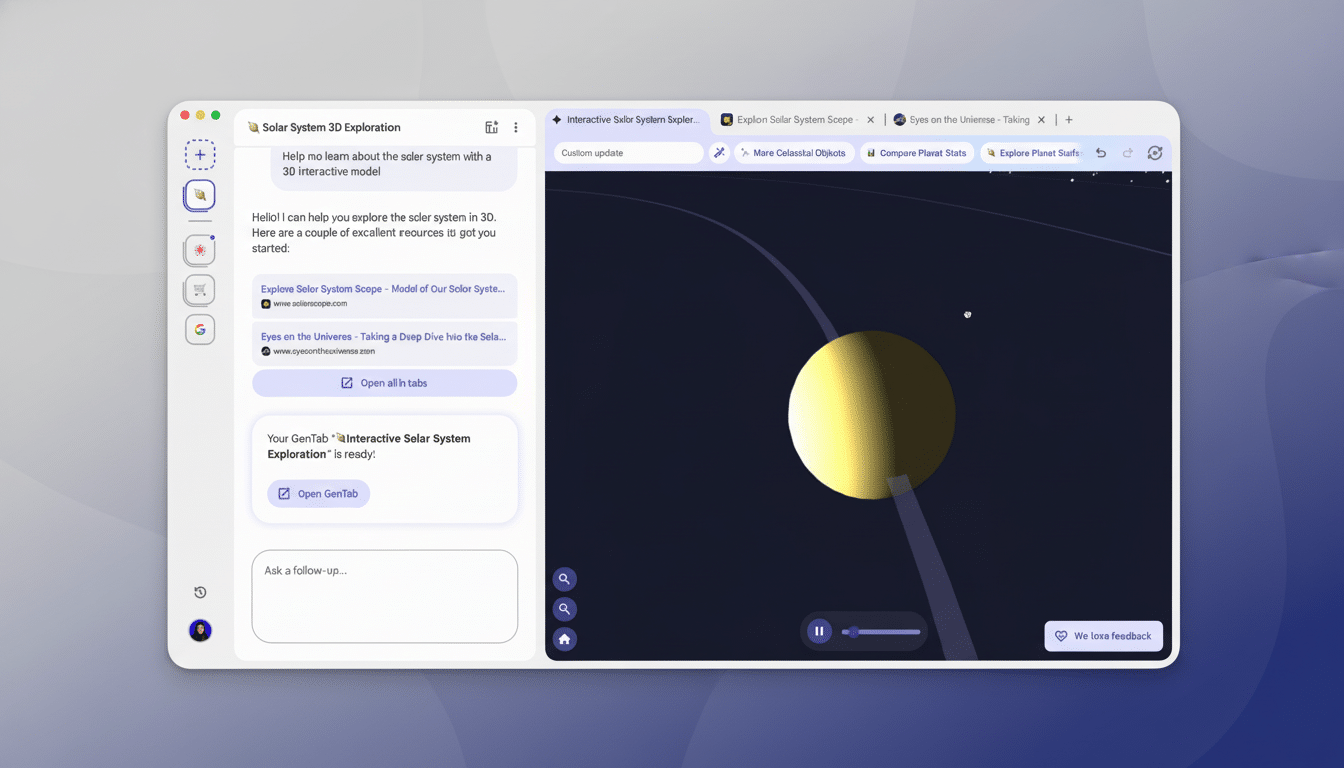
The pitch is this: “Type what you want to do in any natural language that interests you, and the browser will cobble together an appropriate suite of tools on the fly.” Instead of jumping around shopping carts, notes, and reviews, a comparison board could track everything from prices to specs; instead of scraping pieces into a tidy spreadsheet, you might encounter a research hub that highlights main takeaways in one view and connects each data point to its source.
How Disco’s GenTabs Works to Turn Tabs into Mini Apps
It works by analyzing your current tabs and recent activity with Google’s Gemini 3 model, predicting what you’re trying to do. It then builds a lightweight, web-native app inside the browser that can sort links, extract relevant information, and offer interactive controls — say filters, lists, or checkboxes — adapted for your present objective.
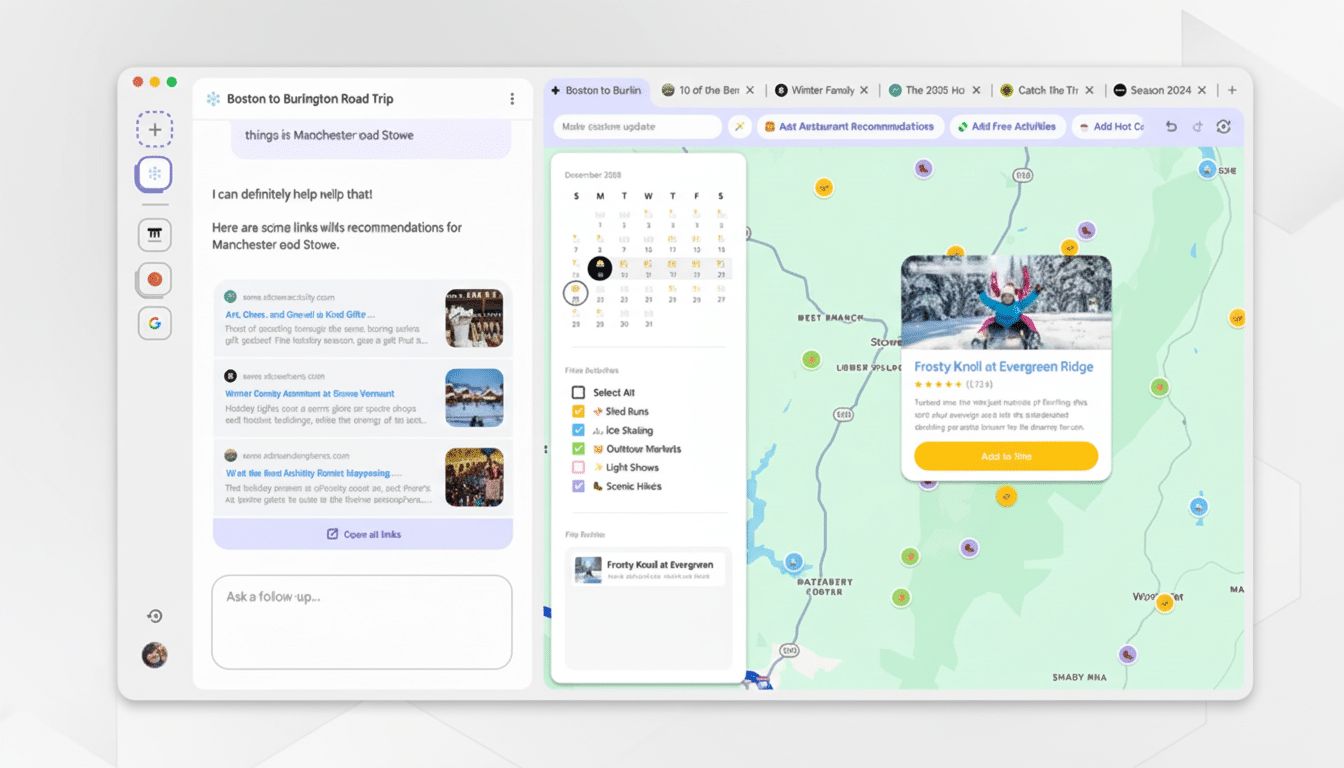
Importantly, Disco doesn’t separate you from the web. All elements produced link back to the original pages, ensuring transparency and source integrity. If you’re getting a vacation plan together, your “app” could have hotel cards with live links, flights across various carriers, and a budget tracker that pulls figures from the tabs you’ve already cracked open.
Why This Could Change the Way We Browse the Web
Web browsers were created to read documents, not coordinate activities. We later got tab groups, extensions, and Progressive Web Apps, but the fundamental workflow remains tied to bouncing between pages. Disco flips that conceptual model on its head by allowing the browser to transform into a task runtime that dynamically composes interfaces based on the pages you use.
The concept also falls in line with a growing trend toward AI-enabled navigation. Edge includes it as a sidebar; Brave and Opera have their own versions of it integrated into the browser (with AI, natch); Arc plays with visual canvases or custom site tweaks. Disco is immediacy’s whirl: instead of a chatbot recapping a page, it distills pages into personal workspaces with tailor-made calls to action.
And if this approach does end up in Chrome, the world’s most-used browser, with about 65 percent of global share according to StatCounter, the effect could be far-reaching. Even marginal cutbacks to tab switching can pay significant dividends; research cited by the American Psychological Association shows that task switching may consume as much as 40% of productive time. The McKinsey Global Institute has long reported that knowledge workers lose 19 percent of their time searching and gathering information. Disco takes aim at both of these pain points.
Early Access and Limitations for Google’s Disco Browser
Google labels Disco as experimental. Initially, only a number of macOS users in the US are testing this feature, with access by invitation from a Google Labs waitlist. Applicants are also asked to use a personal Google account and explain how they’ve employed artificial intelligence creatively — a sign the team may be seeking testers inclined to stress-test scrapes and offer high-signal feedback.
Because GenTabs can read what you work on across tabs, privacy and data handling will also come under a spotlight. Google notes that generated elements are still connected to original sources, but it has not publicly described the full extent of data flows for sensitive content, on-device processing limits, and enterprise controls. Those responses will be relevant if any of Disco’s ideas are advanced into mainstream products.
Real-World Use Cases for Disco’s GenTabs Mini Apps
- Shopping: Create a price and spec comparison from multiple retailers with alerts for shipping fees and return policies, highlighted alongside metadata scraped from product pages.
- Research: Collect academic articles, extract key findings, and keep citation trails — the mini app might be able to categorize sources by methodology, sample size, or publication outlet.
- Travel: Put together flights, hotels, and activities into a live plan, with cost totals and date alignment checks that raise red flags before you book.
- Personal finance: As you read guides and calculators, build a tracker that balances numbers you’ve gathered and indicates which variables drive your budget most.
What to Watch Next as Google Tests the Disco Browser
Three signals will determine if Disco’s ideas stick.
- Developer hooks: If Google unchains a framework to let sites declare structured data or task intents, GenTabs could deliver richer and more reliable interfaces.
- Performance: Smooth, low-latency generation will make or break user trust in the system while they are in the middle of a task.
- Governance: Clear guardrails around how data is accessed and enterprise-wide policies will be paramount to getting people to adopt it at work.
Google has a long history of planting seeds in experiments and rolling the best parts back into flagship products — from tab groups to AI-powered writing aids. If Disco goes in that direction, the browser may soon behave less like a passive window and more like an active collaborator — putting together the tools you need, when you need them, from tabs you’ve already got.