


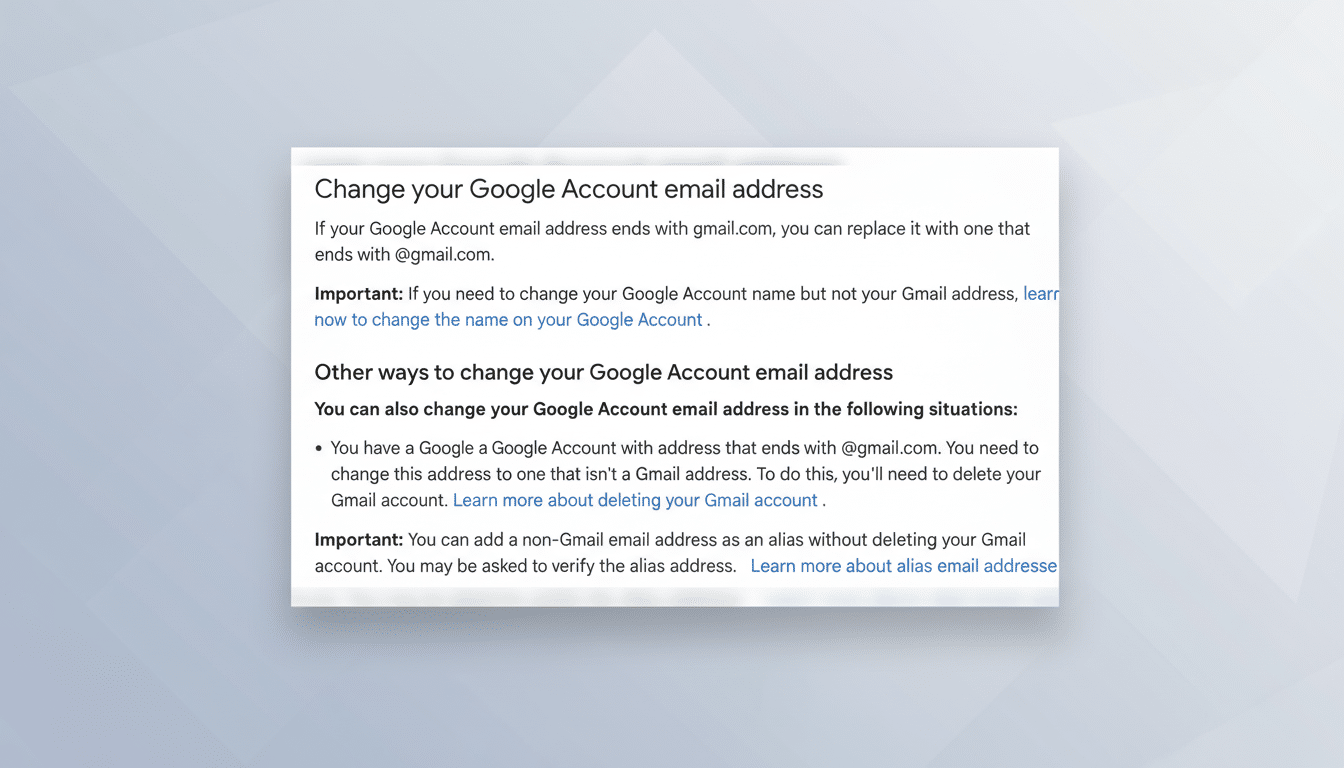
Google appears to be working on a long-requested feature that would allow Gmail users to change their gmail.com address without losing emails, files, or account history, according to references that were discovered on one of the company’s official support pages and reported by 9to5Google. If adopted, the ability would represent a significant change in how consumer Google Accounts juggle identity.
The feature was first spotted on one Hindi-language Google Account help page, which said the option was “gradually rolling out to all users.” But the English version of the same page still says that people “usually can’t” change a Gmail address. In other words, Google has not officially announced or completely enabled the wrinkle.
What Might Change for Gmail Users If Renaming Arrives
If you found your Gmail handle to be embarrassing or outdated, historically your only recourse was to open a new account and migrate your data — or to live with an alias.
That involved manually moving email and reconfiguring filters, among other annoying chores — an unpleasant time-suck that dissuaded many users from making the switch.
Permitting renaming the @gmail.com address would modernize that experience for more than 1.5 billion Gmail users, according to information Google has previously released. It would enable folks to reflect name changes, pool identities from across different digital profiles, or disable floozy usernames — all while preserving purchases, photos, docs, and subscriptions.
How a Gmail Address Rename Would Work Under the Hood
On the back end, the user is attached to an immutable account ID in Google, and the email address is one attribute. In Google Workspace (the paid suite), admins can already change a user’s primary address without any data loss, most frequently retaining the old address as an alias in order to catch stray mail. A consumer version would probably look like that, too.
If Google plays it conservative, it could keep the internal account ID and auth keys but update the visible Gmail address — maybe even keep the old as an alias until those trying to contact you are up to date. That would safeguard sign-ins, save 2-step verification and passkeys, and retain working Drive sharing links and Calendar invites.
One disclaimer: third-party services that use your email address as the username may not update automatically. Sites that store the raw email instead of a stable subject identifier for Sign in with Google will sometimes require you to update your credentials manually. In a rename flow, expect Google to provide guidance and prompts.
Limits and Open Questions About Gmail Address Changes
Availability of addresses will be a limitation: the new Gmail address must be unique and follow long-established naming conventions. It’s also not clear whether Google would permit only a few renames, require keeping the old address as an alias, or enact a cooling-off period to prevent abuse and phishing.
There are product-level nuances, too. YouTube channels now revolve around handles, yet many of these creators still sync branding to their Gmail identity. Google Play purchases, Photos libraries, and subscription settings should track against the account ID, not the email string, though Google unsurprisingly has some explaining to do about edge cases like family groups, child accounts under Family Link, and legacy free G Suite holdovers.

The differing language of the local and English help pages indicates a gradual rollout, as well as live documentation testing. Until Google releases the corresponding ruleset, it is best to consider this a feature under test rather than assured functionality.
Why It’s Important for Privacy and Usability
Allowing people to change a Gmail address facilitates life transitions — for example, adding or taking the name of a spouse, correcting misspellings, or disassociating from information that could invite harassment. Advocates of digital identity have long argued that persistent identifiers must be portable without requiring a complete account reset, and this change is consistent with that principle.
From a user experience standpoint, this removes one of the most significant friction points that has kept countless individuals using outdated addresses. Even modest enhancements — say, automatic forwarding from the old address and reminders to update crucial logins — would lessen the chance of missed messages and account lockouts.
If the Feature Comes, How to Prepare Your Account
Begin with a security checkup at your Google Account to verify that recovery options, 2-step verification, and passkeys are all up to date. Review third-party apps with access to your Google Account, and make note of any services that are still pulling your email address as a login so you can update it easily.
Figure out your new desired handle now, before it’s been popularized and scooped up by someone else, and make a list of essential services — bank accounts, utility providers, government logins, and health care portals — where you might need to update a password. If Google offers to forward missed email to the old address, keep it live long enough for stragglers, and set an auto-reply there that clearly communicates you’ve changed addresses.
On Tech:
- Facebook May Have Let Some Companies Eavesdrop on Calls and Emails
- Google’s Changes to Its Ad Auctions Spark Antitrust Complaints
- Despite Privacy Scandals, Facebook Users Aren’t Changing Their Privacy Settings
Here’s what you need to know about the changes:
What’s changing? Google has outlined several options in a recently published research paper, one of which would allow users to change their email addresses without losing access to their inboxes and digital histories — everything from calendar events to bank statements.
Bottom line: Early indicators suggest that Google is moving closer toward allowing Gmail users to change their addresses without cutting off access to their digital history. Until a formal announcement lands on Google’s blog or support pages, keep an eye open — and get ready now so you can quickly jump over if it shows up in your account.