


Google’s system to find lost or misplaced devices just made its way onto people’s wrists. The company is now launching the Find Hub app for Wear OS, which includes watch-based tools to find, ring, and lock down your lost equipment. It’s appearing on the Play Store for Pixel Watch variants, and early indicators are that it runs well when sideloaded on other Wear OS devices too.
What’s New on Your Wrist With Find Hub for Wear OS
Find Hub on Wear OS brings the basics you’ve come to know from your phone experience. From the watch, you can check which devices are accessible (and activate an audible beacon that draws you in as you get closer), and trigger remote actions such as locking down hardware to prevent data access. For times when you can’t find your phone, and that’s the thing you’ve lost — as well as anything else Bluetooth-connected to your watch — having these controls on your wrist simply bypasses the panicky pocket pat-down and gets you to a ring command in seconds.
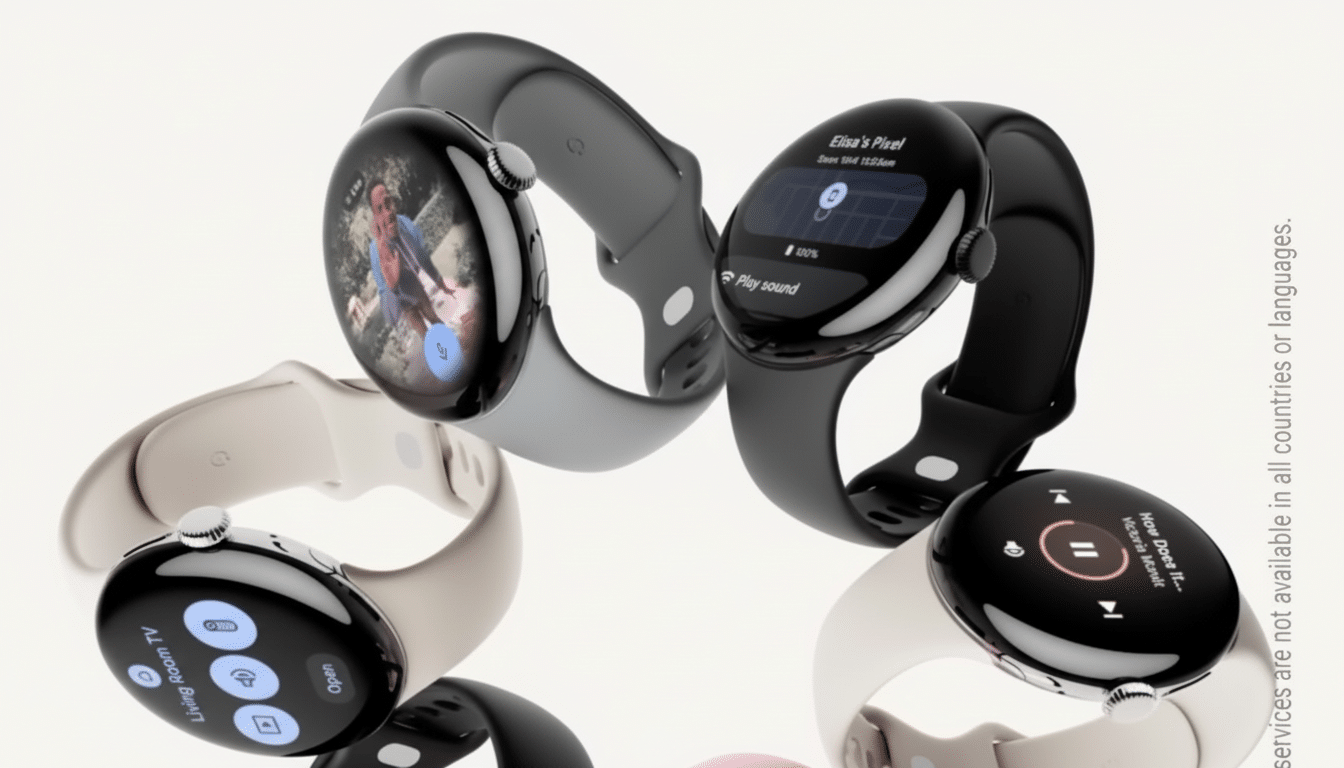
The interface, designed for quick glances — it is a watch after all! You’re not squinting at a busy screen of menus. Instead, you get quick access to the devices that matter and the one or two actions most likely to help you get them back.
Availability and Early Compatibility for Wear OS Watches
The Play Store currently indicates support for Wear OS with the Pixel Watch family at launch. That’s the easiest way to download and install. Testers say sideloading works on other recent Wear OS watches, like the OnePlus Watch 2R, and that its core functionality is still preserved. Look for more official support as Google polishes distribution and tries to keep a predictable look and feel no matter the chipset, screen size, or any other differences.
The rollout is relatively quiet rather than splashy, but the timing aligns with Google’s broader effort to knit together its device ecosystem. Recently the company introduced an updated Find My Device network, and so it makes sense to also bring that experience to the wrist.
Why It Matters for the Find Network on Wear OS
Any recovery tool is ordinarily only as good as the device you have in your hand when you realize something is missing. Google said that the Find My Device network leverages over a billion Android devices to assist in locating lost items through privacy-preserving signals. Using your watch as the controller for such a network cuts down on “time to action” — the delay that can literally mean the difference between a quick ring-and-retrieve and a prolonged scavenger hunt.
It also brings the feature parity a bit more in line with what users of an Apple Watch get with Find Devices on watchOS. That’s meaningful for users: the smartwatch does double duty, potentially serving as the first responder tool out of a hardware drawer that can hold phones, earbuds, tablets, laptops, and compatible tracker tags from partners.
Security and Privacy Considerations for Find Hub
Google’s current device-finding system already uses encrypted, rolling identifiers and protections to discourage unwanted tracking. Both the company and Apple have distributed alerts that work across platforms to warn a user if there are unrecognized Bluetooth trackers nearby. Those protections exist in the ecosystem Find Hub plugs into as well. On-watch controls have no effect on the privacy model itself; they make it easier to use system protections like secure device locking and account protection.
Real-World Use Cases for Find Hub on Wear OS
Consider airport security lines, rideshares, or office hot desks — spaces from which phones and earbuds frequently disappear. Find Hub on a Pixel Watch allows you to ping your phone before the bin gets wheeled away, or ring your earbuds when they’ve fallen between seat cushions. If you left your tablet at a coffee shop, for example, a fast wrist check lets you know the last known location so you can lock it before turning around and heading back.
The watch becomes a communal locator for families, if paired with shared devices on the same Google account, cutting down on the scramble to answer “who has the phone?” For commuters and runners, it cuts the friction of pulling out a handset just to make a device chirp.
The Bottom Line on Find Hub for Wear OS Watches
It isn’t a particularly flashy app, but Find Hub on Wear OS is practical. By shifting the core device-finding toolkit to the wrist, Google loops one more knot in its ecosystem and chucks Pixel Watch owners a real-deal quality-of-life improvement. Yet we’re seeing the first signs of broader support that extends past Pixel hardware — which probably shouldn’t come as much of a surprise given the success and good recollections Google got from infamously bad previous versions. If you’re already using Google’s find network, this thing or something like it is the missing piece that you will end up using far more than you’d think.