


Gmail is now officially entering what it’s calling the Gemini age with AI Inboxes and AI Overviews, which will take messy email chains and turn them into quick answers and actionable briefings.
Announced by Google product leadership, the push is meant to help you do two things: ask your inbox questions like a co-worker and receive short, authoritative answers (some features are gated to paid tiers).
- What’s new in Gmail: Gemini AI Overviews and Inboxes
- Why AI triage in Gmail matters for overwhelmed inboxes
- How Gmail’s Gemini features stack up against competitors
- Availability and pricing tiers for Gmail’s new AI tools
- Benefits and pitfalls of relying on Gemini inside Gmail
- What to watch next as Gmail’s Gemini features evolve
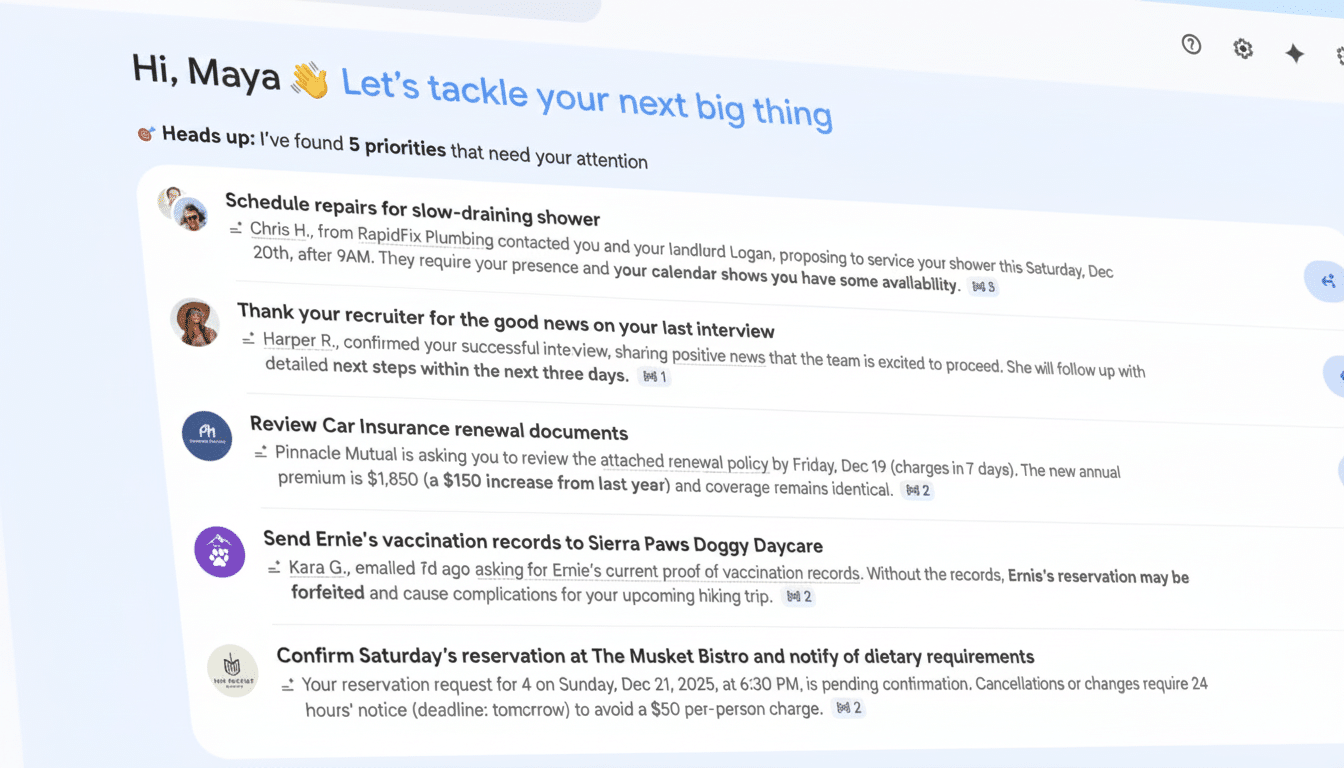
What’s new in Gmail: Gemini AI Overviews and Inboxes
AI Overviews hovers on top of your inbox, reimagining and summarizing multi-message threads, surfacing key details, and answering questions in natural language.
Think prompts like:
- “What travel items do I still not have for next week?”
- “Display the most recent contract changes and who is responsible for the next action.”
As for the question-answering tool, it’s available to Google AI Pro and Ultra members, building on previously generated summaries in your Gmail.
AI Inbox is a new triage view designed to minimize the signal-to-noise ratio. It surfaces what might be urgent, flags items that would otherwise be time-sucks, and groups messages from important contacts so they don’t get lost below marketing missives. The objective is less spelunking in the inbox and more high-signal scanning, so that your daily briefing feels like a personalized status report.
Gmail is also opening up access to creation and quick-reply tools. Help Me Write for drafting is now available to everyone. An improved Smart Reply, which is now Suggested Replies, offers richer replies that take into account the conversation at hand rather than a one-liner. A Proofread tool that validates grammar, tone, and style is embedded for all Google AI Pro and Ultra plans.
Google wants to make it clear that AI Inbox analysis is private in ways familiar to Gmail users, and control remains with the account’s owner. That includes enterprise use cases for administrators who are responsible for compliance, retention, and data-loss prevention throughout large organizations.
Why AI triage in Gmail matters for overwhelmed inboxes
Email overload is old news, but the sheer scale of it is a fearsome prospect. The Radicati Group reports that business users send and receive hundreds of billions of emails per day. There is simply no good way to manually track every support email a specific customer has ever sent. McKinsey found long ago that knowledge workers were spending double-digit percentages of their workweeks dealing with communications and hunting for information. Shave just 10% off that burden and you get hours back.
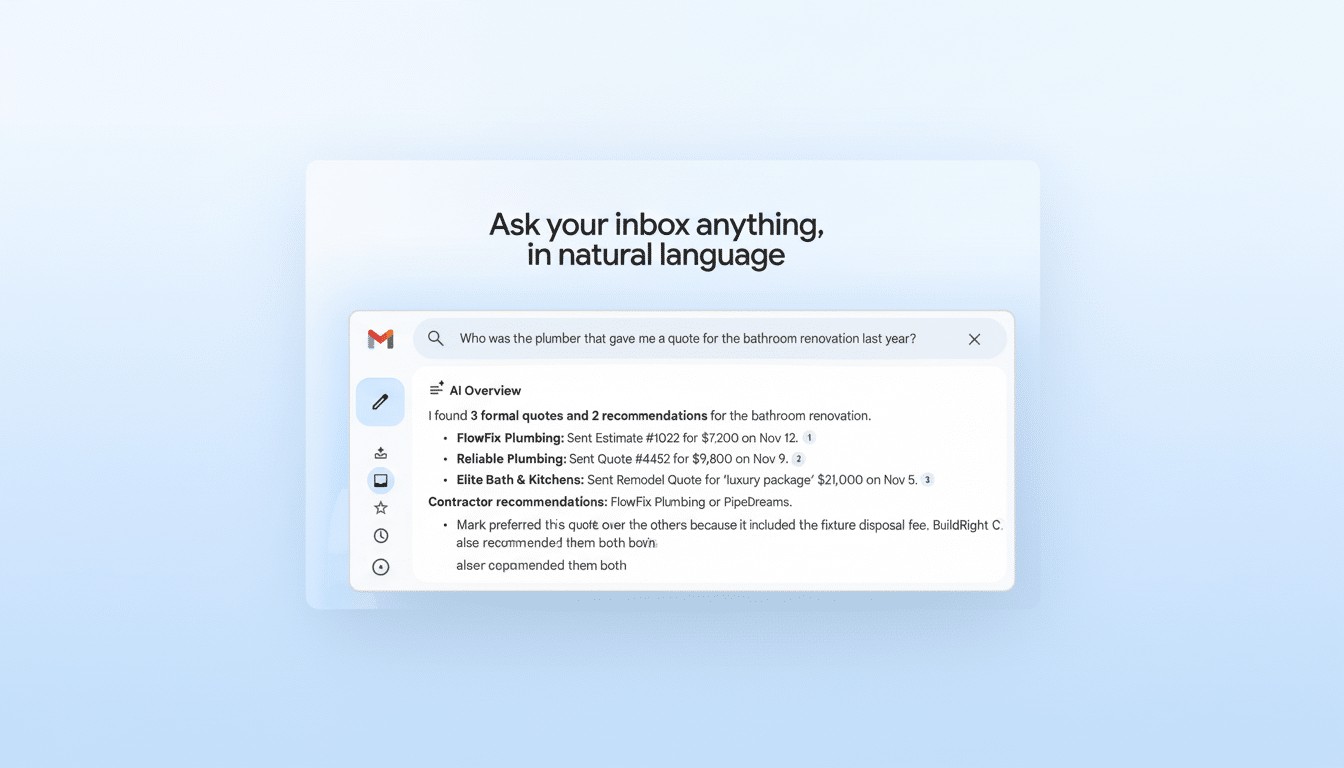
In concrete terms, AI Overviews might summarize a 30-message vendor negotiation with a few bullet points and links to the actual messages that count. And AI Inbox, for its part, can highlight deadlines that are buried within travel confirmations or procurement threads, nudging you before the window expires.
How Gmail’s Gemini features stack up against competitors
Microsoft has been experimenting in Outlook with Copilot, a feature that tries to sum up threads and suggest responses, while independent players like Superhuman employ AI algorithms to rank and write emails for you. Gmail’s benefit is both universality and heavy integration into Google’s broad productivity stack — Docs, Drive, Calendar, and Meet — which Gemini already supports in the drafting, summarizing, and task extraction categories for enterprise clients.
The differentiator to watch is how well Gemini is able to respond to queries based on the contents of your inbox, while also grounding answers in citable references. Once Gmail is able to consistently cite the specific message and line that contributed to its response, user confidence will increase. If it overgeneralizes or lacks context, people will revert to manual searching.
Availability and pricing tiers for Gmail’s new AI tools
Help Me Write and the updated Suggested Replies are being rolled out more widely. AI Overviews with conversational Q&A and the Proofread assistant are linked to Google’s premium AI tiers, Google AI Pro and Ultra, which target power users and organizations that need the most competent models. Google says processing will take place with Gmail privacy protections in place, and admins can manage access in the Admin console.
Benefits and pitfalls of relying on Gemini inside Gmail
For busy teams, the potential upside is obvious: less need to do manual searches, quicker catch-up after time off, and clearer next steps through long threads. But the hazards are all familiar to any generative AI: confidence that too often turns to hubris, occasional mistakes of inflection, and a creeping sameness in tone. Even early public feedback on Google’s product video joked that “nobody is going to sound human anymore.”
The practical outlook is “AI as first draft, human as final pass.” Lean on Overviews to find the signal, and on Suggested Replies to get things going; then tweak for nuance and accountability. For regulated industries, it will be important to validate the manner in which data is processed, what models are swept up, and what audit trails there are.
What to watch next as Gmail’s Gemini features evolve
Very soon, expect rapid iteration as Google tunes up Gemini for long-thread summarization and more precise extractions — dates, commitments, dollar amounts — as well as deeper links to Calendar and Tasks. If AI Inbox in Gmail keeps turning clutter into a reliable daily brief, it may reset expectations of how email should work in ’26 and beyond.