


Garmin has folded nutrition logging into its Connect Plus experience, pitching a single home for training and food. After a week of real-world testing, the new feature shows promise but feels half-baked. The ambition is clear; the execution is a tangle of rigid views, light data, and odd interface choices that make everyday use more work than it should be.
What Works Right Now in Garmin’s Nutrition Tracking
The best part is convenience. You can add a nutrition tab in the main app and never leave Garmin’s ecosystem. Barcode scans are quick, default to single servings, and editing portion sizes is straightforward. For packaged snacks or simple meals, it’s painless.
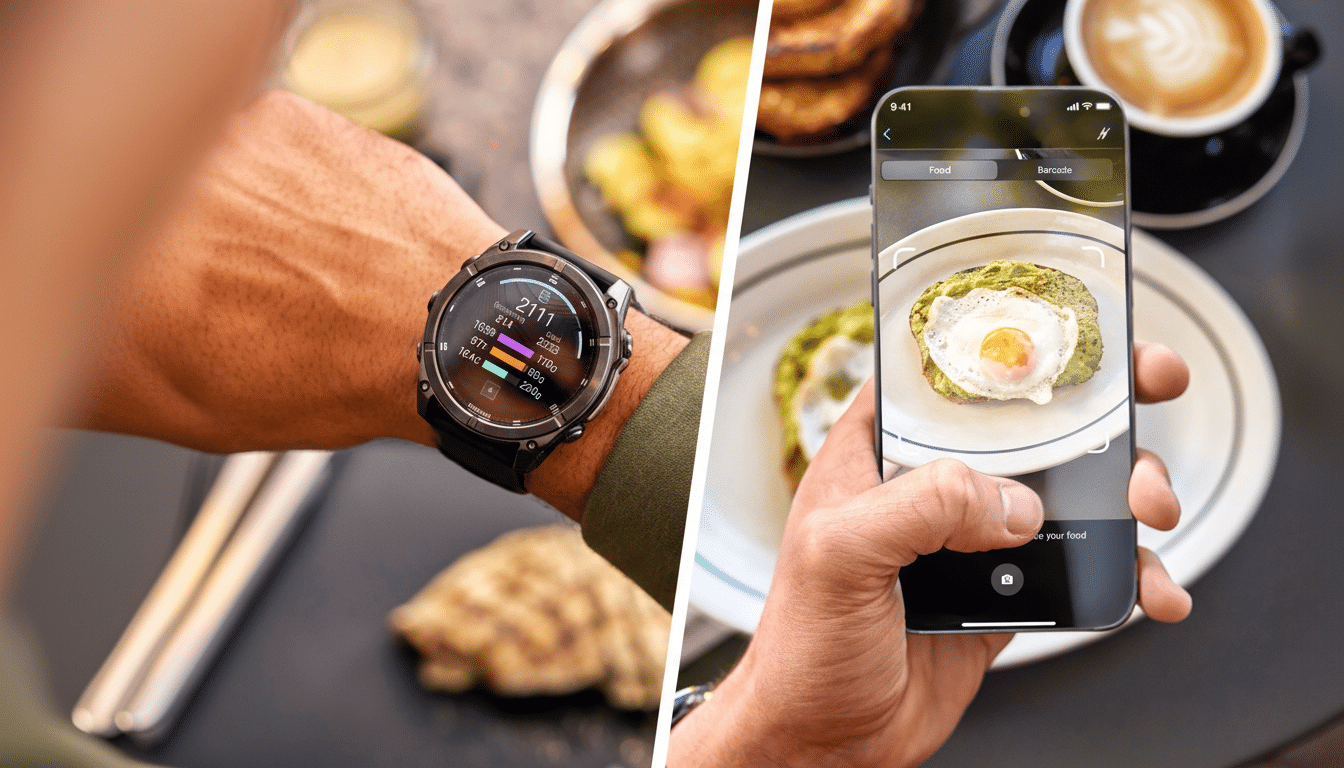
AI-powered photo logging is the flashy hook. Point the camera at a salad or a slice of pizza and the app will attempt to break the dish into components. When items are clear and distinct, it’s surprisingly helpful. For newcomers who struggle to guess ingredients, this can lower the barrier to entry.
Where It Falls Apart in Daily Nutrition Logging
The wheels wobble when meals get messy. The database is young and the vision model still misses basics, confusing breaded fish with tofu or failing to notice a rice base under toppings. Portions are often fine; ingredients, not so much. Academic nutrition research has long warned that image-based estimates struggle with mixed dishes, and that’s on full display here.
Macros are locked into calories, carbs, protein, and fat. That’s serviceable for casual logging, but you can’t easily pivot to micronutrients or fiber, nor tailor the dashboard to specific goals. Cronometer, for comparison, leans on USDA FoodData Central and other validated sources to expose detailed micronutrients, and that depth matters for athletes and anyone with targeted dietary needs.
Meal timing is also oddly rigid. Garmin segments the day into two-hour blocks labeled breakfast, lunch, and dinner. As you add items, the timeline swells and clutters, forcing extra scrolling when a simple dropdown list would keep things tidy. It looks analytical but works against speed.
Recipe handling is another sore spot. Mature apps like MyFitnessPal let you import recipes from URLs and automatically parse ingredients and servings, a lifesaver for home cooks and frequent diners. Garmin’s current approach leans on photos or manual entry, which gets tedious fast if you eat out or prep complex meals.
The biggest miss is energy balance. Garmin knows exactly what you burn from runs and rides, yet daily nutrition targets stay fixed unless you intervene. On a long training day, the app won’t automatically reflect a larger fueling need. For endurance users, this is a deal-breaker. The American College of Sports Medicine stresses that energy needs should flex with training load; the app should do that math for you.
How It Compares to Established Nutrition Trackers
Established food trackers have had years to build community-driven databases and refine workflows. MyFitnessPal’s massive catalog and URL-based recipe import reduce guesswork. Cronometer’s nutrient completeness and verified data sources support precise planning. Even Samsung Health and Fitbit, while less sophisticated for pros, smooth the basics with mature scanning and saved meals.
Garmin’s advantage should be seamless training integration. This is the company that nails VO2 max trends, training status, and recovery time. Yet its nutrition feature lives beside, not inside, that expertise. Without a simple “net calories” view that unites intake with expenditure and adjusts targets dynamically, it feels like logging for logging’s sake.
What Garmin Needs to Fix for Usable Nutrition Tools
Start with energy balance. Show intake, show burn, and auto-adjust the daily target based on workouts and recovery guidance. Add flexible dashboards so users can track fiber, sodium, or iron alongside macros. Bring in recipe import and smarter saved meals, including bulk edits and quick-duplicate options.
On the AI side, prompt users with confidence scores and ingredient alternatives when the model is unsure. Let people approve or swap items in one tap. Expand the food database with authoritative sources like USDA FoodData Central while clearly labeling community-contributed entries. Finally, streamline the UI: replace the expanding timeline with clean meal cards or dropdowns.
Pricing and positioning also matter. If Connect Plus is the gateway to nutrition insights, those insights must exceed what free competitors deliver. Users will not pay to be beta testers.
Bottom Line on Garmin’s Early Nutrition Tracking Effort
Garmin’s first shot at nutrition tracking is an ambitious add-on that isn’t ready to replace dedicated apps. Photo logging is clever, barcode scans are solid, and staying in one app is convenient. But the feature’s rigid structure, thin database, and lack of dynamic energy targets undercut its purpose.
If you already live in Garmin’s world and enjoy tinkering, you may find enough here to keep experimenting. Everyone else will be better served by battle-tested tools until Garmin closes the gap. Right now, it feels like the app learns more from you than you learn from it.