


For a desktop that’s immediately usable once the installer is finished, Linux has some real standouts. These five distributions boot to an up-and-running state and detect your hardware, include the necessary apps, and forgo the nagware and adware that many users can’t stand.
Every one of these below gave me a clean, useful interface post-fresh-installation — no driver hunts, no UI surgery, and no codec scavenger hunt before you can stream or work or play.
- Why out-of-the-box Linux experiences truly matter
- Linux Mint (Cinnamon) aims to just work for everyone
- Pop!_OS delivers a fast, creator-friendly desktop setup
- Manjaro (KDE Edition) makes Arch approachable for most users
- Zorin OS offers a polished, familiar desktop for switchers
- Ubuntu Budgie balances simplicity, features, and elegance
- How I tested these Linux distros and what you should expect
- Bottom line: five Linux distros that are ready to use
Why out-of-the-box Linux experiences truly matter
Time-to-productive is a real metric. The Stack Overflow Developer Survey has repeatedly demonstrated that a significant proportion of professional developers run Linux on the desktop, and part of why is how fast a tuned-up distro gets the hell out of your way.
Hardware backing is stronger than most realize. Canonical’s certification program now includes thousands of devices; the Linux Foundation cites growing numbers of mainline drivers. Even gaming on Linux has gotten easier: Valve’s Proton enables tens of thousands of Windows games to be played through Steam, as per community tracking and Valve’s own records.
Linux Mint (Cinnamon) aims to just work for everyone
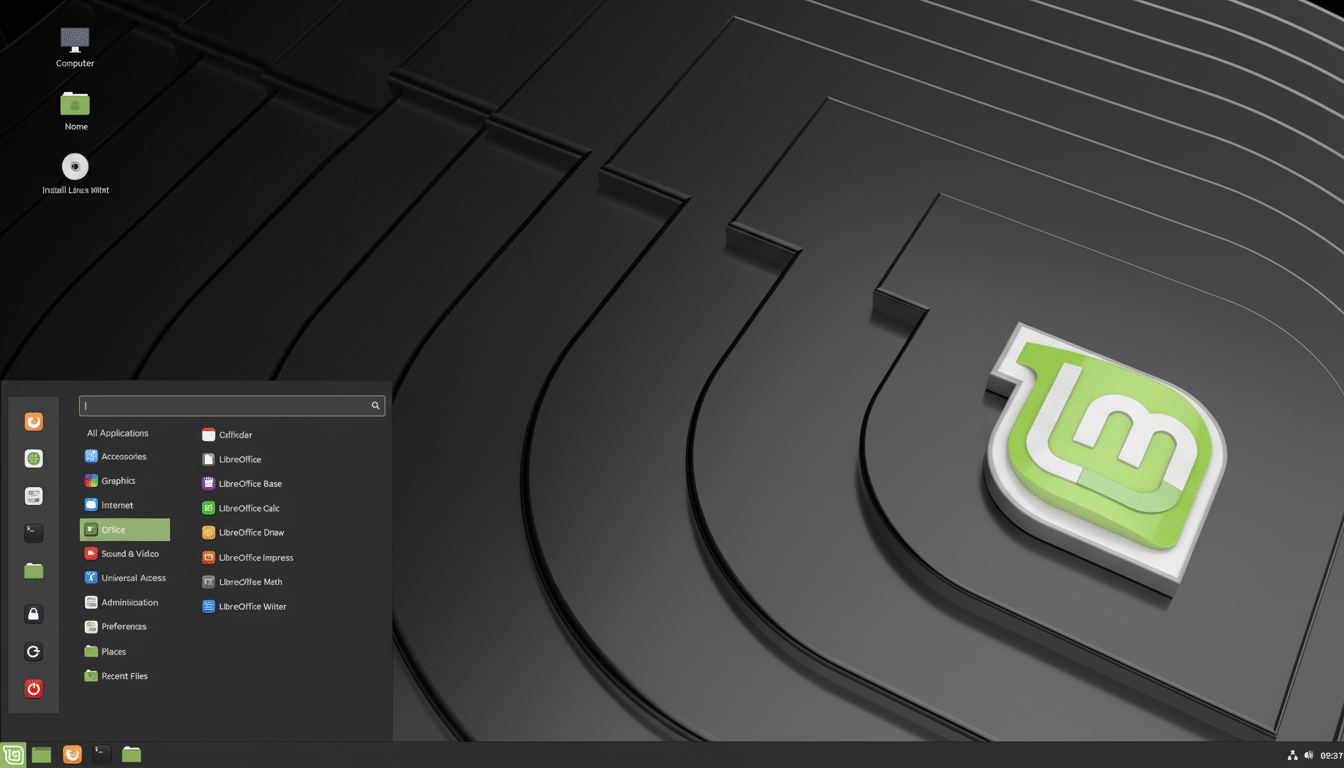
Everything about Mint is “it just works.” The Welcome app walks you through optional codecs, driver checks, and Timeshift snapshots, at which point you are good to go. Cinnamon doesn’t make a spectacle of itself, and it feels cozy when you sit down at a fresh installation, having sensible defaults (LibreOffice; current-generation browser, whatever that means these days; media tools; tidy file manager).
Wireless (on recent Intel and AMD laptops), touchpad gestures, high‑DPI scaling — all worked out of the box in Mint. The Update Manager and Driver Manager keep it low‑maintenance, while the Ubuntu LTS base means extended stability.
Pop!_OS delivers a fast, creator-friendly desktop setup
Built by System76, Pop!_OS is stripped down, meaning it’s comfortable for creators and developers but easy for beginners. You can download an NVIDIA or open-source version, with GPUs supported on first boot. Pop!_Shop supports Flatpak natively, making it easy to add Slack, Spotify, or Steam directly from the store with a single click.
And the COSMIC desktop, which is designed by System76, is all about speed, search, and keyboard-driven workflows, with optional auto-tiling that’s fantastic on ultrawide monitors. It’s one of the few distros that I almost never set up an extension in order to have a productive workspace.
Manjaro (KDE Edition) makes Arch approachable for most users
Easy and Arch-based do not often belong to the same sentence, but there is always an exception; Manjaro is it. The Calamares installer is simple to use, the hardware detection is great, and the KDE Plasma desktop is both functional and beautiful out of the box — customizing isn’t necessary.
Pamac — Manjaro’s software manager — supports official repositories alongside optional Flatpak and the Arch User Repository for all of your niche edge use cases. The Manjaro Settings Manager makes kernel and driver adjustments point-and-click easy, a great feature for those adding new hardware.
Zorin OS offers a polished, familiar desktop for switchers
Zorin OS is striving for a polished, unified desktop experience so you don’t feel like there’s any piece of it that didn’t get finished before they shipped it. Zorin Appearance enables you to select layouts that resemble those found on Windows or macOS, making the transition for switchers an easier learning curve. It sidesteps bloat and encompasses the everyday.
Zorin Connect (powered by GSConnect) is the indispensable companion to your Android phone for notifications, file sharing, and clipboard access, joining forces in a more seamless way. Due to Flatpak support in the Software store, proprietary packages can be installed without scouring third-party websites.
Ubuntu Budgie balances simplicity, features, and elegance
It’s all about balance with Budgie: contemporary, light, and tasteful out of the box. Raven sidebar, applet system, and tidy defaults make this an undistracting workspace, although the Welcome app with optional extras quickly takes care of that.
Since it’s built atop Ubuntu, drivers, Snaps, and massive repositories are available. For the most part, I don’t change anything more than a panel layout; the default theme and fonts look good enough on both my laptops and 4K external monitors.
How I tested these Linux distros and what you should expect
We installed those products on mainstream hardware — a recent AMD desktop and an Intel laptop with integrated and discrete graphics. Every single one of the distros automatically set up Wi‑Fi, Bluetooth, audio, and suspend/resume without me having to do any tuning, and immediately detected external monitors and printers on the first try.
Bottom line: five Linux distros that are ready to use
If you want a Linux desktop that’s ready to use as soon as you log in, begin with Mint, Pop!_OS, Manjaro, Zorin OS, or Ubuntu Budgie. They prefer the basics, value your time, and keep our post-install checklist delightfully short.