


Google Photos is secretly working to launch a special face editor, called Touch Up, in the app that is already known for one-touch effects and intelligent recommendations. Internal testing reveals the feature is polished, offers per-face control in group shots, and quality that belies lightweight on-device models, indicating it might be close to being ready for public release.
What Touch Up Does in Google Photos and Where It Lives
Touch Up lives inside the Google Photos editor under a tab called Actions, joining existing features such as Magic Eraser and Portrait Light. The initial launch triggers a one-time download of machine learning models weighing in around 16MB. This strongly suggests that processing is done locally rather than on the server to ensure speed and privacy.
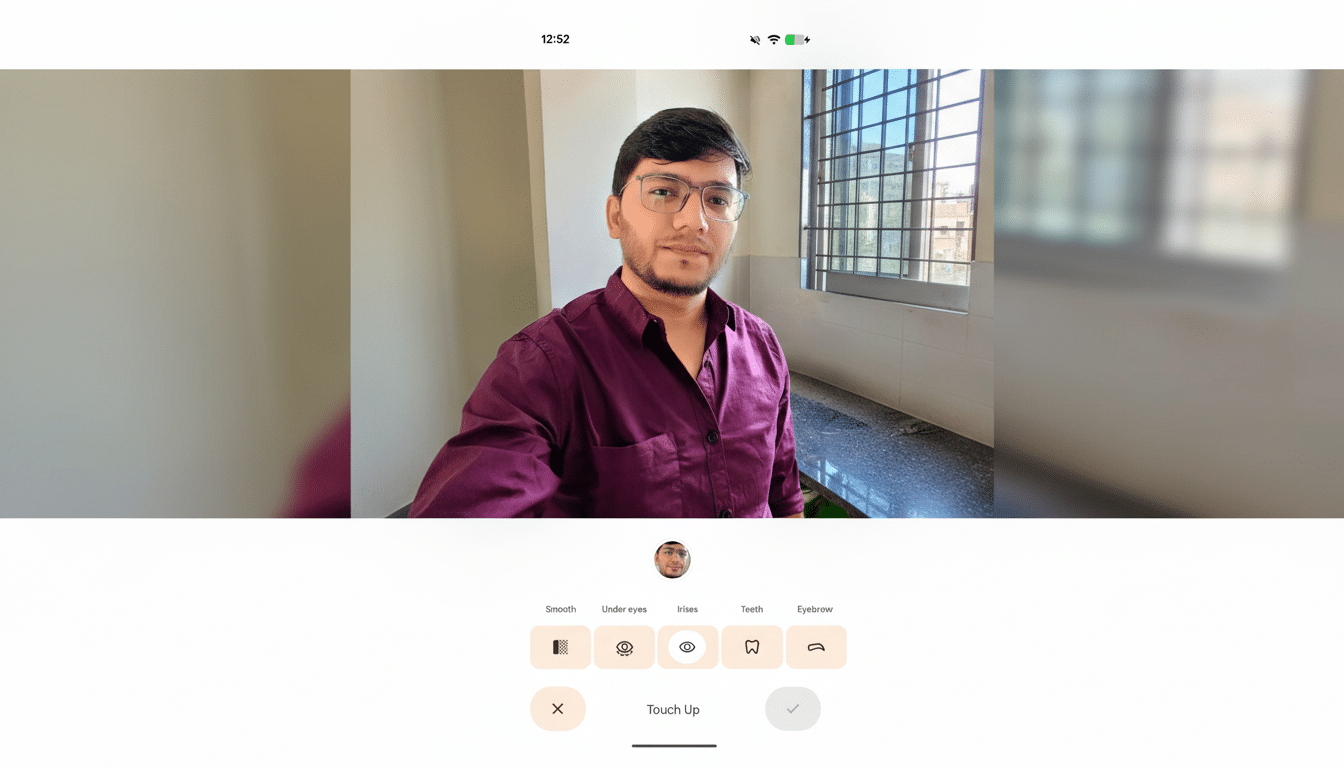
Once kicked into full gear, users are presented with a dedicated panel of six face-centric sliders meant to tweak common portrait elements such as eye color, teeth whitening, eyebrow diminution, and lip embellishment. Each effect element begins with a basic intensity slider so you can nudge an image without going full ‘beauty filter’ on it.
Touch Up offers a clean, purpose-designed UI in internal testing, instead of hiding adjustments within general controls for all images, in app version 7.56.0.839465534.
That separation is important: It promotes nuanced, localized tweaks rather than global changes that can, inadvertently, flatten skin texture or change colors.
Per-Face Controls and Editing Options for Group Photos
One particularly noteworthy feature is person-by-person control in multi-subject photos. Google Photos does not apply the changes to all images that have faces; it detects individual faces and lets you edit them one by one. That’s to say that you could brighten one person’s smile or soften another’s under-eyes without changing all the rest of them.
The system now supports up to six faces per photograph. If more are discovered, you get a prompt explaining what the limit is. Though you can’t manually add or remove detected faces, the per-person adjustments already leapfrog many stock editors, which provide only all-or-nothing filters for groups.
Real-life scenario: wedding party pictures and graduation snaps. Rather than hopping from photo to pro-level program to separate subjects, you can subtly touch up inside Photos: brighten eyes after a late night, take shine down a notch, or make the perfect smile even more so — then save a version that looks like everyone in their photos but better.
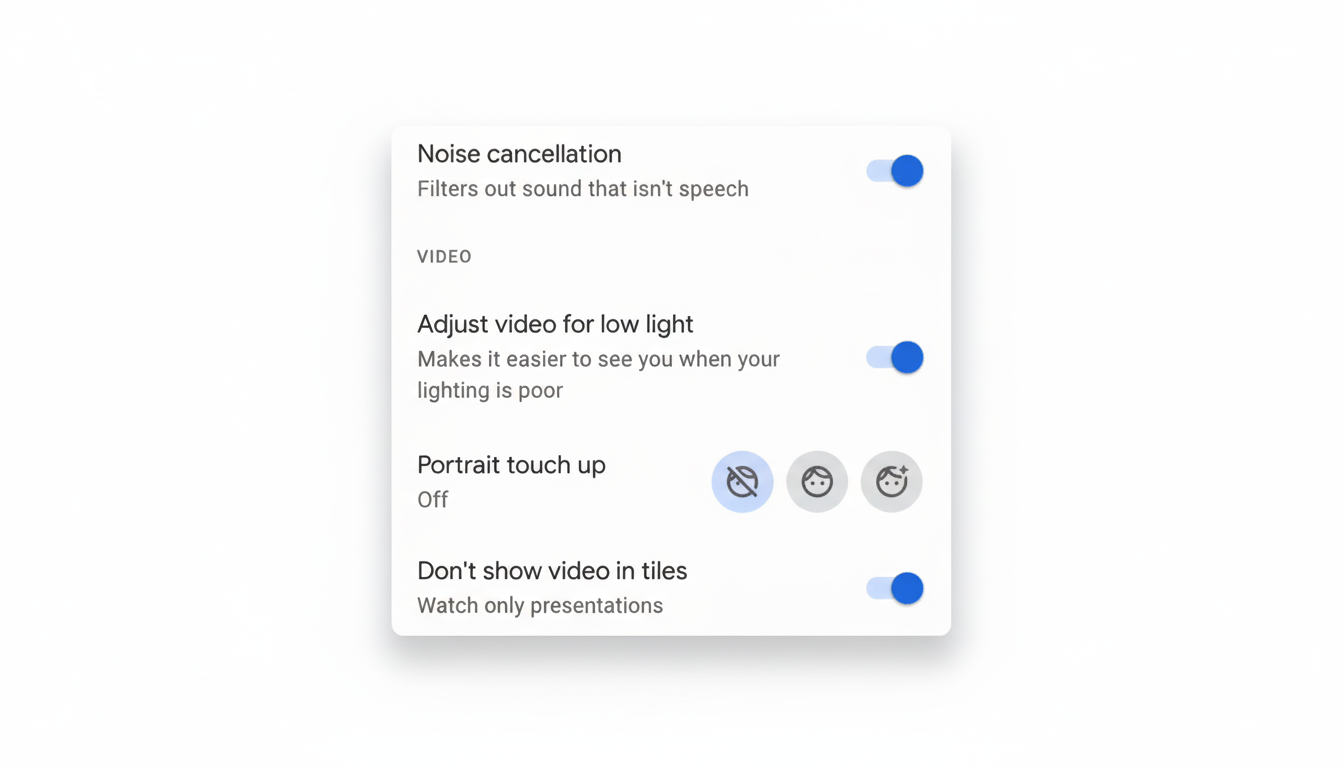
How It Fits Into Google’s Editing Strategy
Touch Up is the final piece of Google’s expanding collection of leaked AI-powered tools in Photos, joining the already announced Magic Eraser, Photo Unblur, Portrait Light, and select device-only generative Magic Editor. Though the Google Camera has long had some level of face retouching at the time of capture, this is the first fully integrated post-processing suite within Photos that focuses on distinct facial features.
It moves consumer-friendly, precision power in that direction and a step closer to what power users get with AI masks in Adobe Lightroom and Photoshop. In Apple’s Photos app, the concern is lighting and global adjustments, while in many Android gallery apps, the issue instead tends to be more about broad smoothing or “beautify” presets. Touch Up’s local, per-face controls fill that void without expecting users to adopt pro workflows.
Quality, Fairness, and On-Device Machine Learning
The 16MB size of the model download indicates a lightweight, on-device pipeline tailored for speed and offline operation. And that fits into Google’s larger philosophy on photo features as ones designed for quick previews and reversible edits. For users, the benefit comes in the form of less lag and fewer privacy concerns associated with cloud-only processing.
Look for lots of careful language and defaults when the feature goes public. Recent years have seen Google offer guidelines on face retouching in its Camera app so that it wouldn’t inadvertently reinforce narrow beauty standards, not to mention investment in efforts like Real Tone and the Monk Skin Tone Scale that are meant to improve representation. Those are the sorts of efforts, showcased at Google I/O and in company research briefs, that make it seem like Touch Up will err on the side of subtle, descriptive controls rather than prescriptive “beautify” labels.
This matters at scale. Google said Photos is home to more than 4 trillion images and around 28 billion new photos and videos are added every week. Even minor design choices in a tool like Touch Up can influence the way billions of portraits are edited and shared.
Availability and What to Watch for in the Rollout
Google hasn’t stated a timeline for the rollout, but the feature is working in testing and buried beneath the current editor layout, meaning it may arrive via server-side switch once final tweaks are finished. Availability, as always, might roll out regionally and by device, with additional protections or advice around first launch.
If you tend to use Google Photos for quick fixes, watch the Actions tab. Touch Up appears poised to be the new go-to for quick, respectful portrait edits — speedy enough for pros, lightweight enough for daily users, and built right where most people already manage their images.