


After 14 years of faithful note-taking, I moved my digital life from Evernote to Notion. The tipping point wasn’t nostalgia or a flashy feature. It was a 900% price creep paired with AI I didn’t ask for, bundled into tiers that punished the way I work.
What Changed at Evernote Under New Ownership
Evernote’s new owner, Bending Spoons, rebuilt the app and rolled out an AI assistant, semantic search, and transcript-based summaries. The company frames this as a transformation from simple note editor to full productivity suite. The problem is how the upgrade was priced and packaged.
- What Changed at Evernote Under New Ownership
- How a 900% Price Jump Hits Everyday Users
- Why Evernote’s New Value Proposition Falls Short
- AI Should Be Optional, Not an Obligatory Bundle
- Why Notion Won Me Over on Price and Flexibility
- Migration Took Hours, Not Weeks, Thanks to Notion
- The Bigger Lesson for Productivity Apps Today
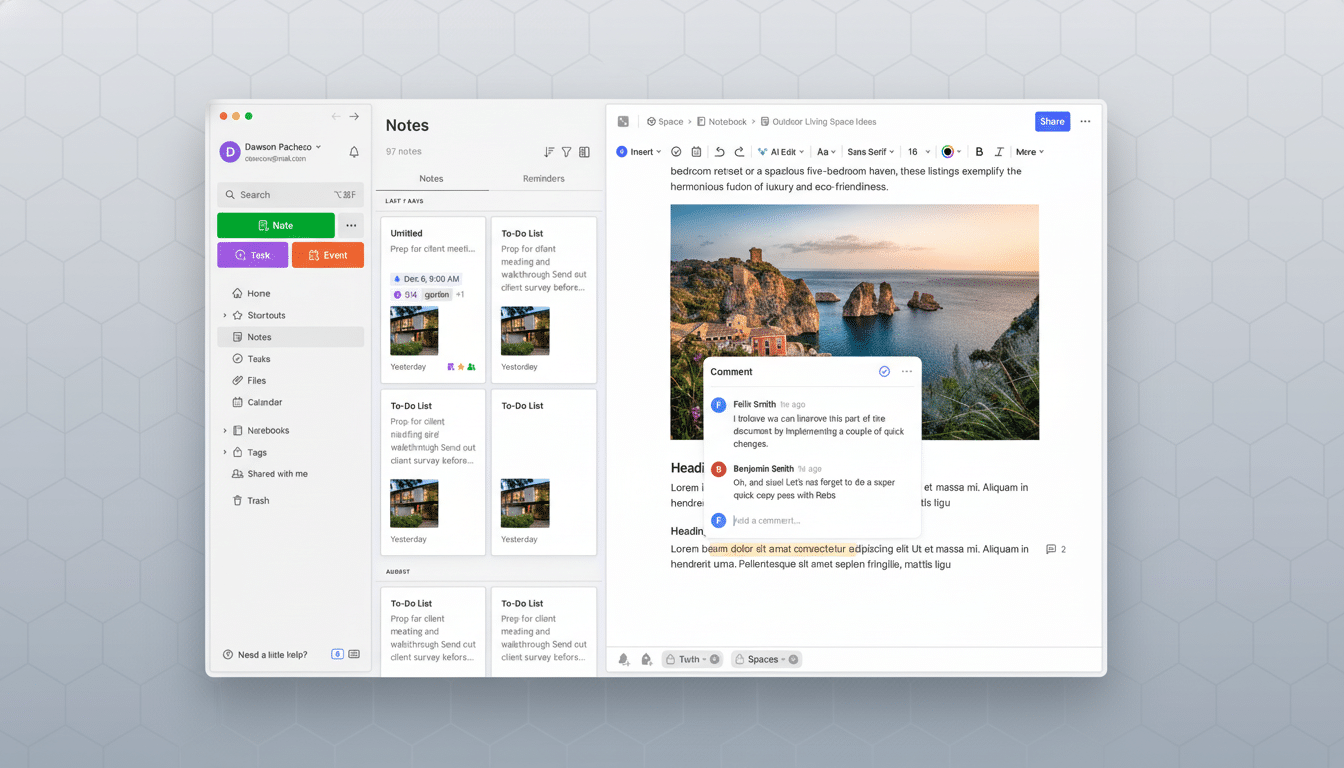
I was happy to pay when Evernote felt like my second brain. But the new structure makes baseline utility feel like an upsell. Core reliability and syncing—table-stakes for a notes app—are cited as reasons for higher fees, as if maintenance now warrants a surcharge.
How a 900% Price Jump Hits Everyday Users
Here’s the math behind my exit. I once paid $25 a year. That eventually became $37, then $74, then $138, and the latest renewal notice landed at $250. That’s a tenfold climb from the starting point, far beyond long-run consumer inflation, per the US Bureau of Labor Statistics.
The new tiers quietly reshape the rules. A Starter plan caps you at 20 notebooks—a strange limiter for a database-backed app—and counts the web as a device against a three-device total. That alone pushes many power users into the higher-priced tier, whether or not they want AI.
Storage changed too. I previously lived with generous total storage and a monthly upload allowance. Now the entry tier lists a tiny 1GB total, while “unlimited” sits behind the premium paywall. There’s also no clear, built-in way to check your current total usage, which makes choosing a tier guesswork.
Why Evernote’s New Value Proposition Falls Short
For context, $100 a year buys 2TB on Google One. That’s 2,000 times the starter storage Evernote now lists for roughly the same price. Dropbox and Microsoft offer similarly expansive cloud storage for comparable rates. Evernote’s tiers price storage like a luxury add-on to a notes app.
And if you exceed three devices—say a laptop, desktop, phone, tablet, and the web—you’ll get nudged into the top tier anyway. Features I relied on for years now feel like toll booths.
AI Should Be Optional, Not an Obligatory Bundle
I’m not anti-AI. I write with it, search with it, and test it. I just don’t want my notes app to double as a mandatory AI bundle. Notion treats AI as optional: available as an add-on or gated behind higher tiers, while the core product remains fully useful at low or no cost.

Evernote’s approach flips that logic. It bakes AI into the product repositioning and asks everyone to underwrite the shift. That runs headlong into subscription fatigue—something analysts at firms like Gartner and IDC have flagged across software categories.
Why Notion Won Me Over on Price and Flexibility
Notion’s free tier gives me unlimited pages and databases, with a reasonable 5MB cap per file upload. When a handful of imports exceeded that, I paid $12 for a single month of the Plus plan, finished the migration, and dropped back to free. My everyday needs are met without coercion.
Crucially, Notion doesn’t nickel-and-dime the way I organize. I can spin up dozens of project spaces, archive them when the work ends, and add views or relations on the fly—no anxiety about crossing a notebook threshold or syncing to too many devices.
Even if I upgraded long-term, Notion’s annual pricing still undercuts Evernote’s top tier in my use case. And the AI story is transparent: I can turn it on precisely where it earns its keep.
Migration Took Hours, Not Weeks, Thanks to Notion
Notion’s Evernote importer rebuilt my notebooks as databases, preserved tags as properties, and pulled in attachments cleanly. The only friction was large files, which the temporary Plus upgrade solved. Search is fast, and in paid tiers it can index PDFs—useful for manuals, research, and chord charts I’ve hoarded over the years.
The Bigger Lesson for Productivity Apps Today
Users will pay for craft, speed, and trust. But bundling sweeping AI features, shrinking storage, and gating device sync behind steep tiers erodes that trust. If a tool is your second brain, you shouldn’t feel held hostage by pricing games or arbitrary caps.
My takeaway is simple.
- Export regularly.
- Prefer open or portable formats.
- Watch for creeping limits that don’t match your workflow.
- And reward platforms that give you choice—especially when AI enters the picture.
That’s why my notes now live in Notion, and why Evernote, for me, is closed for good.