


Discord is rolling out global age verification, classifying every account as teen-by-default unless users prove they’re adults. The change reshapes what people can see and do on the service, gating sensitive content and certain server features behind a verified-adult status.
Here’s how the process works, when you’ll be asked to verify, and what happens if you skip it.
- What Is Changing on Discord with Global Age Verification
- How Discord Age Verification Works and What to Expect
- When You Will Be Asked to Verify Your Age on Discord
- What Teens and Adults Can Access on Discord Now
- Underage Accounts and Appeals for Mistaken Decisions
- Privacy and Security Considerations for Age Checks
- Why Discord Is Doing This Global Age Verification Push
- What To Do Now to Prepare for Discord Age Checks

What Is Changing on Discord with Global Age Verification
All new and existing accounts will be assigned to a teen group by default. Adult users who want full access to age-restricted channels, servers, app commands, and unblurred sensitive media will need to verify their age. If you don’t verify, you’ll remain in the teen group with tighter safety settings.
How Discord Age Verification Works and What to Expect
When the feature hits your account, you’ll see an in‑app prompt to get started. The flow asks for a real‑time selfie and, in some cases, a photo of a government ID. If the system can’t confidently estimate your age from a selfie alone, it will request both selfie and ID.
Discord says the images are used only for the check and are deleted after the decision. Once processed, you’ll get a direct message confirming whether you were placed in the teen or adult group.
Tips that reduce friction:
- Use good lighting.
- Remove filters.
- Ensure your date of birth on the ID is clear.
- Cover nonessential fields if allowed, but don’t obscure name, photo, or birthdate.
When You Will Be Asked to Verify Your Age on Discord
You may see the prompt on login as the rollout reaches your region. Adults will also be nudged when trying to view sensitive media, join age‑restricted channels or servers, or change content settings that are locked for teens.
What Teens and Adults Can Access on Discord Now
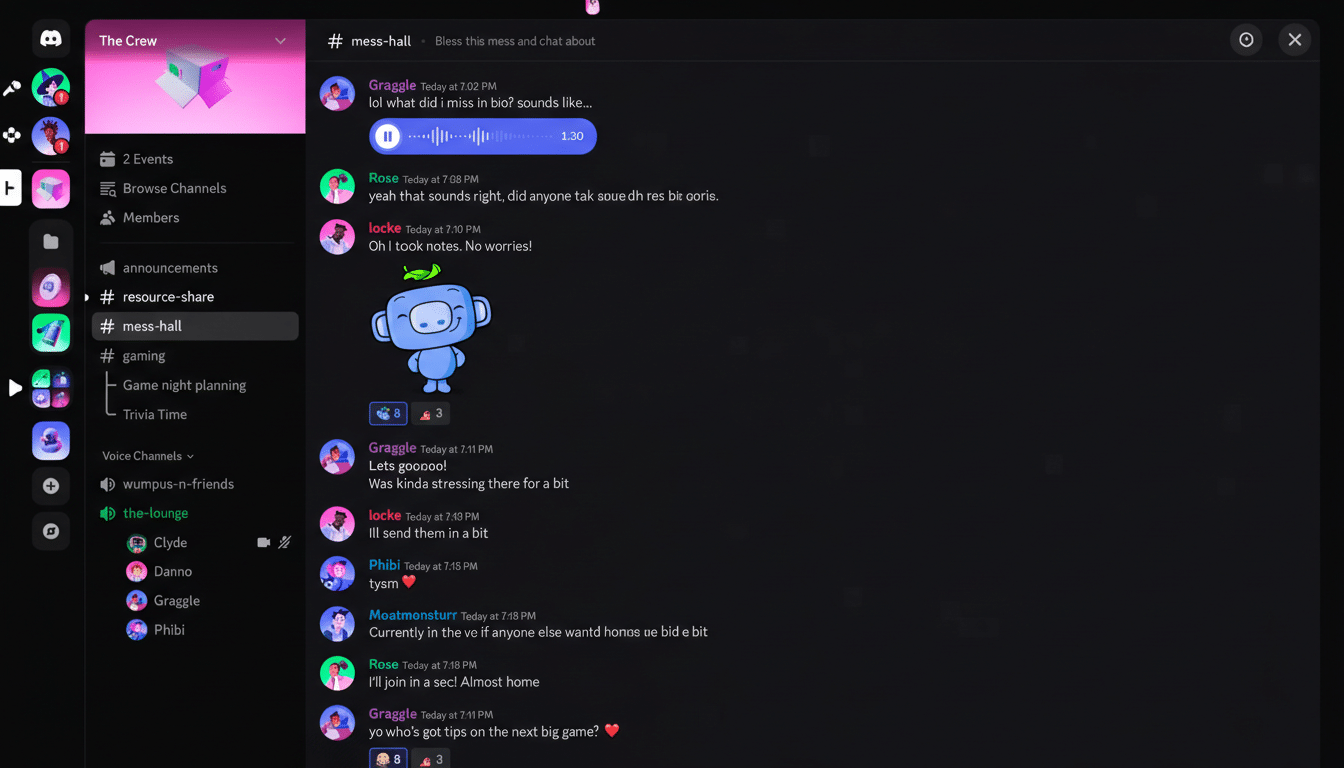
Teen accounts keep sensitive content blurred across the app. These users cannot join age-restricted spaces or run commands flagged for adults. They also get a separate inbox for messages from people they don’t already know, plus extra prompts on unfamiliar friend requests.
On voice stages, teen accounts can listen but can’t take the mic. Moving to the adult group lifts these limits once verification is complete.
Underage Accounts and Appeals for Mistaken Decisions
If verification determines you’re below the minimum age set by your country’s laws—13 in the U.S.—the account will be removed. If you believe a mistake was made, Discord provides an appeals path that accepts additional documentation to correct your age.
Privacy and Security Considerations for Age Checks
According to Discord’s safety team, age checks are processed through a secure, dedicated flow and the verification artifacts are discarded after review. The result kept on your account is a simple age group, not a copy of your ID.
Stay alert for scams: verification begins with an in‑app prompt, and you should never follow unsolicited links or upload documents to third‑party sites claiming to be support. If you receive a DM about your status, confirm it aligns with actions you initiated in the app.
Why Discord Is Doing This Global Age Verification Push
Regulators are pressing platforms to apply stronger age assurance. The UK’s Information Commissioner’s Office promotes an Age‑Appropriate Design Code, Australia’s eSafety Commissioner pushes Safety by Design, and the FTC’s COPPA rules set expectations for children’s data in the U.S. In the EU, obligations under the Digital Services Act require large platforms to assess and mitigate risks to minors.
Other online communities have already moved in this direction, and Discord has piloted verification in countries with stricter requirements before expanding globally. Independent research from groups like Ofcom and Pew Research Center shows teens rely heavily on chat and gaming platforms, underscoring why companies are tightening guardrails.
What To Do Now to Prepare for Discord Age Checks
If you’re an adult user who frequents age‑restricted servers or relies on advanced bot commands, prepare to verify.
- Have a valid government ID ready.
- Check that your profile details match your documents.
- Complete the prompt as soon as it appears so you don’t lose access to features.
Parents and caregivers should know that teen accounts will default to safer settings without extra configuration.
- Review server memberships.
- Discuss the separate inbox for unfamiliar contacts.
- Keep device‑level safeguards in place as an added layer.