


Qualcomm’s newest reference design is turning heads: a circular, coaster-sized mini PC codenamed the UFO. Created to highlight the power of its Snapdragon X2 Elite platform, the puck-like box is a desktop-class Windows on Arm concept that transforms how small a PC can be—without all the massiveness/complexity of mini towers or, just in terms of square footage, a Mac mini or Intel NUC.
What the UFO Is and Why This Reference Design Exists
Reference devices are Qualcomm’s way of showing what its chips are capable of, and encouraging partners to turn those ideas into shipping products. The UFO is not designed for retail. It’s not a product, though; it’s a design for OEMs to use as inspiration when thinking about what a very small, quiet, always-on PC might look like based on Snapdragon—unconstrained by the battery and thermal limits of a thin laptop.
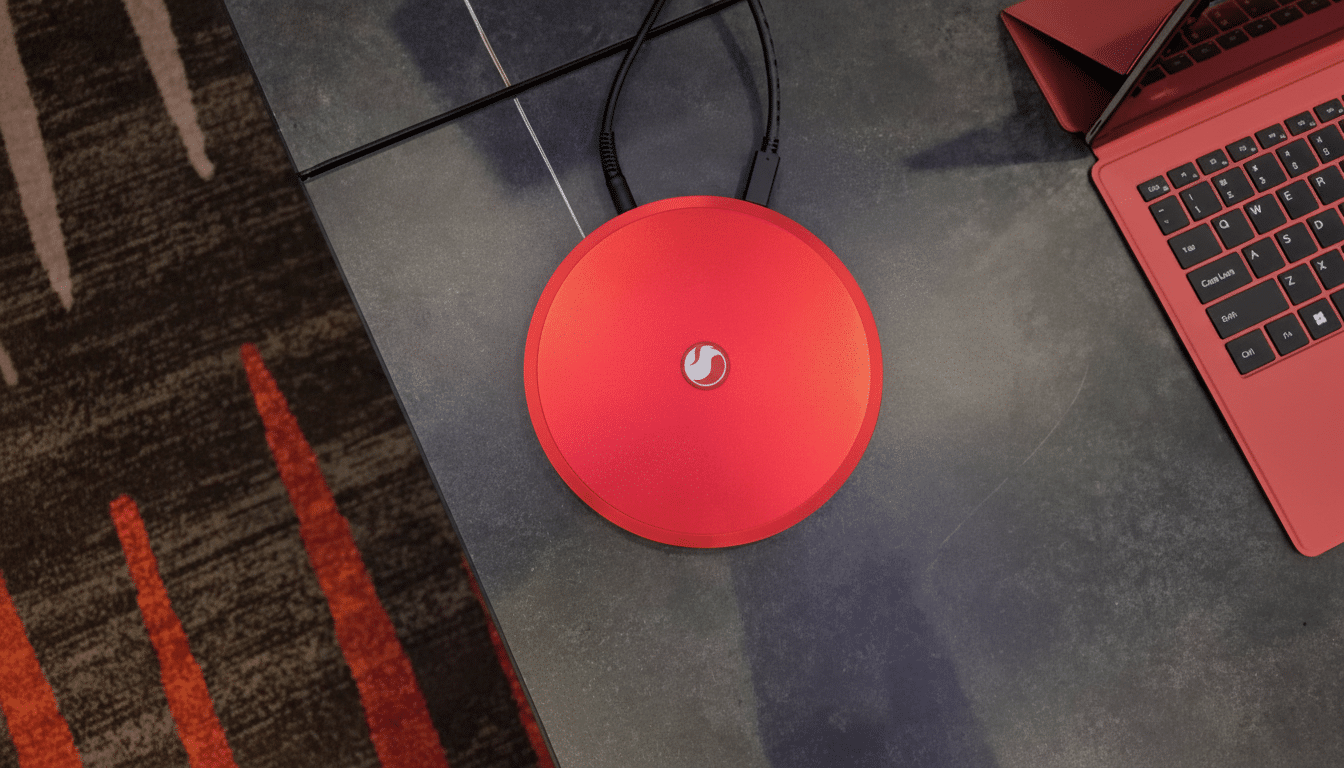
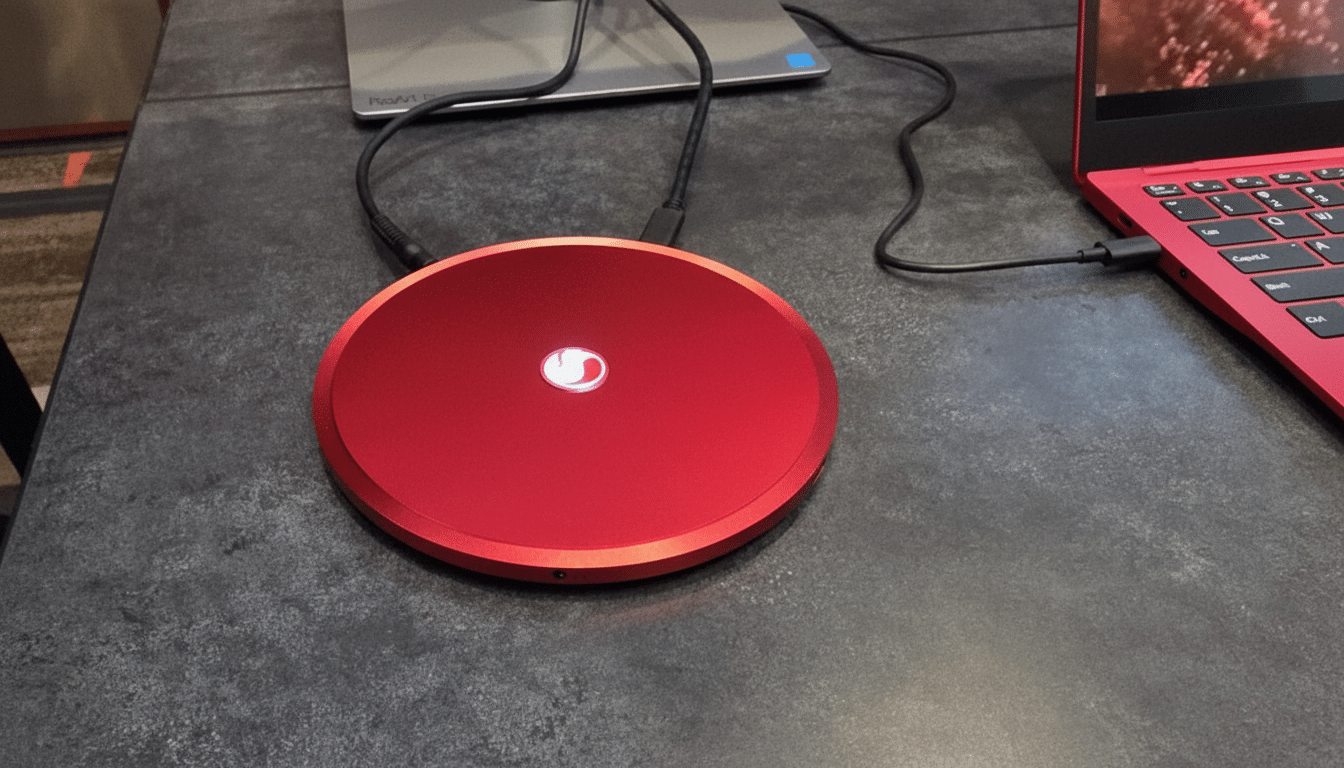
The UFO’s shape is deceptively simple: a round slab about five inches across and around 14mm tall, with rubber feet. The power button is the Snapdragon logo itself. Three USB-C ports, a 3.5mm headphone jack, and a dedicated barrel power connector are located along the edge. In the demo units, memory options will be 16 or 32GB of RAM; Qualcomm hasn’t shared storage details.
Design That Shrinks the Desktop and Hides in Plain Sight
With a flat, circular design, Qualcomm takes that mini PC idea even deeper into “invisible computing.” Tuck the UFO under a monitor riser, hang it behind a display, or place it next to a speaker, and it vanishes into the workspace. The height is narrower than most external SSDs, and closer to a large wireless charging puck than a computer you’d expect to compile code or cut 4K video on.
The lone eyebrow-raiser is power. When USB-C Power Delivery can power anything from your phone to a full-fledged GPU housed in an eGPU enclosure in 2018, a barrel plug just feels ancient. If an OEM were to pick up on the idea, switching over to USB-C for power input, and including a wired Ethernet jack, would check all of the right IT boxes for offices and studios.
Why a Snapdragon Desktop Matters for Windows on Arm
Until now, most Snapdragon PCs have been laptops. The math changes with a mains-powered desktop. Additionally, with continuous power and a bit more thermal headroom, X2 Elite’s CPU, GPU, and NPU can sustain higher performance for longer periods of time—ideal for developers, creators, and local AI workloads. Microsoft’s Copilot+ PC push has established the conversational AI tone between devices, and keeping up with a powerful NPU is key if we’re to enjoy features such as live captions, background effects, or real-time transcription without cloud round trips.
App support is no longer the dealbreaker it used to be. Chrome, Edge, Photoshop, Lightroom, DaVinci Resolve, Microsoft 365, and many dev tools now ship native Arm64 versions of their apps, and Microsoft’s Prism emulation reaches an increasingly long tail of x64 apps. A small, always-on box like the UFO could stand in as a quick, efficient workstation, an internet-connected conference-room brain box, or even a quiet living-room PC for streaming and remote access.
There’s also a market gap. Intel got out of the first-party NUC business, but ASUS has kept the spirit and name alive with its own NUC Trust Platform, and the ultra-compact desktop still uses so much Intel tech that one could almost mistake it for an Intel-branded product. Apple has demonstrated what Arm desktops are capable of with its M-series machines. A Windows on Arm mini PC with Snapdragon silicon would represent another credible alternative for businesses and enthusiasts to consider—particularly in deployments where power draw, thermals, and size prove just as important as raw speed.
Specs and Practical Expectations for OEM Mini PCs
Qualcomm said it designed the X2 Elite to square off against Apple’s newest silicon on multi-core tasks and AI throughput, while also offering major efficiency improvements over x86 chips. Translated to a PC box, that means quiet operation—perhaps fanless in certain OEM configurations—and long, stable turbo behavior for compiles, ML inference, and media export.
The three USB-C ports on the reference unit suggest a hub-first lifestyle: plug in a single USB-C display or a small dock and fan out HDMI, DisplayPort, and Ethernet. It’s a neat solution for modern desks, and it makes sense given how many offices are already wired. Still, any commercial spin will likely want to include at least one native video output for plug-and-play reliability in conference rooms or classrooms.
From Prototype to Product: What OEMs Must Refine
Trying to turn the UFO into a retail hit would need some hard-nosed adjustments: USB-C power input, an NVMe slot or storage configurations listed definitively as standard, Wi‑Fi 7 and convenient antenna position in the round chassis, enterprise-friendly ports like Ethernet… None of that disproves the main thrust, which is to make the PC a non-physical, visually unobtrusive thing and rely on Arm efficiency and modern software support instead.
When it comes to reference designs, we’re rarely blown away, but this has to certainly take the cake. What the UFO shows is that a powerful Windows on Arm desktop doesn’t have to resemble a shrunken tower—or even be square. It could be a coaster that also edits a timeline, trains a small model, or powers a dual‑monitor workspace. Now it’s up to OEMs to grab the design and ship something people can actually buy.
In a category that often seeks performance by adding volume, Qualcomm’s UFO argues the opposite: Make the box vanishingly small, keep the watts few, and trust that silicon advancement will take care of itself.
It’s a compelling vision—and an open invitation for PC makers to take it and run with it.