


Junior year. Group project due Thursday. Four teammates, one shared Google Doc full of bullet points, and absolutely zero agreement on who was making the actual slides.
That was me at 11pm on a Tuesday, staring at 14 pages of research notes trying to figure out how to turn them into something presentable before my 9am class. I’d built enough decks by hand to know that “just throw it together tonight” was going to mean two hours minimum, a lot of misaligned text boxes, and a slide layout that looked like it was designed in 2009.
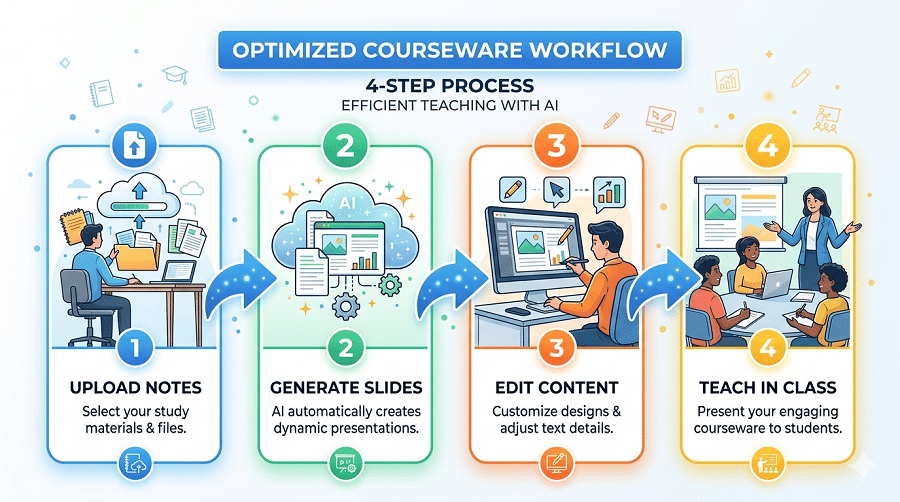
I started using AI tools for presentations around that time. Some of them were useless. A few changed how I work completely. Here’s what actually matters for student use — not for enterprise teams with design budgets, but for people who have a lot of assignments, not a lot of time, and a laptop that’s already running seventeen Chrome tabs.
Why AI Presentation Tools Hit Different for Students
The problem with building slides for class isn’t that students don’t know the content. It’s the formatting tax — the 90 minutes you spend arranging text boxes, picking fonts that don’t look terrible together, resizing images, making sure the color scheme is consistent across 18 slides — that has nothing to do with whether you actually understand the material.
AI tools don’t eliminate that entirely, but the good ones cut it down dramatically. A solid ai ppt generator takes your outline, your research notes, or even just a topic description and builds a structured, styled draft you can actually work from. Instead of starting at a blank slide, you’re starting at 70% done and editing toward 100%.
For assignments specifically — where you’re being graded on content and coherence, not on whether you spent six hours pixel-pushing — that shift matters.
AiPPT — What I Actually Use Now
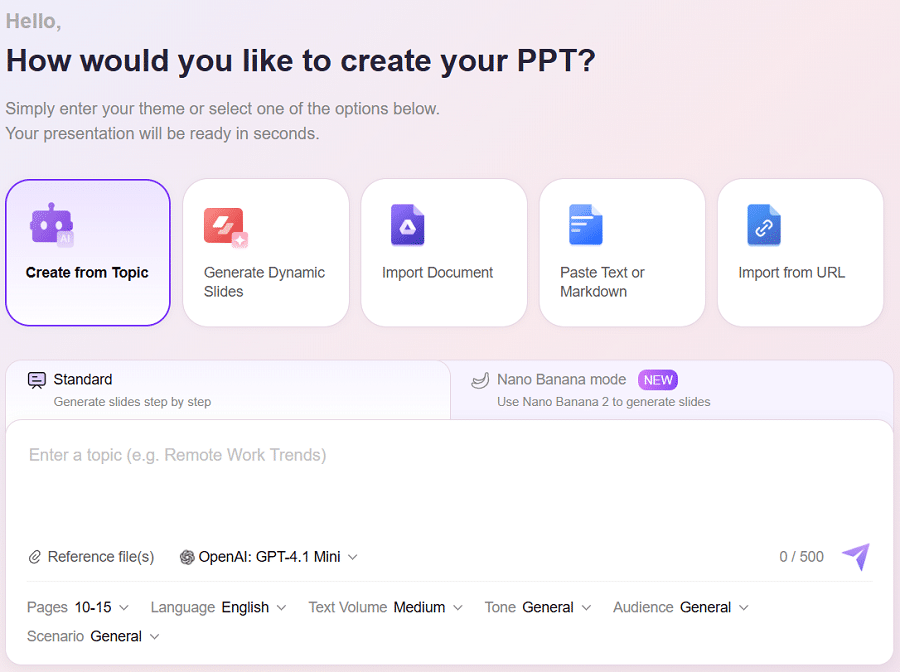
AiPPT is what I’ve been using for the past several months, and it’s the one I keep coming back to for anything that needs to go to a professor or a class.
The setup step is what sold me. Before it generates anything, it asks you: how many slides, what tone (formal, conversational, instructional, persuasive), who’s the audience, what language. That sounds like overhead. It isn’t. It’s the difference between a generic output that reads like a Wikipedia summary and a draft that actually sounds like a coherent argument structured for your specific context.
I tested it on a political science paper I’d already written — 12 pages, pretty dense. I uploaded the document, set it to 16 slides, formal tone, academic audience. It came back in under two minutes with a structured deck that had pulled out the core argument, organized the evidence by section, and created a logical flow that honestly matched what I’d intended better than I would have built from scratch at midnight.
The document upload feature handles PDFs, Word files, and plain text — up to 15,000 words, multiple files at once. For research projects where you’ve got a paper and some supplementary sources, that’s genuinely useful.
Free tier exports cleanly to PowerPoint and PDF without watermarks. That matters more than it sounds — several tools I tested put a watermark on free exports that makes them unusable for actual submission.
Getting started takes about three minutes:
- Go to aippt.com and create a free account. No credit card.
- Choose your input type — topic prompt, document upload, or URL paste.
- Set your preferences: slide count, tone, audience, language.
- Review the AI-generated outline before it builds the full deck.
- Edit inside the built-in editor — adjust text, swap layouts, change themes.
- Export as .pptx or PDF.
For a standard 10-12 slide class presentation, the whole process from upload to export-ready is usually under 15 minutes, including editing time.
Gamma — Good for Visual Presentations and Peer Reviews
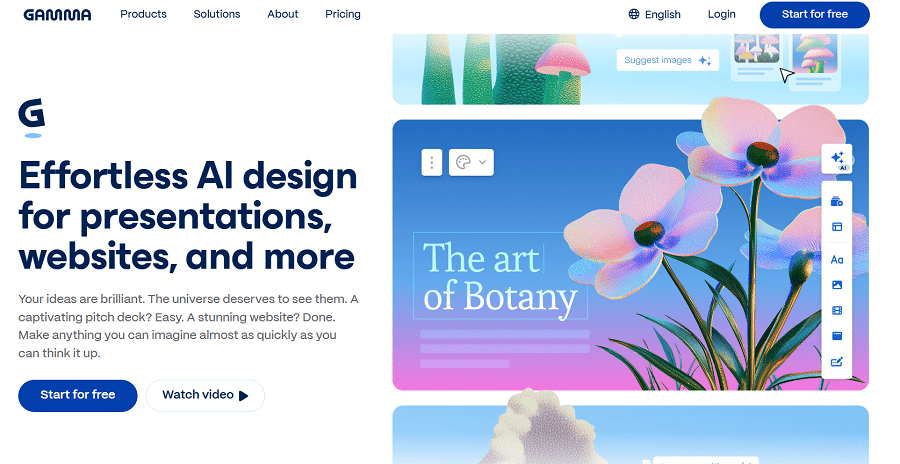
Gamma is worth knowing about for presentations where you want something that looks genuinely polished and modern without much manual design work. The visual output is the best of anything I’ve tested — clean layouts, smooth animations, the kind of aesthetic that makes a class presentation look like it came from an actual design team.
The limitation is portability. Gamma’s native format is web-based, which is great for sharing links and peer review workflows. The PowerPoint export introduced layout issues in two out of three tests I ran — elements shifting, spacing breaking — which makes it risky for submissions where the professor is opening the file directly. If your class runs on shared links and browser-based viewing, Gamma is excellent. If you need a .pptx that opens cleanly in Office, test the export before you rely on it.
Free plan includes roughly 10 AI-generated presentations per month, which is enough for most semesters if you’re selective.
Canva — Best When You Want Design Control
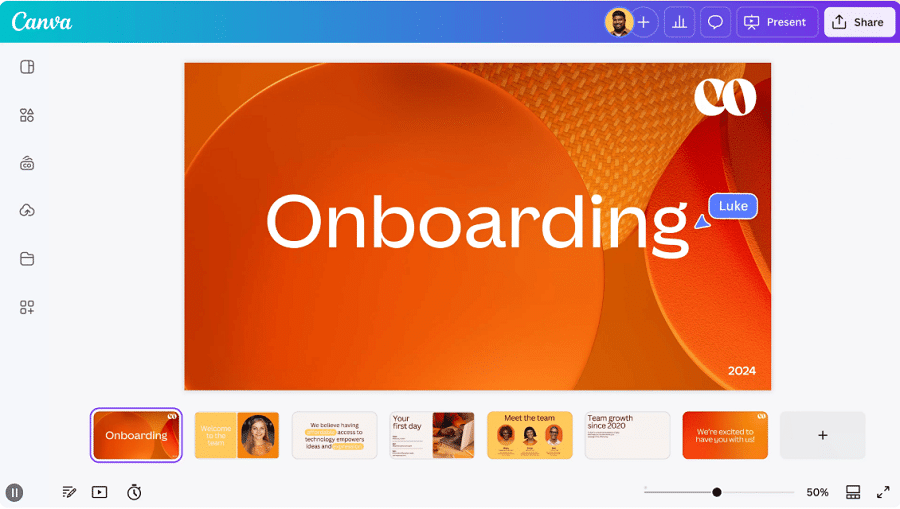
Canva has the largest template library of anything I looked at, and if you’re someone who wants to be hands-on with the visual design, it gives you the most flexibility. The editor is intuitive, there are templates for every subject type, and the free tier is genuinely usable.
The AI generation layer is weaker than AiPPT or Gamma. It builds a structural skeleton that you then need to fill with your own content, which means more manual work on the substance. For students who have strong content and want help with presentation structure, Canva probably adds more friction than it removes. For students who enjoy the design side and want a capable platform to work in, it’s a strong option.
Beautiful.AI — For Data and Research Presentations
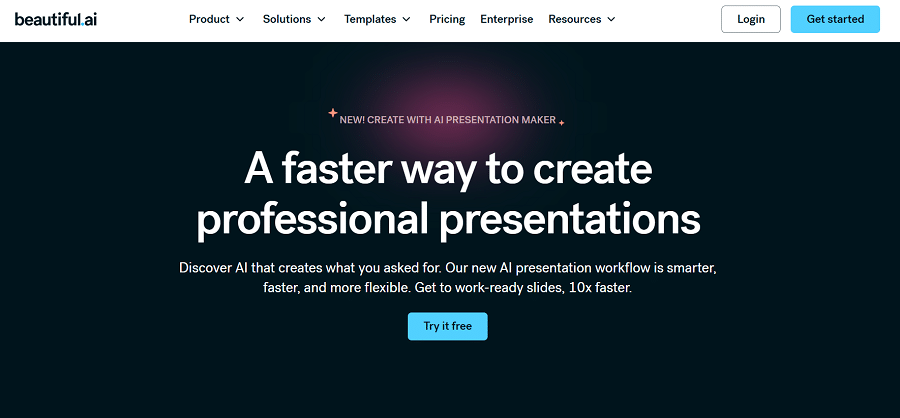
If your assignment involves a lot of charts, data comparisons, or research summaries with structured information, Beautiful.AI’s smart layout system is worth knowing about. It automatically rebalances slide layouts as you add or remove content elements, which is useful for data-heavy science, economics, or social science presentations where you’re constantly adjusting what’s on each slide.
The AI content generation is limited compared to AiPPT. Think of it as a design tool that helps you lay out content intelligently, not a tool that writes the content for you. No free plan — entry pricing is $12 per month, which is harder to justify on a student budget unless you’re doing this kind of work regularly.
What to Check Before Submitting an AI-Generated Deck
A few things I’ve learned from submitting AI-generated presentations in actual classes:
The outline step matters more than the generation step. Every tool that shows you the outline before building the full deck gives you a checkpoint to catch structural problems before they’re baked into 16 slides. Use it. Adjust the outline until it reflects your actual argument, then let the tool build from there. Fixing the structure at the outline stage takes two minutes. Fixing it after the deck is built takes twenty.
AI tools don’t know your course. They don’t know what your professor emphasized, what you covered in lecture, or what angle your specific assignment asked you to take. The generated content is a starting point for your argument, not a substitute for it. Add your own analysis, your own course-specific terminology, your own conclusions. The tool handles structure and formatting; the academic judgment still needs to be yours.
Check the citations section separately. AI-generated presentations will occasionally produce slide content that implies a source without citing one. If your assignment requires citations, add them manually after generation rather than relying on the AI to handle it correctly.
Export and open the file before submission day. I’ve been burned once by a presentation that looked perfect in the browser editor and had a broken layout when I opened the .pptx file the morning it was due. Export, open in PowerPoint, scroll through every slide, then close. Takes three minutes. Worth it.
The Actual Decision
For most students doing most assignments, AiPPT is the right starting point. The document upload workflow is what makes it practical for real academic use — the ability to take a paper you’ve already written and convert it into a structured presentation draft, rather than starting from scratch, is a significant time advantage on any week where assignments are stacking up.
Gamma is the right choice if your class environment is fully browser-based and visual design is a priority. Canva is the right choice if you want design flexibility and are comfortable writing your own slide content. Beautiful.AI is worth the subscription for students doing frequent data-heavy research presentations.
For the Tuesday night group project scenario I started with — research notes, tight deadline, four people who needed something they could each edit — AiPPT’s ai presentation generator handled the structural work in minutes and left us with a deck everyone could get into and modify. That’s the job. That’s what these tools are for.
The 90-minute formatting tax is optional now. Whether you spend that time on something more useful is up to you.